MCP: Connect PromptLab to other AI assistants
Any AI app that supports remote MCP servers can connect to PromptLab, in three short steps.
Updated October 1, 2026
PromptLab follows MCP (the Model Context Protocol), an open standard, so you're not limited to Claude and ChatGPT. You need an app that can add a remote MCP server and sign in with OAuth.
Before you start
- A paid PromptLab plan (Basic or higher).
- About two minutes.
Step 1: Copy the PromptLab address
In PromptLab, open Settings → Apps → AI Assistants. Copy the address from the Claude or ChatGPT card. It's the same address for every app.
https://trypromptlab.com/mcp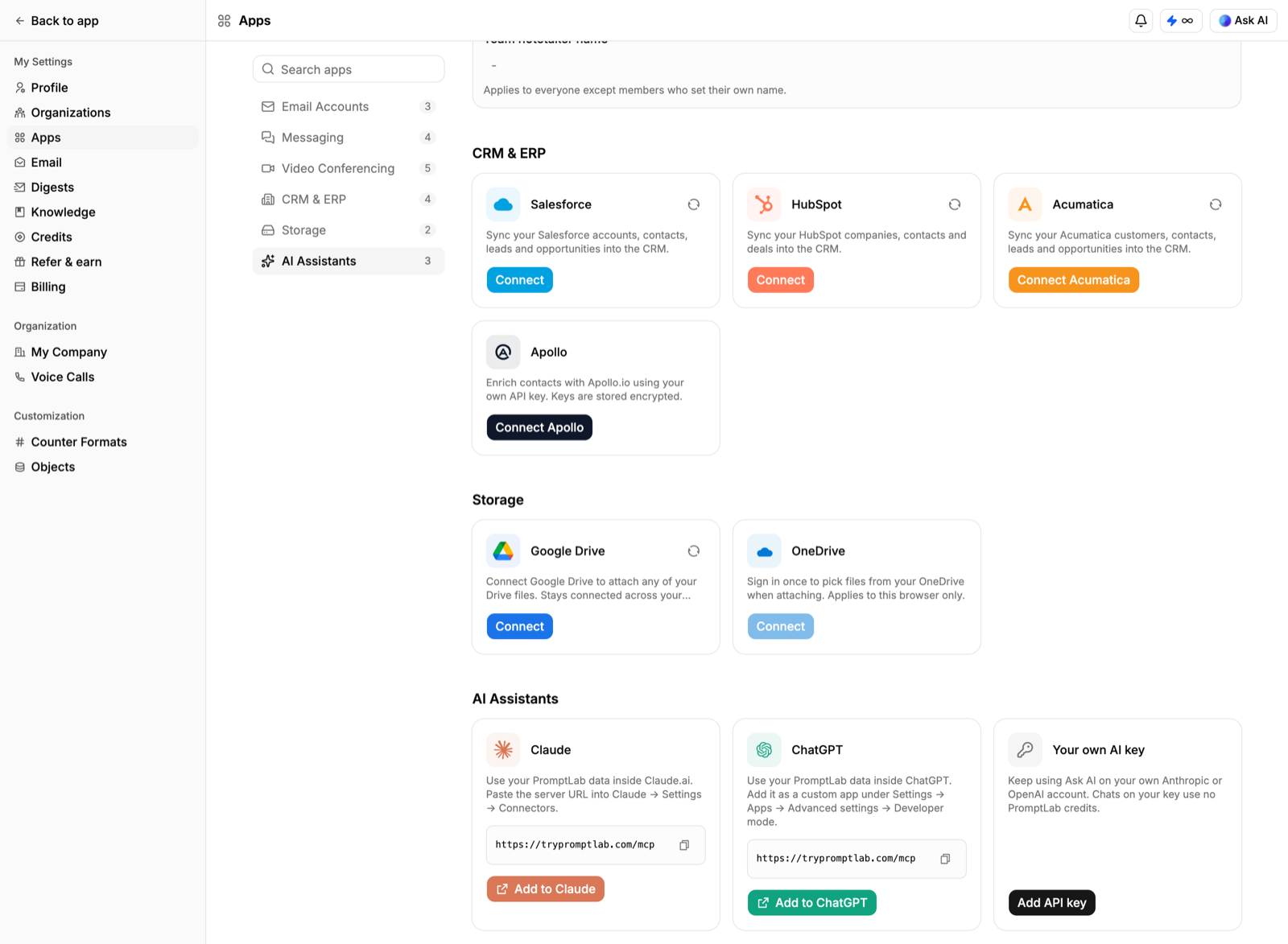
Step 2: Add a remote MCP server
In your app's MCP settings, add a new remote server (it may be called HTTP or Streamable HTTP). Name it promptlab, paste the address and leave authentication on OAuth.
If the app only accepts an API key or a token, it can't connect to PromptLab yet. PromptLab uses sign-in, not keys.
Step 3: Sign in and allow access
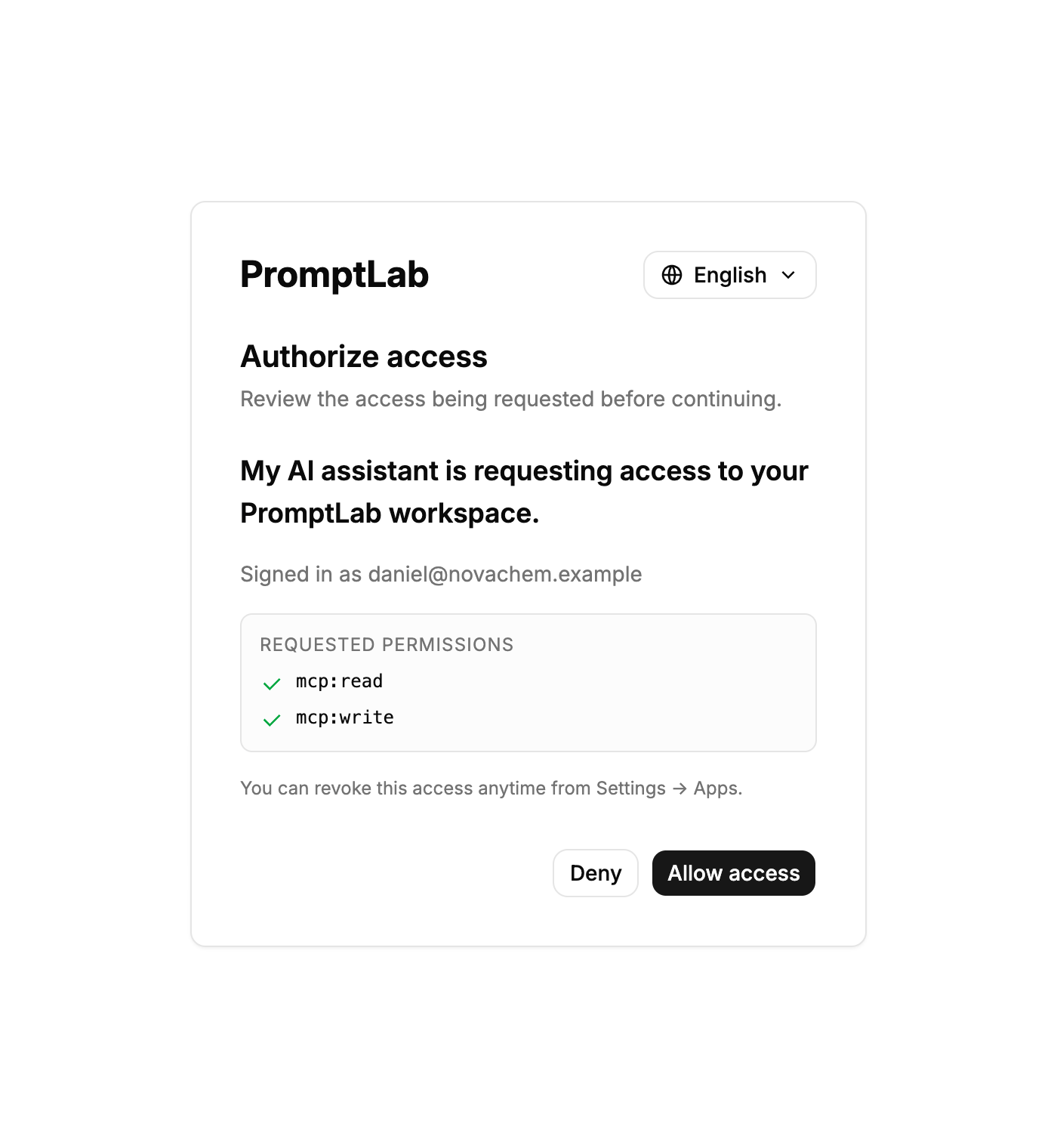
The first time the app uses PromptLab, a PromptLab page opens: sign in if asked and click Allow access.
No setup needed inside PromptLab
Ask AI in PromptLab, and the PromptLab bots in Telegram and Slack, already use the same tools.
Disconnect
Remove the promptlab server from your app's MCP settings.
Did this answer your question?