



















Sales territory handover checklist
A sales territory handover checklist for B2B product teams: accounts, open deals, quotes and samples, contacts, notes and customer introductions.
 By the PromptLab team29 October 20265 min read
A territory changes hands when a rep leaves, moves region or gets promoted. If the handover is a spreadsheet and a coffee, buyers notice. The new rep asks questions the customer already answered, a quote goes quiet and a sample sits on a dock.
This checklist gets a territory from one rep to another without losing deals. It suits sales managers and reps at manufacturers and distributors. For the idea behind territories, read what is a sales territory, and for how to draw them, how to manage sales territories.
Plan the handover
Do this before the outgoing rep has one foot out of the door. The aim is a clear list of what moves, to whom and by when.
Plan
Move the accounts and deals
In the CRM, ownership is the thing to get right. A deal left with a departed rep gets no follow-up.
Accounts and open deals
Hand over quotes, samples and orders
Anything in flight with the customer needs a name next to it. These are the items buyers chase when nobody replies.
Quotes, samples and orders
Hand over the people and the history
The new rep inherits relationships, not records. The most useful part of a handover is what the outgoing rep knows and never wrote down.
Contacts and context
Introduce the new rep
A warm introduction from the old rep does more than any email from the new one. Do it for the top accounts first.
Introductions
Check after the first month
Review the handover once the dust has settled. Gaps show up in the first weeks.
Follow-up
The items people skip
- Promises made by phone. The price hold or the delivery date agreed on a call is not on any record.
- Tasks still owned by the old rep. They sit overdue under a name nobody reads.
- Personal inboxes. Customer emails kept in a private mailbox disappear with the person.
- The customer. Some buyers learn about the change from a bounced email.
How PromptLab helps
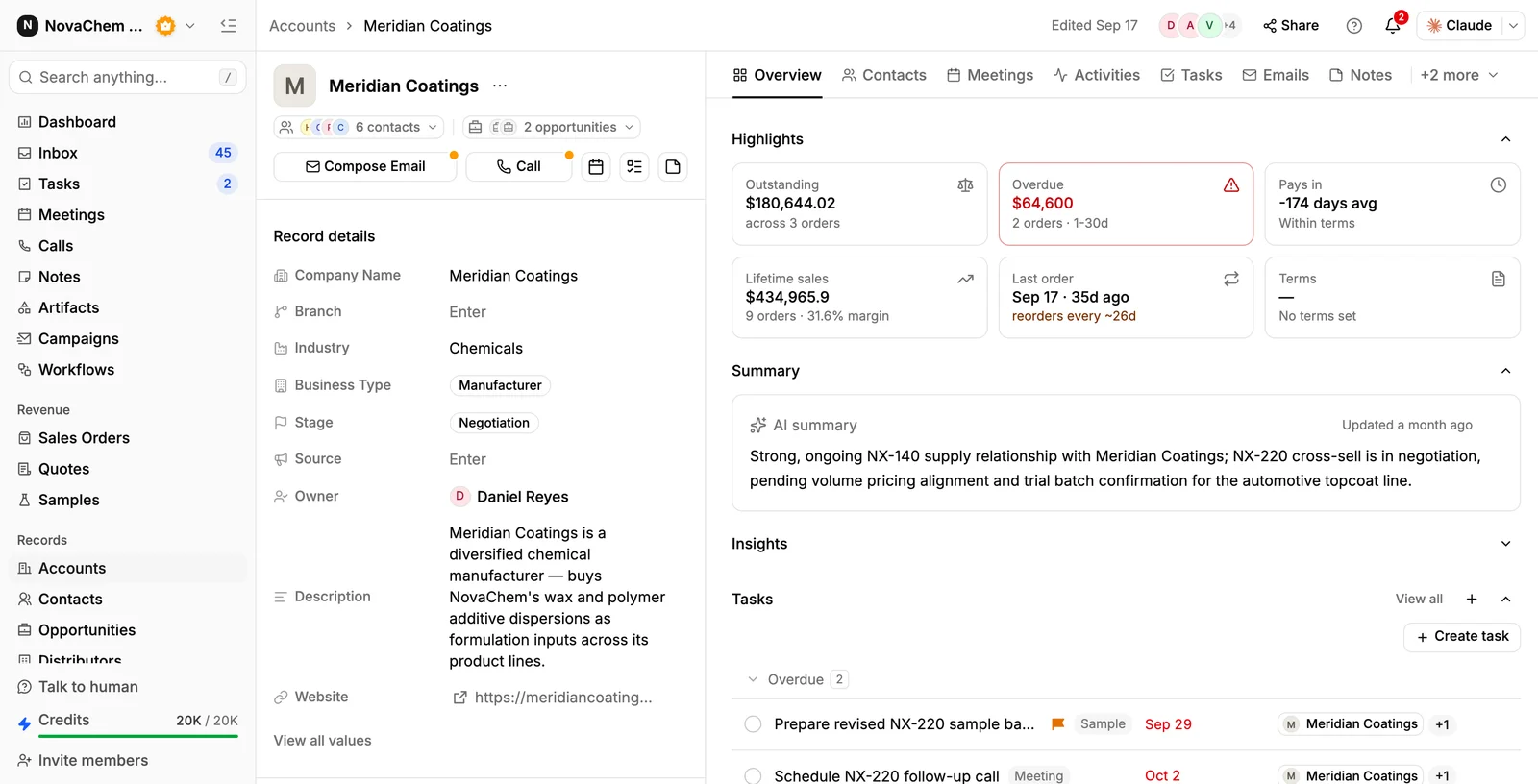
Because accounts, deals, quotes, samples, tasks and notes are in one CRM, the handover is a matter of changing owners and writing a few briefs. Email capture from Gmail, Outlook or IMAP, and the shared Inbox for WhatsApp and Telegram, keep customer messages on the account, not in one person's mailbox. The meeting recordings, summaries and notes on each account give the new rep the history. Ask AI can answer questions such as which quotes on an account are still in Draft or Pending. See account intelligence.
Frequently asked questions
What is a sales territory handover?
It is the transfer of accounts, open deals and customer relationships from one rep to another when a territory changes hands. A good one keeps deals moving and tells customers who their contact is now.
How long should a territory handover take?
It depends on the size of the territory, but allow at least a couple of weeks of overlap if you can. If the rep has already left, a manager or colleague should cover the top accounts the same week.
What should a handover document include?
The account list with owners, open deals with stage and next step, quotes and samples in flight, key contacts, special prices, open complaints and a short brief on each top account.
How do I tell customers their account rep has changed?
Have the outgoing rep send a short note naming the new owner and when the change starts. For key accounts, add a joint call or visit. Give customers one contact for urgent issues in the meantime.
What goes wrong most often in a territory handover?
Open tasks and quotes left under the old owner, promises that were never written down, and customer emails stuck in a personal inbox. Check ownership on accounts, deals and tasks before the old rep leaves.