



















Your whole CRM, inside Claude and ChatGPT
Connect PromptLab once. Your assistant looks up accounts, quotes and meetings, and writes notes, tasks and deals back, with your permissions.
- Claude
Which accounts have an open quote and no activity in 30 days?
- ChatGPT
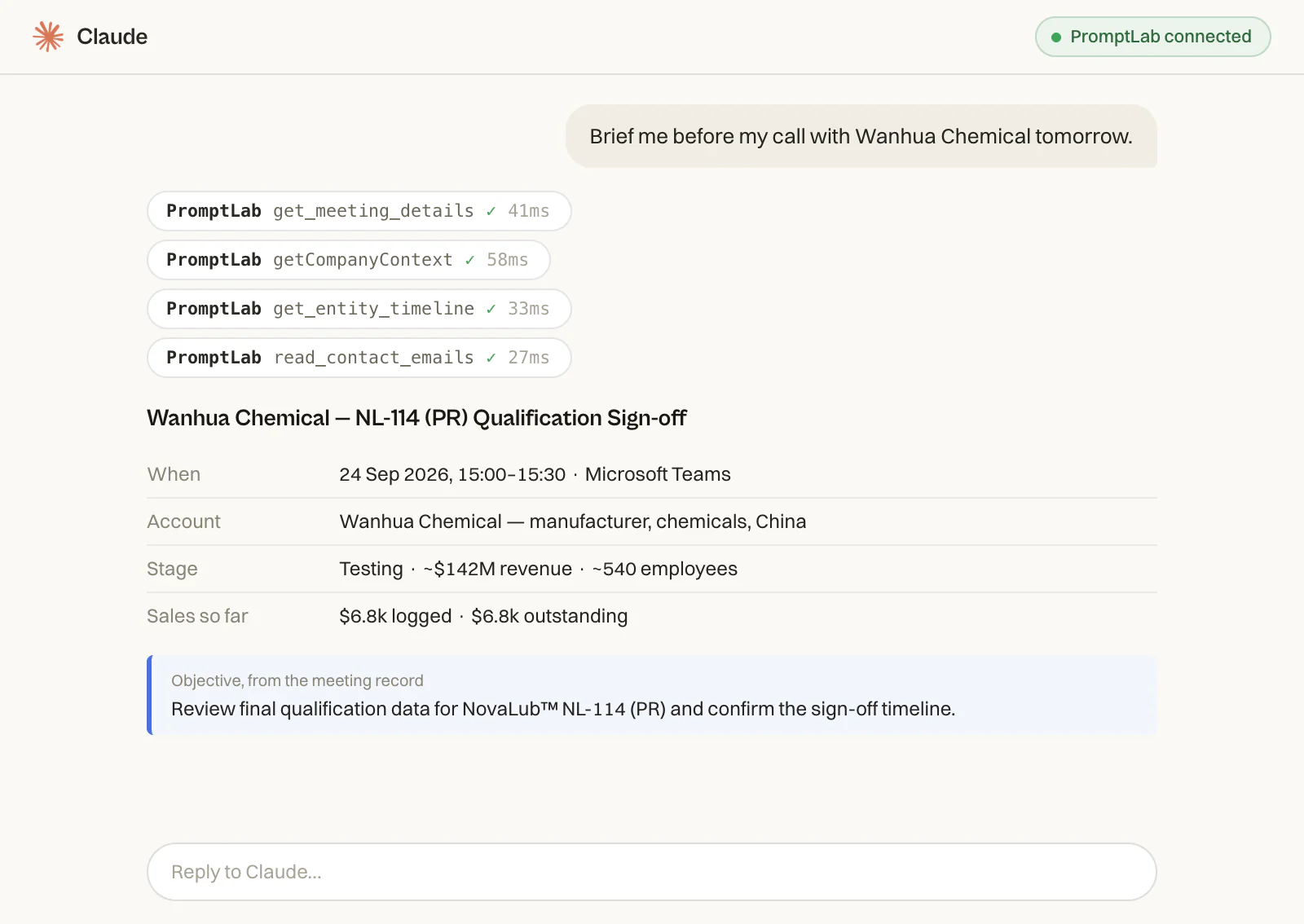
Brief me before my call with Wanhua Chemical tomorrow
- Ask AI
Summarize what we promised Kansai Paint in the last meeting
- Claude
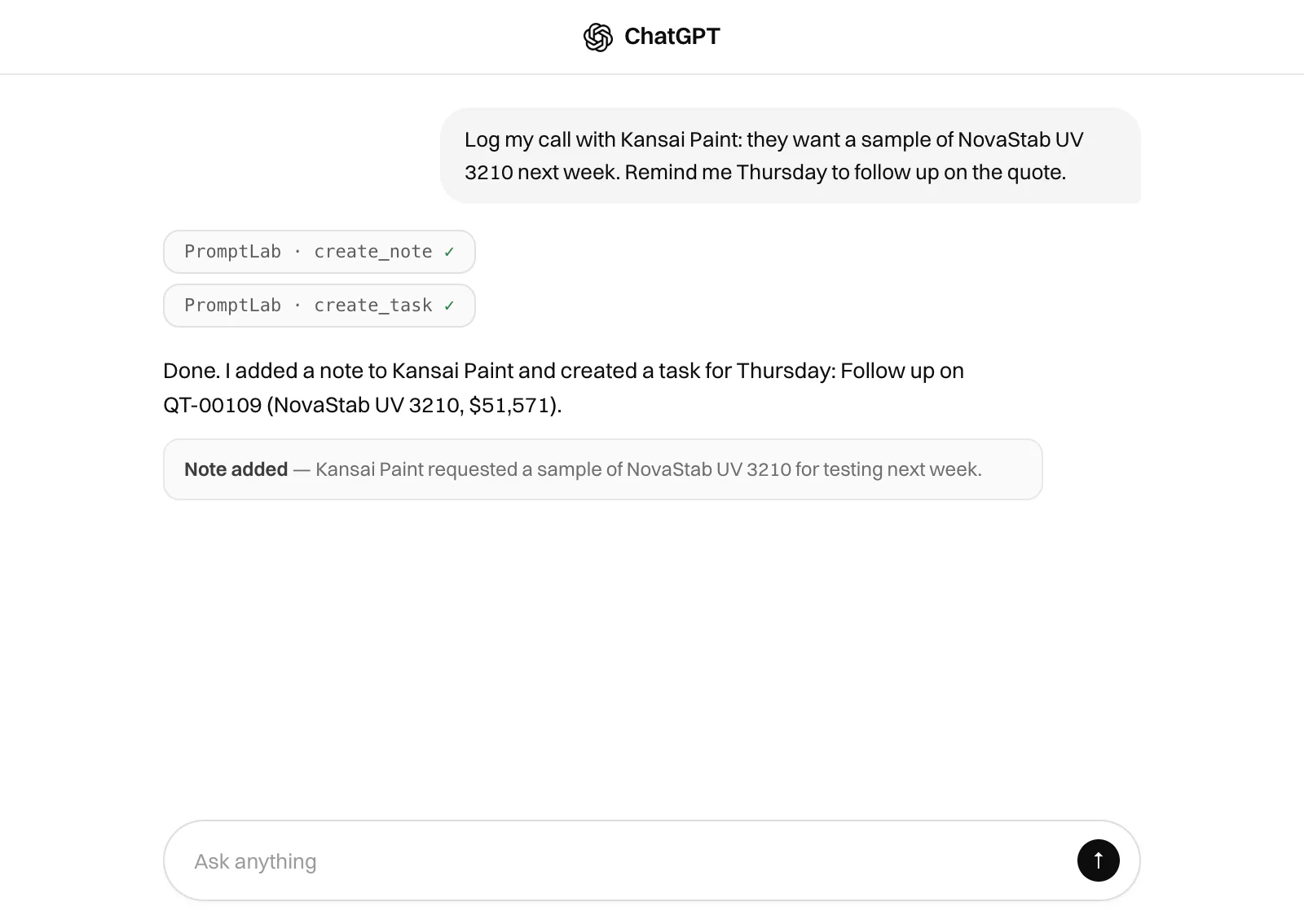
Log this call as a note and add a follow-up task for Friday
- ChatGPT
Show this quarter's pipeline by owner
- Ask AI
Draft a quote for Nordmann from our current price list
- Claude
Move the Sherwin-Williams deal to the next stage
- ChatGPT
Who at Innospec haven't we emailed this month?



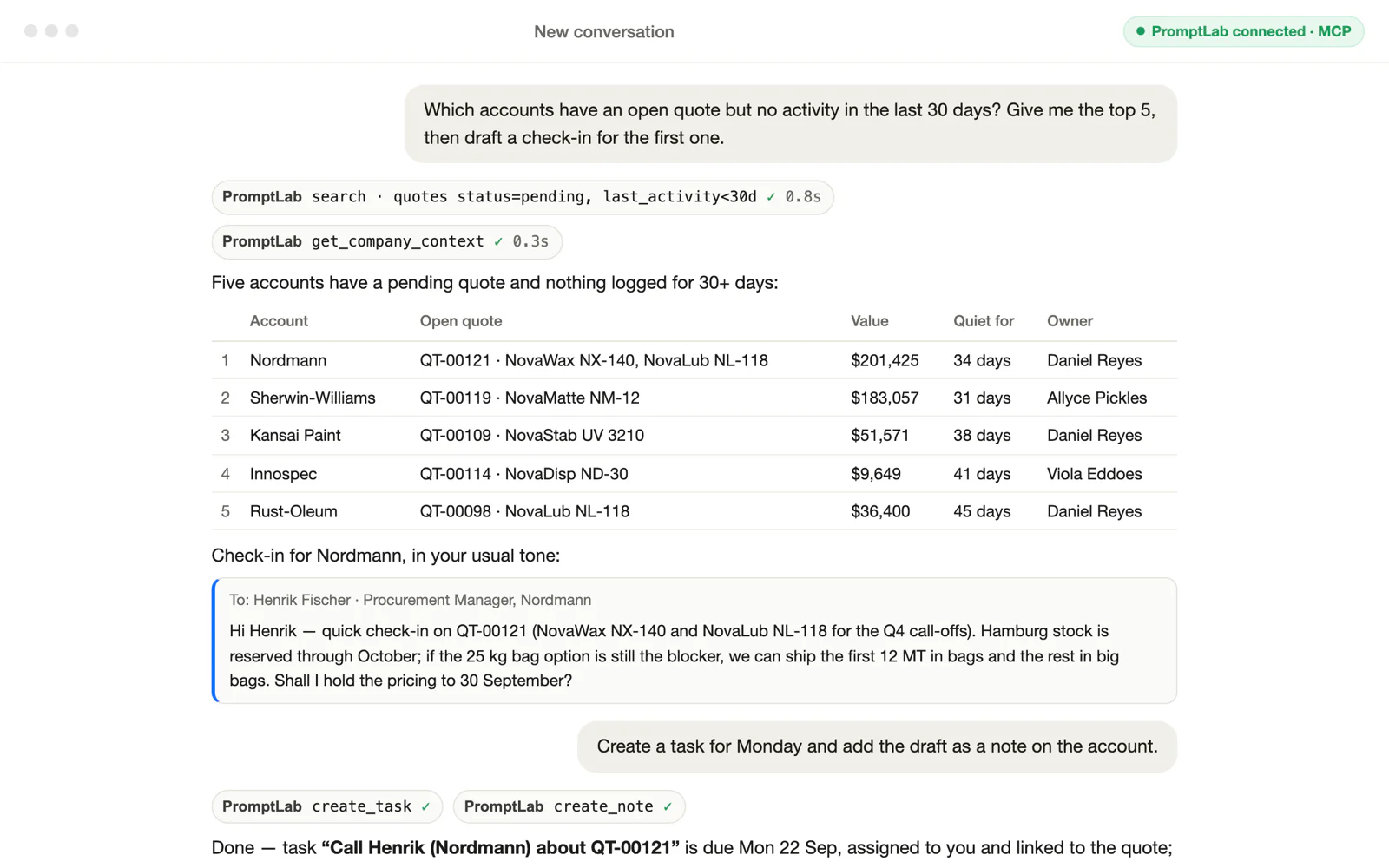
Your CRM has the answers. Now you can ask.
“The biggest change is visibility. We finally understand what’s happening across deals without asking the team.”
 Sales Manager at Vektan Chemical
Know every account before the call
- Get a briefing on any meeting from its notes, emails and open quotes
Find the accounts that have gone quiet
Pull company context without opening a record
Update the CRM without leaving the chat
- Log call notes and follow-up tasks as you talk
Create leads and move deals to the next stage
Draft quotes and emails from your own data
One connection for every assistant
- Claude and ChatGPT connect with the same address
Ask AI inside PromptLab uses the same tools
Your Telegram and Slack bots answer from the same data

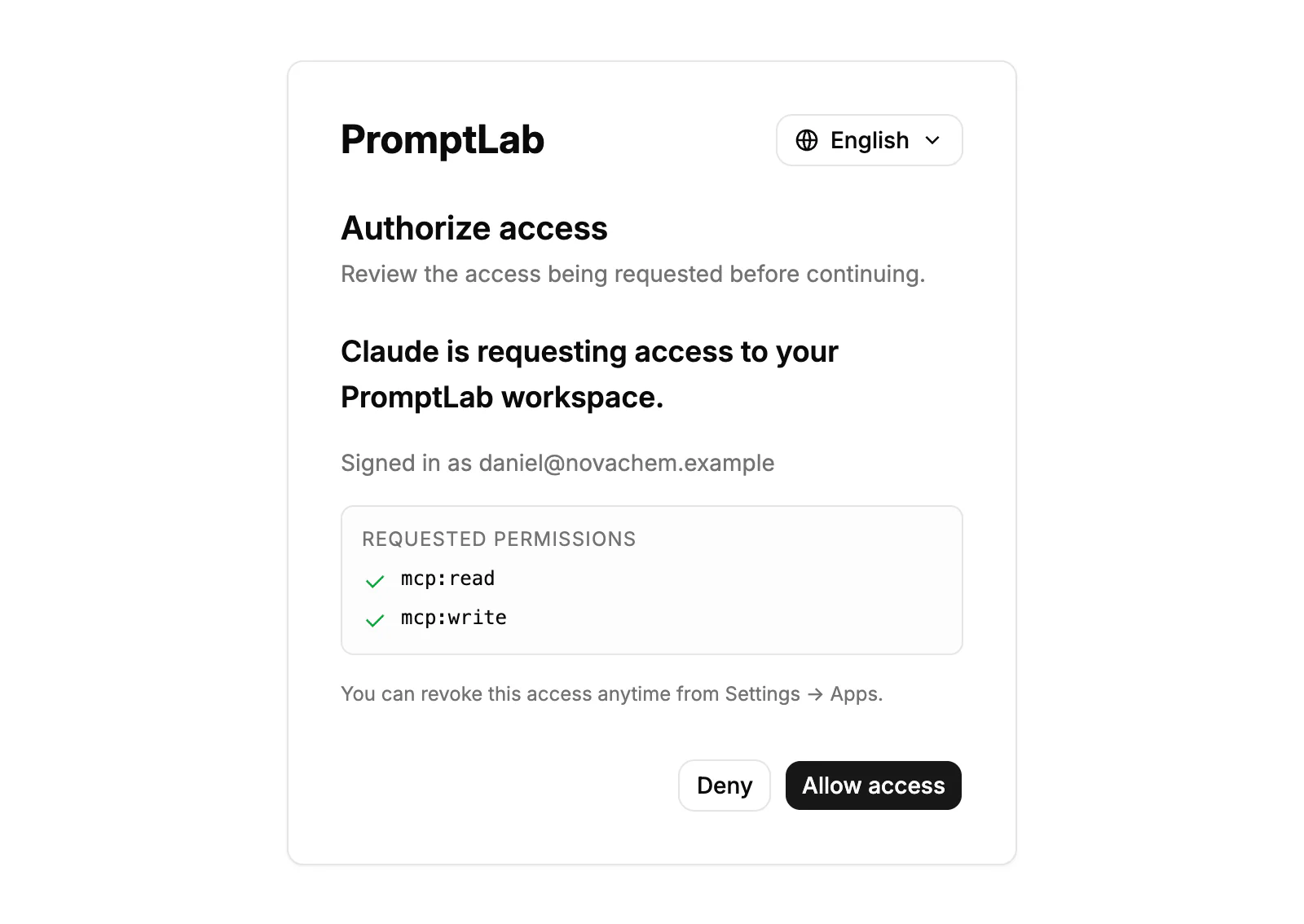
Safe by default
- Sign in with your PromptLab account. No API keys to leak
Every answer follows your role and permissions
Deleting records, billing and user management are never exposed
Frequently asked questions
What is MCP?
MCP (Model Context Protocol) is an open standard that lets AI assistants use outside tools. PromptLab runs an MCP server, so an assistant like Claude or ChatGPT can look up and update your CRM records when you ask it to.
Which assistants can I connect?
Claude and ChatGPT, with setup steps for both in Settings → Apps → AI Assistants. Other assistants that support remote MCP servers can use the same address. PromptLab’s own Ask AI already has the same tools built in.
How do I connect it?
In PromptLab, open Settings → Apps → AI Assistants and copy the server address, https://api.trypromptlab.com/mcp. In Claude, add it under Settings → Connectors. In ChatGPT, add it as an app under Settings → Apps → Advanced settings with developer mode on. Then sign in with your PromptLab account.
Which plans include it?
Every paid plan, including Basic, can read and write over MCP. The bulk tools that create or update many records at once need Professional or above.
What can a connected assistant change?
It can create and update accounts, contacts, leads, quotes, tasks, notes and meetings, always as you and within your permissions. It cannot delete records, change billing, or manage users and roles. Those tools are never exposed over MCP.