



















Customer visit checklist for B2B sales reps
A customer visit checklist for reps who sell products: what to prepare before, what to do on site, and how to log and follow up the same day.
 By the PromptLab team24 October 20265 min read
A customer visit is expensive. You pay for the travel, the day out of the office and the samples in your bag. It pays back only if you arrive knowing the account, leave with a clear next step and write it all down before the next meeting starts. This checklist covers the three stages for a rep who sells physical products.
Use it for planned visits to existing customers and for first visits to a new buyer. Give each item an owner if more than one person is going. If the visit is a sales meeting you plan to record, our guide to recording and summarising sales meetings covers that side.
Before the visit: know the account
Ten minutes of preparation changes the conversation. You stop asking what they already told you last time.
Before you go
What to pack
Bring what lets you answer on the spot. A "let me come back to you" costs a few days.
In the bag
On site: listen first, then ask for the next step
The best visits are mostly questions. You are there to learn how the customer buys, not to read out a catalogue.
During the visit
The same day: log it while you remember
Notes written on the train home are better than notes written on Friday. Do this before your next appointment if you can.
After the visit
How PromptLab helps
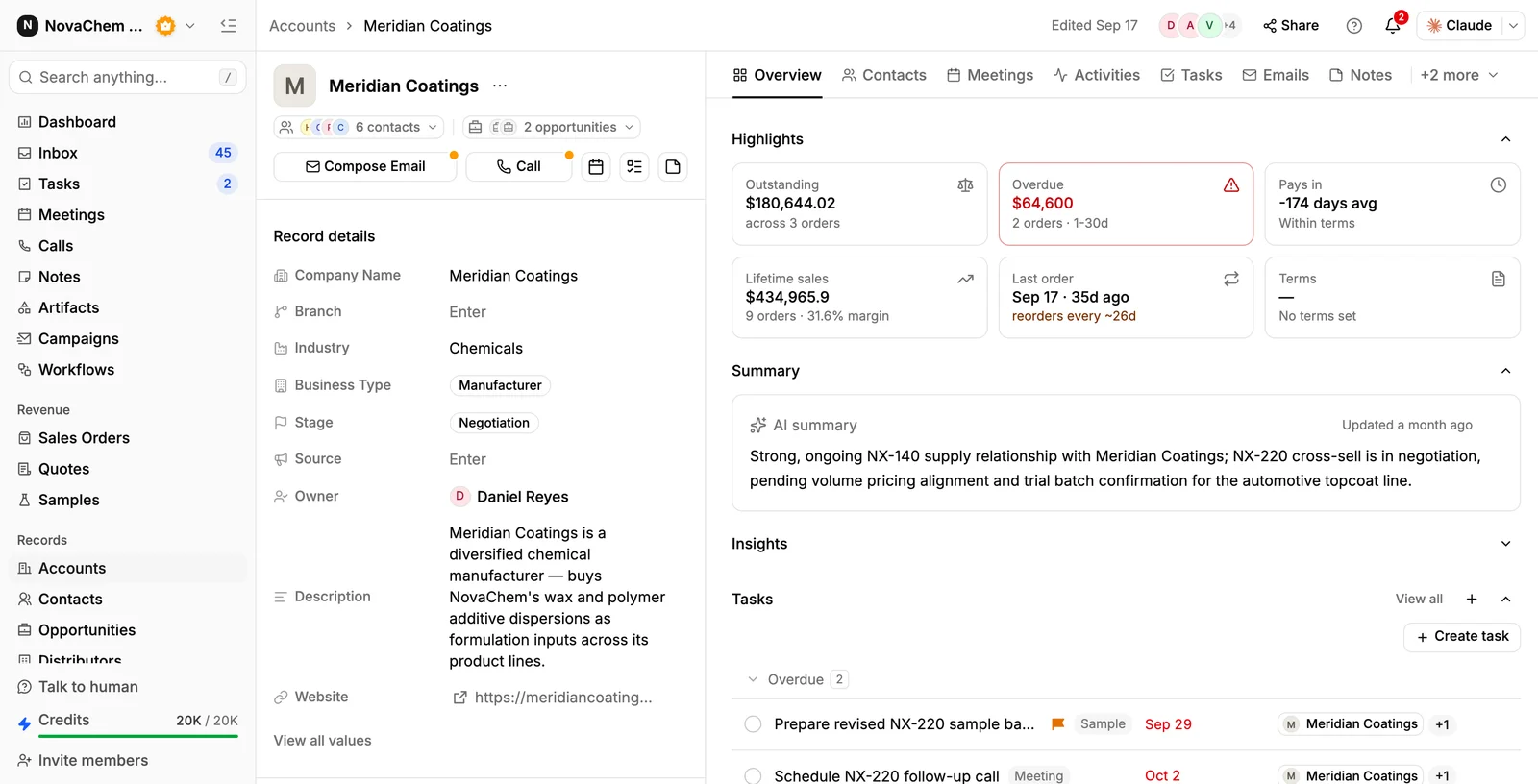
Most of the checklist is about having the right history in front of you. In PromptLab the account brings together its deals, contacts, quotes, samples and conversation history, so you can read it before you go in. For a meeting in PromptLab, you can also generate a pre-meeting brief from the account, the deal, recent activity, open tasks and earlier meetings.
If you record the meeting on Google Meet, Zoom or Microsoft Teams, you get a transcript and an AI summary, and action items become CRM tasks automatically. For a visit in person, write the notes on the account and create the tasks yourself.
The items people skip
- The last-order check. Walking in without knowing what they bought last is the quickest way to look careless.
- A single outcome. Without one, the visit drifts into a friendly chat.
- The other decision makers. The person you meet is often not the one who signs.
- Same-day notes. Details of volume and timing fade fast.
- The promised follow-up. If you said "I'll send the price list", send it within two days. See how to write follow-up emails.
Frequently asked questions
How long should a customer visit last?
Long enough to cover your outcome and their questions, and no longer. A routine account visit often fits in an hour, while a first visit to a new buyer or a plant tour takes longer. Agree the time in advance and say what you plan to cover.
What should I ask a customer during a visit?
Ask how their demand is changing, what is working and not working with your supply, who else is involved in buying, and what they use from competitors. Ask about plans for the next quarter too, since those decide your next order.
How soon should I follow up after a customer visit?
Send a thank-you email the same day or the next morning, and send anything you promised within two working days. The email should repeat the next step and its date.
Should I take samples on a customer visit?
Yes, if you know which products are on the agenda. Label them with grade and batch, and log each one you hand over against the contact so the follow-up does not get lost. Our guide to tracking product samples covers the record.
How do I record notes from a visit in the CRM?
Write them on the account the same day, update the deal stage, and create a task for each promise with an owner and a due date. Keep it short and specific: volumes, timing, decision makers and the agreed next step.