
















Holiday closure notice templates for customers
Seven holiday closure notices for B2B suppliers: the early warning, the order cut-off, the closure notice, an out-of-office reply and a back-in-business note.
 By the PromptLab team31 October 20264 min read
A closure that surprises a buyer costs you an order. A buyer who learns on the 23rd that your warehouse shut on the 20th will remember it. A buyer who got a notice a month ago, with a last order date, plans around it, and may order a little more.
These templates cover the whole sequence: the early heads-up, the order cut-off, the closure notice, the out-of-office reply and the note when you reopen. The wording is the same for any closure, whether it's a national holiday, a plant shutdown or a stocktake. For the orders that come in just before, see order confirmation email templates, and for orders that slip, order delay email templates.
Early warning
Subject: Our holiday closure: [Dates]
Hi [First name],

A quick note to help you plan. We'll be closed from [Date] to [Date] for [Holiday or reason]. We reopen on [Date].

If you need anything before then, the last day to place an order for delivery before the closure is [Date]. Orders after that will ship from [Reopening date].

Tell me what you're expecting to need, and I'll make sure it's ready.

[Your name]
Send it four to six weeks ahead to all active customers. Give the last order date up front.
Subject: Planning your orders around our closure
Hi [First name],

Our closure runs from [Date] to [Date]. Last year you placed an order around [Month], so I wanted to check: would it help to bring your next order forward, or to schedule a delivery for just before we close?

Tell me the quantity and the delivery date, and I'll confirm it this week.

[Your name]
Use it for accounts with a regular order pattern. Name the pattern so they see you know their business.
The cut-off
Subject: Last order date: [Date]
Hi [First name],

A reminder that [Date] is the last day to order for delivery before our closure. Orders placed after that will be handled from [Reopening date].

If you're planning an order, send it by [Time] on [Date] and I'll confirm it the same day.

[Your name]
Send it a week before the cut-off. State the day and the time.
Hi [First name], a reminder from [Our company]: last day to order before our holiday closure is [Date]. We reopen on [Date]. Send me what you need and I'll confirm it today.
Use it for buyers who order over WhatsApp or Telegram. Keep it to a few lines.
During the closure
Subject: We're closed from today until [Date]
Hi [First name],

Our offices and warehouse are closed from today until [Date]. Orders already confirmed are on their way, and new orders will be handled from [Date].

For anything urgent, contact [Name] on [Phone]. Otherwise we'll reply on [Date].

Thank you for your business this year. We wish you a good [Holiday].

[Your name]
Send it on the last working day. If you have an emergency contact, give a name and a number.
Subject: Out of office until [Date]
Hello,

Thank you for your message. We're closed from [Date] to [Date] and will reply from [Date].

For an urgent matter, contact [Name] on [Phone]. For an order, you can send it now and we will confirm it on our return.

[Your name]
[Our company]
Set it on every mailbox that customers write to, and name the reopening date.
Coming back
Subject: We're back: here's where your order stands
Hi [First name],

We reopened on [Date]. Orders placed during the closure are being confirmed now, and the first shipments leave on [Date].

If you need something urgently, tell me today and I'll move it up the list.

[Your name]
Send it on the first working day back. Put orders waiting for confirmation at the top of the list.
How to personalise them
- Always give a date and a time. "Last order date: Friday 11 December, 3 pm" leaves no room for doubt.
- Say who covers. A named contact with a phone number is worth more than a promise to "respond as soon as possible".
- Tell regular buyers what you expect them to need. It shows that you know their cycle, and it can bring an order forward.
- Handle time zones for overseas buyers. State the cut-off in your time zone and say so.
Send them from your CRM
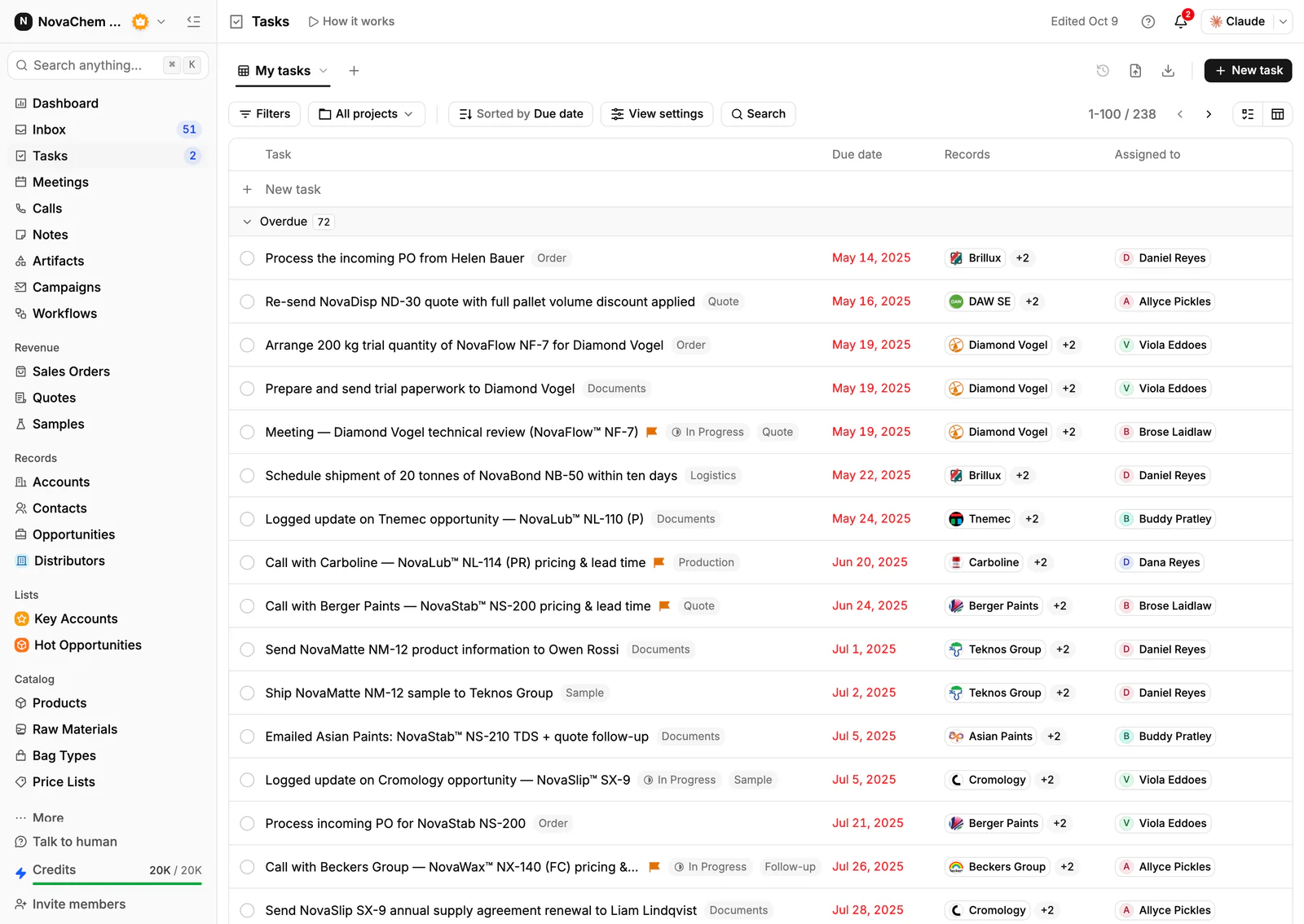
The week before a closure is when orders and questions pile up, so give each one an owner. Tasks keep the list of customers to chase before the cut-off, and the shared Inbox keeps replies from all channels in one place.
Frequently asked questions
How far ahead should I tell customers about a holiday closure?
Four to six weeks for a first notice, then a reminder a week before the last order date. Customers with a regular order pattern should hear the earliest.
What should a closure notice include?
The dates you're closed, the last order date, the reopening date and an emergency contact if you have one. Keep it to a few lines.
Should I send the notice to every customer?
Send it to active customers and anyone with an open order or quote. Dormant accounts can wait, but a short notice on your website and email signature covers the rest.
Do I need an out-of-office reply as well?
Yes. People write to you without reading the notice, and an automatic reply with the reopening date and an urgent contact answers them straight away.
Can I schedule closure reminders in my CRM?
Yes. In PromptLab a workflow can run on a schedule and create a task for the rep, so each notice goes out on its date. You can also create tasks by hand for the customers you want to call.