














Order confirmation email templates
Eight order confirmation emails for B2B suppliers: standard, first order, partial shipment, a changed order and a large or custom order.
 By the PromptLab team31 October 20265 min read
An order confirmation is the moment the sale becomes a promise. It tells the buyer what you understood, what you'll ship, when and at what price. Mistakes such as a wrong pack size, a missing delivery date or a price that differs from the quote are cheapest to catch here, before anything ships.
These templates cover a standard confirmation, a first order, a partial shipment, a change and a custom order. Each repeats the order back to the buyer, because that's what a confirmation is for. For the record behind it, read what is a sales order. For the thank-you that follows, see order thank-you email templates.
The standard confirmation
Subject: Order [Order number] confirmed
Hi [First name],

Thank you for your order. I'm confirming the following:

- Order number: [Order number]
- Your reference: [PO number]
- Product: [Product], [Quantity] x [Pack size]
- Price: [Price] per [Unit], [Total]
- Delivery to: [Address]
- Delivery terms: [Terms]
- Dispatch date: [Date]
- Payment terms: [Terms]

Please check these details. If anything is wrong, reply today and I'll correct it before we ship.

[Your name]
Send it as soon as the order is entered. A bullet list is easier to check than a paragraph.
Subject: Order [Order number]: confirmed, dispatch on [Date]
Hi [First name],

Your order for [Quantity] of [Product] is confirmed. It's in production, with dispatch planned for [Date] and delivery expected on [Date].

I'll send tracking when it leaves. If your plans change, tell me as early as you can.

[Your name]
Use it when the product is made to order and the date is the thing the buyer cares about.
A first order
Subject: Your first order, [Order number], is confirmed
Hi [First name],

Thank you for your first order. Here is what we have: [Quantity] of [Product] at [Price] per [Unit], delivery to [Address] on [Date], payment terms [Terms].

For a first order, please also check your invoice address and receiving hours: [Address], [Hours]. After that, orders move faster, because we have the details on file.

[Your name]
Use it for any new account. Ask them to check what you have on file.
Partial and changed orders
Subject: Order [Order number]: partial shipment
Hi [First name],

Order [Order number] will go in two shipments. The first, [Quantity] of [Product], ships on [Date]. The second, [Quantity], ships on [Date], once [Reason, for example the next batch is released].

Both shipments are on the same order. If you'd rather wait for one delivery, tell me by [Date].

[Your name]
Use it when you can't ship everything at once. Say why, and give both dates. If the second part is waiting on stock, see the backorder notification email templates.
Subject: Order [Order number] updated
Hi [First name],

As requested, I've updated order [Order number]: [Change, for example quantity changed from X to Y]. The new total is [Total], and dispatch is on [Date].

Please confirm the update is right. If I don't hear from you by [Date], I'll go ahead with the updated order.

[Your name]
Use it after any change, so there's one clear version of the order.
Subject: A change to order [Order number]
Hi [First name],

I need to change one thing on order [Order number]: [Change and reason]. The new dispatch date is [Date], instead of [Original date].

I'm sorry for the inconvenience. If this doesn't work for you, call me on [Phone] and we'll find another option.

[Your name]
Use it as soon as you know. Tell the buyer before they find out. For longer delays, see the order delay email templates.
Large and custom orders
Subject: Order [Order number]: details to confirm before production
Hi [First name],

Before we start production on order [Order number], please confirm these details:

- Specification: [Spec]
- Quantity and tolerance: [Quantity], [Tolerance]
- Packaging and labelling: [Details]
- Delivery date and terms: [Date], [Terms]
- Price: [Total]

We'll begin on [Date], once you confirm. Changes after that may affect price and dispatch.

[Your name]
Use it for custom grades, private labels and big orders. Get the written confirmation before production starts.
Hi [First name], confirming your order [Order number]: [Quantity] of [Product], delivery to [Address] on [Date], total [Total]. Please reply "OK" if all is right, or tell me what to change.
Use it for buyers who place orders by message. Follow up by email with the full details if your process needs it.
How to personalise them
- Repeat the buyer's PO number. It's the reference their accounts team will look for.
- Put the price and the total in every confirmation. A mismatch with the quote is cheaper to fix now than after delivery.
- Ask for a reply only when it matters. For routine orders, "reply only if something is wrong" is enough. For custom ones, ask for a written yes.
- Don't promise what you can't check. If you haven't confirmed stock or a production slot, say "subject to confirmation" and follow up.
Send them from your CRM
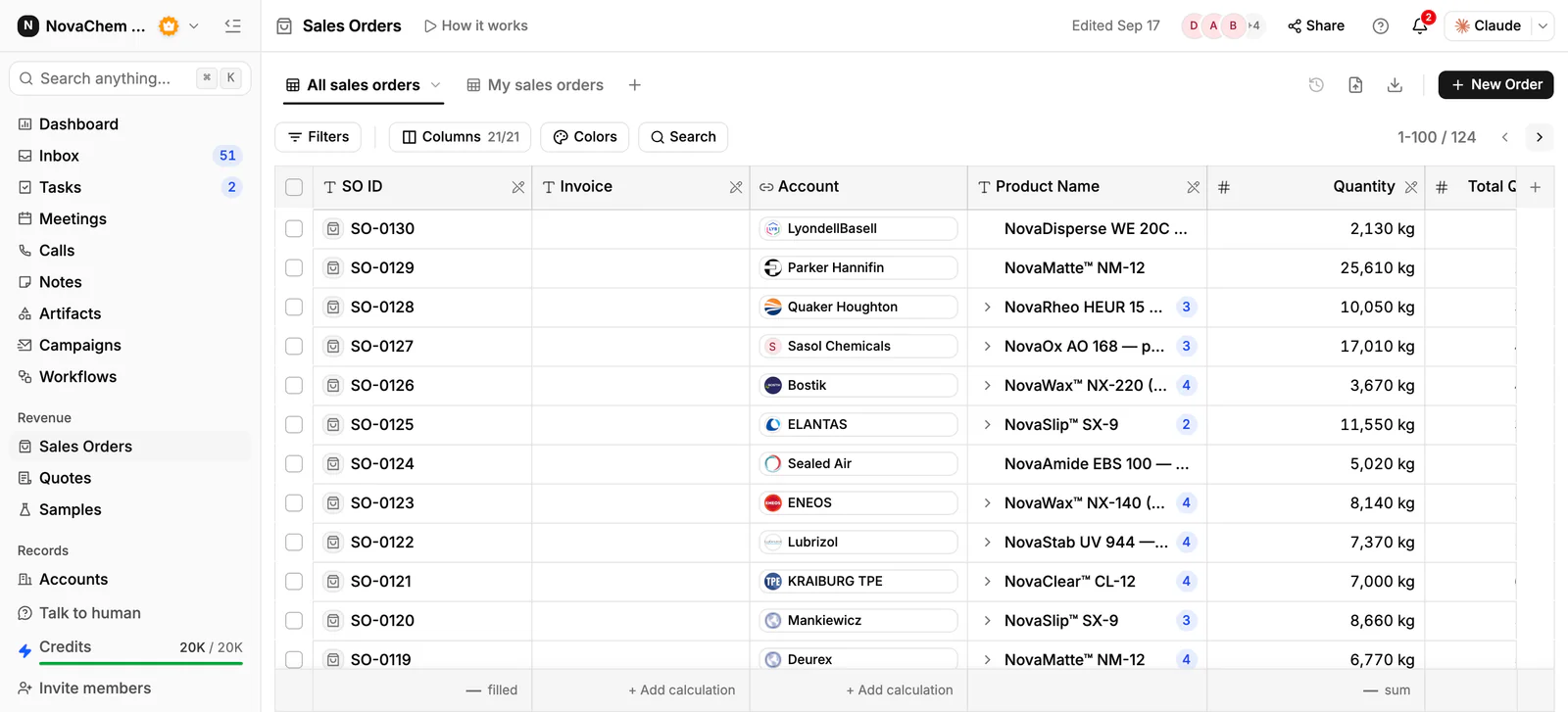
An order confirmation is only as good as the record behind it. In PromptLab, the sales order sits on the account, with the products, prices, trade terms and payment terms, next to the quotes, samples and emails for the same buyer.
Frequently asked questions
What should a B2B order confirmation include?
The order and PO numbers, the products and quantities, price and total, delivery address and terms, the dispatch date and the payment terms. Ask the buyer to check them and reply if anything is wrong.
How quickly should I send an order confirmation?
The same working day, or within a few hours. A prompt confirmation reassures the buyer and gives you time to correct a mistake before shipping.
Is an order confirmation the same as an invoice?
No. A confirmation says what you will deliver and when. An invoice asks for payment. A pro forma invoice is a third document, often used before payment in advance. See what is a pro forma invoice.
What if the buyer's PO differs from my quote?
Point out the difference in the confirmation and ask which is right before you ship. Don't quietly correct either one.
Can a CRM send order confirmations?
You write and send the email, and the CRM holds the order behind it. In PromptLab the sales order is on the account, and invoices are created from a sales order. Email, WhatsApp and Telegram conversations sit in the same Inbox.