



















Reorder reminder templates for email and WhatsApp
Eight reorder reminders for B2B reps, in email and WhatsApp: a stock check, a due-date nudge, a price-hold note, a missed reorder and a thank-you.
 By the PromptLab team16 October 20264 min read
Repeat orders are the quiet centre of product sales. A customer who buys a drum of resin or a pallet of cartons every six weeks is not thinking about you in week five. A short, well-timed reminder keeps you in the picture before they call a competitor.
These templates come in two channels. Email suits buyers who plan and approve orders. WhatsApp suits buyers who prefer a quick message, and should go only to people who contact you there or have agreed to it. For the bigger picture, read how to increase repeat orders.
Email reminders
Subject: Do you need [Product] for [Month]?
Hi [First name],

You usually reorder [Product] around [Time of month], so I wanted to ask early. How much stock do you have left, and do you want the same [Quantity] again?

If you tell me by [Date], I can plan dispatch for [Delivery date].

[Your name]
Send it about a week before the buyer's usual reorder date.
Subject: Your usual [Product] order
Hi [First name],

Your last order of [Product] was on [Date], which puts your next one around now. Shall I put through the same again: [Quantity] to [Location]?

Reply "yes" and I will confirm the date today.

[Your name]
Send it on the due date. One yes-or-no question is easy to answer.
Subject: Holding your [Product] price until [Date]
Hi [First name],

Our price for [Product] is changing on [Date] because of [Reason]. If you confirm your next order by then, I will keep today's price of [Price] per [Unit].

Would you like to order your usual [Quantity] now? Delivery can follow when you need it.

[Your name]
Use it only when the price really is changing. See our price increase letter templates for the formal notice.
Subject: Have your [Product] needs changed?
Hi [First name],

You have not ordered [Product] since [Date], and I wondered whether something has changed: volume, spec, or a delay on our side?

If it is a price or delivery issue, I would rather hear it and fix it. If you have simply run long on stock, tell me when to check back.

[Your name]
Use it when the customer is a few weeks past their normal pattern. If they stay silent for months, move to a win-back email.
WhatsApp reminders
Hello [First name], it is [Your name] from [Company]. You usually reorder [Product] about now. Shall I send the same [Quantity] as last time?
Use it a few days before the usual date, with a buyer who already writes to you on WhatsApp.
Hello [First name], your regular order of [Quantity] of [Product] is planned for dispatch on [Date]. Please tell me if you want to change the quantity or the date.
Use it for customers on a regular schedule. It lets them correct you with one reply.
Hello [First name], I noticed we have not sent your [Product] order this month. Is there anything you need from me? If you are well stocked, tell me when to check back.
Use it once. If there is no reply, switch to a phone call.
Hello [First name], thank you for the reorder. It is in the system, and I will message you when it leaves our warehouse. If next month's volume will be larger, tell me early and I will plan stock for you.
Use it straight after the order. It rewards the habit and invites an early heads-up.
How to personalise them
- Use their real rhythm. "You usually order around the 10th" shows you pay attention. Check the order history before sending.
- Name the product and quantity. A reminder that says "your usual 20 drums of [Product]" gets answered faster than "time to reorder".
- One question only. Ask yes or no, or a single date.
- Match the channel to the buyer. If they always order by email, do not switch to WhatsApp. If they write to you on WhatsApp, answer there.
- Do not chase on a loop. One reminder and one nudge, then a call.
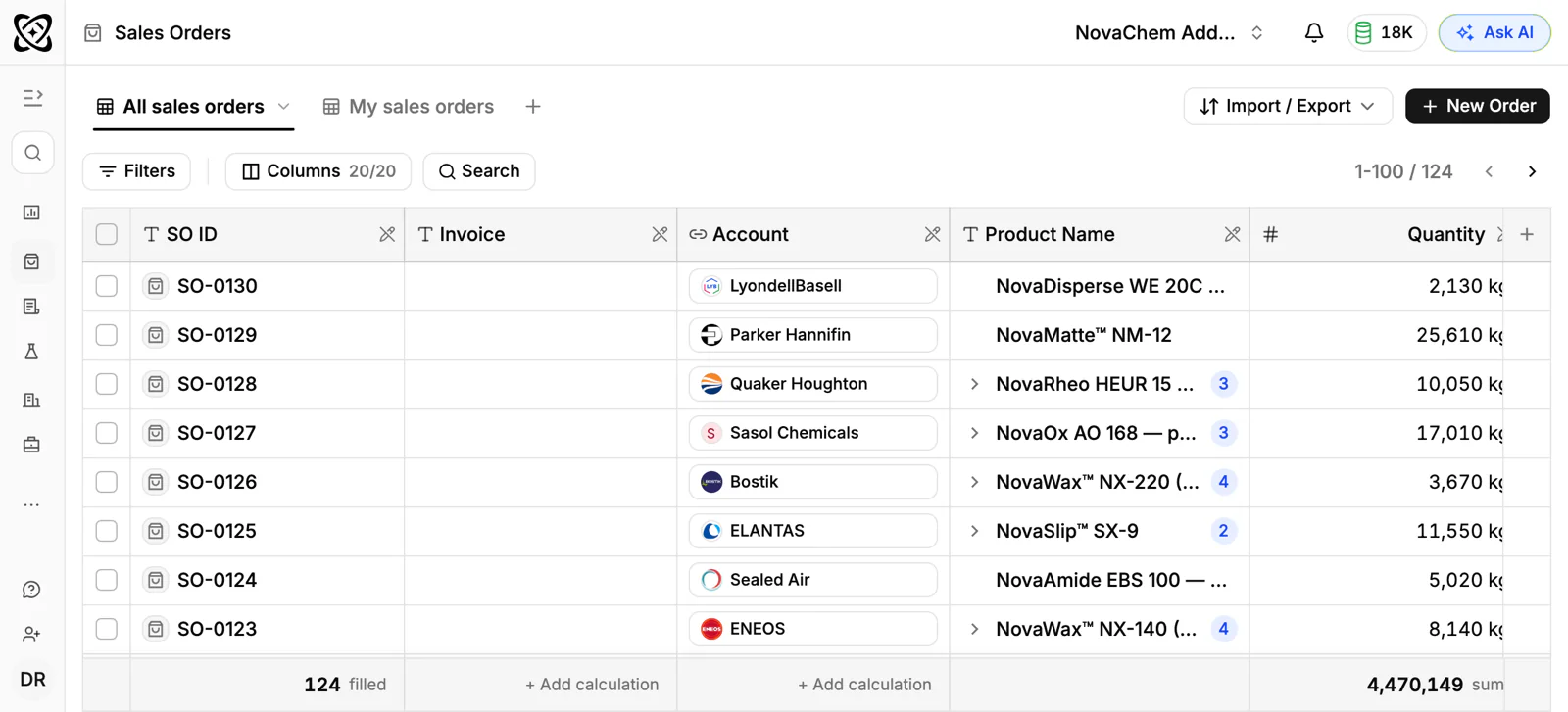
Send them from your CRM
Frequently asked questions
How early should I send a reorder reminder?
About a week before the customer's usual reorder date, which leaves time to agree quantity and plan dispatch. Send a second, shorter reminder on the due date if you have heard nothing.
Is it better to remind customers by email or WhatsApp?
Use the channel the customer already uses with you. Email suits approvals and documents. WhatsApp suits quick yes-or-no questions with buyers who prefer it. Only message people on WhatsApp who contacted you there or agreed to it.
What if the customer does not reply to the reminder?
Wait a few days, send one short nudge, and then call. A silent customer may be well stocked, or may have moved to another supplier, and a call tells you which.
Should I mention a price change in a reorder reminder?
Only if it is real, and be plain about it. Offering to hold today's price for orders confirmed by a date is fair. Inventing urgency damages trust.
How do I know when a customer is due to reorder?
Look at the dates of their last few orders and take the usual gap. In PromptLab, the sales orders on the account show that history, and you can ask Ask AI in plain words which accounts have not ordered recently.