



















How to increase repeat orders from B2B customers
Get more repeat orders by tracking each customer's reorder rhythm, reaching out before they run low, making reordering easy and fixing the reasons they stop.
 By the PromptLab team16 October 20266 min read
To increase repeat orders, learn how often each customer buys, contact them just before they would normally reorder, make reordering as easy as a reply, and look into every account that goes quiet. Repeat orders are usually the cheapest revenue a product business has, and most of it is lost through silence, not through competitors.
A customer who bought once from you has already passed your credit check, accepted your product and learned your process. This guide shows how to spot the reorder pattern, reach out at the right moment and keep the account healthy, with examples from chemicals, packaging and industrial supply.
Why repeat orders slip away
Repeat business rarely ends with a complaint. It fades. The buyer changes jobs, a competitor sends a cheaper quote, a delivery is late once, or the customer simply forgets until they run short and order from someone else.
Nobody on your side notices, because no single event happened. The rep is busy with new leads. The order that should have arrived last week is invisible, because only a missing order shows it. The fix is to make the gap visible and to own the next step.
Step by step: build a repeat-order routine
- 1
Find each customer's rhythm
List your active accounts and the dates of their last few orders. A coatings customer might order every six weeks, a packaging buyer every month and a distributor every quarter. The typical gap between orders is the number everything else depends on.
- 2
Set a reorder date on every account
Take the date of the last order, add the usual gap, and put a task on that date for the account owner. Do this when the order is recorded, so the next contact is already booked.
- 3
Reach out before they run low
Contact the buyer a week or so before they would normally reorder. Ask what they have left and when they need the next delivery. Use the reorder reminder templates for email and WhatsApp wording.
- 4
Make reordering effortless
Quote from their price list, repeat their last order as a starting point and use the same pack, address and terms. If they can answer "yes, same again" in one message, they will.
- 5
Check in after delivery
Two days after delivery, ask whether it arrived complete and in good condition. Problems you hear about early cost you a call. Problems you hear about late cost you the account.
- 6
Review the accounts that went quiet
Once a month, list customers past their usual gap. Call each one and ask a real question. A late reorder is often a stock change, a project delay or a competitor's quote, and all three can be answered if you ask early.
- 7
Grow the order, not only the frequency
Look at what the customer buys and what they could. If they buy one grade from you and two from someone else, offer a sample of the second. See how to track product samples.
Worked example: a quiet account
Say a chemicals distributor has a customer who orders 5 tonnes of a solvent roughly every 5 weeks. The last order was 8 weeks ago. Nothing is wrong on the account: no complaint, no open quote.
The rep sees the overdue account in the monthly review and sends a short WhatsApp message asking how stock is. The buyer replies that a competitor offered a better price on the last order and they were about to switch. The rep sends a revised quote from the customer's price list the same day and wins the order.
Without the review, the account would have been discovered lost three months later.
What to track on every account
Repeat-order record
Make the first reorder easy
The biggest drop-off is between the first order and the second. Contact the customer soon after delivery, ask how the product performed, and offer the next order before they ask. If the first order was a trial, say so: "This was a trial of 500 kg. If it ran well, what would a regular order look like?"
Keep the relationship, not just the order
Reminders are not enough on their own. Buyers reorder from suppliers they trust. That trust comes from answers that arrive quickly, deliveries that match the quote and a rep who knows their business. Hold a short review with your biggest accounts each quarter and ask what you could do better. The key accounts guide covers how to run these.
Price still matters. Hold a customer's agreed prices on a list, and give notice before any change, using a plain explanation. The price increase letter templates help with that. If a customer does leave, a win-back email is worth a try after a few months.
Metrics to watch
You need very few numbers. Track the share of active accounts that ordered again within their usual gap, the number of accounts past their gap, and the average days between orders. Say you have 40 active accounts and 12 are past their usual gap this month. That list is your week's calls.
How PromptLab helps
PromptLab keeps the account at the centre. Sales orders sit on the customer record beside quotes, sample requests, emails, meetings and WhatsApp or Telegram messages from the shared Inbox, so a rep opens one page and sees the whole story. Customer price lists mean a repeat quote starts from the agreed price.
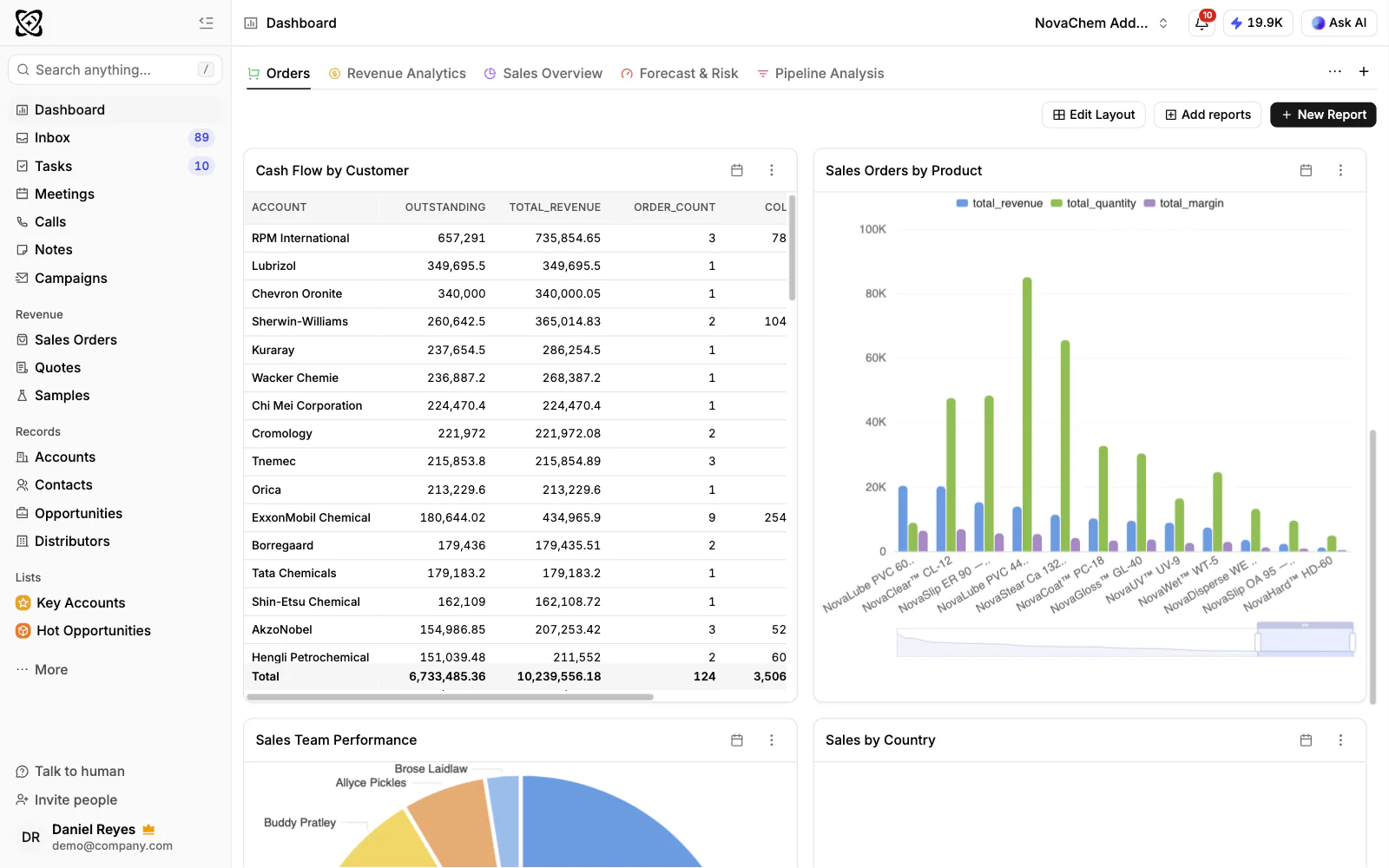
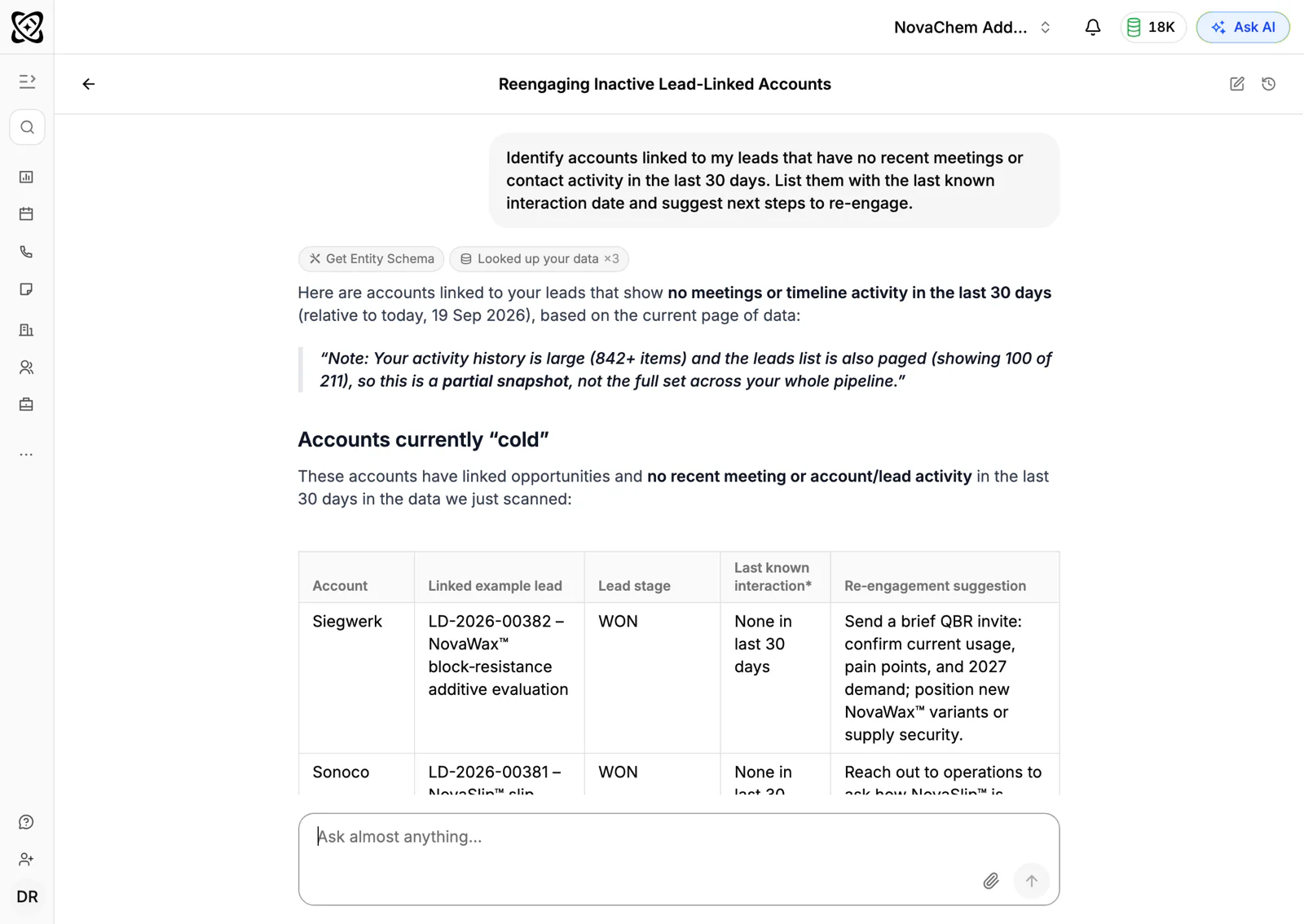
Tasks keep the reorder date from depending on memory. A workflow can create a task when a deal changes stage or a quote changes status, and you can set a task on an account for the date you expect the next order. PromptLab can also flag accounts with no recent engagement, which gives you a ready list for your monthly review. You can ask in plain words with Ask AI, for example which accounts have not been contacted lately, and get the answer from your own records.
Frequently asked questions
How do you increase repeat orders from B2B customers?
Learn each customer's usual gap between orders, book a task to contact them just before the next one is due, and make reordering simple with agreed prices and last-order details ready. Review accounts that have gone quiet every month.
When should I contact a customer about a reorder?
About a week before they would normally reorder, or when they are likely to be running low. Ask what stock they have left and when they need the next delivery. The right timing depends on the customer's own rhythm.
Why do B2B customers stop reordering?
Common reasons are a cheaper quote from a competitor, a late or wrong delivery, a change of buyer, or no contact from you for a long time. Most can be fixed if you notice early, which is why a regular review of quiet accounts matters.
Should I offer discounts to get repeat orders?
Not as a first move. Customers often reorder because you made it easy and reliable. If you do discount, tie it to a commitment such as a volume over a quarter, so you get something back.
How do I win back a customer who stopped ordering?
Call or message them and ask what changed. Offer a quote from their old price list and, if needed, a small trial order. If they do not reply, a short win-back email a few months later is reasonable.