



















Deal Management: manage accounts and pipeline health
Manage accounts, opportunities, tasks, and pipeline health in one place — with AI-driven updates that eliminate manual data entry.
Deal Management is the operational core of PromptLab. It gives you a complete view of every account, every open opportunity, and every task your team needs to act on — without requiring manual updates. Stages and activities update automatically based on real interactions, so your pipeline always reflects reality. Whether you're checking which customers haven't heard from you lately or identifying where deals are stalling, everything you need is in one place.
Key capabilities
Account intelligence
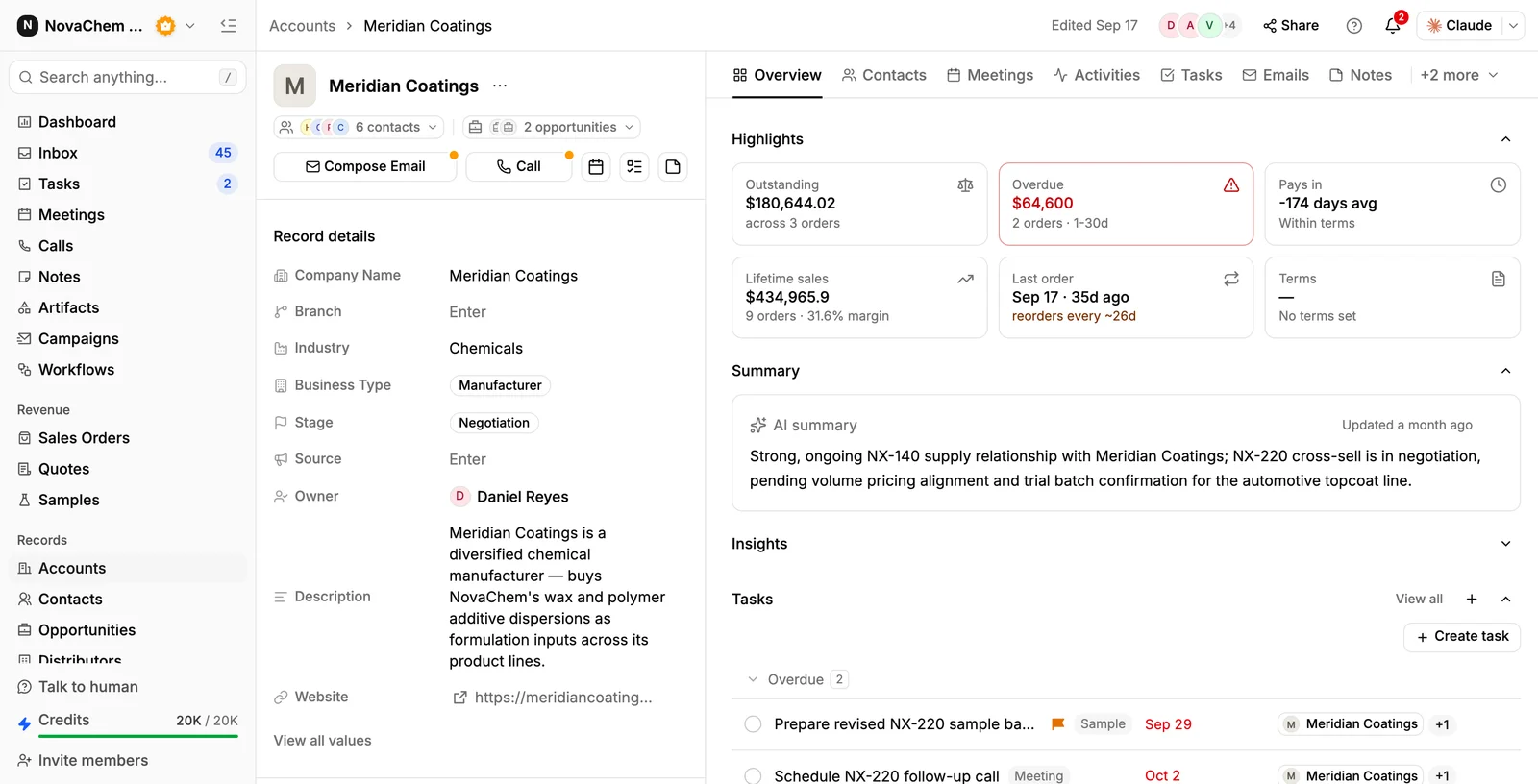
See the full picture of every account at a glance — outstanding and overdue balances, lifetime sales, last order, open deals, and every meeting, email and note.
Pipeline health view
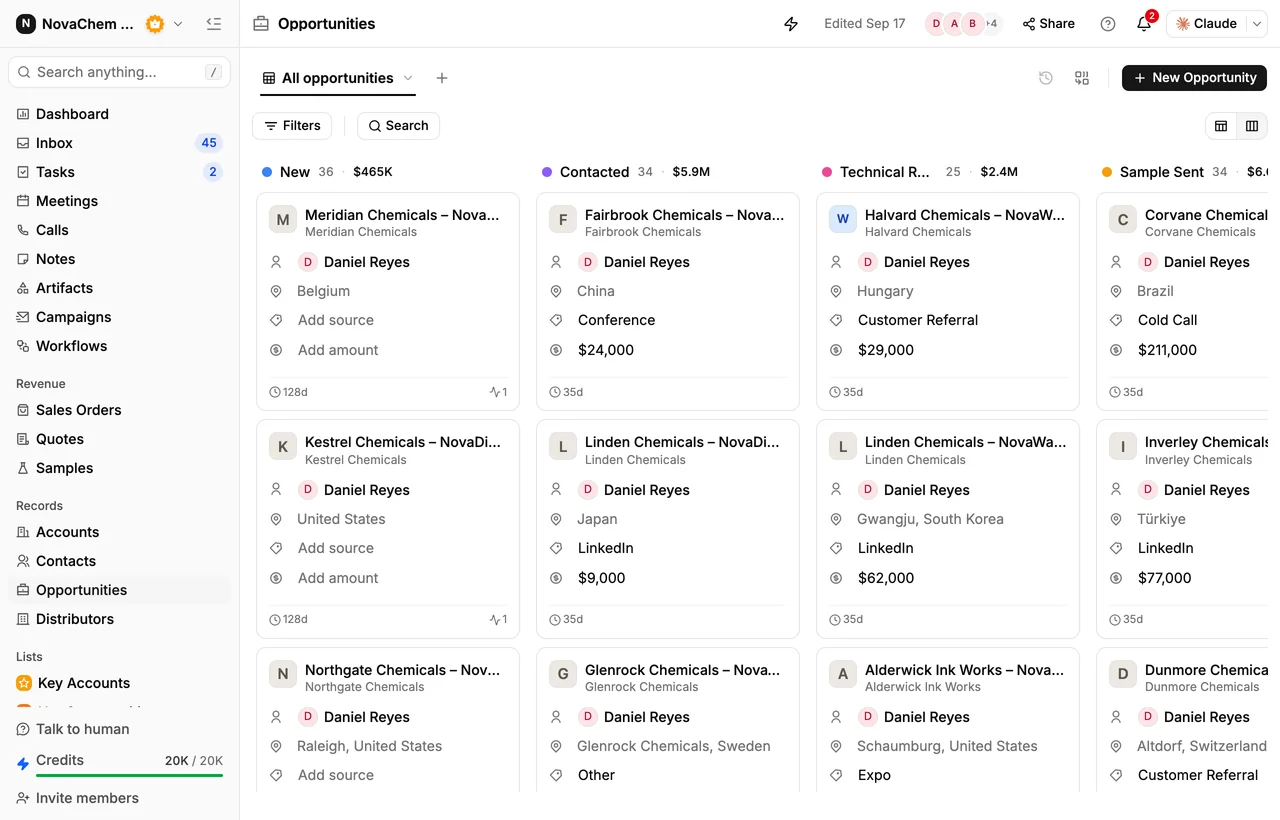
Visualize your entire sales funnel in one view. Spot where deals are moving and where they're getting stuck, without pulling a report.
Zero-admin updates
Deal stages and activity records update automatically from real interactions — emails, calls, and meetings — so you never enter data manually.
Tasks
Manage every follow-up, demo request, and document delivery in a single task list. No external to-do tools required.
Account intelligence: never lose a relationship
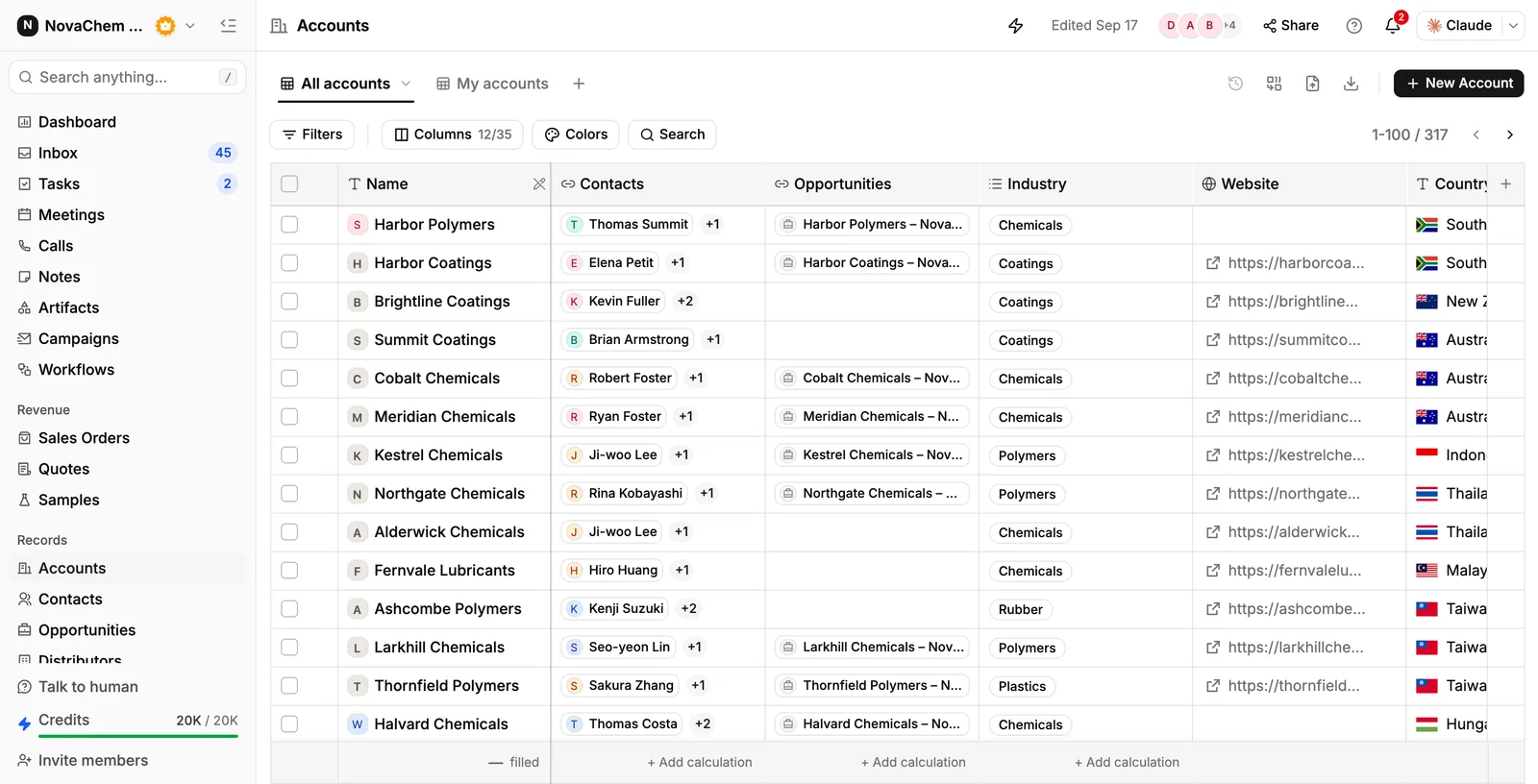
The Accounts view lists every customer in your book of business alongside its contacts, open opportunities, industry, and region. Open an account and the Highlights strip gives you the commercial picture — outstanding balance, anything overdue, lifetime sales and margin, and when the last order landed — with tabs for contacts, meetings, activities, tasks, emails, and notes. Generate Insights writes a short summary of where the relationship stands.
Pipeline health: see exactly where deals stand
Switch the Opportunities view to the Kanban toggle and your funnel becomes a board. Each column is a deal stage with its deal count and total value; each card carries the owner, region, source, amount, and how long the deal has sat where it is. Drag a card to another column to move the deal.
Zero admin: activities update themselves
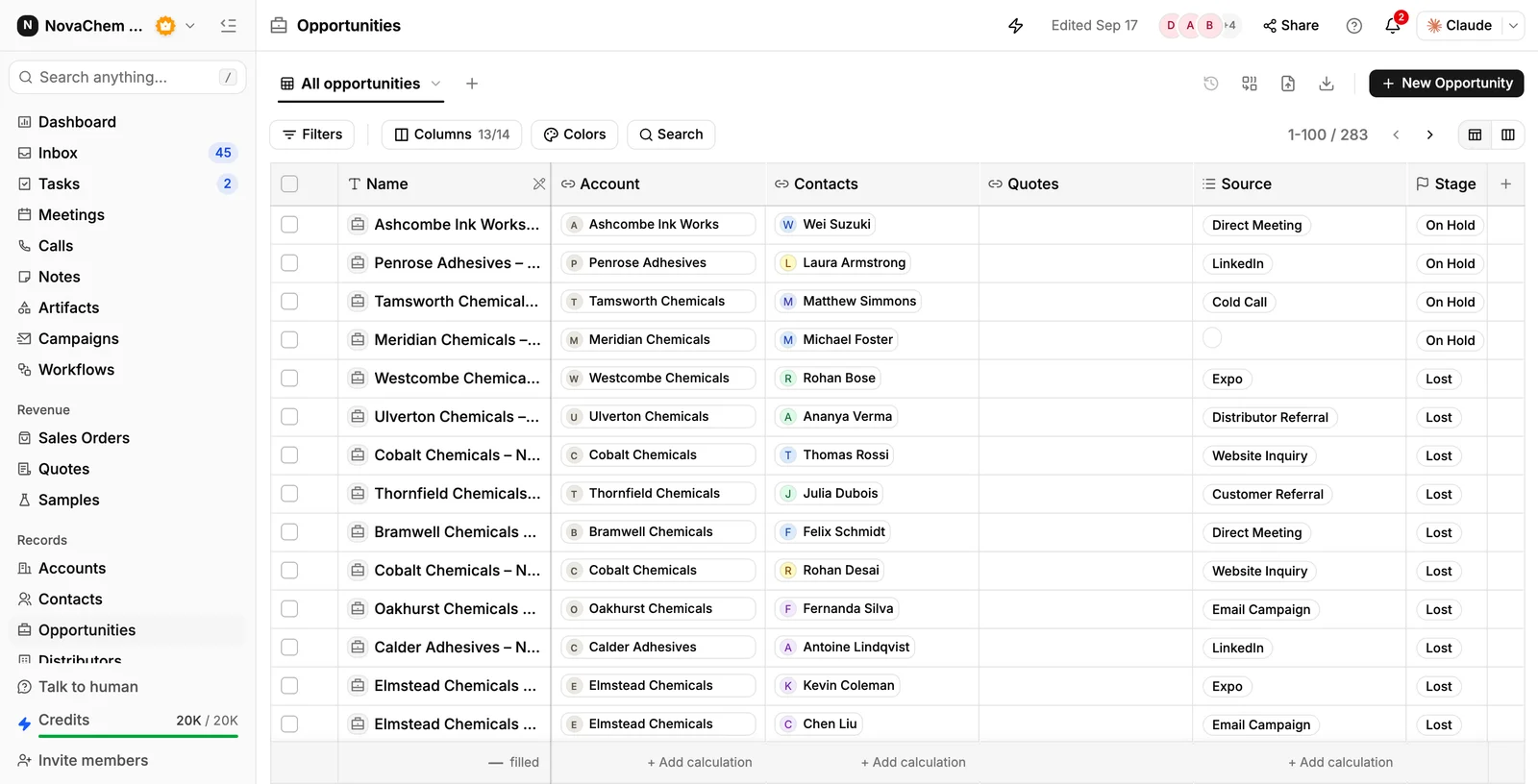
When you send an email, take a call, or hold a meeting, PromptLab logs the interaction against the account and the opportunity, and keeps the Last Activity, Last Meeting, and Last Email columns current. Nobody has to remember to update a record for the pipeline to stay accurate.
Tasks: manage every commitment in one place
Tasks consolidates every follow-up, demo, and document request across all your deals into a single task view. Tasks are created automatically from call summaries and email threads, and you can add your own. Close out tasks directly from Tasks — no switching between apps.
Getting started with Deal Management
Open your pipeline
Click Opportunities in the left navigation. It opens as a table; the toggle at the top right switches between Table view and Kanban view, which organises the same deals by stage.
Review account intelligence
Click Accounts to see every company you manage, with its contacts, open opportunities, industry and region. Sort by Last Activity At to surface accounts nobody has contacted recently, then open one for its balances, history, and open deals.
Work your tasks
Click Tasks to see every pending task across all deals. Tasks are grouped by due date and deal. Check off completed items or reschedule anything that needs more time.
Track deal progress
Return to Opportunities and open any deal to review its contacts, attached quotes, meetings, and tasks. In Kanban view you move a deal by dragging its card into another stage column.
Calls, meetings and emails attach themselves to the right account and opportunity, so the activity columns stay current on their own. Stage changes stay yours — or you can automate them with a workflow.
Filter the Opportunities table on Last Activity At to find deals that have gone quiet, and save it as a view so it's one click away next time.