



















Quotes & Samples: send margin-first quotes at scale
Build margin-first quotes in minutes and follow every sample from request to test result without leaving PromptLab.
Quotes & Samples removes the lag between a customer conversation and a price in their inbox. Instead of spending days cleaning up quote documents or manually tracking which samples went where, you create professional, margin-aware quotes in minutes and maintain full accountability for every high-value sample across your customer base. Quotes that used to take days now take minutes.
Key capabilities
Margin-first quoting
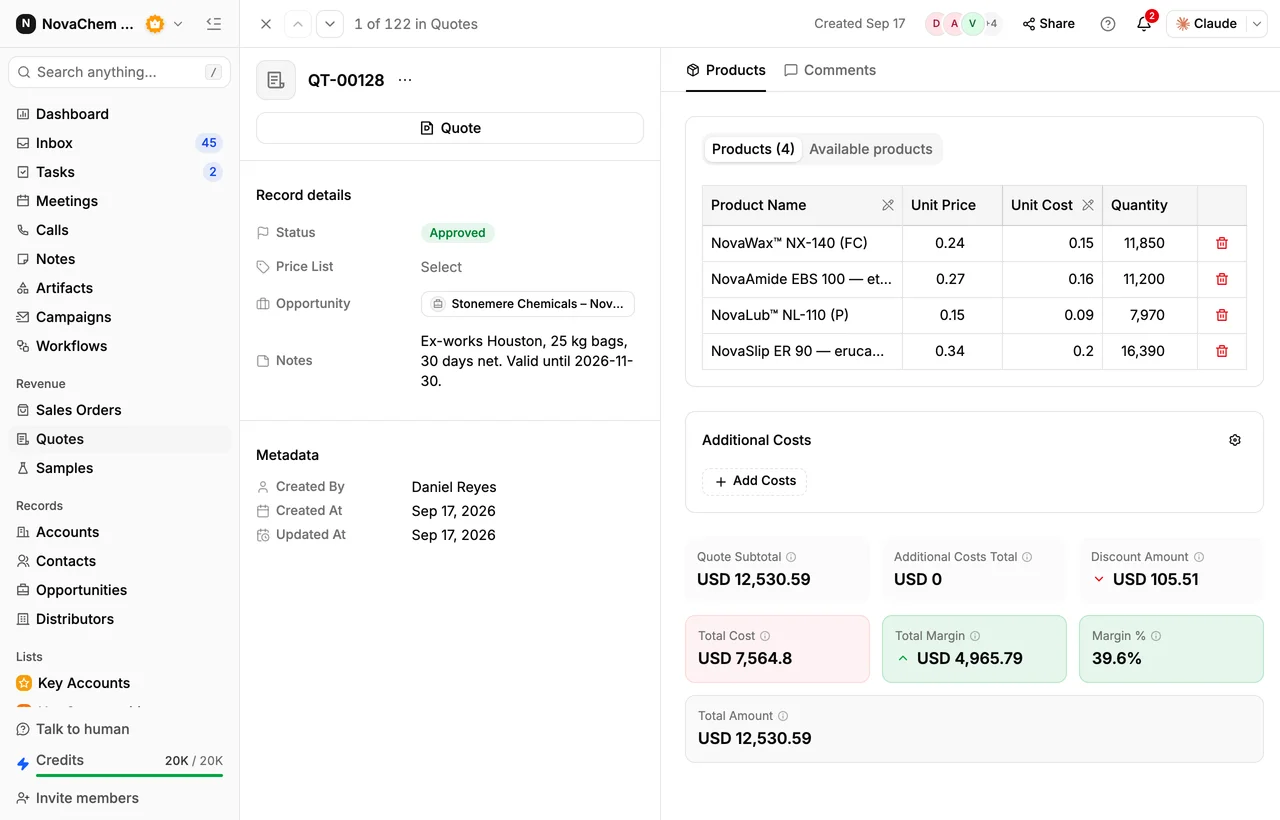
See unit costs alongside list prices on every line item so you protect profitability while staying competitive — before you hit send.
Costs and discounts in the total
Freight, handling and line discounts land in the same subtotal, so the margin you see is the margin you'll book.
Price lists
Link a price list and quote only from the products that customer is entitled to, at the prices you set.
Sample tracking
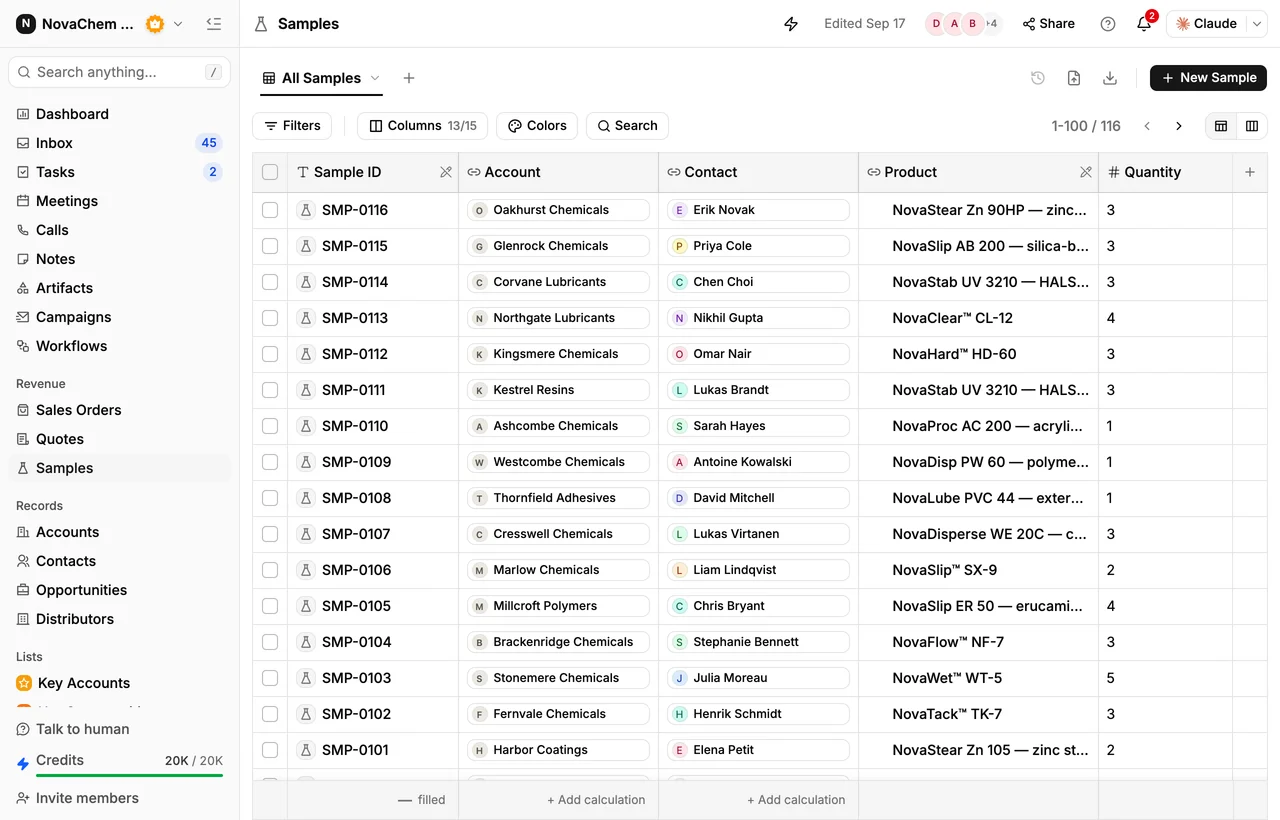
Follow every sample from requested to delivered to evaluated — with tracking number, dates, and the customer's test result.
Margin-first quoting
Every quote shows unit cost and list price side by side for each line item. Before you send anything, you can see your margin at both the line level and the total quote level. Adjust pricing with confidence — you always know the floor before making a concession.
Costs, discounts and status
Additional Costs covers whatever sits outside the line items — freight, handling, certification — and lands in the same summary as the subtotal and the discount. A quote moves through Draft, Pending and Approved, so everyone can see which numbers are still being worked on.
Sample tracking: stop sample leakage
The Samples module tracks every physical sample you ship. Each record holds the account, contact, product, quantity, shipping address, tracking number, and the requested, sent and delivered dates. Status runs from Requested through Preparing, Sent, In Transit and Delivered to Under Evaluation — and ends at Result: Positive, Negative or Conditional, with room for the test-result notes.
Sales orders
When the customer says yes, raise the sales order from Sales Orders: add the products, the trade terms and the payment schedule, then create the invoice from the same record.
Quotes are automatically attached to the associated deal in your pipeline when created. You can find every quote for a deal under the Quotes tab on the deal record without searching separately.
Getting started with Quotes & Samples
Create a new quote
Click Quotes in the left navigation, then New Quote. Link it to the opportunity so the quote shows up on the deal, and link a price list to quote from that customer's agreed prices.
Add products and set pricing
Add each product with its quantity and unit. Available products lists what the linked price list allows. Unit cost sits beside unit price on every line, and the summary recalculates total cost, total margin and margin % as you go.
Add any costs and discounts
Use Add Costs for freight, handling or anything else outside the lines, and apply discounts where you need them. Watch the margin % rather than the discount — it tells you when a concession has gone too far.
Generate the quote document
Click Quote on the record to produce the document for your customer, and move the quote's status to Pending or Approved as it progresses.
Raise the sales order
Once it's accepted, create the order under Sales Orders with its trade terms and payment schedule, then create the invoice from the same record.
Keep a price list per customer segment. Quoting from a list beats retyping prices: the products are already the right ones, and the margin maths starts from real numbers.
Margin visibility depends on your product catalog having accurate cost data. If unit costs are missing or outdated, the margin indicator won't reflect reality. Keep your product catalog current to get reliable margin guidance.