



















Price list update checklist for B2B sales teams
A price list update checklist for sellers of physical products: review costs, set new prices, tell customers, update quotes and check the first orders.
 By the PromptLab team24 October 20265 min read
A price list update touches every customer, every open quote and every rep's habits. Done well, it protects your margin and costs you no customers. Done badly, it leaves two prices in circulation and a week of awkward emails. This checklist covers a price update from the first look at costs to the first orders on the new prices.
It suits manufacturers, distributors and wholesalers with customer-specific lists. If you also need the customer letter, see our price increase letter templates. For the basics, read what is a customer price list.
Before you change anything: review costs and margin
Start from the numbers. A price change should answer a clear question: what do we need to earn on each product?
Review
Set the new prices
Make the change in one place, with a single effective date. A list that is half updated is worse than the old one.
Build the new list
Tell customers early and clearly
Surprise is what annoys buyers, more than the price. Give notice, give a reason and make the date unambiguous.
Customer communication
Update quotes and orders in flight
Open quotes are the main risk. A quote at the old price that is accepted after the effective date can cost you real money.
Open quotes and orders
After the date: check the first orders
The first two weeks show what you missed.
First two weeks
How PromptLab helps
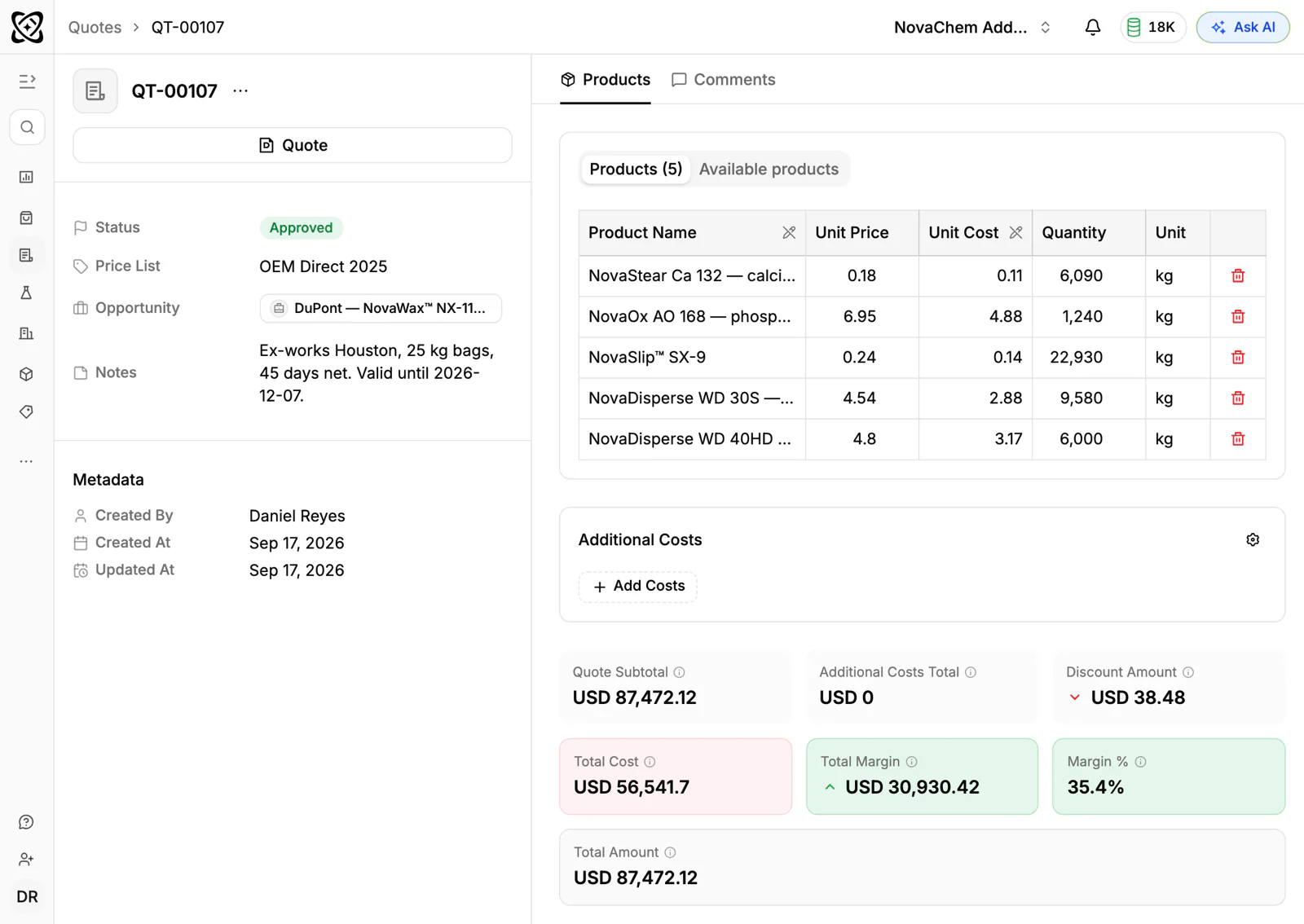
In PromptLab, quotes are built from your products and the customer's price list, and each line shows its margin. Because each quote stays linked to its price list, putting the new prices in a new list keeps sent quotes on the old ones, and switching the old list to inactive stops reps picking it for new quotes. Quote statuses, Draft, Pending or Approved, show which ones to revisit. Our guide to managing customer price lists covers the structure in more detail.
A lost deal needs a loss reason, so you can later see how many deals were lost on price after the change. Dashboards for quotes and win/loss give you a view of the result.
The items people skip
- One effective date. Different dates for different customers create confusion inside your own team.
- Open quotes. Nobody reviews them unless someone makes a list.
- Contract prices. A fixed-price contract is not changed by a new list.
- The old list. If it stays available, someone will quote from it.
- The review of lost deals. It shows whether the change cost you business.
Frequently asked questions
How often should I update my price list?
It depends on how fast your costs move. Many sellers review prices at set times, such as once or twice a year, and update sooner when a major cost changes. Pick a review date and put it in the calendar.
How much notice should I give customers of a price change?
Enough for them to plan, and long enough to match any contract terms. Many sellers give a few weeks. Larger accounts deserve a call before the letter.
What happens to quotes already sent when prices change?
Decide this before you announce the change. Either honour the old price until a stated date, or re-issue the quote. Put the date in the quote Notes or the covering email so there is no argument.
What happens to open quotes in PromptLab when I change a price list?
A quote stays linked to the price list it was built from, so changing the prices on that list reprices those quotes. If you want quotes already sent to keep the old prices, set up the new prices as a new price list and switch the old one to inactive.
How do I check the margin after a price change?
Compare the margin on the first orders and quotes with the target you set. PromptLab shows the margin on each quote line, so reps see it before they send.