









Sales email checklist: 15 checks before you hit send
A sales email checklist of 15 checks for B2B product sellers: recipient, subject, opening, ask, attachments, tone and follow-up, before you press send.
 By the PromptLab team31 October 20264 min read
A sales email is hard to take back. Send the wrong price to the wrong person, attach last year's data sheet or forget the ask, and the buyer remembers. Fifteen quick checks, run in a minute or two, catch these before the buyer does.
Use this list for any email a rep sends to a buyer: first contact, a quote, a follow-up or a reply. For wording, see how to write follow-up emails and how to write sales email subject lines. If the email is part of a campaign, the cold email deliverability checklist covers the sending side.
Check the recipient and the basics
Some of the costliest mistakes are in the address line.
Checks 1 to 4: who and why
Check the subject and the opening
The subject decides whether it is opened. The first two lines decide whether it is read.
Checks 5 to 7: subject and opening
Check the content and the ask
An email with no clear ask is read, nodded at and left.
Checks 8 to 11: body and ask
Check the attachments and links
The wrong attachment does as much damage as the wrong address.
Checks 12 and 13: attachments and links
Check the tone and the follow-up
A good email is short and sounds like a person wrote it.
Checks 14 and 15: tone and next step
The items people skip
- Reading it as the buyer. The writer knows the context. The buyer may be reading it between two other jobs.
- Placeholders. Templates save time, but a leftover "[Product]" in the middle of a sentence ruins the email.
- The attachment check. Open the file. A quote with the wrong customer's name or price is worse than no quote.
- The follow-up task. A follow-up that is not planned at the moment of sending tends not to happen.
How PromptLab helps
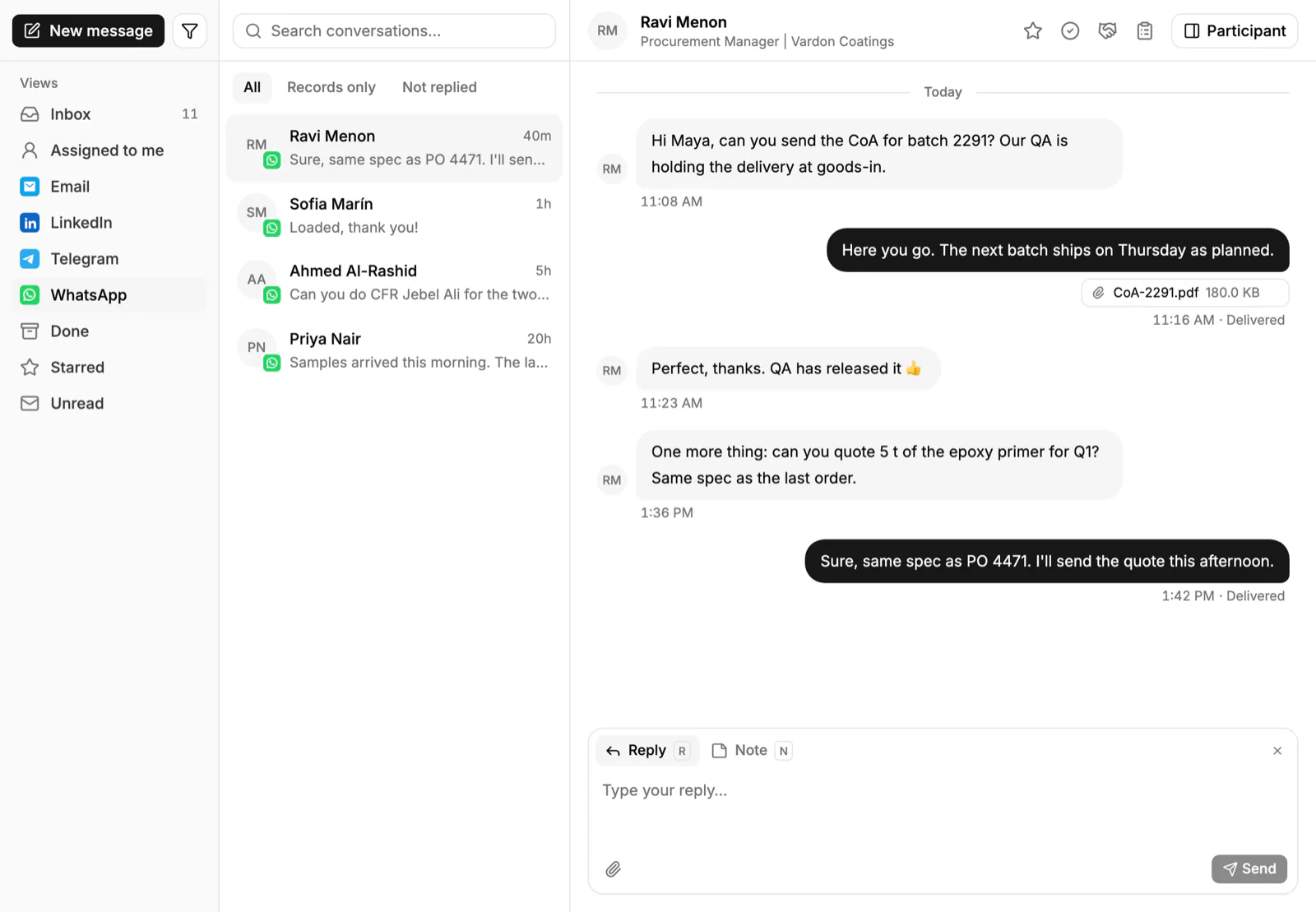
Connect Gmail, Outlook or your own mail server and your emails with buyers are captured on the contact and account, so the next rep sees the thread. Email, WhatsApp and Telegram messages from buyers come into one shared Inbox, and you can set a task for the follow-up from the same record. After a recorded meeting, PromptLab drafts the follow-up email for you, and you run that draft through this checklist before it goes. Quotes go out as a PDF or a public link, with the price list picked on each quote, so the prices in the attachment are the customer's own. See the inbox reference.
Frequently asked questions
What should I check before sending a sales email?
Check the recipient and copy list, a specific subject, a first line about the buyer, the facts and prices, one clear ask with a date, the right attachment, and that no template placeholders are left. Then set a follow-up task.
How long should a sales email be?
As short as it can be while still giving the buyer what they need to act. For a first email that is usually a few short paragraphs. A quote follow-up can be shorter still, since the buyer already has the context.
What makes a good sales email subject line?
It names what the email is about in the buyer's terms: the product, the quote number or the order. Specific subjects such as a product and a quantity are clearer than a vague question, and they are easy to find again later.
Should I use a template for sales emails?
Yes, for the structure, and no for the content. A template saves time on common emails such as quote follow-ups, but each one should be personalised and checked. See quote follow-up email templates.
When should I follow up on a sales email?
Set the follow-up when you send the email, not when you remember. A few working days is common for a quote. Match the gap to how urgent the buyer's timeline is, and change the channel if email gets no answer.