










How to write sales email subject lines that get opened
Write sales email subject lines that get opened: keep them short, specific and plain, name what the buyer cares about, and test one change at a time.
 By the PromptLab team31 October 20265 min read
To write sales email subject lines that get opened, keep them short, specific and plain, mention something the buyer cares about, and make them look like a message from a person. A subject line has one job: get the email opened by the right person. It does not need to sell. Then test one change at a time and keep what works.
This guide is for reps and marketers at manufacturers and distributors who email buyers, from a first message to a quote follow-up. It covers the rules, examples by situation, what to avoid, and how to test. For full messages, see the cold email templates for manufacturers and the sales email checklist.
What a subject line must do
A buyer sees the sender, the subject and a line of preview text, usually on a phone, in a crowded inbox. Within a second they decide: open, ignore or delete. Your subject line has to tell them it is relevant, for them, now.
Three things help:
- Relevance: it names something in their world, such as a product, a project or a past conversation.
- Clarity: it says what the email is about, so it can be understood without opening.
- Human tone: it reads like a colleague wrote it, not a campaign.
Rules that work
- Keep it short. Aim for roughly three to seven words, so it is not cut off on a phone.
- Be specific. "Sample of 2-pack epoxy for your flooring jobs" beats "Great offer for you".
- Use the buyer's words. Their product name, their project, their spec.
- Write in sentence case. Capitals and exclamation marks look like spam.
- Match the email. If the subject promises a quote, the email contains one. Misleading lines damage trust and deliverability.
- Put the point first. The first words are what shows on a small screen.
- One idea. Do not pack in three offers.
Subject lines by situation
Adapt these; do not copy them blindly. Square brackets are placeholders.
Cold first email
- Question about [product] at [Company]
- [Mutual contact] suggested I write
- Quick question on your [material] supply
- [Product] for [their application]
After a meeting or call
- Next steps from today's call
- Notes from our call, and the spec you asked for
- Following up on [topic]
After sending a sample
- Your [product] sample: how did it go?
- Sample feedback for [project]
Quote follow-up
- Your quote for [product], any questions?
- Quote [number]: a quick check
- [Product] pricing we discussed
Re-engaging a quiet account
- Still working on [project]?
- Checking in on your [product] orders
- New [product] since we last spoke
For full quote follow-up messages, see the quote follow-up email templates.
Match the subject to the buyer
A purchasing manager, a technical manager and a business owner read the same inbox differently. Procurement wants clarity and a reason to reply: a part number, a quantity or a deadline. A technical buyer responds to a spec or a problem they own. An owner of a small distributor responds to something that affects margin or customers. Before you write, picture who opens it and what they would want to know in four words.
Preview text matters too. The first line of your email shows beside the subject on many screens, so do not waste it on "I hope this finds you well". Start with the point, and the subject and preview work together.
What to avoid
- All caps, many exclamation marks and "FREE". They look like mass mail.
- Clickbait. A line that promises more than the email gives.
- A vague "Following up" with nothing else. Add what you are following up on.
- A fake "Re:" or "Fwd:". Buyers notice, and it breaks trust at once.
- Long lines. Cut to the point.
- Your company name as the whole line. It says nothing about them.
How to test subject lines
Guessing is the slow route. A simple routine:
- 1
Change one thing at a time
Test a short line against a longer one, or a question against a statement. If you change three things, you do not know which worked.
- 2
Send to similar groups at the same time
Two groups of comparable buyers, sent in the same window. Compare the replies, not only the opens.
- 3
Measure replies first
Opens are a rough signal and can be affected by how tracking works. A subject line that gets replies from the right people is the winner.
- 4
Keep a short list of winners
Save what worked for each situation, and reuse it.
Say you send a quote follow-up to 40 buyers and half get "Quote [number]: a quick check" while half get "Following up". Compare which half replies more. Do it again next month with another pair, and the list gets better.
How PromptLab helps
PromptLab email campaigns send multi-step sequences, up to 10 steps, from your own mailboxes, with A/B variants, so you can test subject lines on real sends. Optional open and click tracking is available, and a campaign stops when the contact replies or the email bounces. Replies come into the shared Inbox beside the account.
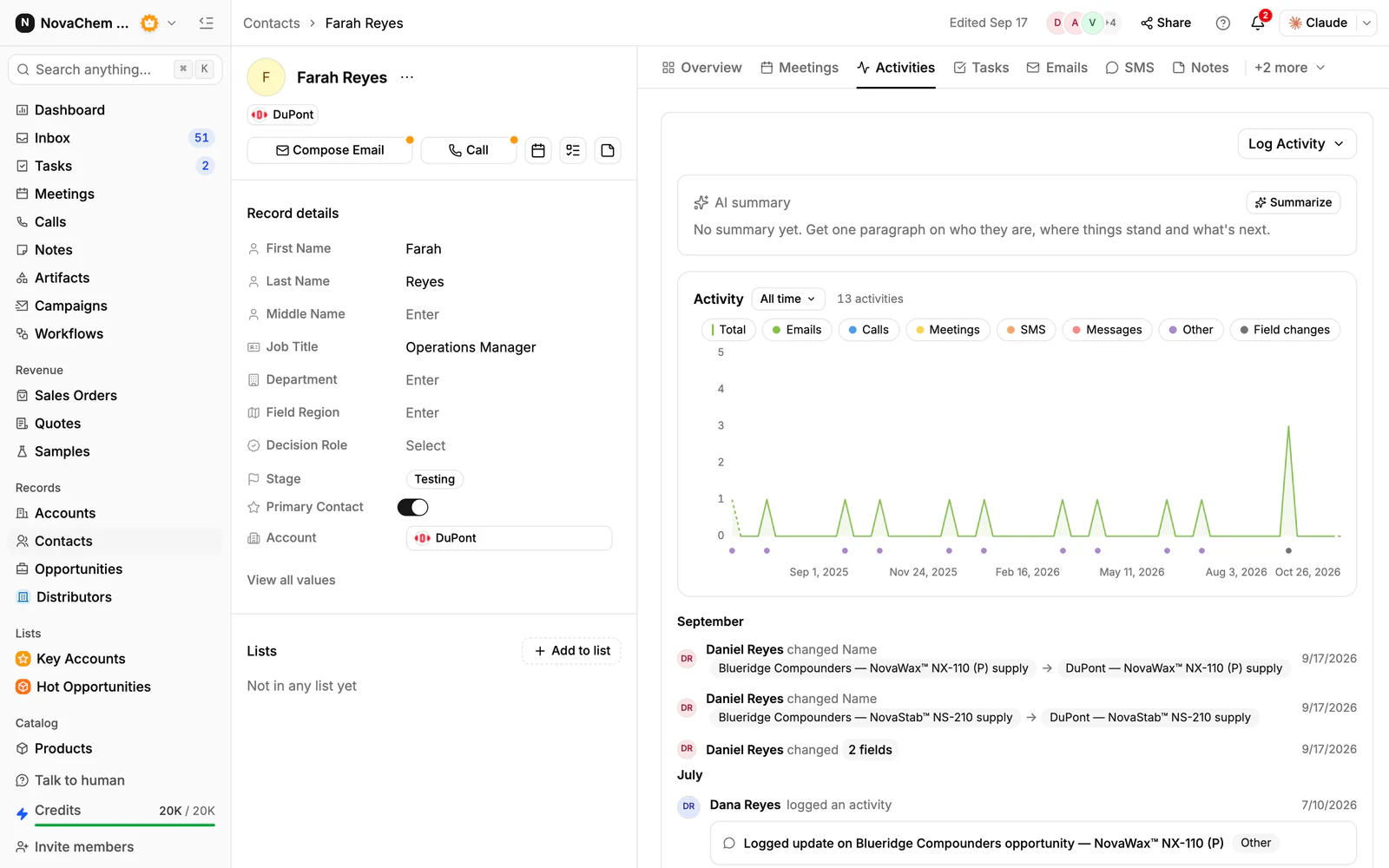
For one-to-one emails, Gmail, Outlook or your own mail server (IMAP) is captured to the contact's timeline, so you can see what you wrote last time before you send the next one. Meeting follow-ups can start from an AI-drafted email. See the campaigns reference.
Frequently asked questions
How long should a sales email subject line be?
Short, usually about three to seven words, so it reads well on a phone. Put the main point first, since the end may be cut off.
Should I put the recipient's name in the subject line?
It can help in a one-to-one email, but it is not a trick that works alone. Relevance to their product or project matters more than their name.
Are questions good subject lines?
Often, when they are specific and about the buyer's work, such as "Question about your resin supply". A vague question is no better than a vague statement.
Do emojis work in B2B sales subject lines?
Usually not. Plain text looks like a message from a person, which suits technical and procurement buyers. If you want to try one, test it against plain text.
How do I know if my subject line works?
Compare replies between two versions sent to similar buyers at the same time. Opens are a rough guide, but replies from the right people are the real test.