



















Ask AI
Ask questions about your CRM in plain words, let AI do the work for you, and open your workspace in Claude, ChatGPT and other AI tools.
Available on all plans. Each message uses your weekly AI credits.
Available for members with AI Assistant access.
Ask AI is PromptLab's assistant. It reads your accounts, contacts, deals, meetings, calls, emails and tasks, answers in plain words, and can create and update records for you. It sees only what you can see.
The AI button at the top of the app also opens your workspace in Claude, ChatGPT and other AI tools, through PromptLab's MCP connection.
The AI button
At the top right of the app is a split button. The left half opens your default AI tool. The arrow next to it opens a menu:
- Prompts: ready questions about the page you're on. On a record they are Brief me on this record, Suggest the next step and Draft a follow-up; elsewhere they fit the page, such as Pipeline review on the Dashboard.
- Default tool: Ask PromptLab AI (PromptLab's own assistant), Claude, ChatGPT, Perplexity, Grok, Gemini CLI or Microsoft Copilot Studio. Picking one makes it the default and runs the page's first prompt in it.
- How to configure MCP: opens the tool's setup card on the Apps page.
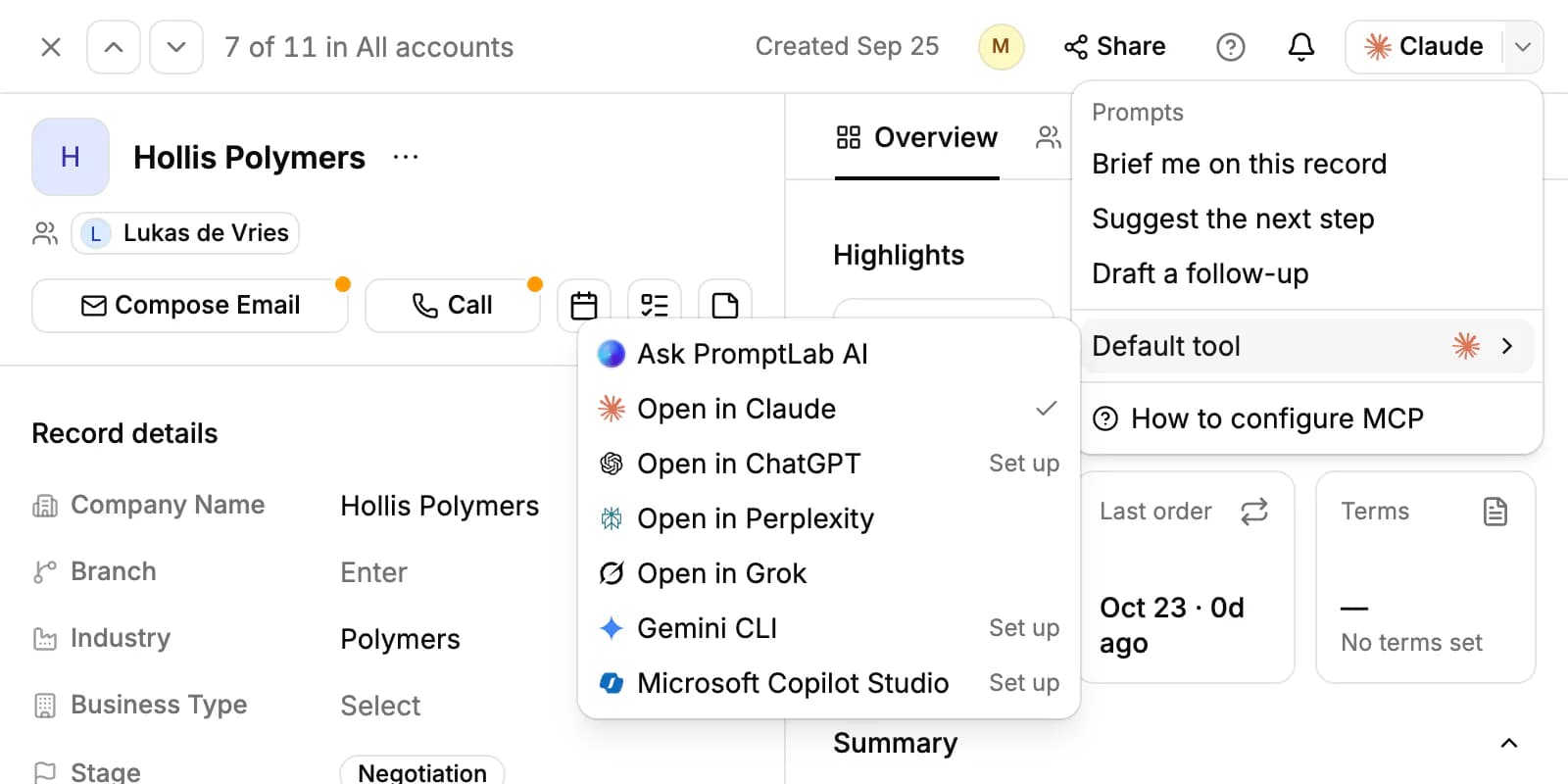
Claude, ChatGPT, Perplexity and Grok open in a new tab with your prompt, a link to the page and the record, list or rows you selected, so they can look them up. They can only read your workspace once you connect them. Claude and ChatGPT open their setup card on Apps until you do, and Gemini CLI and Microsoft Copilot Studio are always set up from there. See Connect AI tools with MCP.
Claude is the default tool until you pick another, so the button first reads Claude. Choose Ask PromptLab AI under Default tool and the button reads Ask AI and opens PromptLab's assistant.
Chat with PromptLab AI
With PromptLab AI as the default tool, Ask AI opens the assistant in a panel beside the page, and it knows which record or list you're looking at. Open full view in the panel takes the chat to its own page, where the history icon lists your past chats.
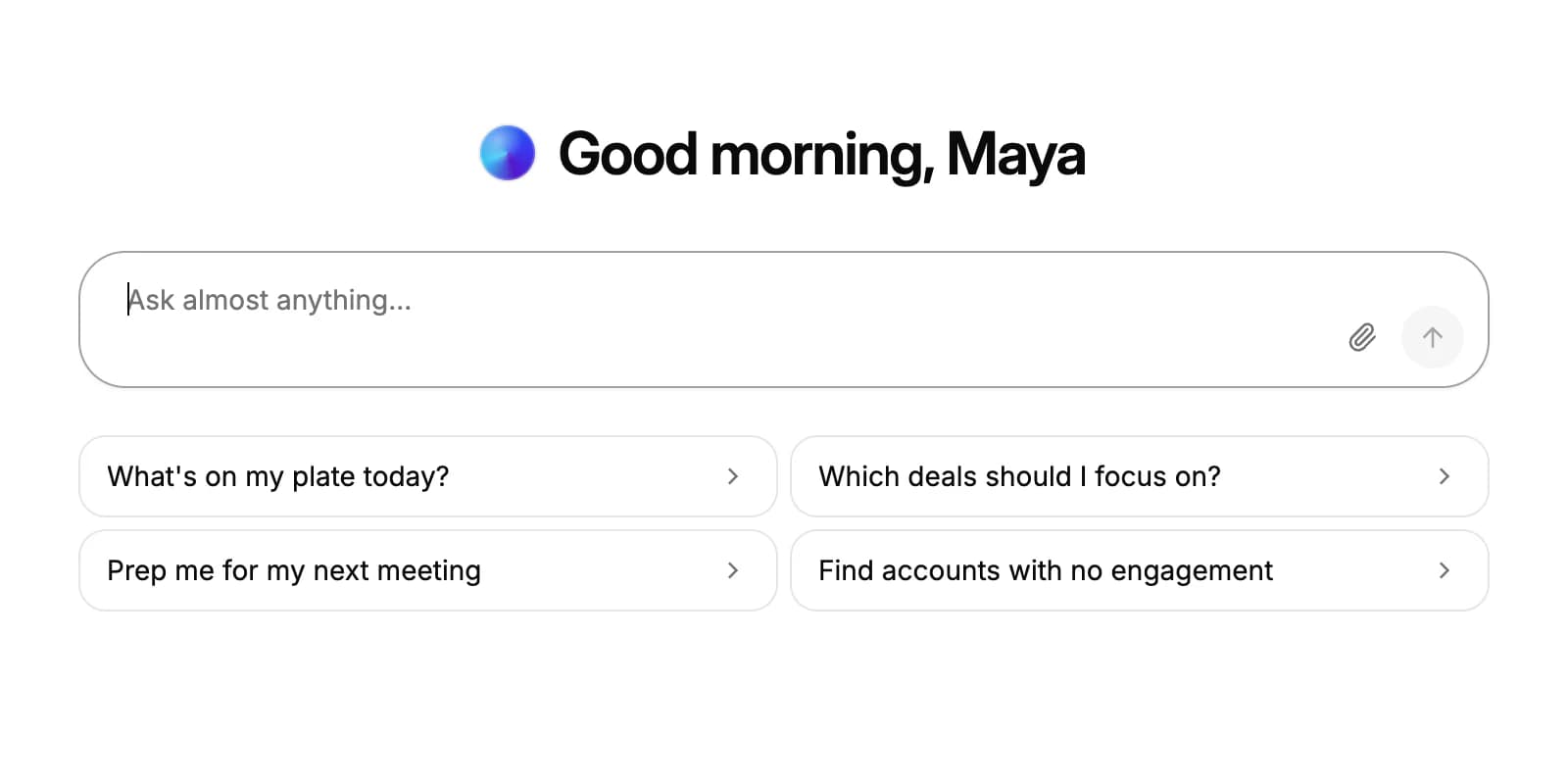
Type a question, or start from a suggestion such as What's on my plate today? or Prep me for my next meeting. You can attach one file to a message: a PDF, Word, Excel, CSV or text file, or a JPG, PNG, WEBP or GIF image, up to 20 MB.
What it can read and do
Ask AI works with the same data and permissions you have. It can:
- Find and summarize records: accounts, contacts, opportunities, tasks, notes, meetings and their transcripts, calls, emails and their attachments, quotes, samples, sales orders, invoices, products, lists and custom objects.
- Create and update contacts, accounts, opportunities, tasks, notes, quotes and samples, schedule a meeting, or send an email from your connected mailbox when you ask.
- Run reports and draw charts. Click Save to dashboard on a chart to add it to your Overview dashboard, or Download PNG.
- Build workflows and scheduled messages, write documents and slide decks (see Artifacts), and remember rules you give it.
- Search the web and read a web page when a question needs it.
Above each answer, a line such as Ran 3 tools shows what it looked up or changed. Before it deletes records, changes many records at once, sends a text message, changes who can open a table or dashboard, or runs or edits a workflow, it shows a Needs your confirmation card, and nothing happens until you click Confirm.
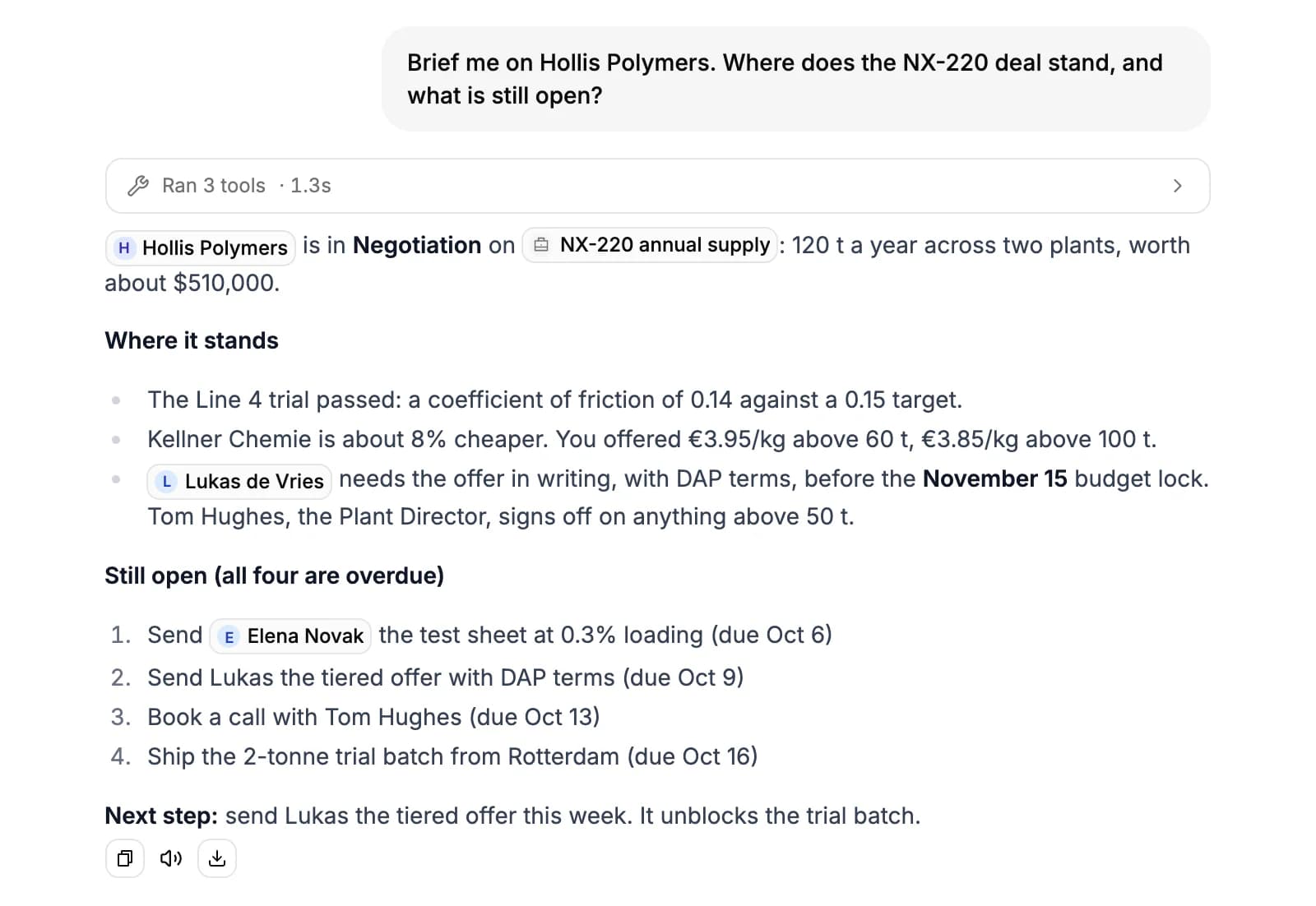
Under an answer you can copy it, listen to it, or open the download menu: Download PDF, Download Word (.docx) or Save as document, which keeps it in Artifacts.
Teach it about your company
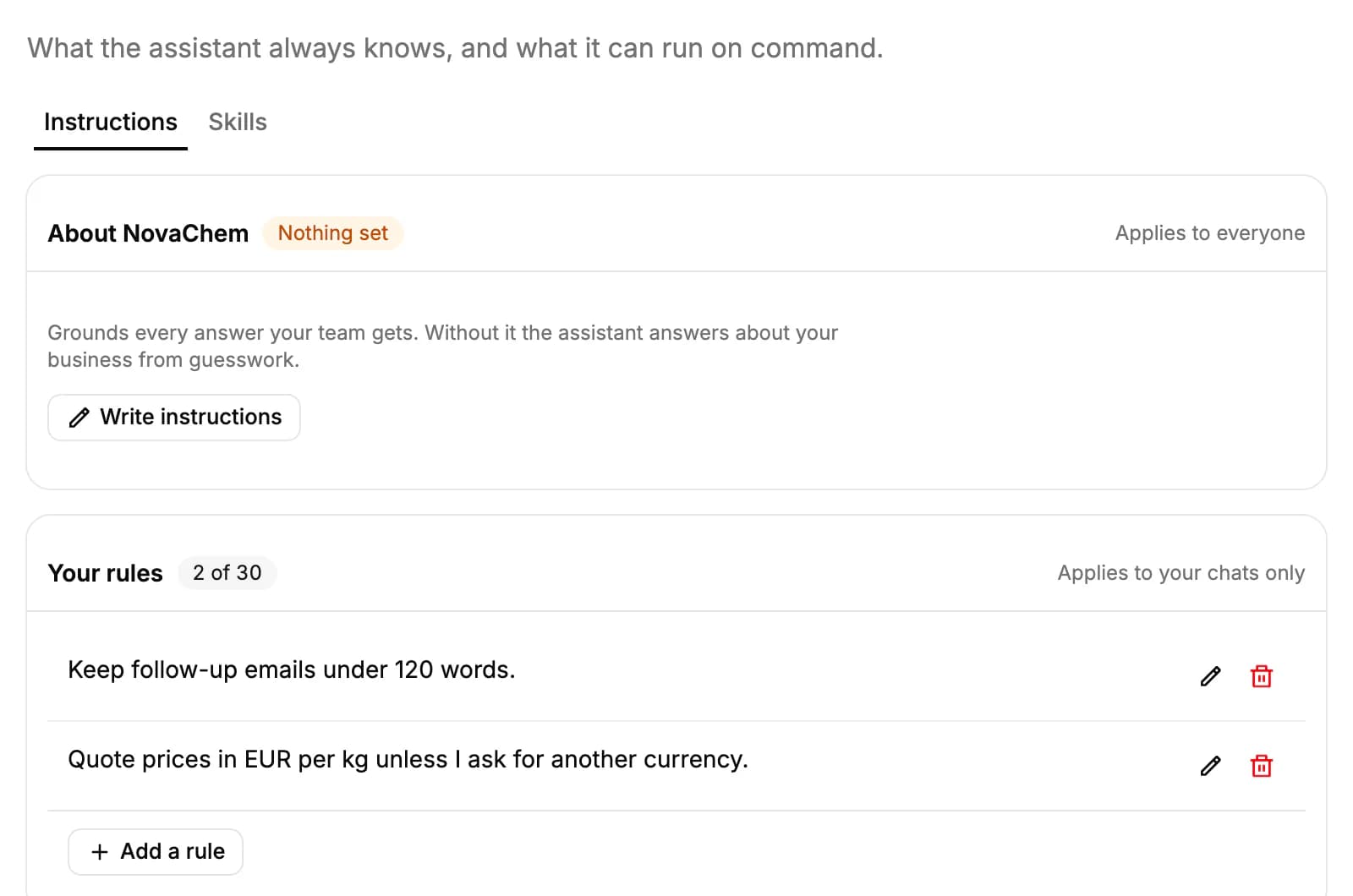
Open Settings → Knowledge. On the Instructions tab:
- About your company: owners and admins describe what you sell, to whom and how, in up to 2,000 characters. It grounds every answer, draft and meeting brief for the whole team.
- Your rules: up to 30 short rules for your own chats, such as "Always answer in German". Tell the assistant a rule in chat and it saves it here itself.
The Skills tab lists slash commands. Type / at the start of a message to run one, such as /draft-email, /pipeline or /debrief. Click New skill to save a prompt of your own; owners and admins can share a skill with the whole company.
Credits and your own AI key
Each message costs 30 credits, however many steps the answer takes. A web search adds 15 credits and reading a web page 10. Each person gets a weekly allowance: 5,000 credits on Basic, 10,000 on Professional and 20,000 on Business and Enterprise. Settings → Credits shows your balance, what used it and when it resets.
To chat without using credits, add your own Anthropic or OpenAI key on the Apps page under Your own AI key. Every member can add a key for themselves, and admins can add one for the whole workspace. Once a key is added, choose what runs your chats, PromptLab credits or the key, next to the message box.
Web searches also have a daily limit per person: 15 on Basic, 40 on Professional and 80 on Business and Enterprise.
Let AI fill in fields
CRM Autofill puts AI behind a field. Add or edit a field on a table such as Accounts, Contacts or Opportunities, turn on Enable AI autofill and write what it should hold, for example "the account's main market: Coatings, Polymers or Other". Then use the column's menu to run Autofill empty rows or Autofill all rows.
Turn on Autofill on new records and the field also fills in when someone creates an account, contact or opportunity. It doesn't run on imports, or after each meeting or call: run it again when you want fresh values. Filling a row uses credits, and the rate shows before you run it. See CRM Autofill.
Related resources
To connect Claude, ChatGPT or another AI tool to your workspace, read Connect AI tools with MCP.
Documents and decks the assistant writes are kept in Artifacts.
To compare plans and weekly credits, see Plans & pricing.
Frequently asked questions
Why does the AI button say Claude?
Claude is the default tool until you choose another. Pick Ask PromptLab AI under Default tool to make the button open PromptLab's own assistant.
Can Ask AI see records I can't?
No. It works with your permissions, so it only reads and changes what you could open yourself.
Will it send emails or texts on its own?
It sends an email only when you ask it to. A text message, and any delete or bulk change, waits for you to click Confirm.
How many credits does Ask AI use?
30 credits per message, plus 15 for each web search and 10 for each web page it reads. Chats on your own Anthropic or OpenAI key use no PromptLab credits.
Can I use Claude or ChatGPT instead?
Yes. Connect them through PromptLab's MCP connection on the Apps page, then pick one under Default tool.
Does CRM Autofill update fields after every meeting?
No. It runs when you start it from the column, or when a new account, contact or opportunity is created, if you turned that on.