



















CRM for furniture manufacturers
How furniture manufacturers sell to dealers, designers and project buyers, from finish samples and tenders to deliveries and reorders, and a CRM setup for it.
 By the PromptLab team24 October 20266 min read
A furniture manufacturer selling to businesses needs a CRM that handles two very different sales at once: dealers who order from a price list, and projects that run on specifications, samples and long quotes. Both revolve around the same products, but the buyer, the timeline and the paperwork are not the same.
In PromptLab, each dealer, designer or contract buyer is an account with its own price list, finish and fabric swatches go in as sample requests, quotes sit on the deal and sales orders on the account. The wider factory view is on the manufacturers page.
How does a furniture manufacturer actually sell?
Business furniture reaches the market through several channels. Dealers and showrooms stock or display your range and sell it on, so they care about margin, lead time and support. Contract furniture buyers such as hotels, offices, schools and care homes buy in volume for a fit-out. Designers, architects and specifiers rarely place the order, but they decide what is on the list, so they are part of the sale. Contractors and project managers place the order and manage delivery.
A rep selling a project has to talk to all of them. The designer picks the range, the project manager asks about dates, and the purchasing contact wants a price. If the CRM lists only the buyer, the rep loses the people who decided.
Online and retail channels exist too, but this post is about the B2B side.
What do specs, samples and finishes look like?
Furniture is configurable. The same chair or desk comes in different sizes, frames, finishes, fabrics and colours, and each choice changes the price and sometimes the lead time. A project quote lists model, quantity, finish and fabric on every line.
That is why samples matter so much. The buyer asks for finish swatches, a fabric or leather card, a small material sample or, for a larger project, a sample piece to test in the room. A designer may keep a sample for a mood board. A buyer may borrow a chair for a trial, and it needs to come back.
Log each of these as a sample request with a status and the destination. Record which finish and fabric codes the customer chose, because the order has to match. If you track samples on a spreadsheet, sooner or later someone quotes the wrong finish.
Why do project timelines and deliveries shape the sale?
A furniture project is usually long. A tender or enquiry comes in, a specification is agreed, a quote goes through several revisions, and the order may be placed months later, then delivered in phases to match the building. Deposits, production slots and delivery and installation dates all need to be tracked.
After delivery, there is the long tail: missing items, damage, snagging lists and warranty questions. A buyer remembers how you handled that when the next project comes up, so keep it on the account.
Dealers run on a shorter cycle. They reorder best sellers, ask for stock and expect their agreed discount without negotiating each order.
What pipeline stages fit furniture manufacturing?
PromptLab has one deal pipeline with stages you set. Use a deal field for dealer or project, and save a view for each. Dealer reorders can jump straight to the order stage, while projects use the full run.
| Stage | Entry condition |
|---|---|
| Enquiry | A designer, dealer or buyer has asked about a range or a project |
| Specification | Models, quantities, finishes and fabrics are agreed |
| Samples out | Swatches or a sample piece are logged with a date |
| Quote sent | A priced quote is out, with lead time and terms in its notes |
| Revisions | Quantities, models or finishes have changed |
| Order | A sales order has been created |
| Delivery | Production is under way and delivery dates are set |
| Aftercare | Snagging and warranty items are closed |
| Repeat business | The account is ordering again or specifying you on the next project |
What must the CRM track?
- Every person in the buying group: the designer, the project manager, the purchasing contact, the dealer owner.
- Specification details: models, finishes, fabrics and quantities per line.
- Samples, each with a destination, a status and whether it must return.
- Price lists per account. A dealer, a hotel group and a one-off buyer pay different prices for the same chair.
- Quote revisions, kept on the same deal.
- Orders and delivery dates, so a rep knows what is in production.
- Snagging and warranty notes, with tasks for follow-up.
How do you set this up in PromptLab?
- 1
Add stages and a dealer or project field
Add the stages above, plus a deal field for dealer or project. Save a view for each. Dealer deals skip stages they don't need.
- 2
Add the whole buying group as contacts
Import accounts and contacts from CSV or Excel, then add designers and project managers as contacts on the account, with their role. When a project reappears, you know who specified you last time.
- 3
Set up price lists for dealers and contract accounts
Create customer price lists for your dealers and larger contract buyers first. Quotes then use the agreed prices. See what is a customer price list.
- 4
Log every swatch and sample piece
Create a sample request for each swatch set or piece you send, linked to the account and the deal. Note the finish and fabric codes in the sample's details and the buyer's feedback when it comes in.
- 5
Quote with revisions and write the terms
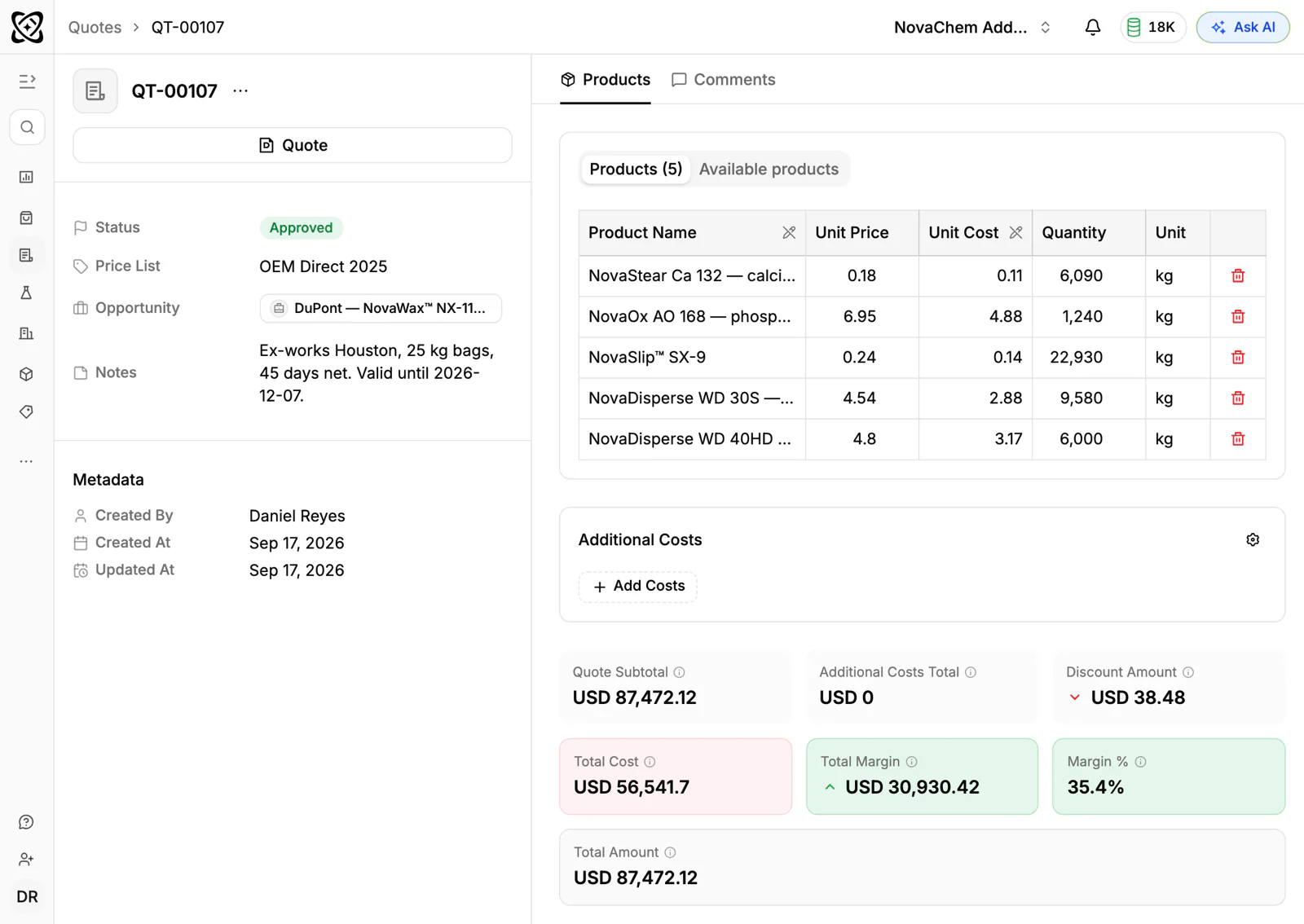
Build each quote from the account's price list, apply line discounts where agreed, and put lead time, deposit terms and price validity in the quote's Notes field. A quote has no expiry date or e-signature, so say it in words and keep each revision on the same deal.
- 6
Create the sales order and automate follow-up
Create the sales order as its own record when the buyer confirms. Use workflow automation to create a task when a quote changes status or a deal moves stage, so aftercare and quote chasing do not rely on memory.
How does PromptLab compare for furniture manufacturers?
Swipe the table sideways to see every CRM →
| Checked on 30 September 2026 | PromptLab |  HubSpot HubSpot |  Pipedrive Pipedrive |  Zoho CRM Zoho CRM |
|---|---|---|---|---|
| Pricing | ||||
| Paid plans, a month | $11.99 – $99per seat | $7 – $150per seat | $14 – $79per seat | $14 – $52per seat |
| Number of plans | 3 | 4 | 4 | 4 |
| Free trial | ||||
| Billing | Billed monthly | Billed annually, plus a $1,500–$3,500 onboarding fee | Billed annually | Billed annually |
| Import from CSV and Excel | ||||
| Sales management | ||||
| Deal pipelines | ||||
| Quotes | Add-on | From$59/month | From$23/month | |
| Sales orders | From$23/month | |||
| Sample tracking | ||||
| Price lists | From$23/month | |||
| Meetings and calls | ||||
| Meeting recording and transcripts | From$90/month | Via marketplace | ||
| AI meeting summaries | ||||
| AI follow-up email drafts | From$90/month | From$59/month | From$23/month | |
| Meeting scheduler and call dialer | From$23.99/month | From$39/month | Via marketplace | |
| AI and automation | ||||
| CRM fields filled in from calls | From$90/month | From$40/month | ||
| Connect Claude or ChatGPT (MCP) | ||||
| Workflow automation | From$39/month | |||
| API and webhooks | From$23.99/month | |||
| Conversations | ||||
| Gmail and Outlook email sync | From$39/month | |||
| WhatsApp conversations | Add-on | From$39/month | ||
| Telegram conversations | ||||
| Save LinkedIn profiles | From$150/month | Via marketplace | From$23/month | |
| Privacy and security | ||||
| Single sign-on (SSO) | From$99/month | From$150/month | From$40/month |
HubSpot is the most polished all-in-one suite, with a Starter plan from $7 a seat a month, billed annually. Quoting sits in the separate Revenue Hub, sales orders, samples and price lists aren't there, and its upper plans add a $1,500 to $3,500 onboarding fee. Pipedrive is easy to learn and its Nova assistant records calls on every plan, from $14 a seat a month, billed annually. It has no sample tracking, price lists or sales orders, and quotes wait for Premium at $59.
Zoho CRM is free for three users and has quotes, sales orders and price books from $23 a user a month, billed annually. It doesn't model samples at any tier. See the HubSpot and Pipedrive comparisons.
Frequently asked questions
What should a CRM for a furniture manufacturer include?
It should hold the whole buying group, sample tracking, customer price lists, quotes with revisions and sales orders. PromptLab ships quotes, sales orders, price lists and sample tracking on every plan, from $11.99 per user per month.
Can I track fabric and finish samples in a CRM?
Yes. Log each swatch set or sample piece as a sample request with a status, linked to the account and the deal, and note the finish and fabric codes. PromptLab's sample requests work this way.
How do I manage dealer pricing?
Give each dealer a customer price list and quote from it, so their agreed discount applies without renegotiating each order. See how to sell through distributors for the wider routine.
Can the CRM track a long furniture project?
Yes. Keep the project on one deal, save each quote revision against it, and create the sales order when the buyer confirms. Tasks and notes carry the delivery and snagging follow-up.
Is there a free trial?
Basic and Professional come with a 14-day free trial. There is no free plan.