



















CRM for glass manufacturers
How glass manufacturers sell, from sample pieces and project specs to fabricators, merchants and repeat orders, and a CRM setup that tracks each step.
 By the PromptLab team24 October 20267 min read
A glass manufacturer needs a CRM that ties a specification to a sample, a sample to a quote and a quote to a repeat order. Glass is sold by thickness, size, treatment and finish, and a small change in any of them is a different price and a different lead time. A CRM that only knows "company" and "deal" loses all of that.
In PromptLab, each fabricator, merchant or contractor is an account with its own price list, sample pieces are tracked as sample requests, quotes sit on the deal and sales orders on the account. The wider factory view is on the manufacturers page.
How does a glass manufacturer actually sell?
Most glass makers sell to a handful of buyer types, and each one buys differently.
Fabricators and processors buy large sheets or stock sizes and cut, toughen, laminate or assemble them into finished units. They care about consistent quality, delivery on the day promised and a price per square metre that holds. Window and door makers buy to a production schedule and expect glass to turn up when the frame line needs it. Merchants and glaziers buy smaller quantities on a trade account and want a quick answer. Contractors and façade companies buy for projects, often against a specification written by an architect or consultant.
Container and technical glass sell on a different logic again: long production runs, tooling or moulds, and approval by a brand owner or an engineer. Whichever side you are on, the rep's job is to find who writes the specification and who places the order. They are often two different people.
What do specs and samples look like in glass?
A glass enquiry usually arrives as a list of lines: thickness, dimensions, quantity, and whether the glass is clear, tinted, coated, toughened, laminated or part of an insulating unit. Add edge work, holes and cut-outs, and each line is closer to a made-to-order product than a catalogue item.
Samples matter most when appearance or performance is in question. A buyer may ask for a sample piece to judge colour, tint, reflectivity, a coating or a print against the building or the product. An architect may need a sample for a mock-up. A fabricator may want a trial batch to check that your glass runs through their cutting, toughening or assembly line without trouble.
The loop is the same each time: sample out, customer judges it, feedback, adjust, then a quote. If the feedback never reaches the account, the next rep asks the same question again.
Why are lead times, breakage and claims part of the sale?
Glass is heavy, fragile and made to order, so the delivery conversation is part of the sale. Buyers ask when the glass will be ready, how it will be packed and whether racks come back. A quote that ignores lead time gets pushed back, and an order that arrives late stops a fabricator's line.
Claims are a normal part of the trade too. A buyer reports breakage in transit, a scratch, a wrong size or a defect found after cutting. How quickly you answer, and whether the rep can see the original order, decides whether the customer stays. Log claims as notes and tasks on the account, so the next conversation starts with the facts.
What pipeline stages fit glass manufacturing?
PromptLab has one deal pipeline with stages you set. Give it the stages a glass sale goes through, and use a deal field for the buyer type, such as fabricator, merchant or project. Then save a view for each. Say you sell to both fabricators and projects: the same pipeline works if a fabricator deal skips the stages it does not need.
| Stage | Entry condition |
|---|---|
| Enquiry | A buyer has sent a list of sizes, a drawing or a project spec |
| Spec confirmed | Thickness, treatment, finish and tolerances are agreed |
| Sample out | A sample piece is logged with a date and a purpose |
| Sample feedback | The customer's verdict is recorded on the sample |
| Quote sent | A priced quote is out, with lead time in its notes |
| Order | A sales order has been created |
| Delivered | Glass has reached the customer and any damage is logged |
| Repeat supply | The account is ordering on a pattern |
What must the CRM track?
- Specifications on the deal: thickness, treatment, coating, size range and the standard the buyer asked for.
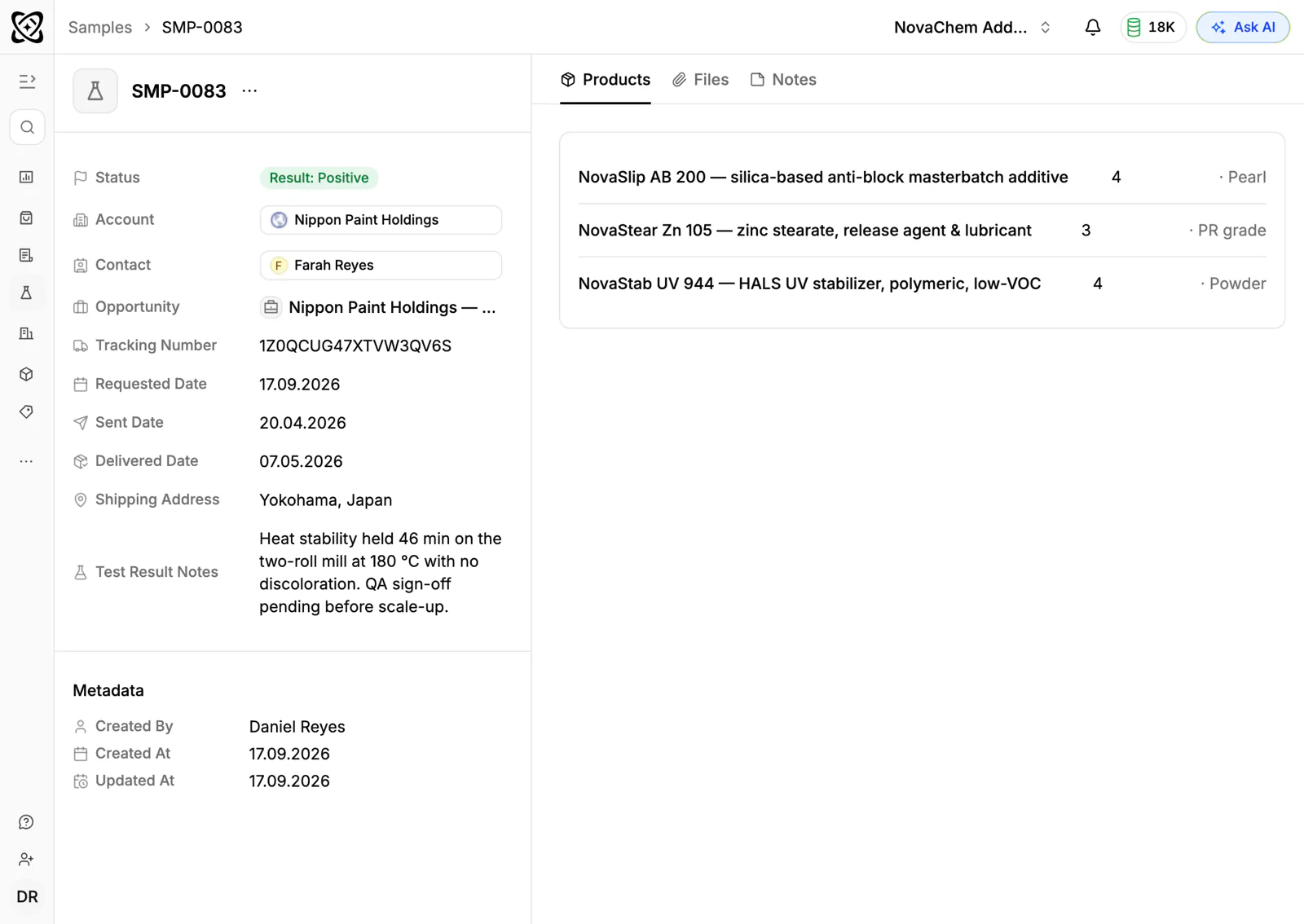
- Sample requests, each with a ship date, the product, the purpose and the feedback.
- Price lists per account. A fabricator on volume, a merchant and a one-off contractor should not share a price.
- Quotes with revisions. Quantities and sizes change on every project, so keep every version on the same deal.
- Order history by product, so a rep sees what an account buys and what it stopped buying.
- Contacts by role: buyer, technical contact, estimator, accounts, site manager.
- Claims and notes, so breakage and quality issues stay with the account.
How do you set this up in PromptLab?
- 1
Build the stages and a buyer-type field
Add the stages above to your pipeline and a deal field for fabricator, merchant or project. Save a view for each, so each rep sees the deals they care about.
- 2
Import accounts, then load price lists for the top ones
Import your customer list from CSV or Excel. Then set up price lists for the accounts that buy the most, so their quotes come out right from day one, and add the rest later. See how to manage customer price lists.
- 3
Log every sample piece
Create a sample request for each piece you send, linked to the account and the deal, with a status and the buyer's feedback once they have judged it. How to track product samples covers the routine.
- 4
Quote from the customer's price list
Build each quote from the account's price list, with line discounts where you give them, and put the lead time and price validity in the quote's Notes field. There is no expiry field on a quote, so say it in words.
- 5
Turn the win into a sales order
Create the sales order as its own record when the buyer confirms. An account whose orders thin out is a prompt for a call.
- 6
Add automation and the Inbox
Use workflow automation to create a task when a sample's status changes or a quote's status changes. Connect your mailbox and your WhatsApp Business number in the shared Inbox, as site managers and fabricators often message from the floor.
How does PromptLab compare for glass manufacturers?
Swipe the table sideways to see every CRM →
| Checked on 30 September 2026 | PromptLab |  Pipedrive Pipedrive |  Zoho CRM Zoho CRM |  HubSpot HubSpot |
|---|---|---|---|---|
| Pricing | ||||
| Paid plans, a month | $11.99 – $99per seat | $14 – $79per seat | $14 – $52per seat | $7 – $150per seat |
| Number of plans | 3 | 4 | 4 | 4 |
| Free trial | ||||
| Billing | Billed monthly | Billed annually | Billed annually | Billed annually, plus a $1,500–$3,500 onboarding fee |
| Import from CSV and Excel | ||||
| Sales management | ||||
| Deal pipelines | ||||
| Quotes | From$59/month | From$23/month | Add-on | |
| Sales orders | From$23/month | |||
| Sample tracking | ||||
| Price lists | From$23/month | |||
| Meetings and calls | ||||
| Meeting recording and transcripts | Via marketplace | From$90/month | ||
| AI meeting summaries | ||||
| AI follow-up email drafts | From$59/month | From$23/month | From$90/month | |
| Meeting scheduler and call dialer | From$23.99/month | From$39/month | Via marketplace | |
| AI and automation | ||||
| CRM fields filled in from calls | From$40/month | From$90/month | ||
| Connect Claude or ChatGPT (MCP) | ||||
| Workflow automation | From$39/month | |||
| API and webhooks | From$23.99/month | |||
| Conversations | ||||
| Gmail and Outlook email sync | From$39/month | |||
| WhatsApp conversations | From$39/month | Add-on | ||
| Telegram conversations | ||||
| Save LinkedIn profiles | Via marketplace | From$23/month | From$150/month | |
| Privacy and security | ||||
| Single sign-on (SSO) | From$99/month | From$40/month | From$150/month |
Pipedrive is one of the easiest sales CRMs to learn, and its Nova assistant records calls on every plan, from $14 a seat a month, billed annually. It has no sample tracking, price lists or sales orders, and quotes wait for Premium at $59. Zoho CRM is free for three users and offers quotes, sales orders and price books from $23 a user a month, billed annually. Sample tracking isn't built in at any tier.
HubSpot is the most polished all-in-one suite, with a Starter plan from $7 a seat a month, billed annually. For a product seller, quoting sits in the separate Revenue Hub, and sales orders, samples and price lists aren't there. Its upper plans add a $1,500 to $3,500 onboarding fee. See the Pipedrive and HubSpot comparisons.
Frequently asked questions
What should a CRM for a glass manufacturer include?
It should hold specifications, sample tracking, customer price lists, quotes with revisions and sales orders on one account. PromptLab ships quotes, sales orders, price lists and sample tracking on every plan, starting at $11.99 per user per month.
Can I track glass samples in a CRM?
Yes. Treat each sample piece as a record with a product, a ship date, a status and the buyer's feedback, linked to the account and the deal. PromptLab's sample requests work this way.
How do I keep quote revisions for a glazing project?
Keep every version of the quote on the same deal, and note what changed in the quote's Notes field. Anyone who picks up the account later can then see the history in one place.
Can one CRM handle fabricators, merchants and projects?
Yes. PromptLab has one deal pipeline per workspace, so mark the buyer type with a deal field and save a view for each. Fabricator deals skip the stages they don't need.
Is there a free trial?
Basic and Professional come with a 14-day free trial. There is no free plan.