



















CRM for pumps and valves distributors
How pumps and valves distribution sells, from specification and data sheets to spares, lead times and reorders, and a CRM setup for quotes and accounts.
 By the PromptLab team29 October 20265 min read
A pumps and valves distributor sells to engineers and maintenance teams who specify before they buy. The CRM has to hold the specification, the data sheets you sent and the quote history on one account, so the rep who picks up the next enquiry knows what was proposed and why.
In PromptLab, quotes are built from your products and a customer price list, with the margin on each line. Data sheets and approvals go on the account's Files tab, sample or trial units are tracked as samples, and every email, WhatsApp and Telegram message lands on the record. Project and maintenance deals share one pipeline, told apart by a field.
How does pumps and valves distribution sell?
There are two kinds of sale, and they behave differently. Maintenance and repair buying is fast: a pump has failed, a valve is leaking, and the buyer wants the right replacement quickly. Project buying is slow: a contractor or plant engineer specifies equipment for a new line or a refurbishment, collects quotes, and awards the work weeks or months later.
Customers include water utilities, process plants, building services contractors, agricultural users and OEMs. The distributor adds value by selecting the right product, holding stock, and supporting what was sold.
What do buyers ask for?
Engineers choose by duty, not by catalogue picture. Typical requests:
- A datasheet or selection. The buyer gives flow, head or pressure, fluid, temperature and connection size, and asks which product fits. Your supplier's technical team often confirms the selection.
- Materials and ratings. Body and seal materials, pressure class and the fluid the product will see.
- Documents. Data sheets, drawings, manuals and any certificates the project asks for.
- Spares and service. Seals, impellers and repair kits are a steady second business after the first sale.
- Lead time. An off-the-shelf unit and a built-to-order one are different promises. See what is lead time.
Why do revisions and spares matter?
A project quote rarely lands as first written. The buyer changes quantities, swaps a material or splits an order across phases. Each revision should be a visible step on the account, so nobody sends the old price or the old data sheet by mistake.
Spares are quieter money. Everything you supply will eventually need a seal or a repair kit. An account record that lists the units you sold lets a rep offer spares before the buyer goes online and finds someone else.
What pipeline stages fit this trade?
PromptLab has one deal pipeline per workspace. Use a field for maintenance or project, and save a view for each. Stages that fit both:
| Stage | Entry condition |
|---|---|
| Enquiry | A buyer has described a duty or named a part |
| Selection | The product is chosen and the data sheet is sent |
| Quote sent | A quote is built from the account's price list |
| Revision | The buyer asks for changes and a new quote follows |
| Won | The quote is approved and a sales order exists |
| Spares and service | The account buys seals, kits or a service agreement |
A maintenance deal may skip Selection and Revision. A project deal uses all of them.
What must the CRM track?
- The enquiry, in the buyer's words: the fluid, the duty, the connection.
- Documents sent, with the version, on the account's Files tab.
- Quotes with the margin on every line, and a status of Draft, Pending or Approved.
- Customer price lists, so contractors, utilities and OEMs each get their agreed price.
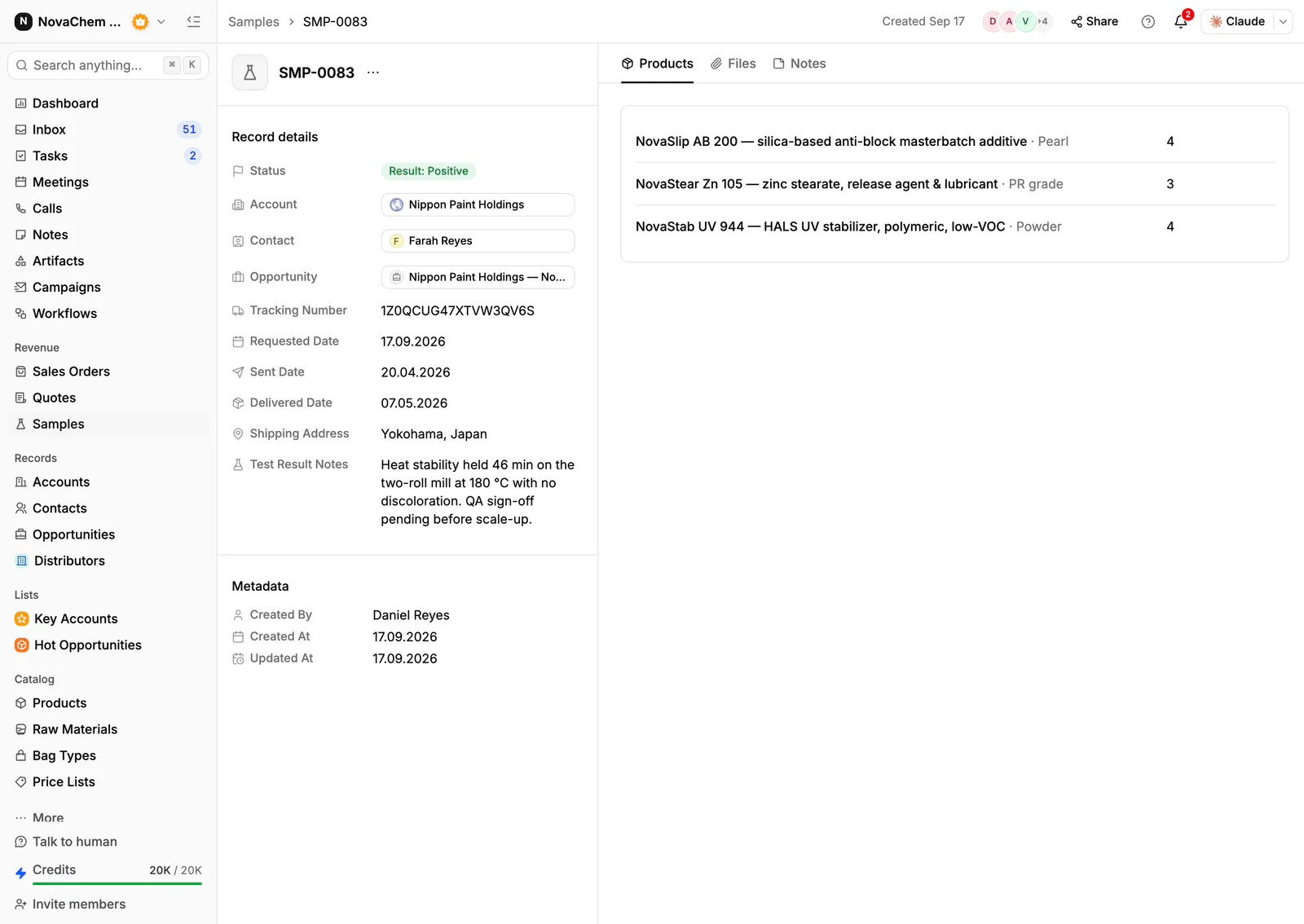
- Trial or demonstration units, tracked as samples with a ship date and feedback.
- Order history by product, which also shows what an account might need next.
- Every message from email, WhatsApp and Telegram. Site engineers often send a photo of the nameplate on WhatsApp.
How do you set this up in PromptLab?
- 1
Add the fields
Add deal fields for type (maintenance or project), fluid or application, and required delivery date. Save a view for each type.
- 2
Import products and accounts
Import products, accounts and contacts from CSV or Excel. Keep spares as their own products so they can go on a quote.
- 3
Quote from a price list
Create customer price lists for contractors, utilities and OEMs. Pick the list on each quote and check the margin per line, which comes from each product's cost price. Read how to write a sales quote for the layout.
- 4
Attach the documents
Store the data sheets and drawings you sent on the account's Files tab, so a colleague can see exactly what the buyer has.
- 5
Follow up on the quote
Use a workflow to create a task for the owner when a quote changes status or a deal changes stage. The quote follow-up templates give you the words.
- 6
Track demo units as samples
Log each trial unit as a sample on the account, with the contact and the result.
How does PromptLab compare for pumps and valves distributors?
Swipe the table sideways to see every CRM →
| Checked on 30 September 2026 | PromptLab |  Salesforce Salesforce |  Attio Attio |  Pipedrive Pipedrive |
|---|---|---|---|---|
| Pricing | ||||
| Paid plans, a month | $11.99 – $99per seat | $25 – $550per seat | $35 – $79per seat | $14 – $79per seat |
| Number of plans | 3 | 5 | 4 | 4 |
| Free trial | ||||
| Billing | Billed monthly | Billed annually | Billed annually; free plan for 3 seats | Billed annually |
| Import from CSV and Excel | ||||
| Sales management | ||||
| Deal pipelines | ||||
| Quotes | From$100/month | From$59/month | ||
| Sales orders | From$100/month | |||
| Sample tracking | ||||
| Price lists | From$100/month | |||
| Meetings and calls | ||||
| Meeting recording and transcripts | Add-on | From$79/month | ||
| AI meeting summaries | Add-on | From$79/month | ||
| AI follow-up email drafts | Add-on | From$79/month | From$59/month | |
| Meeting scheduler and call dialer | From$23.99/month | Add-on | From$39/month | |
| AI and automation | ||||
| CRM fields filled in from calls | From$195/month | From$79/month | ||
| Connect Claude or ChatGPT (MCP) | From$195/month | |||
| Workflow automation | From$39/month | |||
| API and webhooks | From$23.99/month | From$195/month | ||
| Conversations | ||||
| Gmail and Outlook email sync | From$39/month | |||
| WhatsApp conversations | Add-on | From$39/month | ||
| Telegram conversations | ||||
| Save LinkedIn profiles | Via marketplace | Via marketplace | Via marketplace | |
| Privacy and security | ||||
| Single sign-on (SSO) | From$99/month | Enterprise plan |
Salesforce is the most configurable CRM there is, with five editions from $25 to $550 a user a month, billed annually. For a team selling products, quotes and price lists start at $100, call recording is a $50 add-on, and building it usually takes an admin or partner. Attio suits a team that wants to design its own data model, and up to three seats are free, but quotes, price lists and orders are left for you to build, and call recording waits for the Pro plan at $79 a seat, billed annually.
Pipedrive has a pipeline a rep learns quickly, with plans from $14 a seat billed annually. It has no samples, price lists or sales orders, and quotes wait for Premium at $59. See the Salesforce and Attio comparisons.
Frequently asked questions
What should a CRM for a pumps and valves distributor include?
It should hold quotes with revisions, customer price lists, sales orders, the documents you sent and the full message history. PromptLab includes these on every plan, from $11.99 per user per month.
How do I manage quote revisions?
Keep every quote on the account and the deal, so the history shows what changed. Mark the current one Approved when the buyer accepts. A new price goes in a new quote, not an edit over the old one.
Can I sell spares through the same CRM?
Yes. Add seals, kits and impellers as products and put them on quotes and sales orders like any other line. Order history by product shows which accounts to offer spares to.
Where do data sheets and drawings go?
Attach the version you sent to the account's Files tab. Keep the master copies with your supplier or quality team.
Is there a free trial?
Basic and Professional come with a 14-day free trial, with no card needed. There is no free plan.