



















Referral request email templates
Eight referral request emails for B2B product sellers: ask after a good delivery, request an introduction, thank the referrer and follow up on the lead.
 By the PromptLab team29 October 20264 min read
A referral is the warmest lead a product seller can get. The buyer already trusts you, and the person they introduce usually has the same kind of problem. Many reps never ask, because it feels awkward or the moment passes.
These templates make the ask easy. They cover when to ask, how to request an introduction, how to thank the referrer and how to follow up. Keep each one short and give the buyer a simple job to do. To decide which accounts to ask first, see how to segment your customers.
Ask at the right moment
Subject: Glad the [Product] order went well
Hi [First name],

I'm glad the [Product] order arrived on time and is working for you. Thank you for being clear on what you needed.

Could I ask a favour? If you know someone at another company who has the same kind of need, would you be willing to introduce us? One name is enough.

[Your name]
Send it within a week of a good result, while the experience is fresh.
Subject: Thank you for the repeat order
Hi [First name],

Thank you for your latest order of [Product]. It means a lot that you keep coming back.

If there's a colleague or a supplier-side contact who is looking for [Product type], I'd be happy to talk to them. Would you be open to an introduction?

[Your name]
Use it after a repeat order. A returning buyer is usually happy to help.
Make it easy to refer
Subject: Who else makes [Product or process] in your network?
Hi [First name],

You know the [Industry] market better than most. I'm looking to talk with companies like yours, such as [Type of company, for example mid-sized coatings makers] that use [Product type].

Does anyone come to mind? If so, would you pass on my details or make a short introduction?

[Your name]
A specific description is easier to answer than "anyone you know?".
Subject: A short note you can forward
Hi [First name],

To save you time, here is a note you can forward as it is:

"Hi [Contact name], I work with [Your name] at [Your company], who supplies [Product]. They helped us with [Short result]. I thought you might want to talk. Here is their email: [Your email]."

Of course, change anything you like.

[Your name]
Use it when the buyer says yes but hasn't acted. Writing the forward for them removes the work.
Ask for an introduction
Subject: Could you introduce me to [Contact name]?
Hi [First name],

I saw that you know [Contact name] at [Company]. We work with companies that buy [Product type], and I think a short conversation could be useful to them.

Would you be comfortable making an introduction? If you'd rather I mention your name, that's fine too.

[Your name]
Use it when you've spotted a connection yourself. Offer two ways to help, so it's easy to say yes.
Subject: [Referrer name] suggested we speak
Hi [Contact name],

[Referrer name] at [Company] suggested I get in touch. We supply [Product] to [Type of company], and [Referrer name] mentioned that you [Need or situation].

Would a 20-minute call on [Day] or [Day] suit you? If not, I'm happy to send a short overview instead.

[Your name]
Send it within a day of the introduction. Name the referrer in the subject or first line.
Thank and close the loop
Subject: Thank you for the introduction
Hi [First name],

Thank you for introducing me to [Contact name]. We spoke on [Date], and [Short outcome, for example they are going to try a sample].

I'll keep you posted. Thank you for the trust.

[Your name]
Send it as soon as you've spoken, even if nothing came of it.
Subject: An update on your introduction
Hi [First name],

I wanted to tell you that [Contact name] has placed their first order. Thank you for making it happen.

If there's anything we can do for you, I'm just an email away.

[Your name]
Send it when the deal closes. Don't skip it: it's what makes the next referral more likely.
How to personalise them
- Ask once, ask specifically. A named company type gets answers where "anyone you know?" gets none.
- Make the first step small. A forwarded note or a 20-minute call is easier than "a meeting".
- Give the referrer a way out. "No pressure" costs nothing and keeps the relationship.
- Don't offer a reward unless your company has a policy and it's allowed in the buyer's industry. Check first.
Send them from your CRM
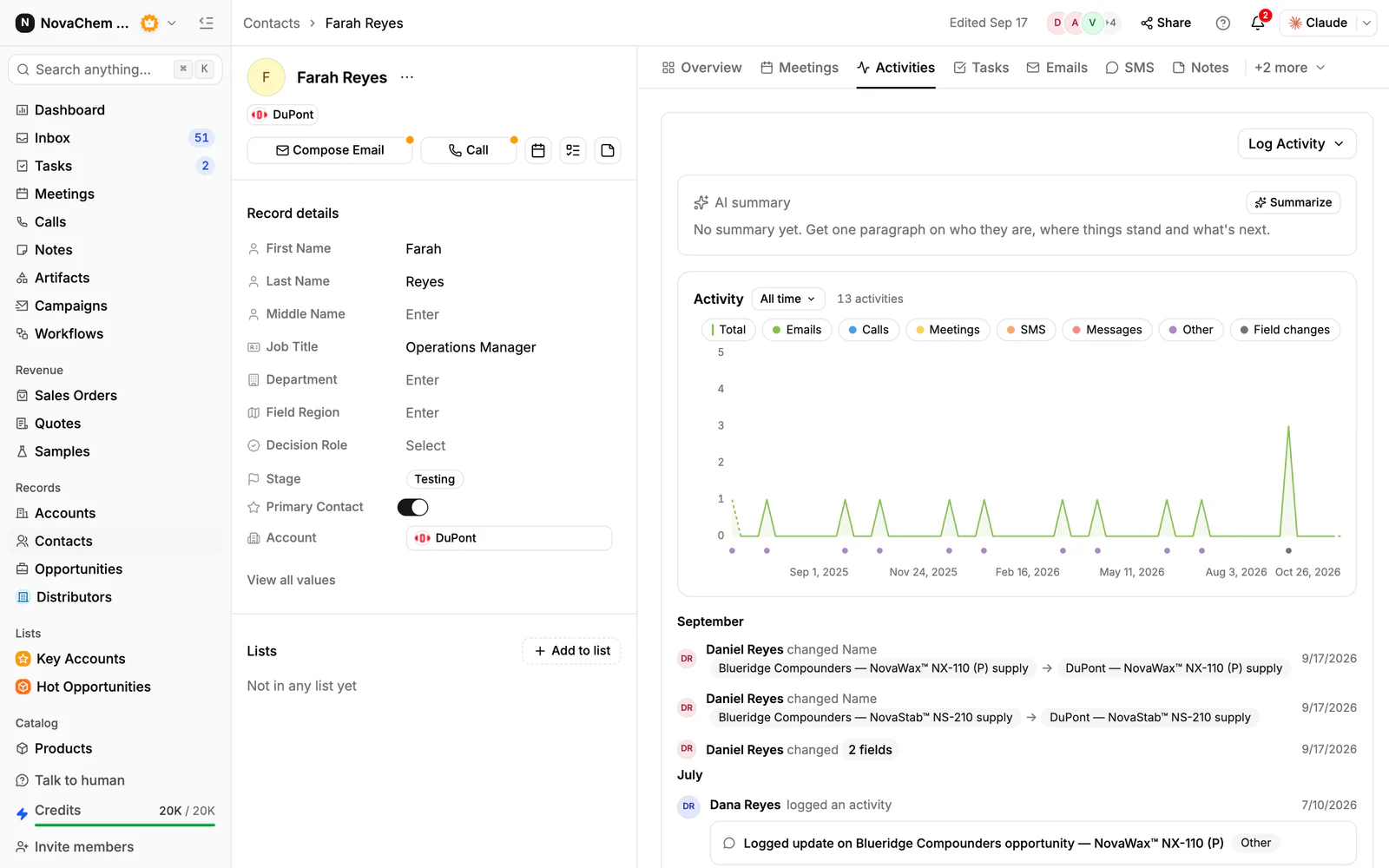
Referrals get lost when nobody records who introduced whom. In PromptLab, you can add a custom field for the source on contacts, and a note on the account saying who made the introduction. Set a task to ask for a referral a week after each delivery, and send the emails from the CRM so the thread stays with the contact. See the contacts reference and the tasks reference.
Frequently asked questions
When is the best time to ask for a referral?
Right after something goes well: a delivery that arrived on time, a successful sample trial or a repeat order. Wait too long and the moment is gone.
How many referrals should I ask for at once?
One name is enough. It lowers the effort for the buyer, and you can ask again later.
Should I offer a reward for a referral?
Only if your company has a policy for it and the buyer's employer allows it. Many business buyers prefer a simple thank you.
What if the buyer says no?
Thank them and move on. Don't ask again for several months, and keep serving the account well.
How do I track where a lead came from?
Add a source field or a note on the contact that names the referrer. That way you can thank them and see which accounts bring the best introductions.