Copper vs PromptLab
Copper is built for Gmail. PromptLab captures Gmail and Outlook, records and summarises every meeting, and puts quotes, samples and sales orders on every plan, from $11.99 a user a month.
Try PromptLab free vs
vs
Copper
Copper is the CRM for Google Workspace teams. It runs inside Gmail and Calendar, adds prospects from LinkedIn without switching tabs, and syncs Drive and Contacts on every plan. For a team selling physical products, the gaps show early: quotes need a marketplace app, there's no sales order or sample tracking, and Basic stops at 2,500 contacts.
PromptLab
Your email still lands in the CRM on its own: PromptLab captures Gmail, Outlook and IMAP, and its Chrome extension saves LinkedIn profiles. Then it goes further, with quotes, samples, price lists and sales orders, and every meeting recorded and summarised, on all three plans.
Copper vs PromptLab at a glance
Compare Copper and PromptLab on price and features.
Copper prices (billed annually) and features checked on 30 September 2026 at Copper pricing, Copper integrations, Copper homepage. PromptLab prices are billed monthly; Enterprise is $79 a month billed yearly. See the pricing page.
Every inbox captured, not just Gmail
Copper is built around Gmail, and Gmail is the only inbox it syncs. If your sales office runs on Microsoft 365, or even a few reps do, their customer threads never reach the account.
PromptLab captures email from Gmail, Outlook and any IMAP mailbox on every plan, and files each message on the right contact. A mixed team still gets one history per customer.
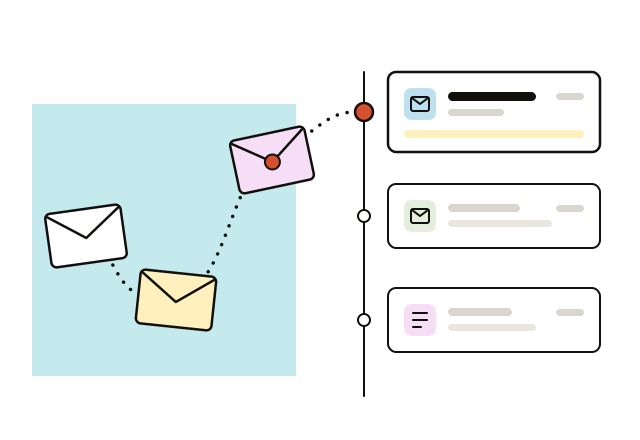
Quotes and orders without a second app
In Copper, quotes come from a marketplace app such as PandaDoc, and there is no sales order at all. The deal lives in the CRM while the paperwork lives somewhere else.
Quotes, price lists and sales orders sit on the account and the deal in PromptLab, from the Basic plan up. Reps quote from the customer's price list and follow the order in the same record.
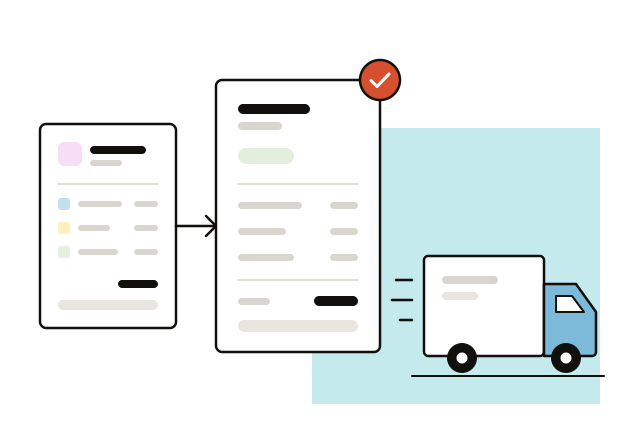
Meetings recorded, transcribed and summarised
There's no meeting recording in Copper, and no AI summaries. What a buyer said about volumes, specs or a delivery date stays in a rep's notebook, if it gets written down at all.
Every PromptLab plan records meetings on Zoom, Meet and Teams, transcribes them in over 100 languages and writes the summary. It then fills in CRM fields from the call, so the next person on the account starts with the facts.

WhatsApp and Telegram beside your email
WhatsApp reaches Copper only through marketplace apps, and Telegram doesn't reach it at all. Buyers who send drawings and order changes by chat end up on a rep's phone, not on the account.
In PromptLab, email, WhatsApp and Telegram threads share one Inbox on every plan. WhatsApp runs on your own WhatsApp Business number and Telegram on your company's bot, so the conversations stay with the business.
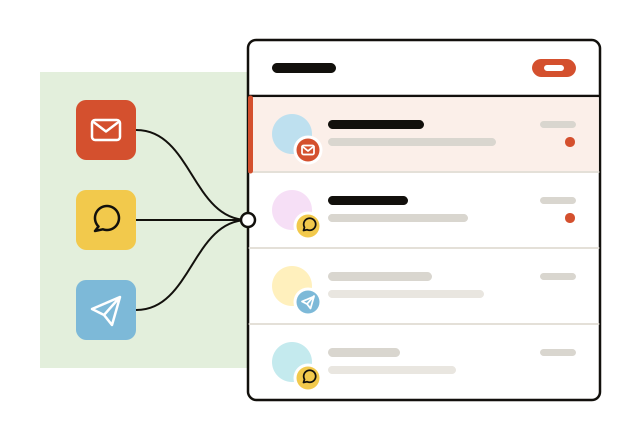
How to switch to PromptLab from Copper
Four steps to move your team and your data over.

1. Export from Copper
In Copper, go to Settings → Export Data and download People, Companies and Opportunities as CSV files. For activities, ask Copper Support for a one-time export.
2. Import into PromptLab
Click Import on PromptLab's Accounts, Contacts or Deals list, then upload the CSV or pick it straight from Google Drive.
3. Map the columns
Match each Copper field to its PromptLab field and run the import. Tasks, notes, quotes and sales orders come in the same way.
4. Connect every inbox
Have each rep connect Gmail or Outlook so new email is captured from day one. On Enterprise, PromptLab's data migration support can help move the history across.
How does PromptLab stack up against other CRMs?
PromptLab next to the other CRMs sales teams weigh it against, one side-by-side page each.
 Enterprise suiteHubSpot vs PromptLabGet quotes and meeting recording without buying another hub.Read the comparison
 Enterprise suiteSalesforce vs PromptLabQuotes and meeting recording on day one, without a platform build.Read the comparison
 AI-native CRMAttio vs PromptLabQuotes and price lists ready-made, not a data model to design.Read the comparison
 Sales CRMmonday CRM vs PromptLabA CRM built around deals, not boards you have to set up.Read the comparison
 Sales CRMZoho CRM vs PromptLabQuotes, samples and meeting recording in one app, not a suite.Read the comparison
 Sales CRMClose vs PromptLabQuotes, samples and AI follow-up drafts from the first plan.Read the comparison
 Sales CRMPipedrive vs PromptLabFollow each deal from the first sample to the sales order.Read the comparison
 Enterprise suiteDynamics 365 vs PromptLabQuotes, orders and meeting AI, set up by your own sales team.Read the comparison
 Distribution AIProton.ai vs PromptLabSee the price and start a trial today, no demo call first.Read the comparison
 AI-native CRMBreakcold vs PromptLabAn AI CRM that also handles quotes, samples and orders.Read the comparison
- ?Any CRMComparing another CRM?Tell us what you use today and we’ll walk you through the differences on a short call.Book a demo
Works with the tools you already use
Email, calendar, meetings, chat and AI assistants, connected in a few clicks.
 Gmail
Gmail Outlook
 Google Meet
 Zoom
Zoom Microsoft Teams
 Slack
Slack Salesforce
 HubSpot
 WhatsApp
 Telegram
 Claude
 ChatGPT
Copper vs PromptLab FAQs
Is Copper a CRM?
Yes. Copper is a CRM built for Google Workspace. It runs inside Gmail and Calendar, tracks contacts, deals and projects, and starts at $23 a seat a month, billed annually.
Which is better, Copper or PromptLab?
For a team that quotes, samples and ships products, PromptLab. Copper wins for a small team that lives in Gmail and wants the lightest possible CRM, with projects tracked next to deals. PromptLab adds Outlook, quotes, price lists and recorded meetings.
Is PromptLab cheaper than Copper?
Yes. PromptLab Basic is $11.99 a user a month, billed monthly. Copper Basic is $23 a seat billed annually, and its workflow automation starts at $59 on Professional. PromptLab includes workflows, quotes and meeting recording on every plan.
Can I move from Copper to PromptLab?
Yes. Export People, Companies and Opportunities from Settings → Export Data in Copper. Then click Import on PromptLab's Accounts, Contacts or Deals list, upload the CSV and map the columns. Enterprise includes data migration support.
Who is PromptLab best for?
Sales teams at manufacturers and distributors that quote, sample and ship physical products. If your team splits between Gmail and Outlook, or buyers message on WhatsApp, PromptLab keeps every thread on one account.