
















CRM for aluminium extruders
How aluminium extrusion sales works, from drawings and die approval to first-off samples and call-offs, and a CRM setup that keeps it all on the account.
 By the PromptLab team31 October 20267 min read
An aluminium extruder needs a CRM that keeps each customer's drawings, dies and first-off samples on the account. The sale is rarely decided by a price per kilo. It is decided by whether you can hold the tolerance on a profile, finish it the way the customer needs and deliver on the day the fabrication line expects it.
In PromptLab, every profile enquiry is a deal with its drawing in the account's Files tab, first-off samples are tracked as sample records, quotes come from a customer price list, and call-offs are sales orders on the account. The wider factory view is on the manufacturers page.
How does an aluminium extrusion sale actually work?
An extruder sells a made-to-drawing product. The buyer is usually a fabricator, a window or façade systems company, a machine builder, a transport or furniture manufacturer, or a distributor who stocks standard profiles. Each of them starts with a drawing or a sketch and asks one question: can you make this, at what price, and by when?
Your estimator or technical sales rep then reads the drawing. They look at the shape, the alloy and temper, the length, the tolerances, the surface finish and the annual volume. A shape that is new to you needs a die, the steel tool the billet is pushed through, so the first conversation is also a conversation about tooling.
The second route is the catalogue or stock profile. A distributor buys standard sections in cut lengths, and the sale looks more like a wholesale order than a project. Many extruders run both routes at once, which is why the account record has to show which one a customer is on.
Why do dies and first-off samples shape the pipeline?
A new profile cannot be quoted like a pail of resin. Before the first order, several things have to happen in a set order, and each one can stall the deal.
- Die quotation. The customer is told what the tool costs, who pays for it and who owns it. Whether the die cost is charged up front, spread over the first volumes or absorbed is a commercial decision, and it needs to be written down on the deal.
- Die approval. The customer signs off the drawing, tolerances and finish before the die is cut.
- First-off samples. The first lengths from the new die go to the customer to be measured and fitted. The customer approves them, asks for a change, or asks for a correction to the die.
- First order. Only after approval does the volume order follow.
A customer who approved samples on one die will keep ordering that profile for years. Replacing you means a competitor cutting a die, running new samples and getting them approved again, which is a strong reason to look after the account.
What pipeline stages fit an extruder?
PromptLab has one deal pipeline with stages you set. Give it the stages a profile enquiry goes through, and use a deal field to mark whether the deal is a new profile or a standard-section order. A saved view for each keeps the two teams apart.
| Stage | Entry condition |
|---|---|
| Enquiry | A drawing or sketch has arrived, with an estimated annual volume |
| Technical review | Your estimator has checked the profile, alloy and finish |
| Die and price quoted | A quote is out, with the die terms noted on the deal |
| Die approved | The customer has signed off the drawing and the tooling terms |
| First-off samples | A sample is logged with a ship date and a measuring plan |
| Approved | The customer has accepted the samples in writing |
| First order | A sales order is on the account |
| Repeat supply | Call-offs arrive on a pattern you can see |
What must the CRM track?
- Drawings and revisions. Attach each drawing to the account's Files tab, and note the revision on the deal so a rep never quotes from an old one.
- A die number per profile. Add a custom field for the die or profile reference, so a customer's profiles are listed and searchable.
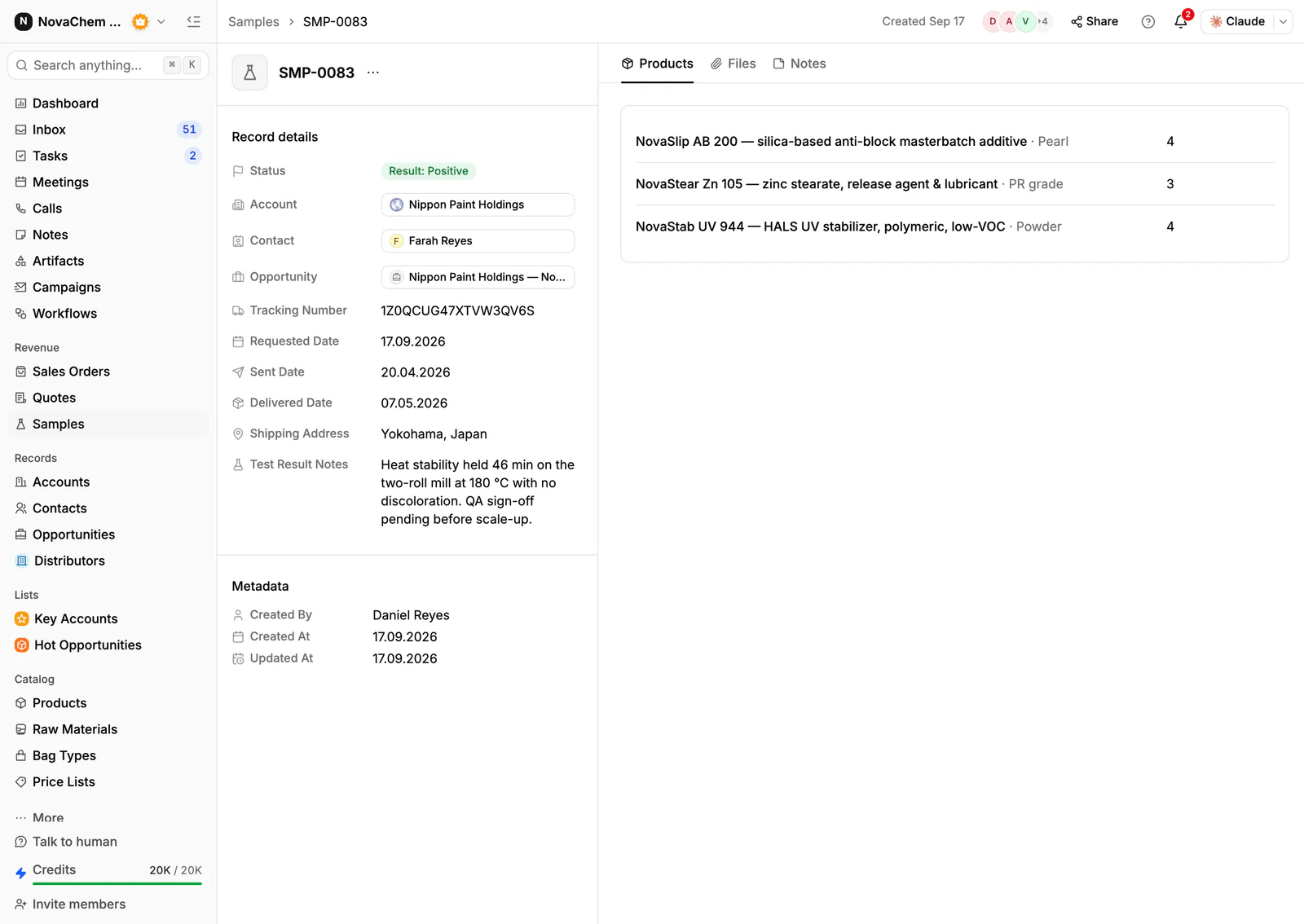
- Samples with a result. Each first-off round gets a sample record with the ship date, the measurements asked for and the customer's feedback. How to track product samples covers the routine.
- Customer prices. A systems company on an annual contract and a one-off job shop do not pay the same. Keep a price list per customer and quote from it. See how to manage customer price lists.
- Order history by profile. A rep should see what a customer called off, and what they have stopped calling off.
- Delivery conversations. Fabricators chase dates on WhatsApp and Telegram as much as email, and those threads belong on the account.
How do you set this up in PromptLab?
- 1
Build the stages and views
Add the stages above to the pipeline. Add a deal field for new profile or standard section, and save a view for each, so the estimators and the stock-section sellers each see their own deals.
- 2
Put the drawing on the account
Upload the drawing to the account's Files tab when the enquiry arrives, and write the revision and the die reference in a note on the deal. Anyone who opens the account then sees which drawing is live.
- 3
Log each first-off round as a sample
Create a sample for each shipment from a new die, with the profile, the ship date and what the customer will check. Record the verdict as the sample's feedback, then move the deal on. If a die needs correcting, log the second round as a new sample, so the history is kept.
- 4
Quote from a price list
Create a customer price list for each contract customer and quote from it. The quote shows the margin on each line, and a price change goes in a new list rather than an edit to the old one.
- 5
Create the sales order on the account
When a call-off arrives, enter it as a sales order on the account. Approving a quote does not create one, so make this a routine step for whoever owns order entry.
- 6
Add a workflow for stalled approvals
Set a workflow that creates a task for the owner when a sample changes status, and one on a schedule to review samples that have waited too long for feedback. How to build your first sales workflow shows the pattern.
How does PromptLab compare for aluminium extruders?
Swipe the table sideways to see every CRM →
| Checked on 30 September 2026 | PromptLab |  Pipedrive |  Attio |  Zoho CRM |
|---|---|---|---|---|
| Pricing | ||||
| Paid plans, a month | $11.99 – $99per seat | $14 – $79per seat | $35 – $79per seat | $14 – $52per seat |
| Number of plans | 3 | 4 | 4 | 4 |
| Free trial | ||||
| Billing | Billed monthly | Billed annually | Billed annually; free plan for 3 seats | Billed annually |
| Import from CSV and Excel | ||||
| Sales management | ||||
| Deal pipelines | ||||
| Quotes | From$59/month | From$23/month | ||
| Sales orders | From$23/month | |||
| Sample tracking | ||||
| Price lists | From$23/month | |||
| Meetings and calls | ||||
| Meeting recording and transcripts | From$79/month | Via marketplace | ||
| AI meeting summaries | From$79/month | |||
| AI follow-up email drafts | From$59/month | From$79/month | From$23/month | |
| Meeting scheduler and call dialer | From$23.99/month | From$39/month | Via marketplace | |
| AI and automation | ||||
| CRM fields filled in from calls | From$79/month | From$40/month | ||
| Connect Claude or ChatGPT (MCP) | ||||
| Workflow automation | From$39/month | |||
| API and webhooks | From$23.99/month | |||
| Conversations | ||||
| Gmail and Outlook email sync | From$39/month | |||
| WhatsApp conversations | From$39/month | |||
| Telegram conversations | ||||
| Save LinkedIn profiles | Via marketplace | Via marketplace | From$23/month | |
| Privacy and security | ||||
| Single sign-on (SSO) | From$99/month | Enterprise plan | From$40/month |
Pipedrive is one of the easiest sales CRMs to learn, and its Nova assistant adds call recording and CRM updates on every plan, from $14 a seat a month, billed annually. It has no samples, price lists or sales orders, and quotes start on Premium at $59, so first-off rounds would sit in a spreadsheet.
Attio is one of the best-designed of the newer CRMs, and up to three seats are free. You define every object yourself, so quotes, price lists, sales orders and samples are yours to build, and call recording starts on its Pro plan at $79 a seat, billed annually. Zoho CRM is the value pick among the big generalists, with paid plans from $14 a user a month, billed annually. Quotes, sales orders and price books start at $23, but samples aren't modelled at any tier. For a side-by-side look at one of them, see Pipedrive vs PromptLab.
Frequently asked questions
What should a CRM for an aluminium extruder include?
It should keep drawings on the account, track first-off samples with feedback, quote from a price list per customer and record call-offs as sales orders. PromptLab has all four on every plan, from $11.99 per user per month.
Can I track dies in a CRM?
Yes, as a field. Add a custom field for the die or profile reference on the deal or account, and attach the drawing to the Files tab. The tool itself is managed in your production systems, and the CRM holds what the sales team needs to know about it.
How do I manage prices for contract customers?
Keep a customer price list for each contract customer and quote from it. Editing a list reprices every quote linked to it, so put a new price in a new list rather than editing the old one.
Should standard sections and custom profiles share one pipeline?
In PromptLab there is one deal pipeline per workspace, so yes. Mark each deal's route with a field and save a view for each, and let standard-section deals skip the die stages.
Is there a free trial?
Basic and Professional come with a 14-day free trial, with no card needed. There is no free plan.
Sources
Prices and features of other CRMs come from each vendor's own pages, on the dates below.
- Pipedrive, checked on 30 September 2026: Pricing, MCP server, Nova, Exporting data
- Attio, checked on 30 September 2026: Pricing, Call Intelligence, AI, MCP server, Exporting lists and views
- Zoho CRM, checked on 30 September 2026: Pricing, Features, WhatsApp integration, MCP