



















How to build your first sales workflow
Build your first sales workflow in a CRM: pick one repeated job, name the trigger and the action, test it on a few records and widen it only when it works.
 By the PromptLab team29 October 20265 min read
To build your first sales workflow, pick one job your team repeats and forgets, write it as "when this happens, do that", set it up for a small test, and widen it once it behaves. Start with a single trigger and a single action. A simple workflow that runs every time beats an ambitious one nobody trusts.
This guide shows how to choose the first job, write the rule, test it and avoid the usual mistakes. When you are ready to go live, run the workflow automation launch checklist.
What a workflow is
A workflow is a rule with a trigger and an action. The trigger is an event in your CRM. The action is what the CRM does in response. "When a deal moves to Quote sent, create a task for the owner to follow up in three days" is a workflow.
Workflows do not replace judgement. They remove the small jobs that depend on someone remembering: the follow-up, the hand-off, the alert. For a wider view, see how to automate sales follow-ups.
Choose the first job
Look for a job with three features: it happens often, it is easy to forget, and the cost of forgetting is clear. Good candidates for product sales:
- A deal reaches the quote stage, and nobody follows up
- A sample is marked as delivered, and nobody asks for the result
- A new buyer message arrives, and nobody picks it up
- A deal is won, and onboarding does not start
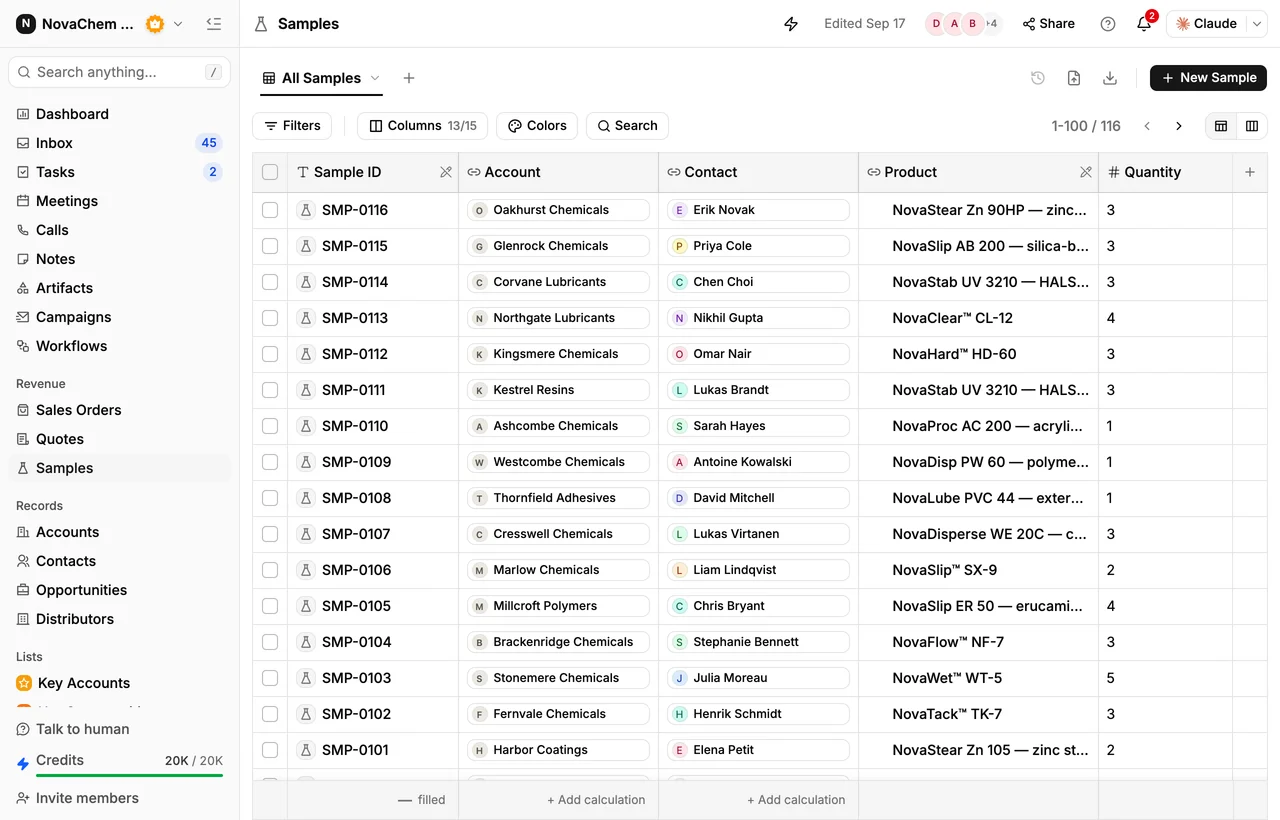
Say your team ships 30 samples a month and a third never get a feedback request. "When a sample becomes Delivered, create a task for the owner to ask for the result" fixes that. It is worth more than a clever rule that touches ten different things.
Build it in six steps
- 1
Write the rule in one sentence
Use the pattern "When [trigger], then [action], for [owner]." If you cannot say it in one sentence, it is two workflows.
- 2
Pick the trigger
Choose an event your CRM offers: a deal changes stage, a quote is created or changes status, a sample is created or changes status, an email, WhatsApp or Telegram message arrives, or a meeting, task or note event happens. Be specific, such as one stage and not any stage.
- 3
Pick the action
Actions you can use include creating a task, assigning an owner, creating a meeting and posting to Slack. Choose the smallest action that does the job. A task is usually safer than anything that touches the customer.
- 4
Decide who owns the result
A task with no owner is ignored. Assign it to the deal owner or to a named person, and give it a due date and a title that says what to do, such as "Ask for sample result".
- 5
Test on a few records
Move one or two test deals through the trigger and check what happens. Is the task created, assigned and clear? Does it appear twice? Fix it before the whole team relies on it.
- 6
Switch on and review after two weeks
Tell the team what the workflow does and why. After two weeks, check whether the tasks were done or ignored. If they were ignored, the rule is wrong or the wording is, not the team.
Write good task wording
A workflow task is only useful if the rep knows what to do when it appears. Compare "Follow up" with "Ask [contact] if the sample arrived and when they will test". The second can be done in two minutes. Put the action in the title and the reason in the description.
Mistakes to avoid
- Too many at once. Five new workflows are hard to debug. Add one, watch it, then add another.
- Triggers that are too broad. "Any stage change" creates noise. Pick the stage that matters.
- Alerts nobody reads. A Slack post for every event trains people to mute the channel. Post only what needs a decision.
- No review. A rule that made sense in March may be wrong after you change the pipeline stages. Review each workflow every quarter.
- Fixing process with automation. If your stages are unclear, a workflow multiplies the confusion. Start with a clear B2B sales process.
Add the next workflows
Once the first one works, build outward from the same pattern. A quote that moves to Pending can create a task for the manager to approve it. A new WhatsApp or Telegram message can create a task for whoever covers new messages, so no buyer waits. A meeting event can create a task for the follow-up email. Each new rule should answer a gap your team has already felt.
How PromptLab helps
PromptLab workflows run on the events above and take the actions above, on every plan. You choose the trigger and the action for each rule. Quotes move through Draft, Pending and Approved, and samples through their own statuses, so both give you clear triggers.
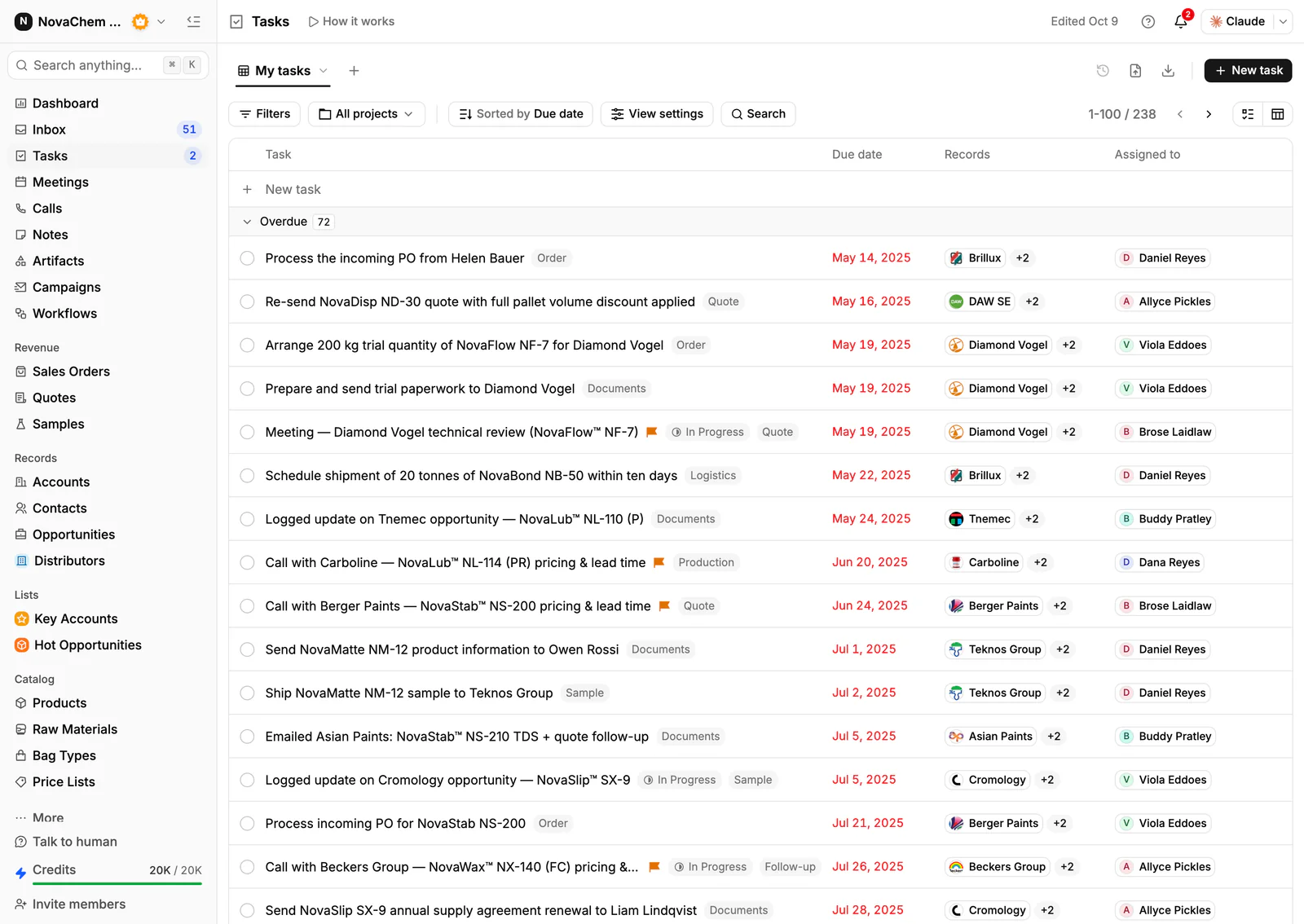
Tasks created by a workflow appear in the assignee's task list, like any other task. Meeting action items also become tasks, so the two sources land in the same place. Workflows can also post to Slack, which helps when a deal needs the team's attention. See the Workflows and Tasks references.
Frequently asked questions
What should my first sales workflow do?
Pick a job that repeats and gets forgotten, such as asking for a sample result after delivery or following up on a quote. Make it create a task for the owner, with a clear title.
How many workflows should I start with?
One. Run it for two weeks, check whether the tasks were completed, and then add a second. A few reliable rules are worth more than many that nobody checks.
Should my first workflow email customers?
Keep your first ones internal: create a task, assign an owner or post to Slack. A person then writes to the customer, with the right words for that buyer.
How do I know a workflow is working?
Test it on a few records before you switch it on, and review the tasks it creates after two weeks. Count how many were done on time, and change the wording or the trigger if they were not.
Which plan do I need for workflows?
Workflow automation is included on every PromptLab plan, from Basic at $11.99 per user a month billed monthly. Basic and Professional come with a 14-day free trial.