











CRM for beverage manufacturers
How beverage manufacturers sell to distributors, wholesalers and retailers, from tasting samples and listings to promotions, and a CRM setup that tracks it.
 By the PromptLab team31 October 20266 min read
A beverage manufacturer needs a CRM that tracks tasting samples, listing decisions and repeat orders from distributors and retailers. The sale is won when a buyer tastes the product, decides to list it and keeps ordering. A CRM should show where each buyer is on that path.
In PromptLab, tasting samples are sample records with feedback, each distributor and wholesaler gets a price list, purchase orders become sales orders on the account, and WhatsApp, Telegram and email share one Inbox. The wider view is on the manufacturers page.
How does a beverage manufacturer actually sell?
Most beverage makers sell through a mix of channels. Distributors and wholesalers buy by the pallet and resell to the trade. Retailers and supermarket buyers decide which products go on the shelf. Hotels, restaurants and cafés, often called HoReCa, buy through wholesalers or direct. Some makers also supply private-label or contract-filled products to another brand.
Each channel asks a different question. A distributor asks about margin, rotation and the support you give. A retail buyer asks whether the product fills a gap in the range, and what promotional support follows. A HoReCa wholesaler asks about pack formats and delivery. A private-label customer asks about specification, minimum runs and lead time.
That means the account record has to say which channel a customer is in, because the pricing, the pack and the conversation all change with it.
Why do tasting samples and listings decide the sale?
A drinks buyer rarely commits without tasting. The usual path is a sample set to the buyer, a tasting or a call, feedback, and then a listing decision, which is the buyer's agreement to stock the product. Listings are often reviewed on a calendar, so missing a review window can mean waiting months.
- Sample sets. Send a defined set (flavours, formats, sizes) and record what went to whom.
- Feedback. Note what the buyer said about taste, packaging and price, in the buyer's words.
- Range and pack formats. Agree which formats the buyer will list, as each one is a separate line on the quote.
- Promotions. Retail and wholesale often run promotions or temporary price cuts, and the terms need to be written down, not remembered.
- Pallet and minimum order sizes. Agree what a first order has to look like, and write it on the deal.
How do reorders and promotions work?
A listed product is a recurring sale. A distributor reorders as stock moves, and the pattern is as important as the order. A distributor whose orders gap out from every three weeks to every six is telling you something, long before they stop.
Promotions complicate this. A summer campaign pulls an order forward, and the following month looks quiet. If the account shows the promotion, a rep can read the dip correctly instead of reacting to it.
Say a distributor orders 12 pallets a quarter at a standard price. For a three-week promotion you agree a discount on 4 of them. The quote should show 8 pallets at the normal price and 4 at the promotional price, and the account should show it was a promotion. How to increase repeat orders covers the follow-up.
What pipeline stages fit a beverage manufacturer?
PromptLab has one deal pipeline with stages you set. A field on the deal marks the channel (distributor, retail, HoReCa, private label), and a saved view per channel gives each team its own list.
| Stage | Entry condition |
|---|---|
| Introduced | A buyer has agreed to taste the range |
| Samples sent | A sample is logged with the products and formats |
| Tasting feedback | The buyer's response is recorded |
| Listing proposal | A quote is out with the price list, formats and pallet terms |
| Listed | The buyer has agreed to stock the product |
| First order | A sales order is on the account |
| Active | Reorders arrive and promotions are planned |
What must the CRM track?
- Sample sets and feedback, by buyer, with the date and what was sent.
- A price list per channel and per key account. A distributor, a retailer and a HoReCa wholesaler pay different prices for the same case. See how to manage customer price lists.
- Formats and pack sizes, so a quote lists each as its own line.
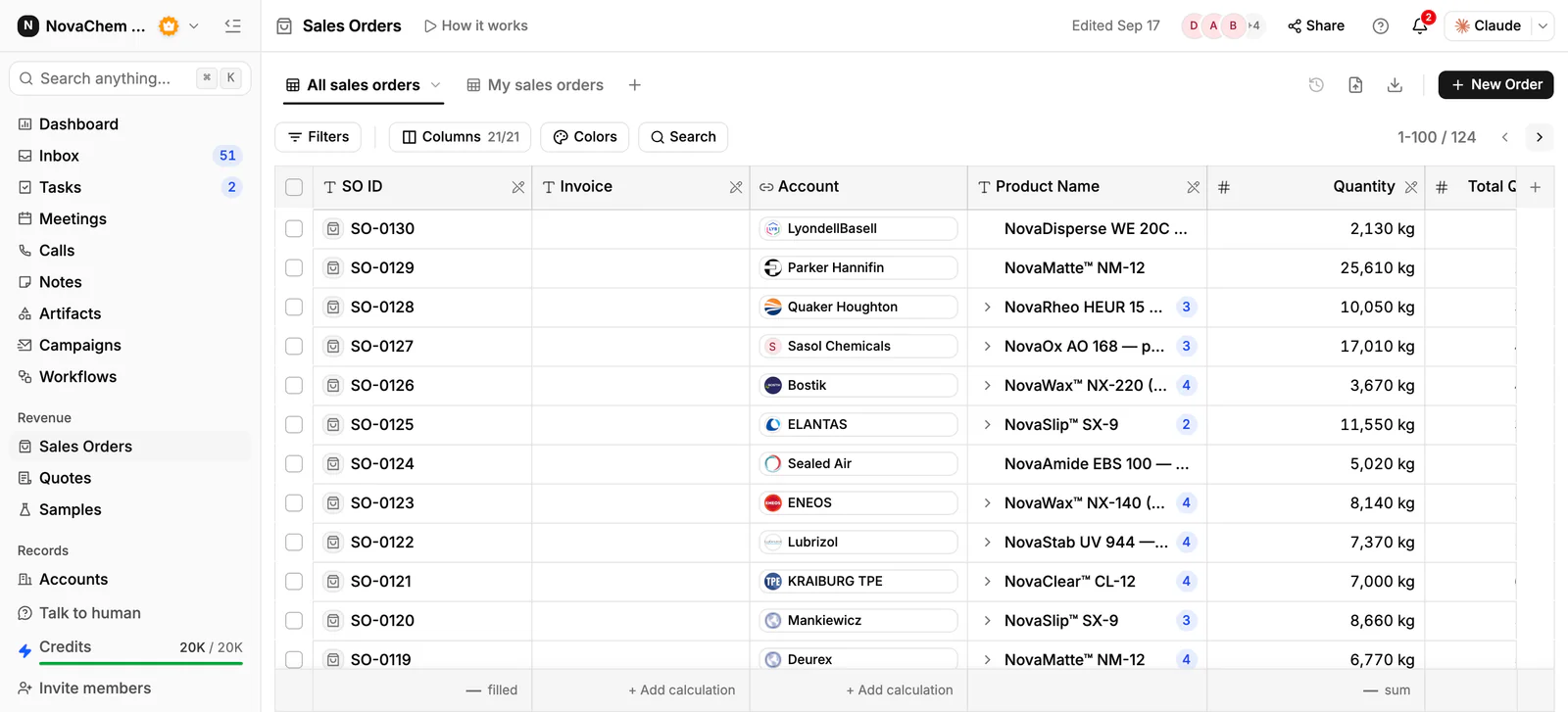
- Purchase orders, entered as sales orders on the account, with the customer's reference.
- Promotion terms, as notes on the account and the deal.
- Conversations on every channel. Many drinks buyers use WhatsApp to reorder, and those messages should reach the account.
How do you set this up in PromptLab?
- 1
Set stages and channel views
Add the stages above, add a deal field for the channel, and save one view for each channel so your key-account team and your distributor team see their own deals.
- 2
Log tasting samples
Create a sample for each set you send, with the buyer, the products and the date. Record the buyer's feedback when it comes, and move the deal on. How to track product samples covers the routine.
- 3
Build price lists
Create a customer price list for each channel and each key account, by product and format. Quote from it, and the margin shows on each line.
- 4
Enter purchase orders as sales orders
Record every purchase order on the account as a sales order, with the customer's reference in a note. Approving a quote doesn't create one, so give order entry to a named person.
- 5
Connect the chat channels
Link your WhatsApp Business number and your company Telegram bot to the Inbox. A buyer's reorder message lands on the right contact for everyone to see.
- 6
Add a reorder workflow
Use a workflow on a schedule to create a task for the owner before each planned promotion. Each week, use Ask AI to list the distributors that haven't placed a sales order in their usual gap, and call them first.
How does PromptLab compare for beverage manufacturers?
Swipe the table sideways to see every CRM →
| Checked on 30 September 2026 | PromptLab |  HubSpot |  Pipedrive |  Close |
|---|---|---|---|---|
| Pricing | ||||
| Paid plans, a month | $11.99 – $99per seat | $7 – $150per seat | $14 – $79per seat | $9 – $139per seat |
| Number of plans | 3 | 4 | 4 | 4 |
| Free trial | ||||
| Billing | Billed monthly | Billed annually, plus a $1,500–$3,500 onboarding fee | Billed annually | Billed annually |
| Import from CSV and Excel | ||||
| Sales management | ||||
| Deal pipelines | From$35/month | |||
| Quotes | Add-on | From$59/month | ||
| Sales orders | ||||
| Sample tracking | ||||
| Price lists | ||||
| Meetings and calls | ||||
| Meeting recording and transcripts | From$90/month | |||
| AI meeting summaries | ||||
| AI follow-up email drafts | From$90/month | From$59/month | ||
| Meeting scheduler and call dialer | From$23.99/month | From$39/month | ||
| AI and automation | ||||
| CRM fields filled in from calls | From$90/month | |||
| Connect Claude or ChatGPT (MCP) | ||||
| Workflow automation | From$39/month | From$99/month | ||
| API and webhooks | From$23.99/month | |||
| Conversations | ||||
| Gmail and Outlook email sync | From$39/month | |||
| WhatsApp conversations | Add-on | From$39/month | ||
| Telegram conversations | ||||
| Save LinkedIn profiles | From$150/month | Via marketplace | ||
| Privacy and security | ||||
| Single sign-on (SSO) | From$99/month | From$150/month | Google only |
HubSpot is the most polished all-in-one suite, with a Starter plan from $7 a seat a month, billed annually. For a team selling products, quoting sits in the separate Revenue Hub, and sales orders, samples and price lists aren't there. Call recording starts at $90 a seat a month, and the upper plans add a $1,500 to $3,500 onboarding fee.
Pipedrive is easy to learn and has Nova on every plan from $14 a seat a month, billed annually, but no samples, price lists or sales orders, and quotes start on Premium at $59. Close is a calling-first CRM with a dialer, email and SMS built in, and its pipelines start at $35 a seat, billed annually. Quotes, samples and price lists aren't part of it. See the Pipedrive comparison.
Frequently asked questions
What should a CRM for a beverage manufacturer include?
It should track tasting samples with feedback, price lists per channel, quotes by format and purchase orders as sales orders. PromptLab includes all of these on every plan, from $11.99 per user per month.
Can I track tasting samples in a CRM?
Yes. Log each sample set with the buyer, the products and the date, and record the feedback on the sample. PromptLab's sample tracking does this on the account and the deal.
How do I manage different prices for distributors and retailers?
Keep a customer price list for each channel and for key accounts, and quote from the right one. The margin shows on each quote line, and a price change goes in a new list.
How do I keep track of promotions?
Write each promotion on the account as a dated note with its terms, and quote promotional volumes as separate lines. Later, the account history explains any dip in reorders.
Is there a free trial?
Basic and Professional come with a 14-day free trial, with no card needed. There is no free plan.
Sources
Prices and features of other CRMs come from each vendor's own pages, on the dates below.
- HubSpot, checked on 30 September 2026: Sales Hub pricing, Revenue Hub quote software, WhatsApp integration, MCP servers, Single sign-on (SSO)
- Pipedrive, checked on 30 September 2026: Pricing, MCP server, Nova, Exporting data
- Close, checked on 30 September 2026: Pricing, Facts for AI agents, Security, Developer platform, Exporting data