















CRM for industrial filtration suppliers
How filtration sales works, from specifying elements and cross-references to replacement cycles and distributors, and a CRM setup that tracks each site.
 By the PromptLab team31 October 20266 min read
An industrial filtration supplier needs a CRM that knows what is installed at each customer's site and when it will need replacing. Filters are consumables. The first sale is the specification, and most of the revenue after that is the replacement elements, which a good rep orders before the customer's pressure gauge says they are due.
In PromptLab, each site is an account with fields for what it runs, test elements are sample records, quotes come from a customer price list, and a saved view lists the sites due for a change. CRM for industrial distributors covers the wider trade.
How does filtration sales actually work?
Filtration suppliers sell cartridges, bags, elements, housings and systems for liquids, air and gases. The buyers are maintenance and process engineers in food and beverage, chemicals, water treatment, manufacturing, power, and many other plants. Many also sell through industrial distributors who serve the same plants with a wider catalogue.
There are two kinds of sale. A specification sale answers a process question: what must be filtered, to what fineness, at what flow and pressure, and in what material. A replacement sale answers a stock question: which element fits the housing the plant already has, and can you deliver it before the next shutdown.
The second kind is where margin and loyalty sit. A customer whose line is down because the right element did not arrive on time remembers it.
Why do specifications and cross-references matter?
Filtration is technical, and buyers ask in the language of their equipment. A rep who can answer quickly wins the replacement order from a competitor.
- Application data. The fluid, the temperature, the flow rate, the pressure and the fineness required. Keep them on the deal as the customer gave them.
- Housings and installed base. What the customer already has, and which element fits. This is the heart of the account.
- Cross-references. Customers often hold a part number from another maker and ask what your equivalent is. Record the cross-reference you quoted, who approved it and when.
- Datasheets. Attach the current datasheet to the account, and note which version went out. What is a technical data sheet explains why that matters.
- Test or trial elements. A customer may want to try an element on one line before changing a supplier.
How do reorders and replacement cycles work?
A filter has a service life, and a plant plans around it. A customer replaces elements on a schedule, after a pressure rise or at a planned shutdown, and many buy a year's worth in two or three orders.
That gives a supplier something to act on. If an account bought 24 cartridges in March and 24 in September last year, the rep knows that the next order is due around March, and can ring in February.
Say a plant has 6 housings, each taking 4 elements, replaced twice a year. That is 6 x 4 x 2 = 48 elements a year, or 24 per change. A rep who knows this can quote the whole change in advance and confirm it on site. Reorder reminder templates has wording to start from.
What pipeline stages fit a filtration supplier?
PromptLab has one deal pipeline with stages you set. Use a deal field for the kind of sale (new specification, replacement, distributor), and a saved view for each.
| Stage | Entry condition |
|---|---|
| Enquiry | A process or a part number has been described |
| Specification | Application data is captured and a product is proposed |
| Quote sent | A quote is out from the account's price list |
| Test element | A sample is logged, if the customer trials one |
| Approved | The customer has accepted the product |
| First order | A sales order is on the account |
| Replacement cycle | A reorder date is set from the account's pattern |
What must the CRM track?
- Installed base per site, as fields on the account: housing type, element type, quantity and last change.
- Application data and datasheets on the deal and the account.
- Cross-references you quoted, as notes with the date.
- Price lists per account, because a distributor, an OEM and a plant buy at different prices. See what is a customer price list.
- Order history by product, so a rep sees what the site has used and what is due.
- RFQs. Plants often send a request for quotation with a deadline. Log it as a deal with the deadline as a task, so it can't slip.
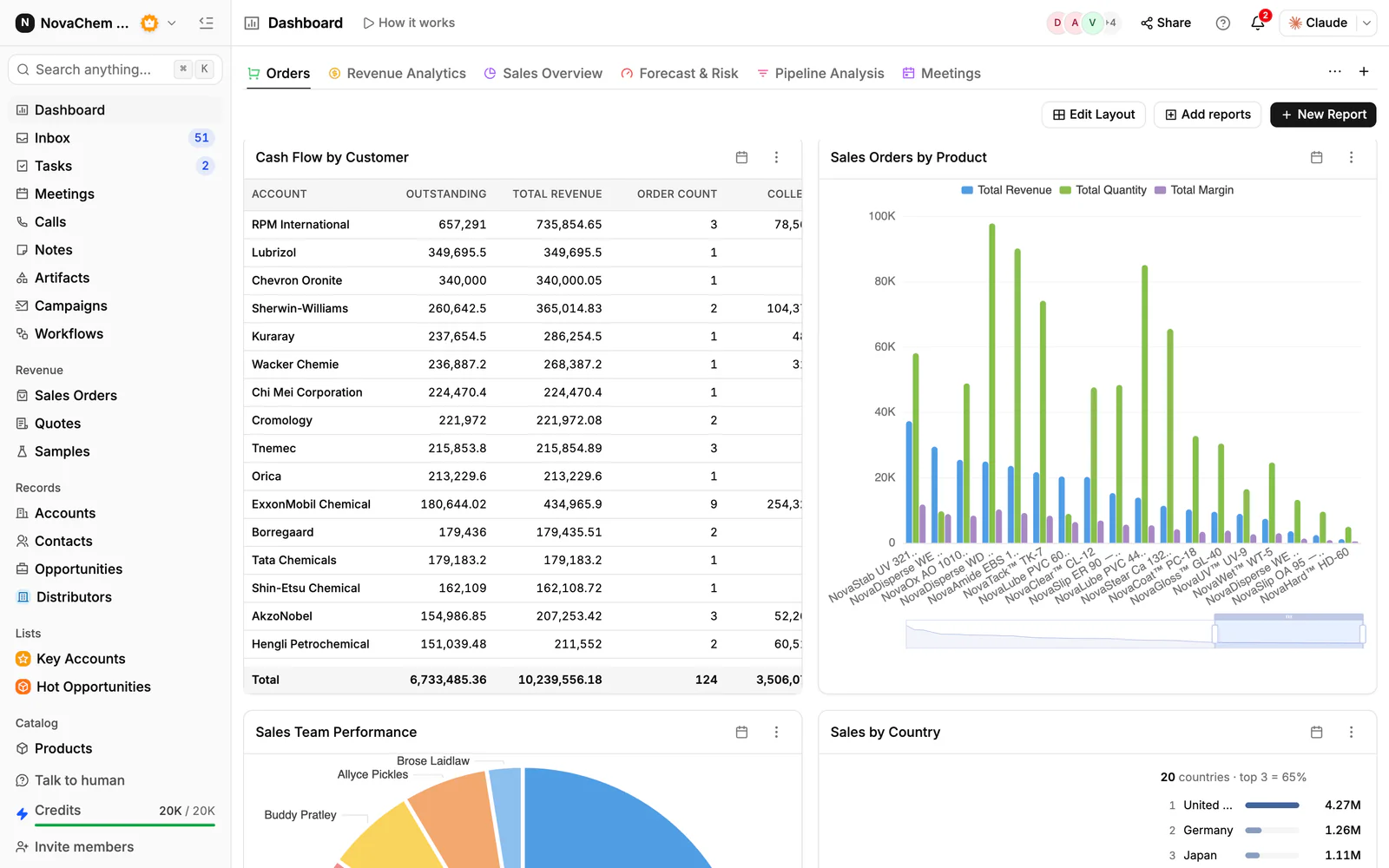
How do you set this up in PromptLab?
- 1
Add installed-base fields
Add fields to the account for housing, element, quantity and last change date. A saved view filtered on the change date is your call list.
- 2
Capture the application on the deal
Record the fluid, flow, pressure and fineness in a note on the deal, and attach the customer's drawing or datasheet to the account's Files tab.
- 3
Quote from a price list
Create a customer price list for each key account and each distributor, and quote from it. The quote shows the margin on each line.
- 4
Log test elements as samples
When a customer trials an element, create a sample with the product, the line and the test plan, and record the result as feedback.
- 5
Schedule the replacement reminder
Use a workflow on a weekly schedule to create a task for the team to work through the view of sites due for a change. The task prompts the calls, and the reps make them.
- 6
Put urgent requests in the Inbox
Connect email, your WhatsApp Business number and your company's Telegram bot. A maintenance engineer's urgent message about a part number lands on the account, not on one rep's phone.
How does PromptLab compare for filtration suppliers?
Swipe the table sideways to see every CRM →
| Checked on 30 September 2026 | PromptLab |  Zoho CRM |  Attio |  Pipedrive |
|---|---|---|---|---|
| Pricing | ||||
| Paid plans, a month | $11.99 – $99per seat | $14 – $52per seat | $35 – $79per seat | $14 – $79per seat |
| Number of plans | 3 | 4 | 4 | 4 |
| Free trial | ||||
| Billing | Billed monthly | Billed annually | Billed annually; free plan for 3 seats | Billed annually |
| Import from CSV and Excel | ||||
| Sales management | ||||
| Deal pipelines | ||||
| Quotes | From$23/month | From$59/month | ||
| Sales orders | From$23/month | |||
| Sample tracking | ||||
| Price lists | From$23/month | |||
| Meetings and calls | ||||
| Meeting recording and transcripts | Via marketplace | From$79/month | ||
| AI meeting summaries | From$79/month | |||
| AI follow-up email drafts | From$23/month | From$79/month | From$59/month | |
| Meeting scheduler and call dialer | From$23.99/month | Via marketplace | From$39/month | |
| AI and automation | ||||
| CRM fields filled in from calls | From$40/month | From$79/month | ||
| Connect Claude or ChatGPT (MCP) | ||||
| Workflow automation | From$39/month | |||
| API and webhooks | From$23.99/month | |||
| Conversations | ||||
| Gmail and Outlook email sync | From$39/month | |||
| WhatsApp conversations | From$39/month | |||
| Telegram conversations | ||||
| Save LinkedIn profiles | From$23/month | Via marketplace | Via marketplace | |
| Privacy and security | ||||
| Single sign-on (SSO) | From$99/month | From$40/month | Enterprise plan |
Zoho CRM has paid plans from $14 a user a month, billed annually, with quotes, sales orders and price books from $23. It doesn't model samples at any tier, so test elements would go out untracked or on a spreadsheet. Attio is one of the best-designed newer CRMs, with up to three free seats. You define every object yourself, which suits a supplier who wants to model an installed base from scratch, but quotes, price lists, sales orders and samples are yours to build, and call recording waits for the Pro plan at $79 a seat, billed annually.
Pipedrive is easy to learn, with Nova on every plan from $14 a seat a month, billed annually. It has no price lists, samples or sales orders, and quotes start on Premium at $59. For a side-by-side look at one of them, see Zoho CRM vs PromptLab.
Frequently asked questions
What should a CRM for a filtration supplier include?
It should record what is installed at each site, quote from a price list per customer, track test elements as samples and show when each account is due to reorder. PromptLab provides these on every plan from $11.99 per user per month.
Can a CRM track the installed base?
Yes, with custom fields on the account for housing, element, quantity and last change. A saved view filtered on the change date then lists the sites due, and a workflow on a schedule can create a weekly task to work through it.
How do I record cross-references?
Write the cross-reference you quoted in a note on the deal, with the date and who checked it, and attach the datasheet. The next rep then sees exactly what the customer was told.
How do I handle distributors and end users together?
PromptLab has one deal pipeline, so mark each deal as distributor or end user with a field, and save a view for each. Use a separate price list for each account.
Is there a free trial?
Basic and Professional come with a 14-day free trial, with no card needed. There is no free plan.
Sources
Prices and features of other CRMs come from each vendor's own pages, on the dates below.
- Zoho CRM, checked on 30 September 2026: Pricing, Features, WhatsApp integration, MCP
- Attio, checked on 30 September 2026: Pricing, Call Intelligence, AI, MCP server, Exporting lists and views
- Pipedrive, checked on 30 September 2026: Pricing, MCP server, Nova, Exporting data