



















CRM for textile manufacturers
How textile sales works, from swatches and strike-offs to seasonal collections, agents and repeat orders, and a CRM setup that tracks it.
 By the PromptLab team16 October 20266 min read
A textile manufacturer needs a CRM that keeps swatches, colour approvals and seasonal orders on the account. The sale is rarely a single order. It is a sequence of requests, from a swatch to a lab dip to a bulk order, repeated each season with the same buyers.
In PromptLab, swatches and lab dips go in as samples with feedback, each customer gets a price list, and the approved quote's lines go into a sales order on the same account. The wider factory view is on the manufacturers page.
How does a textile sale actually work?
Textile makers sell fabric, yarn or finished goods to brands, converters, garment makers, upholsterers and wholesalers. Some sell direct to the buyer. Many sell through agents who cover a region and bring in the customers.
The buyer at a brand or garment maker works to a season. They look at your range, ask for swatches, choose a few qualities and colours, test them and then place orders against a delivery date. A mill that is slow with the swatch often misses the season entirely.
Buyers also compare constantly. They may ask five mills for the same quality, so the response that arrives first, with the right swatch and a clear price, tends to stay in the running.
What are swatches, lab dips and strike-offs?
A swatch or handloom is a small piece of fabric sent so the buyer can judge the hand, weight and look. A lab dip is a small dyed sample matched to a colour the buyer supplies. A strike-off is a printed sample of a design, shown before the print run goes ahead.
Each of these goes back and forth. A lab dip might need two or three rounds before the buyer signs it off, and each round has a date and a verdict. The CRM should show, per account, which requests are out, which are waiting on the buyer and which are waiting on you.
After approval come bulk orders. The buyer then places an order with quantities, colours and a delivery window, usually with minimum quantities per colour or per quality that your own production sets.
How do seasons, agents and reorders shape the pipeline?
Textile demand follows collection calendars. Buyers look for new qualities ahead of a season and order against it, and quiet periods in between are when a good rep builds relationships and chases lapsed accounts. A calendar of when each key buyer typically reviews ranges is worth more than a long contact list.
Agents add a layer. The agent introduces the buyer, the mill ships and invoices, and everyone needs to know who owns the account. Put the agent on the account record, and keep the buyer's contact beside it.
Reorders are the steady part of the business. A buyer who liked a quality will often order it again next season, and a rep who can see "this account took this quality last autumn" knows what to raise at the next review.
What pipeline stages fit a textile manufacturer?
There are two motions: winning a new buyer, and taking a given quality from swatch to bulk. PromptLab has one deal pipeline with stages you set, so give it the stages both motions need, mark each deal's type with a field and save a view for each.
New buyer deals
| Stage | Entry condition |
|---|---|
| Lead | A brand or converter is worth approaching |
| First contact | A buyer has replied |
| Range shown | Catalogue or swatch book is with them |
| Sampling | A swatch or lab dip request is open |
| First bulk order | A sales order is created for the approved quote |
| Regular buyer | They order every season |
Swatch to bulk deals, one per quality
| Stage | Entry condition |
|---|---|
| Swatch requested | The buyer has asked for a quality or colour |
| Sample sent | The swatch or lab dip is logged with a date |
| Buyer feedback | The verdict is recorded on the sample |
| Quote sent | Priced from the account's list |
| Order placed | A sales order is created for the approved quote |
What must the CRM track?
- Swatches, lab dips and strike-offs, each with a request date, the quality, the colour reference, the round and the buyer's verdict.
- Qualities and colours, so a rep can see what an account has already seen or ordered.
- Price lists per account. A brand, a converter and a wholesaler rarely pay the same price for the same quality.
- Minimum quantities and lead times, as notes or fields on the product.
- Agents and buyers, with a clear owner for each account.
- Seasonal reminders, as tasks ahead of each buyer's usual review.
How do you set this up in PromptLab?
- 1
Set up stages and views
Add the stages above to your pipeline and a deal field for new buyer or swatch to bulk, then save a view for each. Give every account an owner, whether that is your own rep or an agent's contact.
- 2
Log every swatch and lab dip as a sample
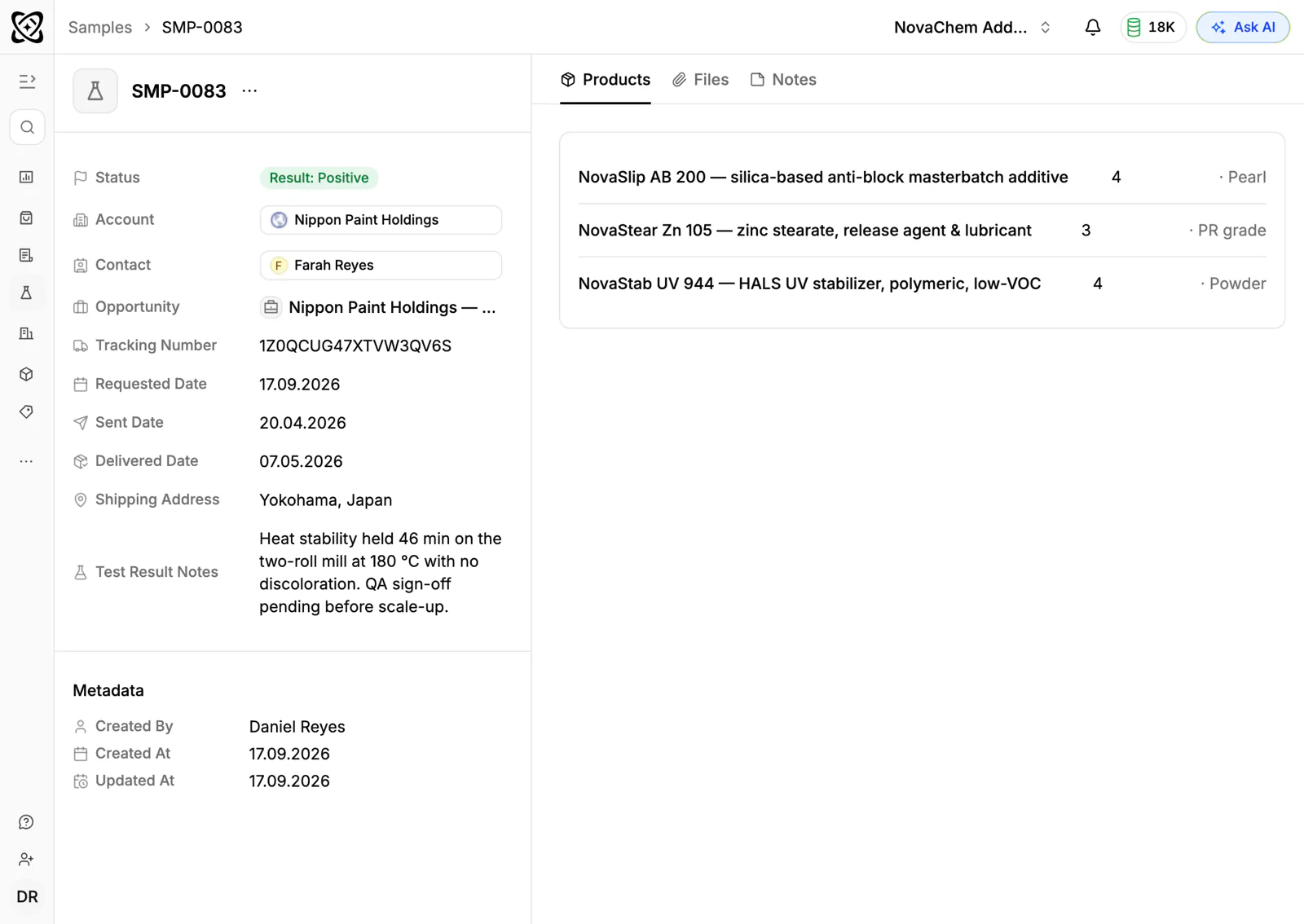
Record each request on the account with the quality, the colour reference and the contact. Put each round's verdict in the sample's feedback. How to track product samples covers the routine.
- 3
Build a price list per account
Create customer price lists for key buyers and agents, by quality. Quotes read from them, and the margin shows on each line. See how to manage customer-specific price lists.
- 4
Create the sales order
Send the quote from the deal and track its status. When the buyer accepts, create the sales order with the same lines, on the same account. How to speed up quote-to-order covers the routine.
- 5
Set seasonal tasks
Set a task on the account a few weeks before each buyer's usual review, so the call happens in time. When a deal changes stage, a workflow can also create a task or post to Slack.
- 6
Connect WhatsApp and Telegram
Buyers and agents often send colour photos and quick questions by WhatsApp. Connect your WhatsApp Business number and your company Telegram bot, and the thread lands on the account, not on one rep's phone.
How does PromptLab compare for textile sales?
Swipe the table sideways to see every CRM →
| Checked on 30 September 2026 | PromptLab |  Pipedrive Pipedrive |  Close Close |  Salesforce Salesforce |
|---|---|---|---|---|
| Pricing | ||||
| Paid plans, a month | $11.99 – $99per seat | $14 – $79per seat | $9 – $139per seat | $25 – $550per seat |
| Number of plans | 3 | 4 | 4 | 5 |
| Free trial | ||||
| Billing | Billed monthly | Billed annually | Billed annually | Billed annually |
| Import from CSV and Excel | ||||
| Sales management | ||||
| Deal pipelines | From$35/month | |||
| Quotes | From$59/month | From$100/month | ||
| Sales orders | From$100/month | |||
| Sample tracking | ||||
| Price lists | From$100/month | |||
| Meetings and calls | ||||
| Meeting recording and transcripts | Add-on | |||
| AI meeting summaries | Add-on | |||
| AI follow-up email drafts | From$59/month | Add-on | ||
| Meeting scheduler and call dialer | From$23.99/month | From$39/month | Add-on | |
| AI and automation | ||||
| CRM fields filled in from calls | From$195/month | |||
| Connect Claude or ChatGPT (MCP) | From$195/month | |||
| Workflow automation | From$39/month | From$99/month | ||
| API and webhooks | From$23.99/month | From$195/month | ||
| Conversations | ||||
| Gmail and Outlook email sync | From$39/month | |||
| WhatsApp conversations | From$39/month | Add-on | ||
| Telegram conversations | ||||
| Save LinkedIn profiles | Via marketplace | Via marketplace | ||
| Privacy and security | ||||
| Single sign-on (SSO) | From$99/month | Google only |
Pipedrive has a pipeline a rep picks up quickly, and its Nova assistant records calls on every plan from $14 a seat a month, billed annually. It keeps no price list per customer, and quotes wait for Premium at $59. Close suits a rep who works the phone all day, with its dialer built in and Chloe summarising calls, but it keeps no quotes, samples or price lists.
Salesforce can model almost any sales process, including agent networks, but quotes and price lists start on Pro Suite at $100 a user a month, billed annually, and the build usually takes an admin or a partner. See how Pipedrive and Salesforce compare in detail.
Frequently asked questions
What should a CRM for a textile manufacturer include?
It should hold samples, quotes, customer price lists, sales orders and a clear owner for each account, including agents. PromptLab ships these on every plan, starting at $11.99 per user per month.
Can I track swatches and lab dips in a CRM?
Yes. Treat each request like a sample: a quality, a colour reference, a ship date, a status and the buyer's feedback. PromptLab's sample tracking keeps every round on the account.
How do I handle agents and their buyers?
Put the agent on the account record and keep the buyer's contact beside it, with one owner for the account. Everyone then sees who introduced the buyer and who ships to them.
Can the CRM remind me before a buyer's season starts?
Yes. Create a task ahead of each buyer's usual review, or use a workflow to create a task when a deal changes stage. The reminder lands on the rep's task list.
Is there a free trial?
Basic and Professional come with a 14-day free trial, with no card needed. There is no free plan.
Sources
Prices and features of other CRMs come from each vendor's own pages, on the dates below.
- Pipedrive, checked on 30 September 2026: Pricing, MCP server, Nova, Exporting data
- Close, checked on 30 September 2026: Pricing, Facts for AI agents, Security, Developer platform, Exporting data
- Salesforce, checked on 30 September 2026: Sales Cloud pricing, Sales Engagement pricing, Agentforce MCP support