



















CRM for tile and flooring distributors
How tile and flooring distribution sells to contractors, designers and dealers, from samples and project quotes to reorders, and a CRM setup for it.
 By the PromptLab team29 October 20265 min read
A tile or flooring distributor needs a CRM that links the project, the samples and the quote. Buyers choose a floor by looking at it, so a sample goes out before almost every order. Then the quote is built for a specific job, and the same customer may come back for the next one.
In PromptLab, samples are records with a status and feedback, quotes are built from products and a customer price list, and projects are deals in one pipeline. The wider view is on the distributors page.
How does a tile and flooring sale actually work?
A distributor sells to several kinds of buyer at once. Flooring contractors buy for jobs they have won. Designers and architects specify a product but may not buy it. Dealers and showrooms stock a range and sell on to homeowners. Builders buy in volume for developments.
The designer decides what goes on the floor, the contractor buys it, and the dealer holds stock for walk-in customers. A rep who talks only to the buyer misses the person who made the choice.
Most sales begin with a sample. A customer asks for a tile cut, a plank or a sample board, looks at it in the room's light, and comes back with an answer. Samples are cheap to send, but easy to forget, so sending one with no follow-up wastes it.
Why do quantities, lots and reorders matter so much?
Tile and many flooring products are made in batches. Colour and shade can vary slightly from one production run to the next, so a job should be supplied from one lot. A customer who orders too little and returns for more later may get a visibly different batch.
That changes how a quote is built. A rep adds an allowance for cuts and waste, and the customer orders the whole job at once. Say a contractor measures 120 square metres and the rep adds a 10% waste allowance, which makes 132 square metres. If a box holds 1.44 square metres, that is 91.7 boxes, rounded up to 92. The quote shows 92 boxes, not 120 square metres, and the order goes out in one lot. Check the allowance with your own product team; it differs by product and layout.
Reorders matter in a different way. A dealer who sold out of your best-selling range will buy a competitor's the next day. A rep who can see which dealers have not reordered in a while knows who to ring.
What pipeline stages fit a tile and flooring distributor?
PromptLab has one deal pipeline with stages you name. Mark each deal's buyer type (contractor, dealer or builder) with a field and save a view for each.
| Stage | Entry condition |
|---|---|
| Project enquiry | A buyer has described a job or a range need |
| Samples out | A sample is logged with a ship date |
| Selection made | The buyer or designer has chosen a product |
| Quote sent | A quote is out, built from the buyer's price list |
| Quote approved | The buyer has agreed the quantities and price |
| Order placed | A sales order exists for the job |
| Delivered, follow-up due | The goods have arrived and a check-in is booked |
What must the CRM track?
- Samples, with the product, the contact, the project and the buyer's feedback.
- Projects, as deals, with the contractor and the designer both linked as contacts.
- Price lists per buyer type. A contractor, a dealer and a builder pay different prices for the same range.
- Quote lines by product and pack, so a quote shows boxes, pallets and unit prices clearly.
- Order history by range, so a rep sees what a dealer sells and what it has stopped buying.
- Every conversation. Contractors tend to message from site, on WhatsApp or Telegram, and the thread belongs on the account.
How do you set this up in PromptLab?
- 1
Set up price lists by buyer type
Create a price list for contractors, one for dealers and one for builders. Quotes use the list you pick, and the margin shows on each line. See what is a customer price list.
- 2
Log every sample
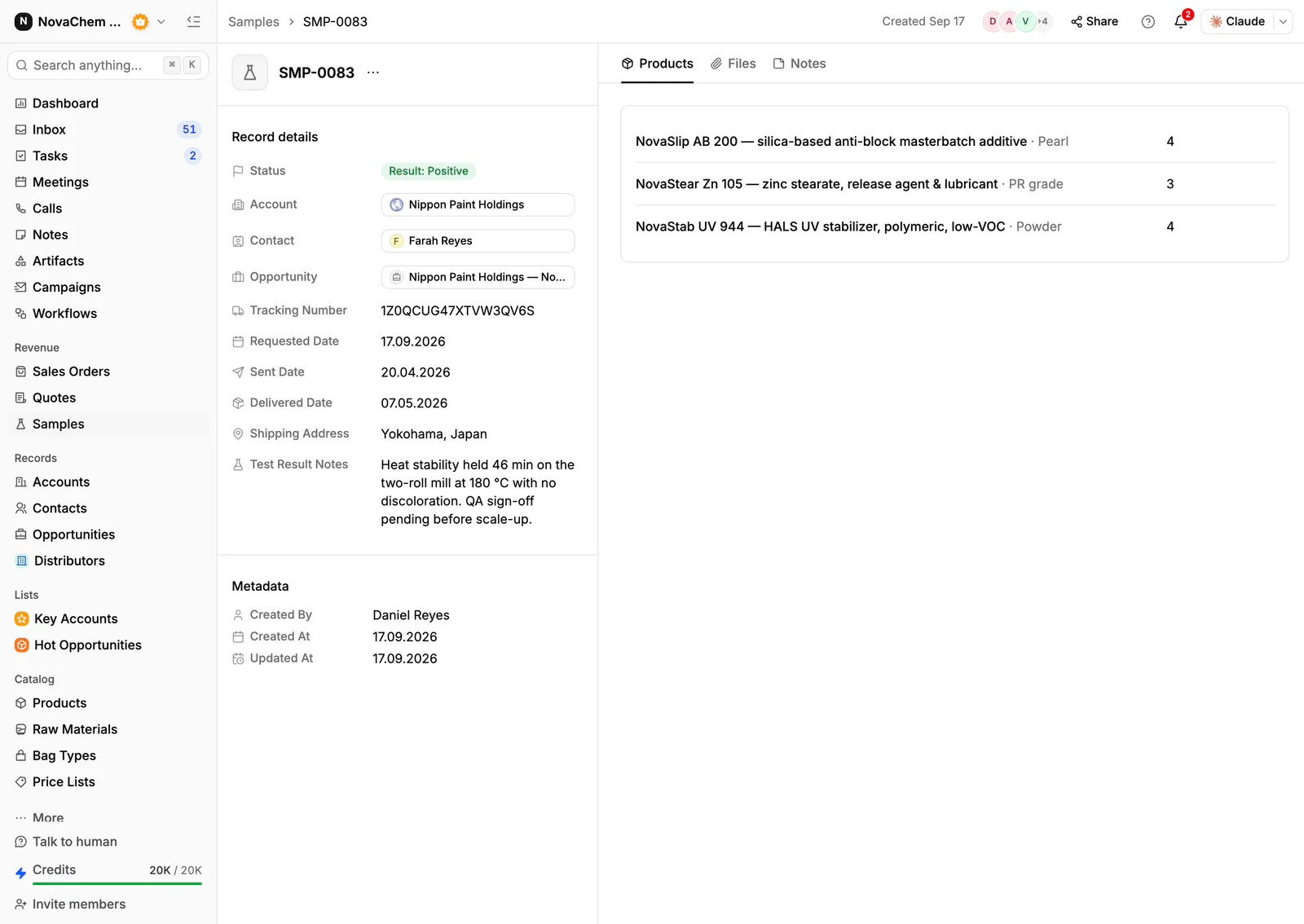
Record each sample on the account with the product, the contact and the project. Put the buyer's verdict in the sample's feedback. How to track product samples covers the routine.
- 3
Add project fields to the deal
Add fields for project name, site address, buyer type and requested delivery date, so a saved view can show the next deliveries.
- 4
Automate the follow-up
Create a workflow that fires when a sample is created or changes status and creates a follow-up task for the owner to call the buyer. A sample with no follow-up is wasted postage.
- 5
Put the site in the Inbox
Connect email, WhatsApp and Telegram so a contractor's message from site lands on the account, with the quote and the samples beside it.
How does PromptLab compare for tile and flooring distribution?
| Checked on 30 September 2026 | PromptLab |  HubSpot HubSpot |  Zoho CRM Zoho CRM |
|---|---|---|---|
| Pricing | |||
| Paid plans, a month | $11.99 – $99per seat | $7 – $150per seat | $14 – $52per seat |
| Number of plans | 3 | 4 | 4 |
| Free trial | |||
| Billing | Billed monthly | Billed annually, plus a $1,500–$3,500 onboarding fee | Billed annually |
| Import from CSV and Excel | |||
| Sales management | |||
| Deal pipelines | |||
| Quotes | Add-on | From$23/month | |
| Sales orders | From$23/month | ||
| Sample tracking | |||
| Price lists | From$23/month | ||
| Meetings and calls | |||
| Meeting recording and transcripts | From$90/month | Via marketplace | |
| AI meeting summaries | |||
| AI follow-up email drafts | From$90/month | From$23/month | |
| Meeting scheduler and call dialer | From$23.99/month | Via marketplace | |
| AI and automation | |||
| CRM fields filled in from calls | From$90/month | From$40/month | |
| Connect Claude or ChatGPT (MCP) | |||
| Workflow automation | |||
| API and webhooks | From$23.99/month | ||
| Conversations | |||
| Gmail and Outlook email sync | |||
| WhatsApp conversations | Add-on | ||
| Telegram conversations | |||
| Save LinkedIn profiles | From$150/month | From$23/month | |
| Privacy and security | |||
| Single sign-on (SSO) | From$99/month | From$150/month | From$40/month |
HubSpot is the most polished all-in-one suite, with a Starter plan from $7 a seat a month, billed annually. For a team selling products, quoting sits in the separate Revenue Hub, sales orders and price lists are missing, and Professional or Enterprise adds a $1,500 to $3,500 onboarding fee. Zoho CRM is the value pick among the big generalists, with quotes, sales orders and price books from $23 a user a month, billed annually. Samples are not modelled at any tier.
See the HubSpot and Zoho CRM comparisons.
Frequently asked questions
What should a CRM for a tile distributor include?
It should hold samples, quotes, customer price lists and sales orders, with each project tracked as a deal. PromptLab has these on every plan, starting at $11.99 per user per month.
How do I track samples sent to contractors and designers?
Log each sample as a record with the product, the contact and the project, and record the feedback. PromptLab's sample tracking keeps that on the account.
Can I give dealers and contractors different prices?
Yes. Create a customer price list for each group and quote from it. Edit a list's prices and every quote linked to it is repriced, so put a price change in a new list.
How do I follow up on projects that go quiet?
Use a workflow that creates a task when a sample or deal changes status, and a saved view of deals with no recent activity. How to turn samples into orders covers the routine.
Is there a free trial?
Basic and Professional come with a 14-day free trial, with no card needed. There is no free plan.