

















How to manage backorders without losing customers
Manage backorders by telling the buyer early, giving a firm date, offering options and tracking every open line until it ships. A process for suppliers.
 By the PromptLab team31 October 20265 min read
To manage backorders without losing customers, tell the buyer the moment you know a line will be late, give a date you can keep, offer a choice of what to do, and track every open line until it ships. Customers forgive a late delivery far more easily than a silent one. What costs you the account is finding out from the buyer that you forgot.
This guide is for sales and customer service teams at manufacturers and distributors who ship products. It covers the decision to make on day one, what to say, how to split a shipment, and how to keep a list of open lines that someone owns. For the definition, see what is a backorder. For ready-to-send wording, use the backorder notification email templates.
What a backorder is, and why it hurts
A backorder is an order line you have accepted but cannot ship yet, usually because the goods are not ready. The buyer has planned around your date. A late line can stop their production run, leave a shelf empty, or force an emergency purchase from someone else.
The damage comes from three things: surprise, vagueness and neglect. Surprise is the buyer learning on the delivery date. Vagueness is "soon" instead of a date. Neglect is a line that sits on the order for weeks because nobody owns it. All three are process problems, and a process fixes them.
Step by step: handle a backorder
- 1
Tell the buyer the same day you know
Do not wait until you have a perfect answer. Send a short message: which line, why it is late, and when you will confirm a date. Buyers plan better with an early warning and a rough window than with a late, polished explanation.
- 2
Give a date you can keep
Ask production or your supplier for a realistic date, then add a margin. A date you miss twice does more damage than a later date you meet. If you truly do not know, say so and name the day you will update them.
- 3
Offer options, not just an apology
Give the buyer a choice, and let them pick. Typical options for product suppliers are below.
- 4
Confirm in writing and update the order
Put the agreed option and the new date on the sales order and in the thread with the buyer. If the buyer agreed on a call or in a chat, write it down the same day.
- 5
Check the open line on a fixed day
Give every backordered line an owner and a check date. When the goods are ready, tell the buyer before the truck leaves, not after it arrives.
- 6
Close the loop after delivery
When the line ships, confirm it, and ask whether the delay caused any problem. Note it on the account for the next order.
The options to offer
Offering a choice turns a complaint into a decision. Pick the ones you can actually deliver.
| Option | When it fits | Watch for |
|---|---|---|
| Ship the rest now, the late line later | The buyer can use the rest of the order | Extra freight cost: say who pays before you ship |
| Hold everything and ship together | The buyer needs the full order at once | A long wait: keep the date visible |
| Substitute an equivalent product | A close alternative exists and the buyer accepts it | Specification, approval and price: get a yes in writing |
| Reduce or cancel the line | The date no longer works for the buyer | Note the reason on the account |
| Offer a partial credit or a goodwill gesture | The delay is long or has a clear cost to the buyer | Agree it before the buyer asks |
Say an adhesives distributor has a 20-drum order where 6 drums are late by two weeks. The rep calls the buyer, offers to ship the 14 drums now and the 6 later, and says the freight on the second shipment is on the distributor. The buyer picks that, and the order carries on.
Prioritise: who gets the goods first
When several orders compete for the same product, you need a rule before the pressure arrives. Common rules:
- First order, first served. Simple and easy to defend.
- Contract or agreed-date customers first. If you promised dates in writing, honour them.
- Production-critical customers first. A buyer who will stop a line without your product comes before one who restocks.
Write the rule down, and apply it the same way each time. If your team improvises, someone will promise the same drums to two buyers.
Common mistakes
- Silence. The buyer finds out on the delivery date.
- Optimistic dates. Each missed date costs more trust than the delay itself.
- No owner. A backorder list that belongs to everyone belongs to no one.
- Fixing it only in the buyer's inbox. The next rep who opens the account sees an order and no sign of a problem.
- Treating every customer the same. A small reorder and a key account's launch order need different attention.
- Never learning from it. If the same product is late every quarter, tell production and planning, and change what you promise.
How PromptLab helps
Keep stock levels and production dates in your ERP or planning system. The sales order, the buyer's messages and the follow-up task live in PromptLab, so the sales side of a backorder doesn't fall through the cracks.
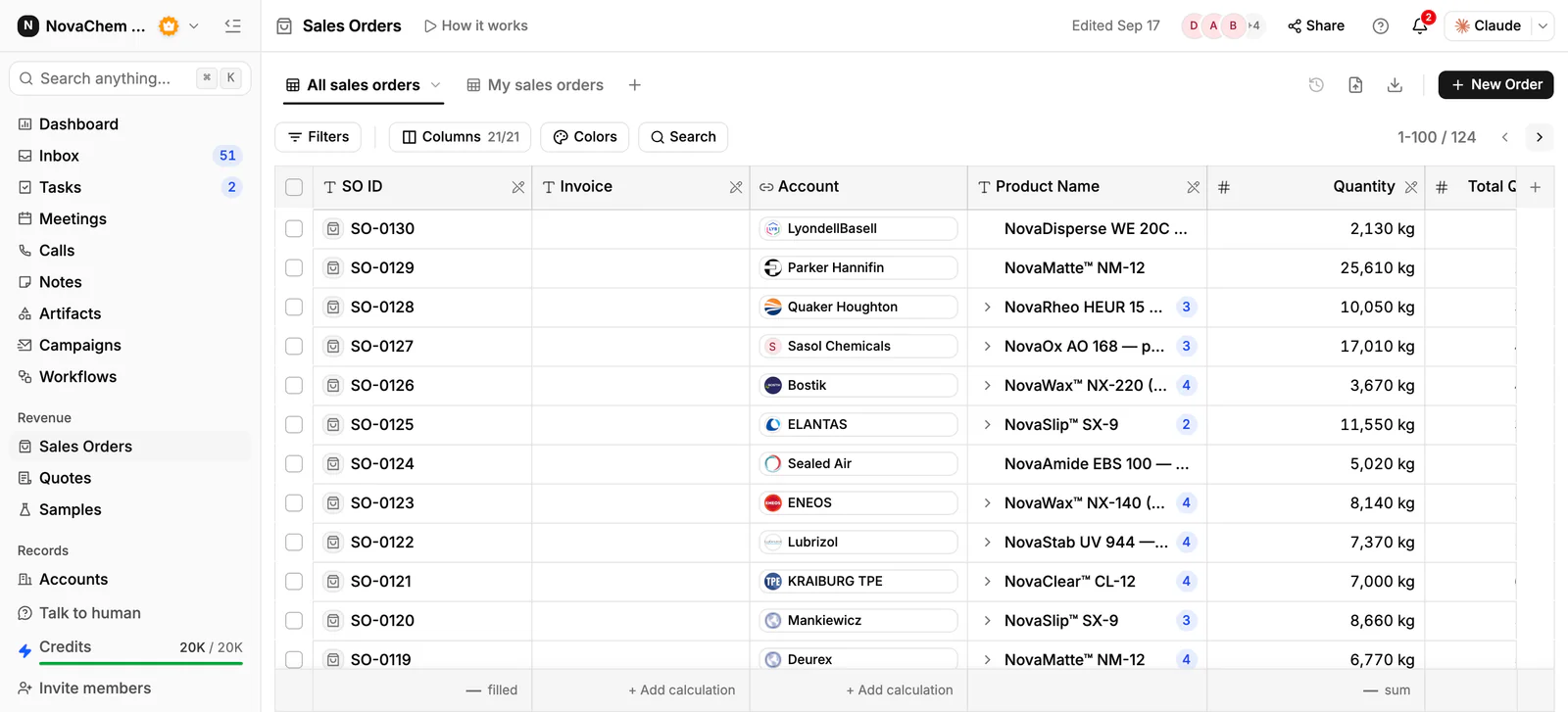
The sales order sits on the account, so anyone who opens the customer sees what was ordered. Add a note with the agreed option and the new date, and create a task for the owner with a check date. Email, WhatsApp and Telegram conversations with the buyer sit in one shared Inbox, linked to the account, so a colleague can pick up the thread. A workflow can create a task when an email, WhatsApp or Telegram message arrives, so a buyer asking "where is my order?" does not wait. With Ask AI you can ask in plain words about an account's sales orders and recent email before you call. See the sales orders reference and the tasks reference.
Frequently asked questions
How do I tell a customer their order is on backorder?
Tell them as soon as you know, in writing and by phone for important accounts. Name the line, the reason, the new date or the day you will confirm one, and the options. Do not wait for a perfect answer.
Should I ship a partial order or hold it?
Ask the buyer. Some can use a partial shipment and want it now. Others need the full order together. Settle who pays for the extra freight before you ship the first part.
How long should I give as a backorder date?
Give the date production or your supplier can honestly meet, plus a margin. A later date you hit is better than an early date you miss twice. If you do not know, name the day you will update the buyer.
How do I track backorders across many accounts?
Give each open line an owner and a check date, and keep one list. In a CRM that means a task on the account for each late line, and a note of what was agreed.
Can I substitute a different product on a backorder?
Only if the buyer agrees and the product meets their specification. Get the agreement in writing and update the order, because some buyers need to approve any change.