













How to choose a CRM for a B2B sales team
A buyer's guide to choosing a B2B CRM: write requirements, build a shortlist, run a two-week trial, ask vendors the right questions and work out the total cost.
 By the PromptLab team6 October 20267 min read
Choose a CRM by writing down the five things your team does every week, shortlisting three systems that do them without add-ons, and testing each with real deals for two weeks. Compare the total cost for your team size, not the entry price. Pick the one your reps use without being chased.
For a company that sells physical products, that list should include quotes, customer price lists, sample tracking and the channels buyers actually use. This guide walks through the whole process, from requirements to the vendor questions that expose hidden costs.
Start with the problem, not the feature list
Teams buy the wrong CRM when they start from a feature grid. Start from what hurts.
Write three to five problems in plain words. For example: "Quotes live in Excel and nobody knows which one is current", "We lose track of samples after they ship", "Buyers message us on WhatsApp and it never reaches the CRM". Each problem becomes a requirement and a test for the trial.
If you are still on spreadsheets, read how to move from spreadsheets to a CRM first. If you are not sure what a CRM covers, see what a CRM is.
Step 1: write your requirements
- 1
Split must-have from nice-to-have
A must-have is something the team will stop using the CRM without. Keep that list to five or six items. Everything else goes on a second list you will use only to break ties.
- 2
Include the unglamorous requirements
Import from your current spreadsheet, user permissions, how long setup takes and who maintains it. These decide whether the CRM gets used in month three.
- 3
Note the channels your buyers use
Email, WhatsApp, Telegram, calls, video meetings. A CRM that only records emails misses the conversation where the deal moves.
- 4
Write down who will use it
Reps, managers, customer service, finance. Each group needs something different. Count the seats now, because price is per user.
Typical requirements for a product sales team
For a fuller list, use the CRM evaluation checklist.
Step 2: build a shortlist of three
Three is enough. Two gives you no comparison and five gives you a project nobody finishes.
Start with the category: the big suites (HubSpot, Salesforce, Dynamics 365 Sales), sales CRMs for smaller teams (Pipedrive, Zoho CRM, Close, Copper, monday CRM) and newer tools built for one industry or around AI (Attio, Breakcold, Proton.ai). Then read the head-to-head pages and reviews for each candidate. We have written reviews and pricing guides for the major ones, such as the HubSpot CRM review, the Pipedrive review and the Salesforce Sales Cloud review. For direct comparisons, see HubSpot vs Pipedrive and Salesforce vs HubSpot.
Be fair to each tool: the big suites are proven platforms with long track records, and the smaller-team CRMs are quick to start on. The question is which one covers your must-haves on the plan you can afford, without paid add-ons.
Swipe the table sideways to see every CRM →
| Checked on 30 September 2026 | PromptLab |  HubSpot HubSpot |  Pipedrive Pipedrive |  Salesforce Salesforce |
|---|---|---|---|---|
| Pricing | ||||
| Paid plans, a month | $11.99 – $99per seat | $7 – $150per seat | $14 – $79per seat | $25 – $550per seat |
| Number of plans | 3 | 4 | 4 | 5 |
| Free trial | ||||
| Billing | Billed monthly | Billed annually, plus a $1,500–$3,500 onboarding fee | Billed annually | Billed annually |
| Import from CSV and Excel | ||||
| Sales management | ||||
| Deal pipelines | ||||
| Quotes | Add-on | From$59/month | From$100/month | |
| Sales orders | From$100/month | |||
| Sample tracking | ||||
| Price lists | From$100/month | |||
| Meetings and calls | ||||
| Meeting recording and transcripts | From$90/month | Add-on | ||
| AI meeting summaries | Add-on | |||
| AI follow-up email drafts | From$90/month | From$59/month | Add-on | |
| Meeting scheduler and call dialer | From$23.99/month | From$39/month | Add-on | |
| AI and automation | ||||
| CRM fields filled in from calls | From$90/month | From$195/month | ||
| Connect Claude or ChatGPT (MCP) | From$195/month | |||
| Workflow automation | From$39/month | |||
| API and webhooks | From$23.99/month | From$195/month | ||
| Conversations | ||||
| Gmail and Outlook email sync | From$39/month | |||
| WhatsApp conversations | Add-on | From$39/month | Add-on | |
| Telegram conversations | ||||
| Save LinkedIn profiles | From$150/month | Via marketplace | Via marketplace | |
| Privacy and security | ||||
| Single sign-on (SSO) | From$99/month | From$150/month |
If the field is wide, the best CRM for manufacturers and the best CRM for distributors narrow it by industry.
Step 3: ask vendors the right questions
Sales reps for CRM vendors are persuasive, so go in with questions.
- Which plan includes each of my must-haves? Show me the price for that plan, for my number of users.
- Is the price per user per month, and is it billed monthly or annually?
- What do you charge for onboarding, extra storage, additional contacts, API access or support?
- Do quotes, price lists, sales orders and sample tracking come with the plan, or do I need another product?
- How do I import my spreadsheet, and who helps if it goes wrong?
- Can I try it with my own data before I pay, and is a card needed to start?
- What happens to my data if I leave? Can I export everything?
- How long until a new rep is productive?
Write the answers into a table. Any "I will get back to you" is a cost you have not seen yet.
Step 4: work out the total cost
The entry price is rarely the real price. Add up:
- Licences for the plan that has your must-haves, times users, times 12.
- Add-ons for features you need that are not in that plan.
- Setup and training, including paid onboarding and your team's time.
- Integrations you build or buy to connect email, messaging, ERP or accounting.
- Admin time to maintain fields, permissions and reports.
A worked example
Say you have 10 users. System A costs $23.99 a month per user on the plan with your must-haves: 10 x $23.99 x 12 = $2,878.80 a year. System B has a $15 entry plan, but quotes and automation need a $60 plan: 10 x $60 x 12 = $7,200, plus a $2,000 onboarding fee, so $9,200 in the first year. Do the same sums with real quotes from each vendor.
CRM cost calculator
| CRM | Entry plan, a year | Top plan, a year |
|---|---|---|
| HubSpotBilled annually, plus a $1,500–$3,500 onboarding fee | $840 | $18,000 |
| PromptLabBasic to Enterprise, billed yearly; quotes, samples, WhatsApp and recording on every plan | $990 | $9,480 |
 CloseBilled annually CloseBilled annually | $1,080 | $16,680 |
 GoHighLevelPer account, not per seat. Plus usage for calls, messages and AI GoHighLevelPer account, not per seat. Plus usage for calls, messages and AI | $1,164 | $5,964 |
 monday CRMBilled annually; Ultimate is custom-priced monday CRMBilled annually; Ultimate is custom-priced | $1,440 | $3,360 |
 Zoho CRMBilled annually Zoho CRMBilled annually | $1,680 | $6,240 |
| PipedriveBilled annually | $1,680 | $9,480 |
 BreakcoldOne plan with one seat included, 20% less billed annually BreakcoldOne plan with one seat included, 20% less billed annually | $2,268 | $2,268 |
 CopperBilled annually CopperBilled annually | $2,760 | $11,880 |
| SalesforceBilled annually | $3,000 | $66,000 |
 AttioBilled annually; free plan for 3 seats AttioBilled annually; free plan for 3 seats | $4,200 | $9,480 |
 Dynamics 365Billed annually Dynamics 365Billed annually | $7,800 | $18,000 |
List prices from each vendor's pricing page, checked on 30 September 2026 and 2 October 2026, on the billing each one notes under its name; PromptLab's row is billed yearly. Taxes, add-ons, onboarding fees and usage charges are not included. Proton.ai is priced by quote, so it isn't listed.
For current prices, see the pricing guides, for example HubSpot pricing and Pipedrive pricing. The CRM cost calculator does the arithmetic for your team size.
Step 5: run a two-week trial
A trial with fake data tells you nothing. Use real deals.
- 1
Import real data
Load your actual accounts, contacts and open deals from your spreadsheet. Note how long it takes and what breaks.
- 2
Give each trialist three tasks
For example: log a new enquiry, send a quote and record a sample. Time each one. The fastest tool for these is usually the one reps will keep using.
- 3
Run one real meeting and one real email thread through it
See how much the system captures without typing.
- 4
Review with the people who used it
Ask each trialist for a score from one to five on ease, speed and whether they would miss it. Add the manager's view on reports.
Mistakes buyers make
- Choosing the most powerful CRM, not the most used one. A tool nobody opens is expensive. See how to get reps to use the CRM.
- Buying for next year's team. Choose for your current team and a clear upgrade path.
- Ignoring migration. Check how your data comes in and out. The CRM migration checklist lists what to plan.
- Skipping the people who will use it. Put two reps on the evaluation.
How PromptLab helps
We built PromptLab as a CRM for B2B teams that sell physical products, so the requirements on the list above are on every plan. Quotes, sales orders, sample tracking and customer price lists are included from Basic at $11.99 per user per month (or $99 a year). There are three plans: Basic, Professional at $23.99 and Enterprise at $99. Basic and Professional have a 14-day free trial, and a card is required to start. There is no free plan.
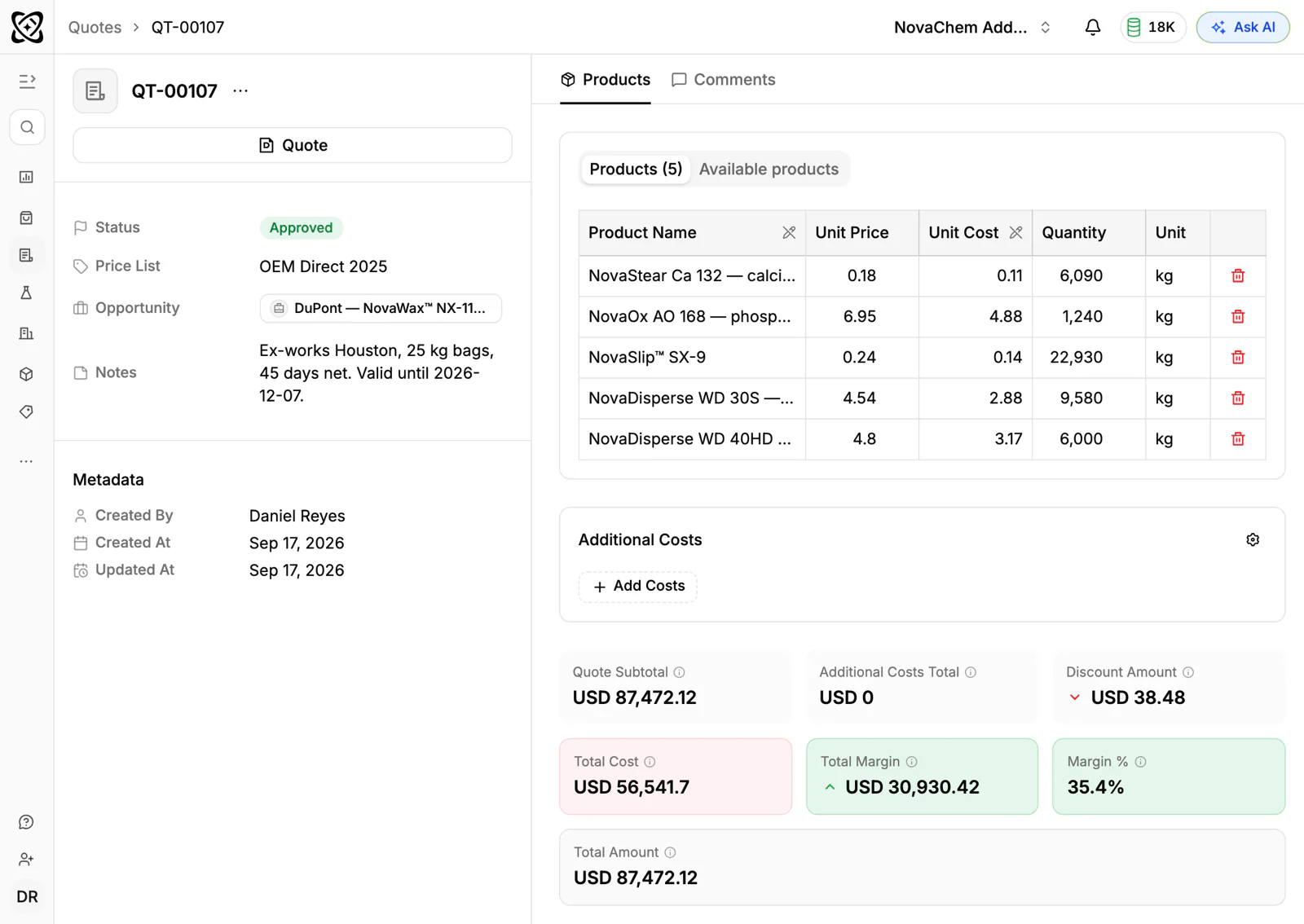
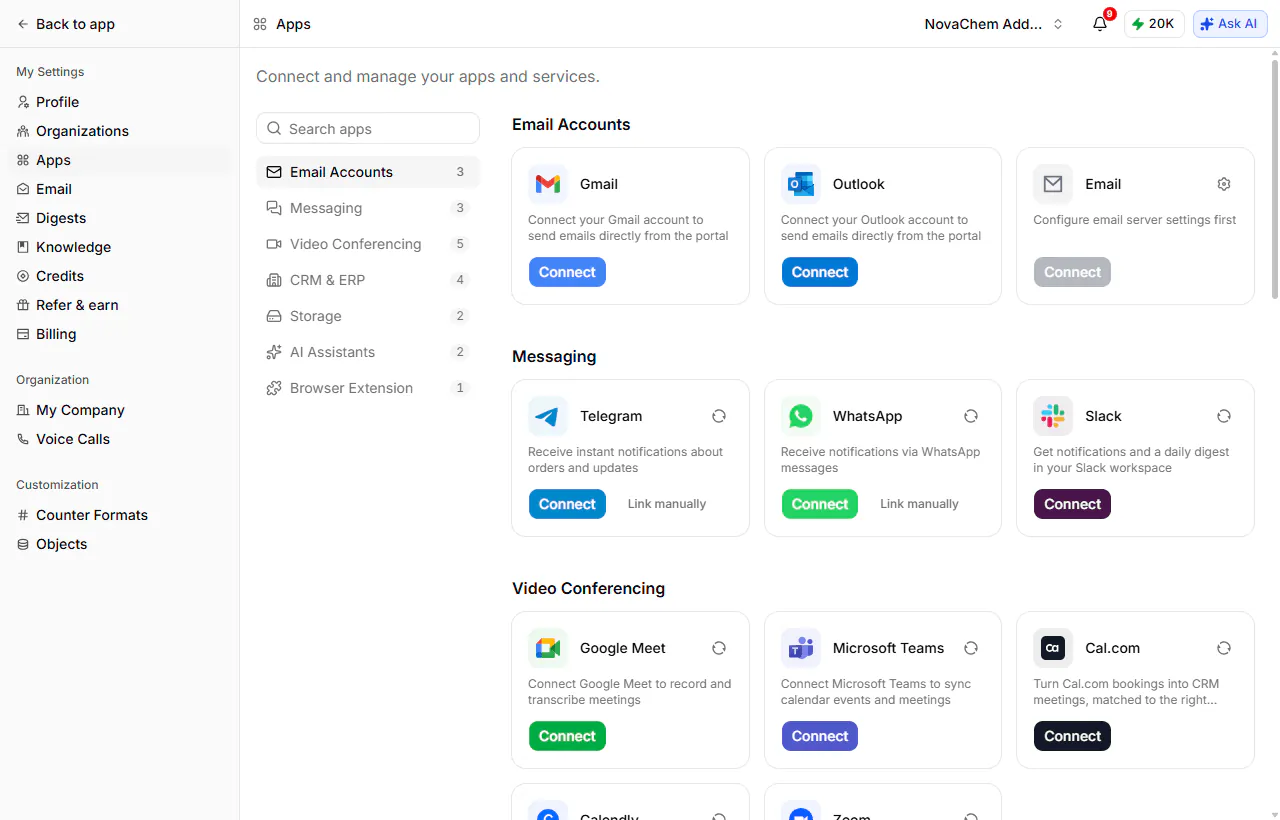
Meetings in Google Meet, Zoom and Microsoft Teams are recorded and transcribed in 100+ languages, with AI summaries and follow-up drafts. Email from Gmail, Outlook or IMAP is captured, and the shared Inbox brings in WhatsApp (your WhatsApp Business number) and Telegram (your company's own bot). If you are on Salesforce or HubSpot today, two-way sync lets you run both while you switch. Import from CSV, Excel or Google Drive covers spreadsheets. See the comparison with HubSpot and the comparison with Salesforce.
Frequently asked questions
How do I choose a CRM for my sales team?
Write down your must-haves, shortlist three CRMs that cover them on one plan, trial each with real data for two weeks and compare the total yearly cost for your team size. Choose the one your reps use without reminders.
What features should a B2B CRM have?
A configurable pipeline, accounts and contacts, tasks, email capture and reports. For a product business, add quotes, price lists, sales orders and sample tracking, plus the messaging channels your buyers use.
How long does it take to implement a CRM?
It depends on the CRM and your data. A simple one can run in days once your spreadsheet is imported. One that needs custom objects, integrations and training can take months, so ask each vendor for a realistic timeline.
How much does a CRM cost for a small team?
Multiply the per-user price of the plan with your must-haves by your seats and by 12, then add onboarding and add-ons. PromptLab starts at $11.99 per user per month on Basic. Use the CRM cost calculator for your numbers.
Should I pick the CRM everyone else uses?
A popular CRM has a bigger ecosystem and more people who know it. It may still lack what a product business needs without extra tools. Test against your own requirements, not market share.