



















How to run a quarterly business review
Run a quarterly business review for B2B product sales: what to prepare, the agenda, the numbers to show and how to turn the review into next quarter's plan.
 By the PromptLab team24 October 20266 min read
A quarterly business review (QBR) looks back over the last three months, checks the results against the plan and sets the priorities for the next three. For a B2B sales team it takes half a day to prepare and one to two hours to hold. Start with revenue and pipeline, look at why deals were won and lost, review your biggest accounts, and finish with three to five decisions that have an owner and a date.
The same name covers two different meetings. An internal QBR is the sales team reviewing itself. A customer QBR is a meeting with one important account, which is the meaning in our QBR definition. This guide covers how to run both, with the internal review first, because the customer version borrows its numbers.
What a QBR is for
A QBR exists to change what the team does next quarter. A weekly pipeline review decides what happens to each deal this week. A QBR steps back and asks bigger questions. Which customers grew and which shrank? Which products moved? Where did deals die? What should we stop doing?
If the meeting ends without a decision, it was a report. Reports are fine, but you can send them by email. Hold the meeting only for the part that needs people in a room arguing about what the numbers mean.
Prepare the numbers a week before
Pull the same set of figures every quarter, so you can compare one quarter with the last. Keep the list short.
Numbers to bring to an internal QBR
Say a distributor closed 18 deals in the quarter and lost 27. A bare win count tells you very little. A grouped loss reason, such as 12 lost on price, 9 to a competitor and 6 on timing, tells you what to talk about.
The agenda for an internal QBR
- 1
Results against plan (15 minutes)
Show revenue won against target, then pipeline at the start and end of the quarter. Say what happened in one sentence for each rep or region. Don't discuss causes yet.
- 2
Wins and losses (20 minutes)
Go through the five biggest wins and the five biggest losses. For each one ask what decided it: price, lead time, spec, sample result, relationship or a competitor. A lost deal should carry a reason, so you can group them and look for a pattern.
- 3
Accounts that matter (20 minutes)
List your top accounts by revenue. Mark each one as growing, flat or shrinking against the last quarter. Pick the shrinking ones and decide who calls them. The key account review checklist gives you the questions to ask about each one.
- 4
Product and pricing (10 minutes)
Which products sold more, which sold less, and did any price changes hit orders? Note any price list that needs updating before next quarter.
- 5
Pipeline for next quarter (15 minutes)
Look at the open pipeline and ask whether it is enough to hit the next target. The pipeline coverage calculator turns that into a ratio. If it is thin, the next step is more early-stage deals, not a more optimistic close date.
- 6
Decisions (15 minutes)
Write down three to five decisions. Each has one owner and one date. Read them back before anyone leaves.
Run a customer QBR
A customer QBR is a shorter meeting, 45 to 60 minutes, with your account owner and one or two people from the customer, usually purchasing and someone from production or R&D. Hold it with accounts that matter to you, not with every account. Prepare with the key account review checklist, which lists the account facts to gather.
The shape is simple:
- What you bought this quarter. Volumes by product, against the last quarter, from your order history.
- How we did. On-time delivery, quality issues, open complaints and how they were resolved. Be honest about the misses.
- What is coming. Their forecast needs, new projects, specs that are changing.
- What we can do. New grades, volume pricing, a different pack size, a sample for a new application.
- Actions. A short list with an owner on each side.
The most useful thing you can do in a customer QBR is listen. Ask about their next quarter before you talk about yours. The notes you take there are the start of your next quote.
Send a summary the same day
Within a day, send the customer a short summary of the actions agreed and the dates. It shows that the meeting led somewhere, and it gives both sides something to check next time.
Common mistakes
- Reviewing everything. Choose the figures that answer your questions. Twenty charts hide the three that matter.
- Only looking at what was won. Losses and stalled deals teach more.
- Treating the customer QBR as a sales pitch. It is a service review first. The selling comes from what you learn.
- No follow-through. If last quarter's decisions aren't the first agenda item, nobody will complete them.
- Changing the metrics every quarter. You can't see a trend if the measures move.
How PromptLab helps
We built PromptLab so the numbers for a QBR are already in one place. The Dashboards module has ready-made templates for sales pipeline, win/loss, team activity, tasks, quotes and samples, customers, lead sources and meetings, plus a report builder if you need a different cut. A dashboard has a public share link, so you can send the review figures to someone outside the team.
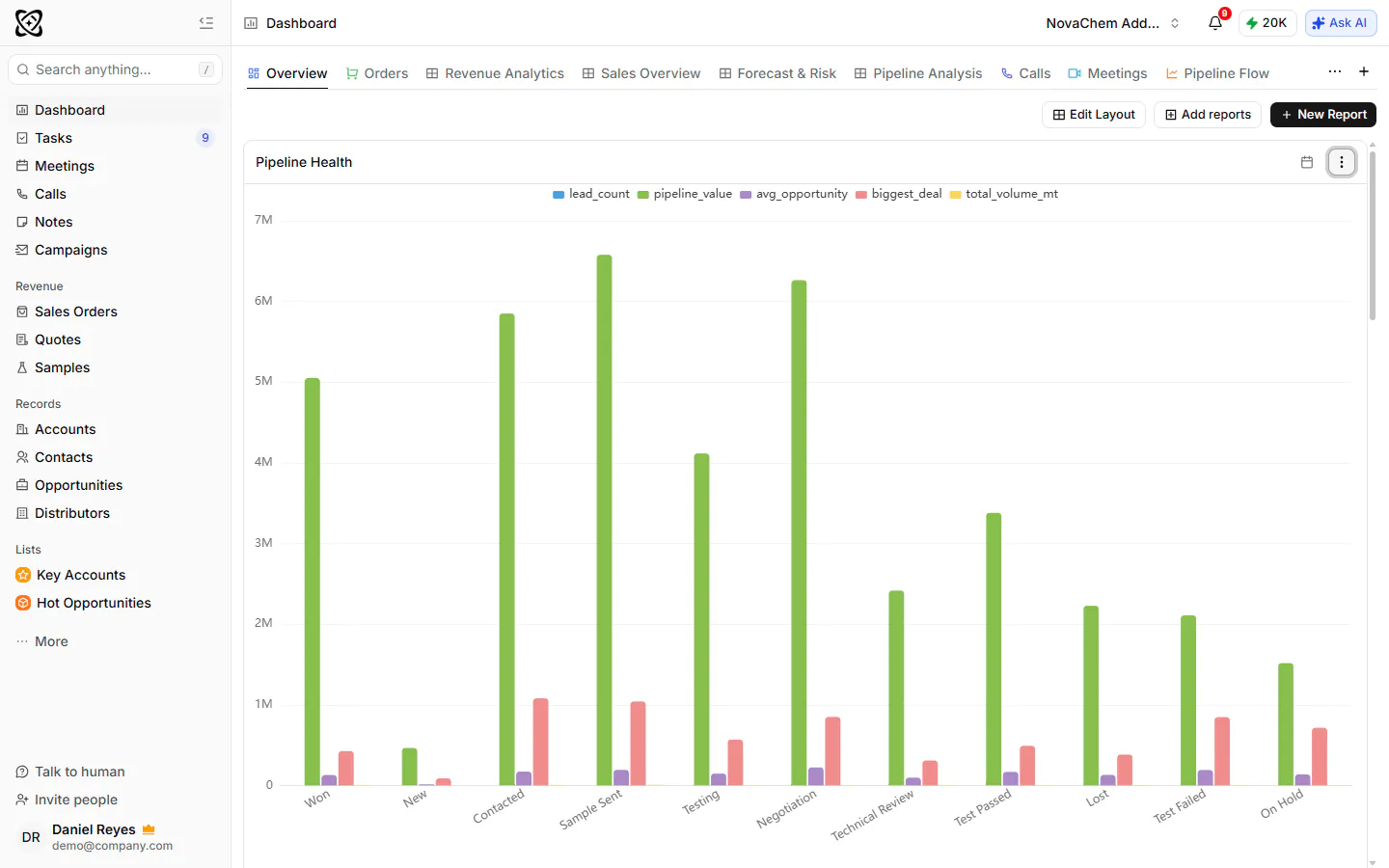
Lost deals need a loss reason in PromptLab, so the "why did we lose" part of the agenda is a grouped list and not a debate from memory. Quotes and sample requests are linked to the account and the deal, and sales orders to the account, which means the product and pricing section does not need a second system.
For customer QBRs, record the meeting on Google Meet, Zoom or Microsoft Teams and PromptLab gives you a transcript, an AI summary and an AI follow-up email draft. Action items from the meeting become CRM tasks automatically. Before the meeting, you can generate a pre-meeting brief from what the CRM knows: the account and its contacts, the deal, recent activity, open tasks, recent orders and earlier meetings. You can also use Ask AI to ask, in plain words, about an account's deals, quotes and sales orders.
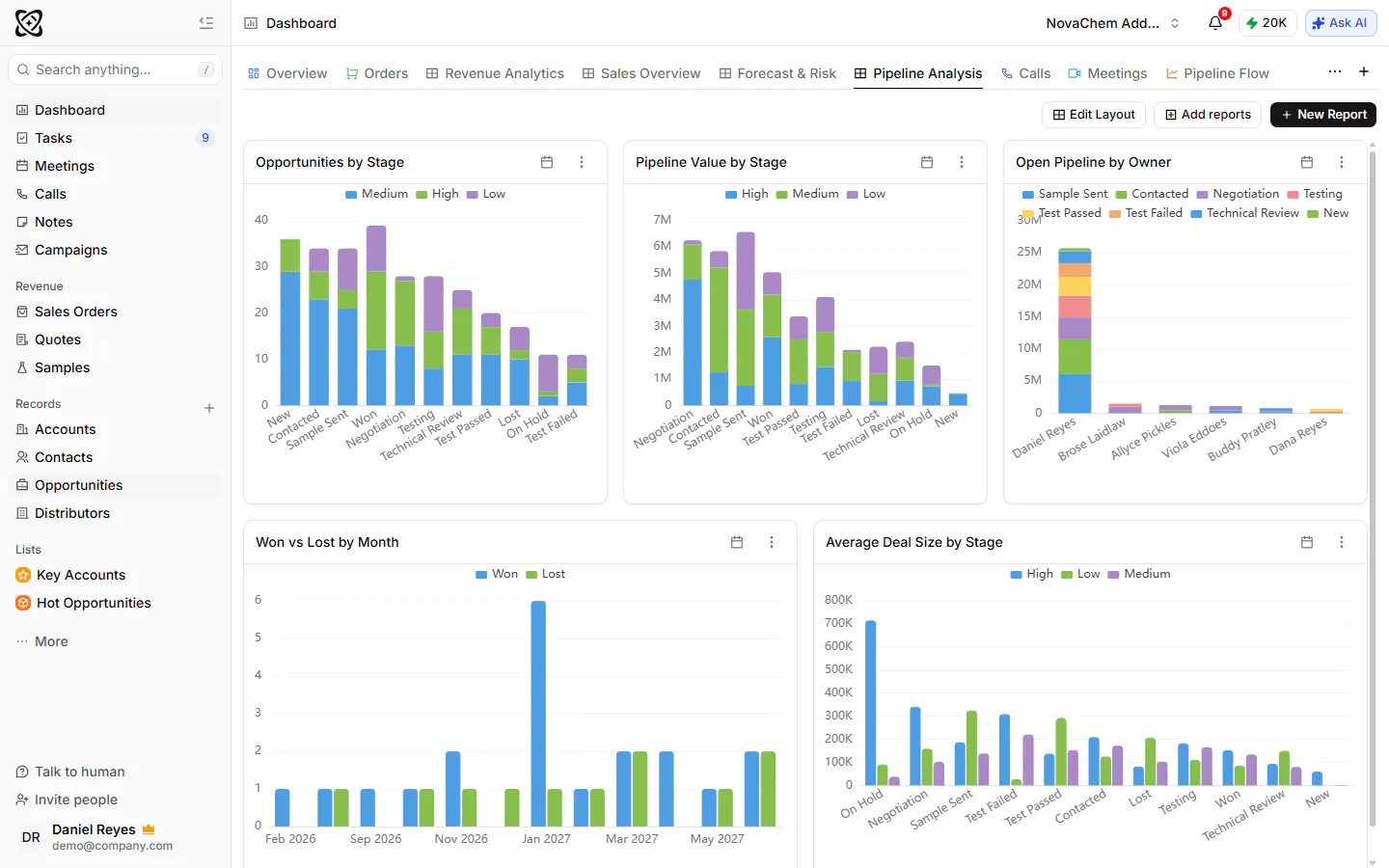
Read more in how to build a sales dashboard.
Frequently asked questions
How do you prepare for a QBR?
Pull the same figures every quarter, a week before the meeting: revenue against target, pipeline at the start and end of the quarter, wins and losses with their reasons, and samples and quotes. For a customer QBR, gather that account's orders, open quotes and samples, complaints and recent conversations. If the CRM can't produce these in minutes, fix that first.
How long should a QBR take?
An internal sales QBR runs one to two hours, and a customer QBR 45 to 60 minutes. Preparing the numbers takes longer than the meeting if your data lives in several places. A shorter meeting that ends in decisions beats a long one that ends in a summary.
Who should attend a QBR?
For the internal review, the sales leader, the reps or regional leads, and someone from operations or customer service if lead times and complaints are on the agenda. For a customer review, the account owner and the customer's purchasing contact, plus a technical person if the products are specified.
What is the difference between a QBR and a pipeline review?
A pipeline review is weekly and decides what to do with each open deal. A QBR is quarterly and looks at results, patterns and priorities. Use the weekly review to act and the quarterly one to change direction.
What should a customer QBR include?
What the customer bought, how you performed on delivery and quality, what they expect to need next, what you can offer and a short list of actions with owners. Send a written summary within a day.