



















How to build a sales dashboard
What to put on a sales dashboard for a B2B product team: a handful of pipeline, revenue and activity numbers, laid out so each one prompts an action.
 By the PromptLab team16 October 20266 min read
A good sales dashboard fits on one screen and answers four questions: how much is in the pipeline, how much did we win, where are deals stuck, and what is coming from existing customers. Pick six to ten numbers that each lead to an action, put them where the team looks every week, and delete anything nobody acts on.
This guide is for teams that sell physical products, where the order is the end of a path through samples and quotes, and where repeat orders matter as much as new deals. It tells you what to put on the dashboard, how to lay it out, and how to keep it from becoming a wall of charts.
What a sales dashboard is for
A dashboard is not a report. A report answers a question once. A dashboard answers the same few questions every week, so you can see change.
If a chart does not change what anyone does, remove it. "Total contacts" is a classic example. It grows, it feels good, and no one takes an action because of it.
Decide first who the dashboard is for:
- Reps need their own deals, tasks and quotes.
- A sales manager needs the team's pipeline, movement and stuck deals.
- A founder or director needs revenue, repeat business and the big deals.
Build one dashboard per audience. Trying to serve all three on one screen serves none.
The numbers to put on it
Pipeline
- Open pipeline value by stage. Shows where the money sits and whether the shape looks right. A fat top and a thin bottom is normal. A fat bottom and a thin top means next quarter is empty.
- Deals created this week or month. The earliest sign of trouble.
- Pipeline against target. Say the quarter's target is $600,000 and open pipeline is $900,000. Your coverage is 1.5 times. The pipeline coverage calculator tells you what coverage you need.
- Stuck deals. Deals with no activity for a set number of days, or a close date in the past.
Revenue
- Won revenue this month and quarter. From closed deals or sales orders, as you prefer, but pick one and keep it.
- Revenue by product or product line. Shows what is selling and what is not.
- Revenue from new against existing customers. Product businesses live on repeat orders, so see them separately.
- Average order size. A fall in it can mean heavier discounting or smaller customers.
Conversion
- Win rate. Deals won divided by deals closed. See what is win rate.
- Sales cycle length. Days from created to won. Longer cycles need more pipeline.
- Won and lost by month. A simple comparison that shows direction.
Activity that comes before revenue
- Samples sent and samples with a result. The step before a quote in many product sales.
- Quotes sent and quotes awaiting an answer. The step before an order.
- Meetings held. For teams that sell in meetings.
You do not need all of these. Start with the pipeline by stage, won revenue, win rate, quotes out and stuck deals. Add more only when someone asks a question the dashboard cannot answer.
Step by step: build it
- 1
Write the five questions it must answer
Ask the manager and two reps what they check each Monday. Their answers are your first widgets. If nobody can name a question, there is no dashboard to build yet.
- 2
Check the data behind each number
A dashboard is only as good as the fields under it. Are deal values current? Do lost deals carry a reason? Does every deal have an owner and a stage? Fix the field before you chart it. See how to run a pipeline review for the hygiene rules.
- 3
Choose a chart that fits the question
Use a bar for stage comparison, a line for change over time, a single large number for a total against a target, and a table for lists of deals. Avoid pie charts with more than a few slices.
- 4
Lay it out in reading order
Put the headline numbers across the top, trend charts in the middle and lists of deals to act on at the bottom. People read left to right, top to bottom, so put the most important figure top left.
- 5
Set a rhythm
Open it at the start of the weekly pipeline review. A dashboard that nobody opens in a meeting does not get used.
- 6
Prune it each quarter
Remove widgets nobody used. Add one for any question that came up three times and had no answer.
A worked example
Say a packaging supplier sells to food manufacturers. The sales manager's dashboard has a single number for won revenue against the quarter target, a bar chart of open pipeline by stage, a line chart of pipeline by week, a count of quotes sent and not answered, and a list of deals with no activity for 21 days.
On Monday the line chart shows pipeline falling for three weeks. The list shows four stuck deals. Two of them are quotes sent with no reply. The review that morning has an agenda.
Mistakes to avoid
- Too many charts. Twenty widgets means none is read.
- Vanity numbers. Contacts added, emails sent and calls made do not tell you about sales unless tied to an outcome.
- No definitions. If "pipeline" includes early-stage deals on one chart and not another, people argue about numbers instead of acting.
- Stale data. A dashboard with last month's figures teaches the team to ignore it.
- One dashboard for everyone. Build one per audience.
Dashboard checklist
For what to do with the numbers, read how to forecast sales and how to set sales targets.
How PromptLab helps
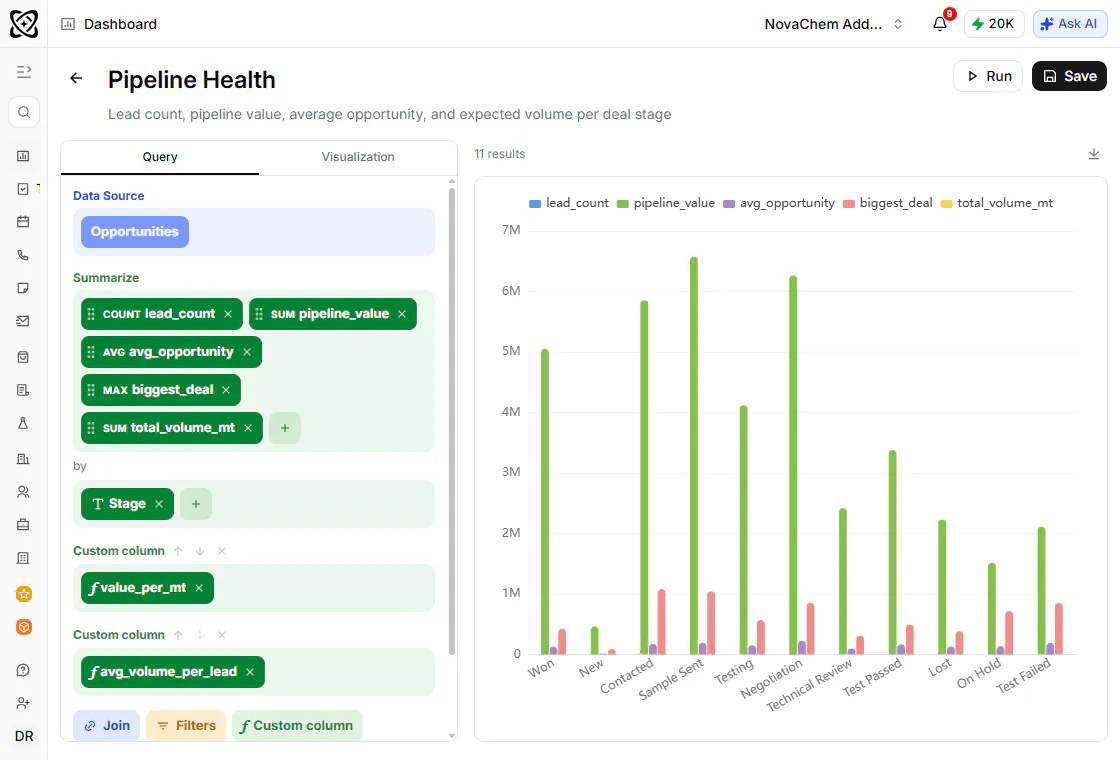
PromptLab has reports and dashboards on pipeline and revenue, with a report builder for the cuts that matter to your team. Pipeline, deals, quotes, sales orders and sample tracking are on every plan, so the figures behind the dashboard come from one system.
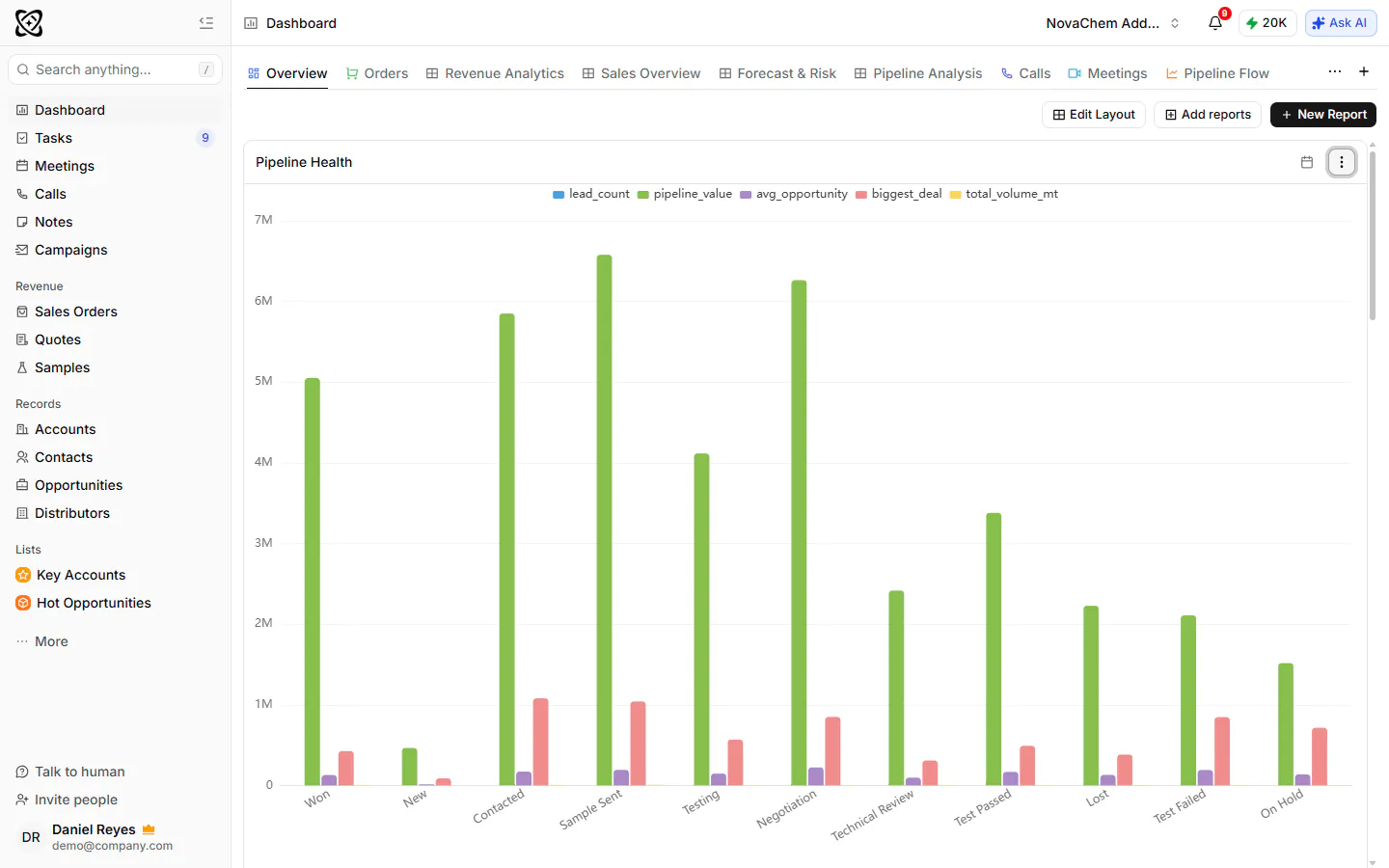
If the report you need does not exist yet, build it in the report builder and add it to a dashboard. See sales reports for more.
Frequently asked questions
What should be on a sales dashboard?
Open pipeline by stage, won revenue against target, win rate, quotes out, and deals that have gone quiet. Add revenue by product and new against repeat customers if you sell products. Keep it to six to ten numbers.
How many metrics should a sales dashboard have?
Six to ten is enough for most teams. More than that and nobody reads it. Add a metric only when someone has a question the dashboard cannot answer.
What is the difference between a sales dashboard and a sales report?
A report answers a question once, usually for a decision. A dashboard shows the same few questions every week so you can watch them change. You often build a report first and add it to a dashboard when you will need it again.
Who should see the sales dashboard?
Reps should see their own deals and tasks, managers the team's pipeline and movement, and founders the revenue and the biggest deals. Build one dashboard per audience.
How often should you update a sales dashboard?
The data should be current whenever you open it, and the team should look at it weekly. Review which widgets are used each quarter and remove the rest.