













How to migrate from Zoho CRM to PromptLab
Export each Zoho CRM module as CSV, import it into PromptLab, map the fields and repeat for quotes, orders, tasks and notes. A practical migration guide.
 By the PromptLab team6 October 20264 min read
To move from Zoho CRM to PromptLab, export each module as a CSV, import it on the matching PromptLab list, map the fields, and repeat for quotes, sales orders, tasks and notes. Larger Zoho accounts can get help from the data migration support in PromptLab's Enterprise plan.
Here is how to plan it, run it, and use the first week well.
Why do product sales teams move from Zoho CRM?
Zoho is the value pick among the big generalists. It's free for three users, paid plans start at $14 a user a month billed annually, and there are more than 50 Zoho apps next door, from Books to Desk. If you want accounting, a help desk and a CRM from one vendor at a low price, that suite is the strength.
For a product sale, the pieces are scattered. Quotes, sales orders and price books start at $23 a user. Sample tracking isn't built in at any tier. Call recording comes through marketplace telephony apps, there are no AI meeting summaries, and Telegram isn't supported. Running a product sale can mean stitching CRM modules, telephony apps and other Zoho apps together.
Zoho's prices here were checked on 30 September 2026. See Zoho CRM alternatives and the Zoho CRM vs PromptLab comparison.
What to plan before you export from Zoho
Zoho organises data into modules, and each one exports on its own. That means a little more planning than a sync.
Before you move from Zoho CRM
Moving to PromptLab
From Zoho CRM in four steps
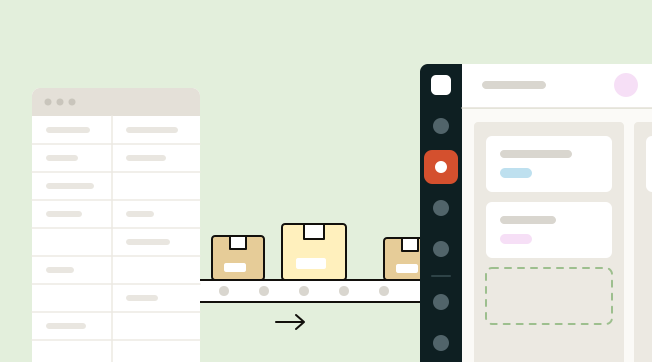
- 1Export each Zoho moduleGo to Setup → Data Administration → Export, choose a module such as Leads, Contacts or Deals, and download it as CSV.
- 2Select Import in PromptLabOpen the Accounts, Contacts or Deals list, select Import and upload the CSV file, or pick it from Google Drive.
- 3Map fields, then repeatMatch its fields to ours and import. Repeat for quotes, sales orders, tasks and notes from their own lists, so the full account history arrives.
- 4Hand it over on EnterpriseFor a large Zoho account, our Enterprise plan adds data migration support and a dedicated account manager. Or run the move yourself during the 14-day free trial.
Step 1: export each Zoho module
Go to Setup → Data Administration → Export, choose a module such as Leads, Contacts or Deals, and download it as CSV. Repeat for each module you plan to keep.
Export on the same day, once reps have stopped editing, so records and their relationships still match.
Step 2: select Import in PromptLab
Open the Accounts, Contacts or Deals list in PromptLab, select Import and upload the CSV file, or pick it from Google Drive. Import accounts first, then contacts, then deals.
Step 3: map fields, then repeat
Match Zoho's fields to PromptLab's and import. Then repeat for quotes, sales orders, tasks and notes from their own lists, so the full account history arrives.
Stage names and owner names need the most care. Set up the stages you want in PromptLab and invite every rep before you import, so each deal has a stage and an owner to match.
Step 4: hand it over, or run it yourself
For a large Zoho account, Enterprise adds data migration support and a dedicated account manager. Or run the move yourself during the 14-day free trial of Basic or Professional.
What to switch on in your first week
- Meetings. Connect Google Meet, Zoom or Microsoft Teams. Calls are recorded natively, summarised, and the follow-up email drafted, with no telephony app.
- Email. Each rep connects Gmail, Outlook or their own mail server, so threads land on the right contact.
- Samples. Start logging sample requests on the account. Before quoting, a rep can see which samples went out. See how to track product samples.
- Telegram and WhatsApp. Connect your WhatsApp Business number and your company's Telegram bot into the shared Inbox.
- Price lists and quotes. Build a price list per major customer, then quote from it.
Frequently asked questions
Where do I export data in Zoho CRM?
Go to Setup → Data Administration → Export, choose a module such as Leads, Contacts or Deals, and download it as CSV.
Do I import every module separately?
Yes. Each module comes in on the matching PromptLab list: accounts, contacts and deals first, then quotes, sales orders, tasks and notes.
Can PromptLab sync with Zoho CRM?
No. Only Salesforce and HubSpot have a two-way sync with PromptLab, so a Zoho move runs on CSV exports and imports.
Is PromptLab cheaper than Zoho CRM?
At entry level, yes: $11.99 a user a month billed monthly, against Zoho's $14 billed annually. Zoho's free plan for three users costs less, but quotes and price books start at $23 there.
What if I need Zoho's accounting or help desk?
Zoho's suite covers more ground there, and we don't try to match it. If you sell products and want samples, native meeting recording and Telegram in one app, PromptLab is the better fit.
Sources
Prices and features of other CRMs come from each vendor's own pages, on the dates below.
- Zoho CRM, checked on 30 September 2026: Pricing, Features, WhatsApp integration, MCP