



















Month-end sales review checklist
A month-end sales review checklist for B2B product teams: pipeline, open and expired quotes, samples, orders, quiet accounts and next month's focus.
 By the PromptLab team16 October 20265 min read
The end of the month is a good moment to look at the whole sale at once. Deals slip quietly, quotes expire without a word and samples sit with buyers who never reply. A review in the last working days of the month, or the first of the next, finds these while they can still be saved.
This checklist takes about an hour for a small team. It is different from a weekly meeting about deals, so for that read how to run a pipeline review and the pipeline review checklist. Here we look at everything that touches revenue: quotes, samples, orders and accounts.
Start with the pipeline
Begin with what is open now. Look for deals that have stopped moving, not only the big ones.
Pipeline
Check quotes, open and expired
Quotes are money waiting for a yes. They need a regular look, because they have a date on them.
Quotes
For wording, see the quote follow-up email templates. To check a quote before it goes out, use the quote checklist.
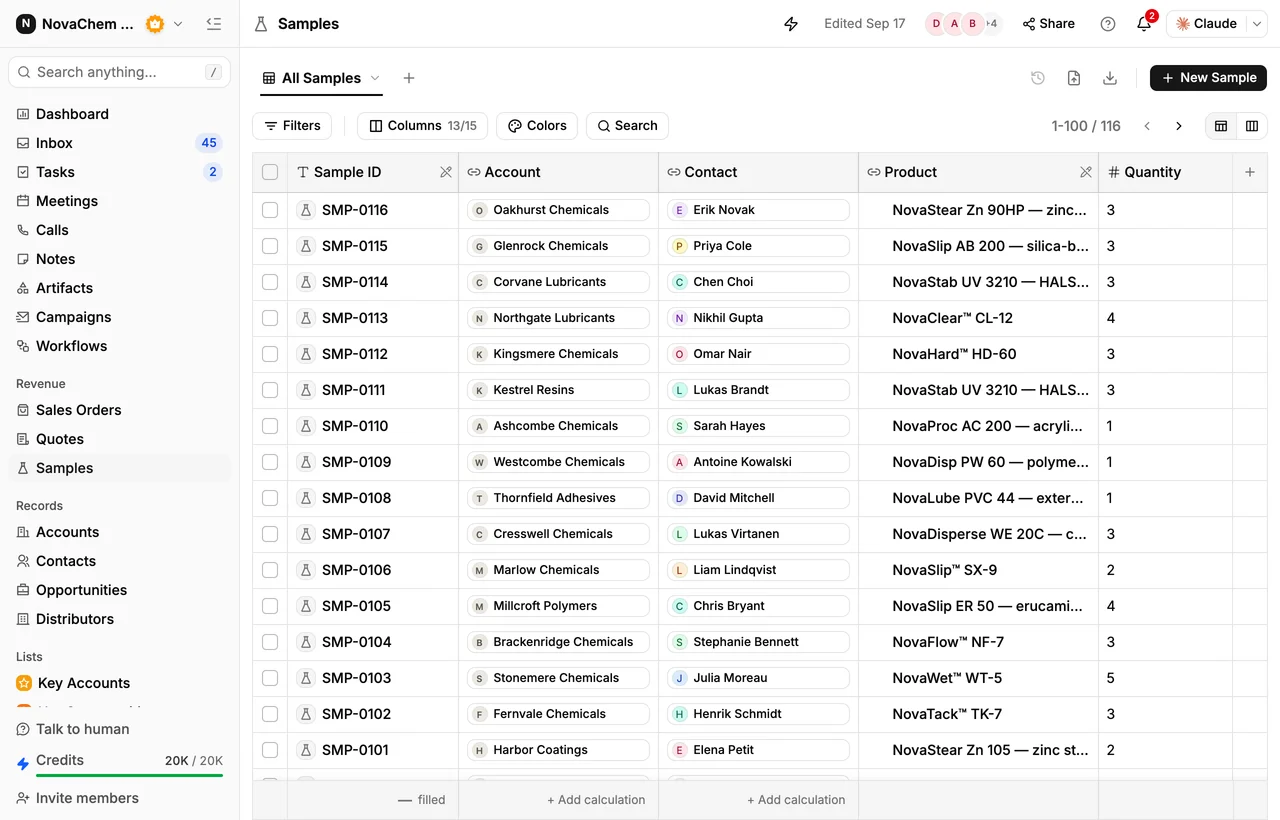
Check samples awaiting feedback
A sample with no feedback is a loose end. Count them every month.
Samples
Check orders
Orders show what really happened. Compare them with what you expected a month ago.
Orders
Find accounts that have gone quiet
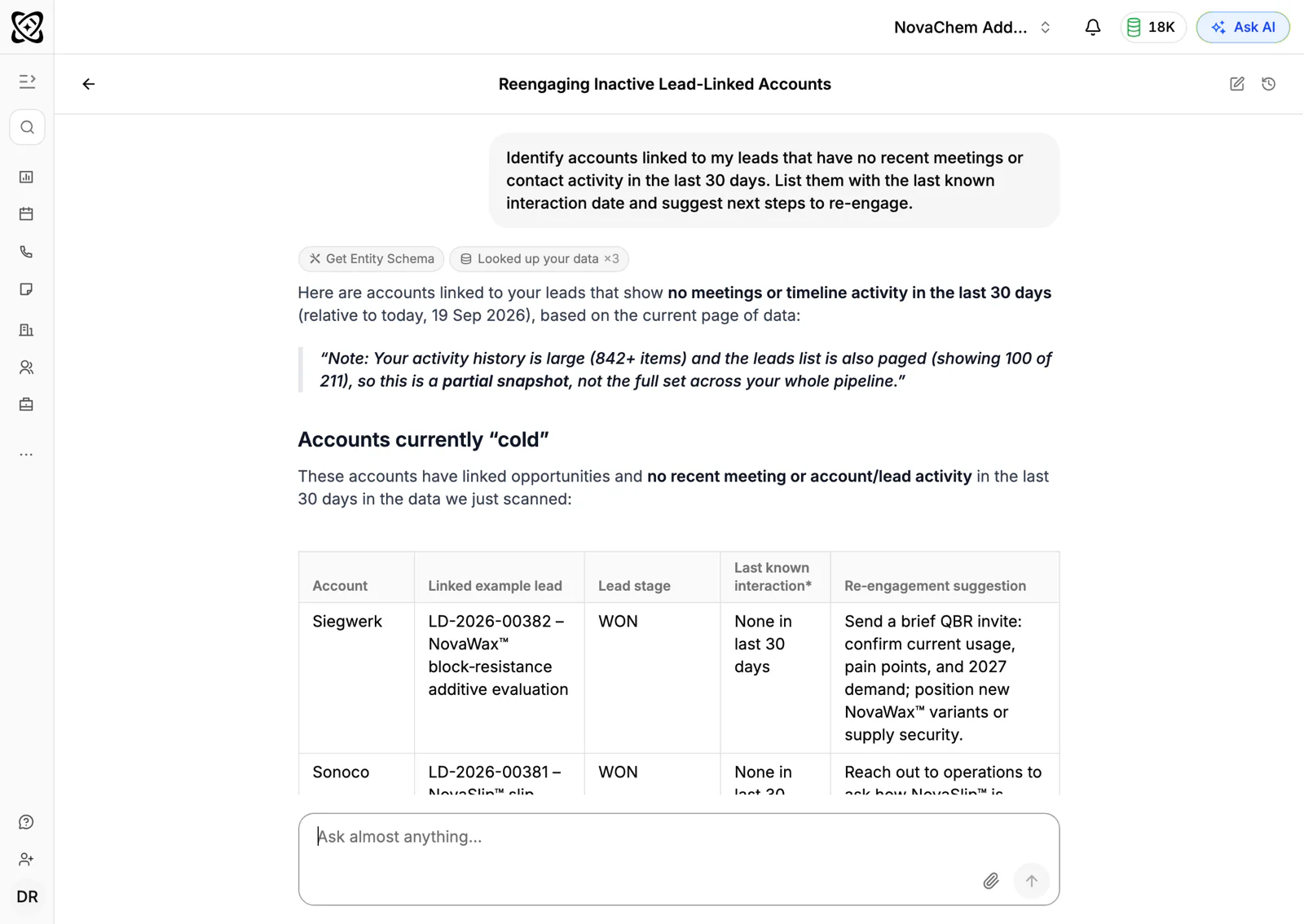
Quiet accounts rarely announce a problem. They just stop ordering.
Quiet accounts
For a fuller plan, read how to increase repeat orders and how to reactivate dormant accounts.
Set next month's focus
Finish with decisions, or the review is only a report.
Next month
How PromptLab helps
Most of the lists above are filters over data you already keep. In PromptLab, deals, quotes with their statuses, samples with their feedback and sales orders all sit against the account. Reports and dashboards on pipeline and revenue show the month, and PromptLab flags accounts with no recent engagement, which gives you the quiet-account list.
Ask AI answers plain-language questions about accounts, deals, quotes, sales orders, meetings and email, so "which quotes are still open for my accounts?" can be asked directly. A workflow can create a task or post to Slack when a quote changes status or a deal changes stage.
The items people skip
- Expired quotes. They vanish from view, and the deal behind them often goes with them.
- Samples with no feedback. Nobody feels responsible for a silence.
- Lost-deal reasons. Without them, you repeat the same losses next month.
- Quiet accounts. They look fine on a pipeline board because they have no deal open.
- The summary. If it is not sent, the decisions do not happen.
Frequently asked questions
What should a month-end sales review include?
The pipeline, open and expired quotes, samples waiting for feedback, orders and revenue against target, accounts that have gone quiet and the team's focus for next month. Each section ends with an owner and a date.
How long should a month-end sales review take?
About an hour for a small team, if the data is up to date. If it takes longer, the CRM is probably missing information, which is itself useful to know.
Who should attend the month-end review?
The sales leader and the reps who own the deals and accounts. Add someone from operations or customer service if delivery problems affect the sale.
How is this different from a weekly pipeline review?
A weekly review focuses on moving individual deals forward. The month-end review looks wider, at quotes, samples, orders and quiet accounts, and sets priorities for the month ahead.
Can a CRM prepare the review for me?
It can do the gathering. In PromptLab, reports and dashboards cover pipeline and revenue, and Ask AI can answer questions about quotes, accounts and orders. You still decide what to do about what you find.