













CRM for building materials suppliers
How building materials sales works, from specifiers and contractors to merchants, submittals and long project cycles, and how to set up a CRM for it.
 By the PromptLab team6 October 20266 min read
A building materials supplier needs a CRM built around projects, not just companies. One tile, insulation board or roofing membrane is sold to an architect who specifies it, a contractor who installs it and a merchant who supplies it, and the order only comes when all three line up.
In PromptLab, each project runs as a deal on the contractor's or merchant's account with the specifier as a contact, submittal packs go in as sample records with their documents, and merchants are quoted from their own price lists. If you sell through merchants, the distributors page shows the account side.
How does a building materials sale actually work?
The order for a building product is rarely placed by the person who chose it. Four groups influence it:
- Specifiers: architects, engineers and consultants who write your product into a specification.
- Contractors: the installers and main contractors who need it on site, on time.
- Merchants: the builders' merchants and distributors who stock and deliver it.
- Owners and developers: who care about cost, warranty and programme.
A rep who sells only to merchants will watch a competitor get specified. A rep who chases only specifiers will find the product is not stocked locally. The CRM has to link all of them to the same project.
What are submittals and why do they slow the sale?
On commercial projects the contractor sends a submittal: the data sheets, test reports, samples and installation details that show the product meets the specification. The architect reviews it, may reject it, and the contractor resubmits. Until it is approved, nobody orders.
A submittal is therefore a stage with a status, a date and an owner. If it is missing from your CRM, a rep cannot tell whether a stalled project is waiting on you, on the contractor or on the architect.
Why do long cycles need different tracking?
A project can take a year between the first specifier meeting and the first delivery, and the people change on the way. The architect hands the project to a colleague, the main contractor is appointed late, the merchant is chosen on price. A rep who looks at a company record sees only the last email.
Tracking each project as its own record fixes this. It holds the parties, the products specified, the submittal status, the programme dates and the quote. The rep opens one page and sees where the sale stands, whoever wrote the last note.
Here is a simple example. A rep meets an architect about a facade system for a new school. The architect names the product in the specification, but the main contractor is not appointed for another six months. Without a project record, that win is forgotten by the time the contract is let. With one, the deal sits at Specified with a dated task to check on the contractor appointment, and the rep calls the contractor in the week they are named.
What pipeline stages fit building materials?
Use one pipeline for projects, and a second for merchant accounts.
Project pipeline
| Stage | Entry condition |
|---|---|
| Project identified | A named project with a likely product need |
| Specifier engaged | Meeting held, product in the specification draft |
| Specified | Your product is named in the spec |
| Contractor appointed | You have a contact at the main contractor |
| Submittal | Documents and samples sent, review pending |
| Quote and order | Quote agreed and sales order placed |
| Delivered | The deliveries are scheduled |
Merchant pipeline: introduced, range reviewed, account terms agreed, first stock order, active.
What must the CRM track?
- Projects, with parties, location, value and programme dates.
- Specifiers, contractors and merchants as contacts linked to the same account or deal.
- Submittals, tracked as samples and documents, with review status.
- Quotes per project, with the merchant who will supply it.
- Customer price lists for merchants and agreed project pricing.
- Sales orders and the repeat orders on a project's phases.
- The conversation: site visits, calls, email and WhatsApp messages from site.
How do you set this up in PromptLab?
- 1
Treat each project as a deal
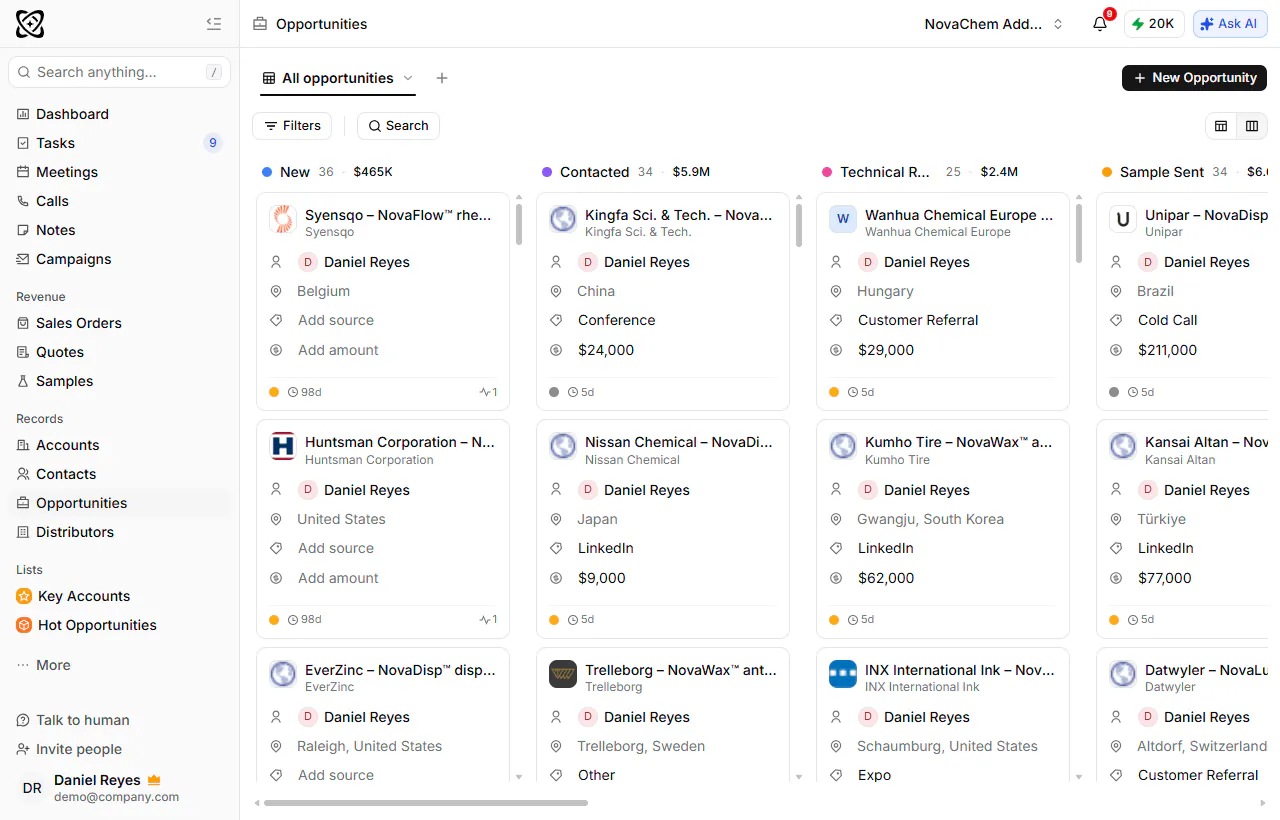
Create a deal per project, with the contractor or merchant as the account and the specifier as a linked contact. Add fields for project location, value and expected start date.
- 2
Set up the two pipelines
Build the project and merchant pipelines above. The stage "Specified" is the one to report on: it is the number that tells you your future orders.
- 3
Track submittals
Log each submittal pack as a sample, with the date sent and the review outcome. Attach the data sheets and test reports to the deal as documents.
- 4
Create merchant price lists
Load a price list for each merchant, and one for each contractor with agreed project rates. Quote from them, and when the project is won, convert the quote to a sales order. See how to build a B2B sales pipeline for stage design.
- 5
Capture site and office conversations
Record the specifier meeting and the pre-start call when they run on Google Meet, Zoom or Microsoft Teams. Site managers often use WhatsApp, so connect your WhatsApp Business number to the Inbox, and their messages land on the contractor's account instead of one rep's phone.
- 6
Review the pipeline weekly
Use reports and dashboards on pipeline and revenue for the project review. The routine in how to run a weekly pipeline review works well for long cycles.
How does PromptLab compare for building materials?
Swipe the table sideways to see every CRM →
| Checked on 30 September 2026 | PromptLab |  Dynamics 365 Dynamics 365 |  Salesforce Salesforce |  monday CRM monday CRM |
|---|---|---|---|---|
| Pricing | ||||
| Paid plans, a month | $11.99 – $99per seat | $65 – $150per seat | $25 – $550per seat | $12 – $28per seat |
| Number of plans | 3 | 3 | 5 | 4 |
| Free trial | ||||
| Billing | Billed monthly | Billed annually | Billed annually | Billed annually; Ultimate is custom-priced |
| Import from CSV and Excel | ||||
| Sales management | ||||
| Deal pipelines | ||||
| Quotes | From$100/month | |||
| Sales orders | From$100/month | |||
| Sample tracking | ||||
| Price lists | From$100/month | |||
| Meetings and calls | ||||
| Meeting recording and transcripts | From$105/month | Add-on | From$17/month | |
| AI meeting summaries | From$105/month | Add-on | From$17/month | |
| AI follow-up email drafts | From$105/month | Add-on | From$17/month | |
| Meeting scheduler and call dialer | From$23.99/month | From$105/month | Add-on | From$17/month |
| AI and automation | ||||
| CRM fields filled in from calls | From$150/month | From$195/month | From$17/month | |
| Connect Claude or ChatGPT (MCP) | From$150/month | From$195/month | ||
| Workflow automation | From$17/month | |||
| API and webhooks | From$23.99/month | From$195/month | From$17/month | |
| Conversations | ||||
| Gmail and Outlook email sync | From$17/month | |||
| WhatsApp conversations | Add-on | Add-on | ||
| Telegram conversations | ||||
| Save LinkedIn profiles | Add-on | Via marketplace | ||
| Privacy and security | ||||
| Single sign-on (SSO) | From$99/month | Enterprise plan |
Dynamics 365 Sales has quotes, price lists and orders on every plan from $65 a user a month, billed annually, and it works inside Outlook and Teams, which suits a supplier already on Microsoft. Recording the specifier calls starts on Enterprise at $105, there is no sample tracking for submittal packs, and setup often needs a Microsoft partner.
Salesforce can be built to model projects, parties and submittals as objects of their own, which a large manufacturer with an admin team may want. Its quotes and price lists start on Pro Suite at $100 a user a month, billed annually. monday.com is built for projects as well as sales, so its boards hold a project list comfortably, and the $12 Basic plan, billed annually, includes quotes. Sales orders, samples and customer price lists aren't there. Compare Dynamics 365 Sales and monday CRM in detail.
Frequently asked questions
What is the best CRM for a building products manufacturer?
One that follows projects and accounts together, with quotes, orders, price lists and samples. PromptLab has these on every plan from $11.99 per user per month.
How do I track a specification in a CRM?
Add a field or a stage for "specified", and attach the specification extract as a document on the deal. Report on the number and value of specified projects.
Can I link architects, contractors and merchants to one project?
Yes. Add each as a contact on the deal or account, and note their role. The conversation history is then on one record.
Can PromptLab handle a 12-month sales cycle?
Yes. Every email, chat thread and recorded meeting stays on the account, and tasks keep the follow-up dates visible. Whoever picks up the project sees the whole story.
Can I import my existing project list?
Yes. Import accounts, contacts and deals from CSV or Excel, or pick a file from Google Drive. Map the project fields before you import, and check a small batch first.
Sources
Prices and features of other CRMs come from each vendor's own pages, on the dates below.
- Dynamics 365, checked on 30 September 2026: Sales pricing, Conversation intelligence FAQ, Sales MCP server
- Salesforce, checked on 30 September 2026: Sales Cloud pricing, Sales Engagement pricing, Agentforce MCP support
- monday CRM, checked on 30 September 2026: Pricing, CRM overview, monday.com for Enterprise