



















CRM for cable and wire manufacturers
How cable and wire manufacturers sell, from metal-linked pricing and cut lengths to distributors and tenders, and how to set up a CRM for quotes and accounts.
 By the PromptLab team29 October 20266 min read
A cable and wire manufacturer sells through distributors, installers and OEMs, and the price moves with the metal. A CRM for that business has to keep each customer's price list, quotes with margin per line, and the history of every enquiry, so a rep can answer fast and know what the order is worth.
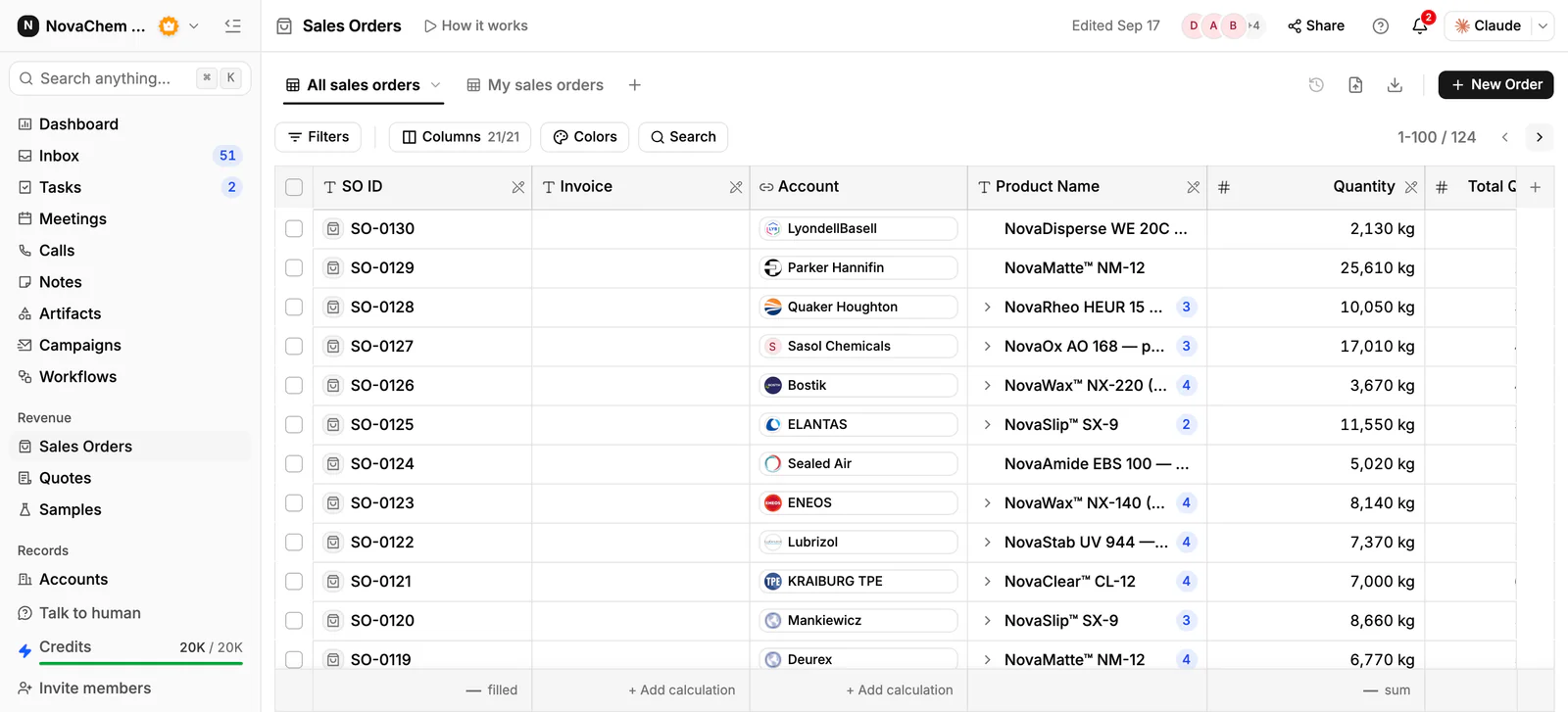
In PromptLab, each customer's agreed prices sit in a customer price list you pick on each quote, quotes carry the margin on each line, sales orders sit on the account, and email, WhatsApp and Telegram messages sit on the same record. Distributors, OEMs and project buyers share one pipeline, told apart by a field.
How do cable and wire manufacturers sell?
Most output goes through three routes. Distributors and wholesalers stock standard cable and sell to installers. OEMs buy wire and cable for what they build, often to a specification and on a repeat schedule. Contractors and project buyers need a defined quantity of a defined cable for a site, and often request quotes from several suppliers.
Products vary from a standard stocked cable on a drum to a made-to-order construction with a particular conductor, insulation or sheath. The standard line sells on price and availability. The made-to-order line sells on whether you can meet the spec and the delivery date.
Why is pricing different from other products?
Copper and aluminium are a large part of a cable's cost, and their prices move. Many suppliers therefore quote a price that depends on the metal, which makes a quote perishable. A price given on Monday may not be right on Friday.
Two habits help. Put a clear note on every quote about how the price is set and what the buyer is committing to. The quote's notes print on its PDF, so the buyer sees the same words. And keep the price for each customer in a customer price list, which a rep picks on the quote. Because editing a list reprices every quote linked to it, a new price goes in a new list, not an edit over the old one. Our price escalation clause explainer covers the contract wording, and what is a customer price list the list itself.
What do buyers ask for?
- Construction and specification. The buyer names conductor size, number of cores, insulation and sheath type, and the standard it must meet.
- Length and packing. Full drums, cut lengths and coils are different lines with different prices and minimums.
- Test reports and certificates. Project buyers often want paperwork with each delivery. Keep the document on the account.
- Lead time. Stock ships now, special builds take a production slot. See what is lead time.
- Tender documents. Utilities and large contractors buy through formal bids. How to manage tenders and bids covers that process.
What pipeline stages fit a cable and wire manufacturer?
PromptLab has one deal pipeline per workspace. Use a field for the route (distributor, OEM, project) and save a view for each. Stages:
| Stage | Entry condition |
|---|---|
| Enquiry | A buyer has named a cable, a quantity or a spec |
| Spec confirmed | Technical has confirmed you can supply it |
| Quote sent | A quote is built from the account's price list |
| Negotiation | The buyer has asked for changes or a better price |
| Won | The quote is approved and a sales order exists |
| Call-off or repeat | The account reorders or draws against an agreement |
What must the CRM track?
- A price list per customer, so distributors, OEMs and project buyers each get their agreed price.
- Quotes with the margin on every line, in the statuses Draft, Pending and Approved.
- The spec and the documents on the account's Files tab.
- Samples, such as a short length sent for approval, with feedback.
- Order history by product, to see which constructions an account buys and which it dropped.
- Messages from every channel. A site foreman may send a photo on WhatsApp, a purchasing manager an email.
How do you set this up in PromptLab?
- 1
Set stages and fields
Add the stages above, plus deal fields for route, cable type and required delivery date. Save a view for each route.
- 2
Import products
Import products from CSV or Excel, with one line per construction and pack type: drum, cut length or coil.
- 3
Create price lists
Build a customer price list for each key account and one per tier. Put a metal-linked price change in a new list, and keep the old one for the quotes already out.
- 4
Quote with the margin showing
Pick products and the list, add line discounts and check the margin per line. Send a PDF or a public link.
- 5
Automate the nudge
Use a workflow to create a task or post to Slack when a quote changes status or a deal changes stage, so a Pending quote is chased before the price is stale.
- 6
Connect the Inbox
Connect email, WhatsApp Business and a company Telegram bot, so distributor chats land on the account.
How does PromptLab compare for cable and wire manufacturers?
Swipe the table sideways to see every CRM →
| Checked on 30 September 2026 | PromptLab |  HubSpot HubSpot |  Dynamics 365 Dynamics 365 |  Close Close |
|---|---|---|---|---|
| Pricing | ||||
| Paid plans, a month | $11.99 – $99per seat | $7 – $150per seat | $65 – $150per seat | $9 – $139per seat |
| Number of plans | 3 | 4 | 3 | 4 |
| Free trial | ||||
| Billing | Billed monthly | Billed annually, plus a $1,500–$3,500 onboarding fee | Billed annually | Billed annually |
| Import from CSV and Excel | ||||
| Sales management | ||||
| Deal pipelines | From$35/month | |||
| Quotes | Add-on | |||
| Sales orders | ||||
| Sample tracking | ||||
| Price lists | ||||
| Meetings and calls | ||||
| Meeting recording and transcripts | From$90/month | From$105/month | ||
| AI meeting summaries | From$105/month | |||
| AI follow-up email drafts | From$90/month | From$105/month | ||
| Meeting scheduler and call dialer | From$23.99/month | From$105/month | ||
| AI and automation | ||||
| CRM fields filled in from calls | From$90/month | From$150/month | ||
| Connect Claude or ChatGPT (MCP) | From$150/month | |||
| Workflow automation | From$99/month | |||
| API and webhooks | From$23.99/month | |||
| Conversations | ||||
| Gmail and Outlook email sync | ||||
| WhatsApp conversations | Add-on | Add-on | ||
| Telegram conversations | ||||
| Save LinkedIn profiles | From$150/month | Add-on | ||
| Privacy and security | ||||
| Single sign-on (SSO) | From$99/month | From$150/month | Google only |
HubSpot is a polished all-in-one suite with a Starter plan from $7 a seat a month, billed annually. For product sales, quoting sits in the separate Revenue Hub, and sales orders and price lists aren't there. Professional and Enterprise add a $1,500 to $3,500 onboarding fee.
Dynamics 365 Sales has quotes, price lists and orders from $65 a user a month, billed annually, and fits a company on a Microsoft stack. It has no sample tracking, and meeting recording waits for Enterprise at $105. Close is a calling-first CRM with a built-in dialer, but quotes, samples and price lists are missing there, pipelines start at $35 a seat and workflows at $99, billed annually. See the HubSpot and Close comparisons.
Frequently asked questions
What should a CRM for a cable manufacturer include?
It should hold a price list per customer, quotes with margin per line, sales orders, documents such as test reports and a record of every message. PromptLab includes these on every plan from $11.99 per user per month.
How do I handle quotes when metal prices change?
Keep each quote's price and note on the record, and put new prices in a new customer price list. Editing a list reprices the quotes linked to it, so a new list protects quotes that are already out.
Can I track tenders in a CRM?
Yes. Track each tender as a deal in your one pipeline, with its key dates in custom fields, attach the documents to the account and use tasks for the deadlines. The tender submission checklist lists what to prepare.
How do I send distributors their prices?
Send a quote built from their customer price list, as a PDF or a public link. Share links also cover dashboards, reports and records, by a read-only link that needs no login, with an optional expiry, so you decide what each distributor sees.
Is there a free trial?
Basic and Professional come with a 14-day free trial, with no card needed. There is no free plan.