



















How to set up a B2B sales process
Set up a B2B sales process for physical products: define stages, exit rules, owners and a loss reason, then run it in one CRM pipeline your whole team follows.
 By the PromptLab team24 October 20266 min read
To set up a B2B sales process, write down the steps a product order really goes through, turn them into five to eight deal stages, give each stage a rule for when a deal may leave it, and name who owns what. Then run every deal through one pipeline in your CRM. If a rep cannot say which stage a deal is in and what must happen next, the process is not finished.
This guide is for teams that sell physical products: chemicals, coatings, plastics, packaging, metals, building materials and industrial supplies. Your deals have samples, specs, quotes and repeat orders, so a generic "lead, demo, close" template does not fit. Here is how to build one that does.
What a sales process is, and what it is not
A sales process is the shared order of steps your team follows from first contact to a paid order and a repeat order. It is not a script, and it is not a stage list pasted from a template. It describes what your buyers do: ask, test, compare, negotiate and approve.
A process is different from a pipeline. The process is the way of working. The pipeline is the board where you see each deal sit in it. For the board itself, read how to build a B2B sales pipeline.
Step by step: build the process
- 1
Map what happens today
Take your last ten won deals and write down the steps each one took, in order. A coatings supplier might find: enquiry, spec check, sample, lab test, quote, price talk, purchase order, first delivery. Do the same for three lost deals and mark where they stopped. Real history beats a whiteboard guess.
- 2
Name the buyer's steps, not yours
A stage should describe where the customer is, not what you did. "Sample under evaluation" is a buyer state. "Sent email" is your activity. Buyer states stay true even when a rep forgets to update the CRM.
- 3
Cut it down to five to eight stages
Merge steps that always happen on the same day. Too many stages and reps stop updating them. Too few and a deal can sit in "In progress" for months. A typical product flow is: New enquiry, Qualified, Sample or spec, Quote sent, Negotiation, Won or Lost.
- 4
Write an exit rule for each stage
An exit rule is the fact that must be true before a deal moves on. For "Quote sent", it is that the quote is approved and the customer has received it. For "Sample or spec", it is a recorded test result. Exit rules stop deals being pushed forward to look good.
- 5
Assign an owner to every stage and every record
Each deal has one rep as owner. Each stage also has a "next person": who prepares the sample, who approves the margin, who books the freight. Write it down so a rep knows whom to ask.
- 6
Set a maximum age per stage
Decide how long a deal may sit in each stage before someone looks at it. Say a quote sent more than ten days ago with no reply gets a follow-up task. The number is yours to choose; the point is that one exists.
- 7
Require a reason when a deal is lost
Keep the list short, such as price, competitor, timing, product fit and no budget, and add a note for the detail. Make the reason mandatory. After a quarter you can see whether you lose on price or on delivery, and fix the right thing.
A worked example: a packaging supplier
Say a supplier sells custom boxes to food producers. After mapping its last ten deals it lands on this flow.
| Stage | Exit rule | Owner of next step |
|---|---|---|
| New enquiry | Contact and product need recorded | Sales rep |
| Qualified | Volume, delivery date and decision maker known | Sales rep |
| Sample or spec | Sample approved, or spec confirmed in writing | Rep and technical team |
| Quote | Quote approved internally and sent | Rep and sales manager |
| Negotiation | Price, lead time and terms agreed | Sales manager |
| Won | Purchase order received | Order desk |
Notice the last column. The deal does not belong to one person at every step. The rep owns the customer; other people own the tasks. This is why a process must name handoffs.
Qualify early, with fixed questions
Most wasted samples and quotes come from deals that were never qualified. Agree on four questions every rep asks before a deal passes "New enquiry":
- What will they use the product for, and in what volume?
- By when do they need it, and what do they buy today?
- Who tests it and who signs the order?
- Is there a price they are working to?
Write the answers into the deal, not into a notebook. The guide on how to qualify B2B leads goes deeper on the questions.
Build the review rhythm around the process
A process that nobody inspects drifts within a month. Add three recurring habits:
- Daily: each rep clears tasks due today and updates stages for anything that changed.
- Weekly: the team runs a short meeting on the deals that matter. See how to run a weekly sales meeting and the longer pipeline review.
- Monthly or quarterly: read the lost reasons and the time spent in each stage, then change one rule.
Common mistakes to avoid
- Copying a software demo flow. "Discovery call, demo, proposal" does not describe a sample-based sale.
- Stages that are tasks. "Call customer" is not a stage. It is a task inside one.
- Several pipelines for several products. One pipeline keeps reporting simple. Use a custom field or a list to tell product lines apart.
- No loss reason. Without one, a lost deal teaches you nothing.
- Letting repeat orders live in email. Decide where a reorder starts, and whose job it is.
How PromptLab helps
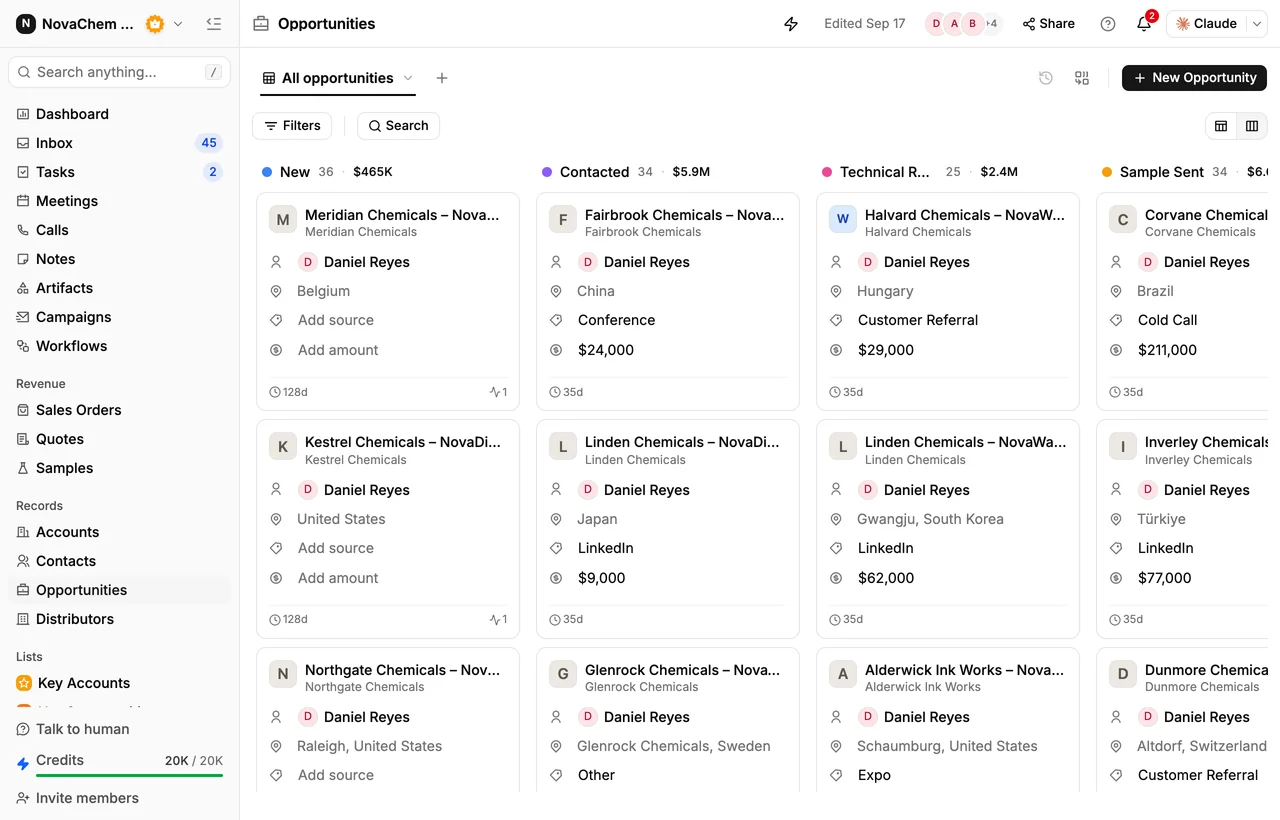
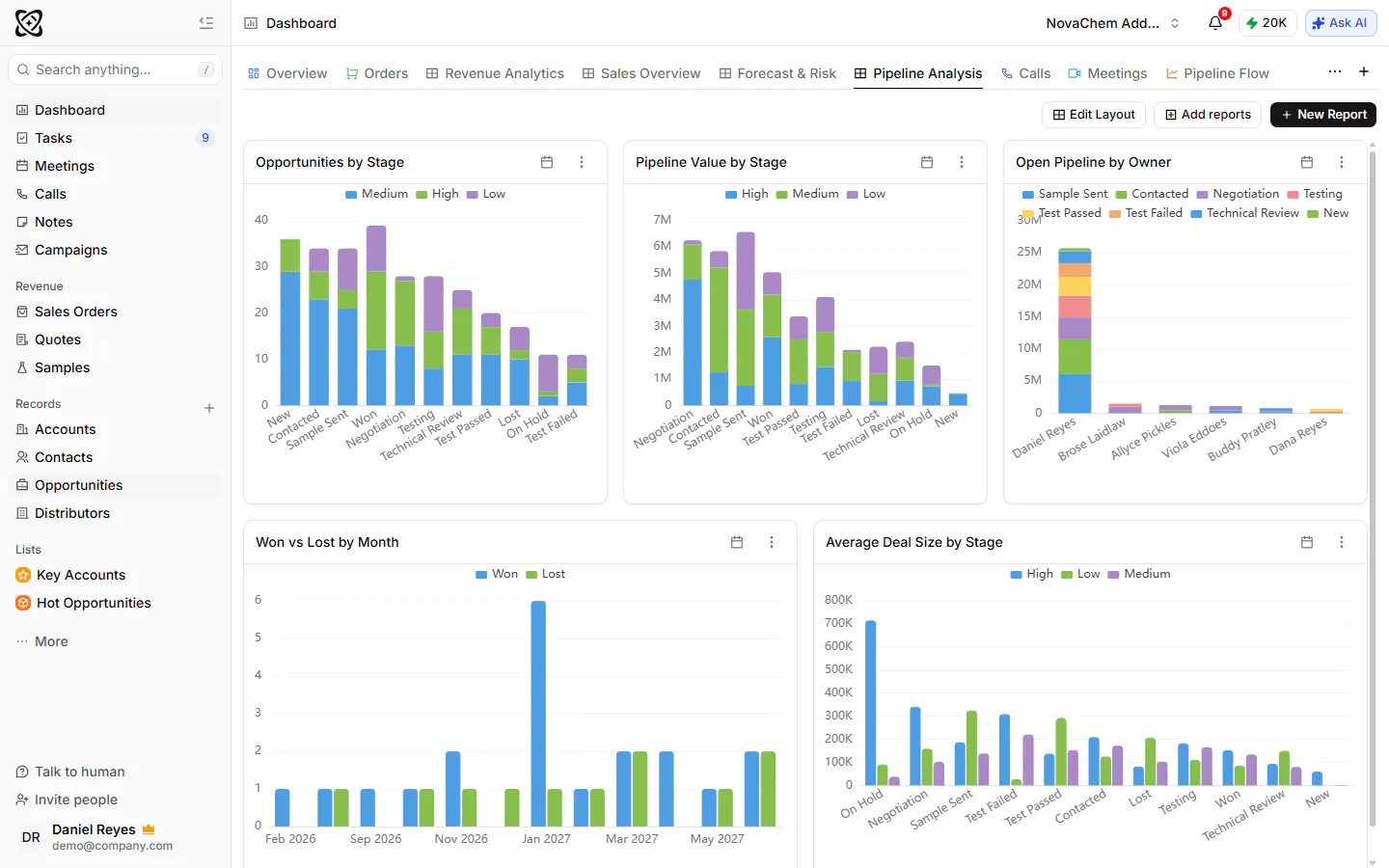
PromptLab gives you one deal pipeline with the stages you define, so you can copy the table above and adjust it. Each deal belongs to an account and has an owner. A lost deal needs a loss reason, which makes the dashboard for win and loss analysis meaningful instead of empty.
The steps around the deal live in the same place. Sample requests carry a status and link to the account and deal. Quotes are built from your products and customer price lists, with discounts on each line, and go to the customer as a PDF or a public link. Sales orders are created as their own record, and invoices come from a sales order. See quotes and samples for the flow.
Workflows keep the rules from depending on memory. A workflow can fire when a deal's stage changes, a sample's status changes or a quote changes status, and then create a task, assign an owner or post to Slack. Email, WhatsApp and Telegram messages arrive in the shared Inbox on the same account, so the conversation sits next to the stage.
Frequently asked questions
What are the stages of a B2B sales process?
They depend on what your buyers do. For product sales a common set is new enquiry, qualified, sample or spec, quote, negotiation, and won or lost. Start from your last ten won deals rather than a template.
How many stages should a sales pipeline have?
Five to eight works for most product teams. Fewer hides stalled deals, and more means reps stop updating the board. Merge any two stages that always happen on the same day.
What is the difference between a sales process and a sales pipeline?
The process is the agreed way of working, with its steps, rules and owners. The pipeline is the view in your CRM that shows each deal in its stage. You need both, and the pipeline should mirror the process.
Do I need a different process for each product line?
Usually not. Keep one process and one pipeline, and tag deals with a custom field or a list for the product line. If the buying steps really differ, such as a custom-made item against a stock item, let the simpler deals skip the stages they don't need.
How do I get my team to follow the process?
Make it short, run reviews from the CRM and explain each exit rule. Reps follow rules that save them time, such as a ready-made quote or an automatic task. Rules that only add typing get skipped.