



















How to clean up duplicate contacts in your CRM
Find and fix duplicate contacts and accounts: match on email and domain, pick the record to keep, move the history across, and stop new duplicates at the door.
 By the PromptLab team7 November 20267 min read
To clean up duplicate contacts, find the repeats by email address, phone number and company domain, choose one record to keep for each person, move the deals, notes and conversations onto it, remove the extra, and then change how records get created so the same person does not appear twice again. Do it in small batches and check each one. In PromptLab, the Find duplicates tool on the Contacts and Accounts lists does the finding and the moving for you, and a merge can be undone.
This guide is only about duplicates. If you want the whole job of tidying a CRM, including stale deals, owners and missing fields, use the CRM data clean-up checklist alongside it.
Why duplicates hurt a product sales team
A duplicate is not just untidy. When one buyer is two records, the history of the relationship is split in half. One rep sees the sample request, another sees the quote, and nobody sees both.
The damage shows up in practice:
- Two reps email the same purchasing manager in the same week.
- A quote goes to the old record, and the reply lands on the new one.
- Reports count one customer twice, so the account list looks bigger than it is.
- A campaign sends the same email twice to one person.
Duplicates also hide the truth about a customer. If "Example Paints Ltd" and "Example Paints Limited" are separate accounts, neither shows the real order history.
Where duplicates come from
Fix the sources, or you will be back here in six months.
- Imports. A trade show list is loaded on top of an existing list, with slightly different spellings.
- Several people typing. One rep creates a contact from a business card, another from an email.
- Shared inboxes and forms. A buyer fills in a web form with a personal address, then writes from the company address.
- Job changes. A buyer moves to another customer, and someone creates a new person instead of updating the old one.
- Company name variants. "Ltd", "Limited", "GmbH", a trailing full stop, capital letters.
How to find duplicate contacts and accounts
Work from the strongest signal to the weakest.
| Signal | What to look for | How sure you can be |
|---|---|---|
| Same email address | The exact address on two records | Almost certain: same person |
| Same phone number | Compare after removing spaces and the country code | Strong, but a switchboard number can belong to many people |
| Same company domain | Two accounts with the same website | Strong for accounts, not for people |
| Same name, same company | "Anna Kowalski" twice under one account | Strong |
| Similar company name | "Acme Ltd", "ACME Limited", "Acme" | Needs a human look |
If your CRM has no duplicate finder, export the contacts and accounts to a spreadsheet, sort by email, then by domain, then by company name, and mark the repeats. Five minutes of sorting finds most of them. Either way, look at the odd cases by hand: two people with the same name at different companies are not duplicates.
Step by step: merge duplicates safely
- 1
Write down what counts as a duplicate
Agree the rule before touching anything. For example: same email means same person; same domain means same account unless it is a free mail provider such as Gmail. A rule written down stops two people cleaning in two different ways.
- 2
Back up first
Export the records you are about to change and keep the file. If a wrong merge removes a customer's prices or history, you can rebuild from it.
- 3
Start with accounts, then contacts
Fix companies before people. Once "Example Paints" is one account, the contacts under it are easier to compare.
- 4
Choose the record to keep
Keep the one with the most history: the most deals, quotes, samples and notes, the longest email trail. Use the oldest record as the tie-breaker, because links from other places usually point at it.
- 5
Move everything across, then remove the extra
Copy over any field the kept record lacks, such as a mobile number or a job title. Move deals, quotes, samples, orders, notes and files onto the kept account. Only then delete or archive the duplicate. A CRM with a merge tool does this step for you; check what it moved.
- 6
Check the result
Open the kept record and look at its timeline. You should see the whole story in one place. Check the owner, the main contact and any price list or payment terms the account carried.
What to do when the two records disagree
Sometimes the duplicate has a different phone number or job title. Do not guess. Take the value with the more recent activity, or ask the person who spoke to the buyer last. If it is a price list, payment terms or a preferred Incoterm, check with the account owner before you overwrite anything, because a wrong value there reaches the next quote.
Prevent new duplicates
Cleaning without prevention is a treadmill.
- Search before you create. Make it a rule: look up the email and the company first, then add.
- Import with care. Remove repeats from the file before you load it. The import guide covers the file prep.
- Give every contact an account. Contacts floating without a company are the hardest to match later.
- One owner for the process. One person decides how a company is spelled.
- Connect email and forms once. Conversations that attach themselves to a record beat records typed in by hand. See how to reduce CRM data entry.
- Do a quarterly sweep. Sort by email and domain again. It takes minutes when the list is already mostly clean.
How PromptLab helps
PromptLab finds and merges duplicates for you. Open the Contacts, Accounts or Opportunities list and choose Find duplicates. Pick the fields to match on: for contacts, name, email, phone, account or LinkedIn profile; for accounts, name, website, phone, tax ID, city or country; and your own custom fields on either. Then choose how close a match must be: Exact, Similar (allows small typos) or Loose.
PromptLab groups the repeats. You check each group and mark the record to keep. It keeps its own values, fills its blanks from the others, and you can take a different record's value for any field. A removed contact's email address is kept on the survivor as another email. Everything linked to the extra records moves across: deals, notes, tasks, meetings, emails, quotes, orders, invoices and samples. You can also merge two records from a contact's or account's page with Merge with…, or merge rows you have selected in the list. If a merge was wrong, undo it from Recent merges within 30 days.
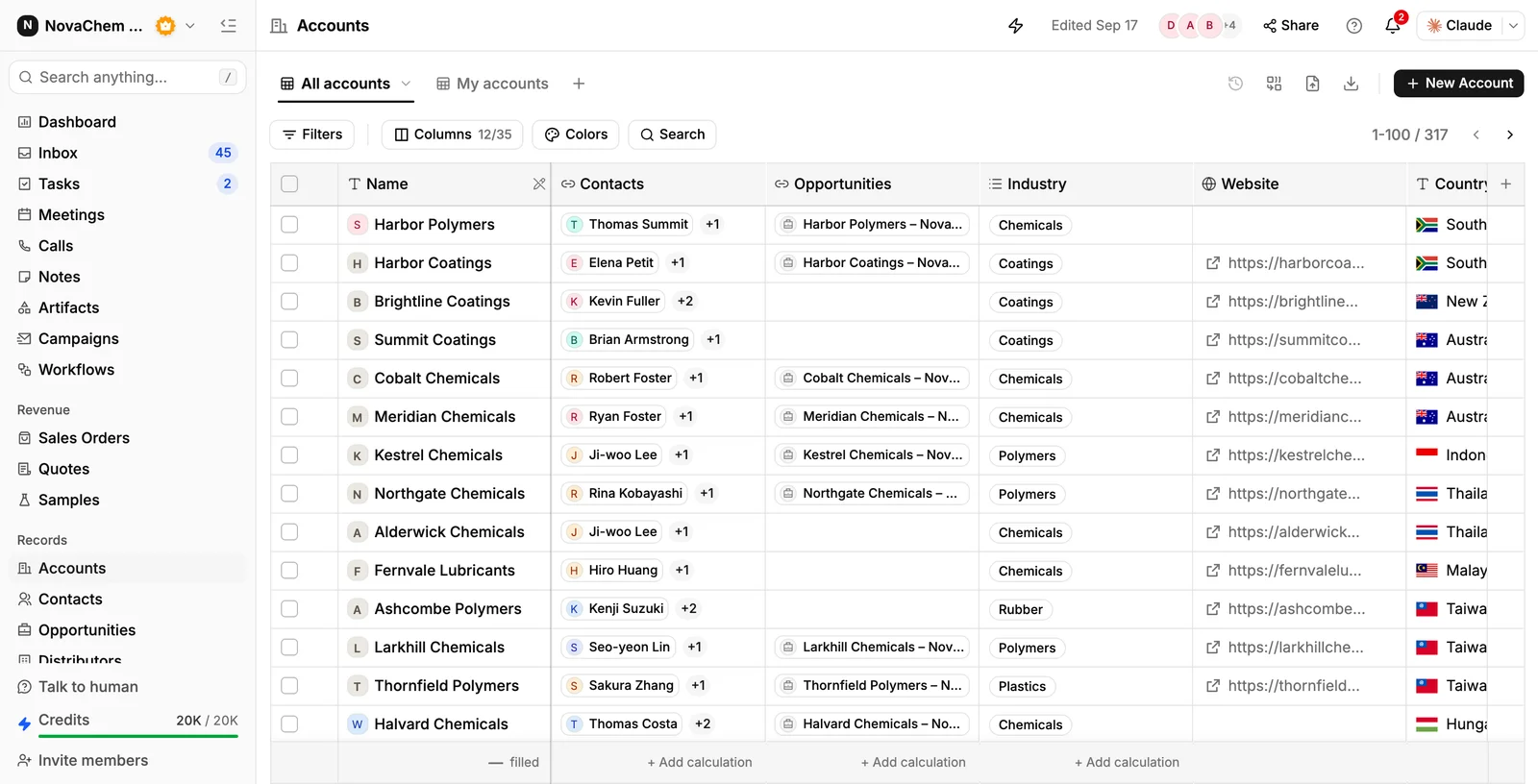
PromptLab also stops many duplicates at the door:
- One contact per email address. A workspace can't hold two contacts with the same email, so adding a buyer who is already there points you to the existing contact.
- Imports skip repeats. When you import from CSV, Excel or Google Drive, a contact row whose email is already in the CRM or repeated in the file is skipped, and so is an account row whose name already exists. Missing companies can be created as accounts during the import.
- Web forms find the existing contact. A submission whose email is already on file lands on that contact instead of creating a new one.
- New contacts join their company. A contact added without an account joins the account that already owns its email domain.
Custom fields help too. A field for the old ID in your previous system gives the duplicate finder a clean key to match on.
Frequently asked questions
How do I find duplicate contacts in my CRM?
Use its duplicate finder if it has one. In PromptLab, choose Find duplicates on the Contacts list, match on email, name or phone, and pick Similar to catch small typos. Without a finder, export the contacts and sort by email, phone and company domain, then check similar company names by hand.
Which record should I keep when I merge two contacts?
Keep the one with the most history: deals, quotes, samples, notes and email. If they are equal, keep the older one. Copy any missing detail from the other record before you remove it.
Are two contacts with the same name always duplicates?
No. Two people can share a name at different companies, or even at one large company. Treat same email as the strong signal, and same name plus same company as a likely match that a person should confirm.
How often should I clean up duplicates?
Do a full pass once, then a quick check every quarter and after every big import. Small regular checks take minutes. A yearly clean-up takes a day.
Can I undo a merge in PromptLab?
Yes. Recent merges in the Find duplicates window lists the merges of the last 30 days, and each can be undone. The removed records come back with their links.
Can I stop duplicates before they happen?
Mostly. Search before creating a record, clean files before importing, give every contact an account, and let email and forms attach conversations automatically. PromptLab also refuses a second contact with an email already in the workspace. No process stops every duplicate, which is why the quarterly check matters.