













How to cut CRM data entry for your sales reps
Cut CRM data entry by recording meetings, filling fields from calls, capturing email automatically and using AI summaries. A practical guide for B2B teams.
 By the PromptLab team6 October 20265 min read
You cut CRM data entry by capturing what already happens instead of retyping it. Record meetings and let the CRM write the notes, fill fields from the calls, capture email straight from the mailbox, and let AI summarise long threads. Reps then review and correct, which takes minutes, not an evening.
When reps hate the CRM, it is usually because it asks them to do the same work twice. They hold the call, then type it up, then update three fields, then add a task. This guide shows where each of those steps can go away.
Why reps skip data entry
Typing a call into a form comes after the real work, when the rep is tired. The record is half done and the next person gets half the story. Managers then chase reps for updates, which makes the CRM feel like surveillance.
The cure is not a stricter rule. It is making the right data arrive by itself. For the adoption side, see how to get reps to use the CRM.
Step 1: find where the typing happens
- 1
List what reps type after a call
Ask three reps to write down every field and note they update after a customer call. Include the follow-up email and the task.
- 2
Mark what is a copy of something else
Much of it repeats a conversation, an email or a quote that already exists elsewhere. Those are the entries to remove first.
- 3
Keep the decisions
A rep's judgement, such as "this buyer is price-sensitive", is worth typing. A date that is in the email is not.
Step 2: record meetings and let the CRM write the notes
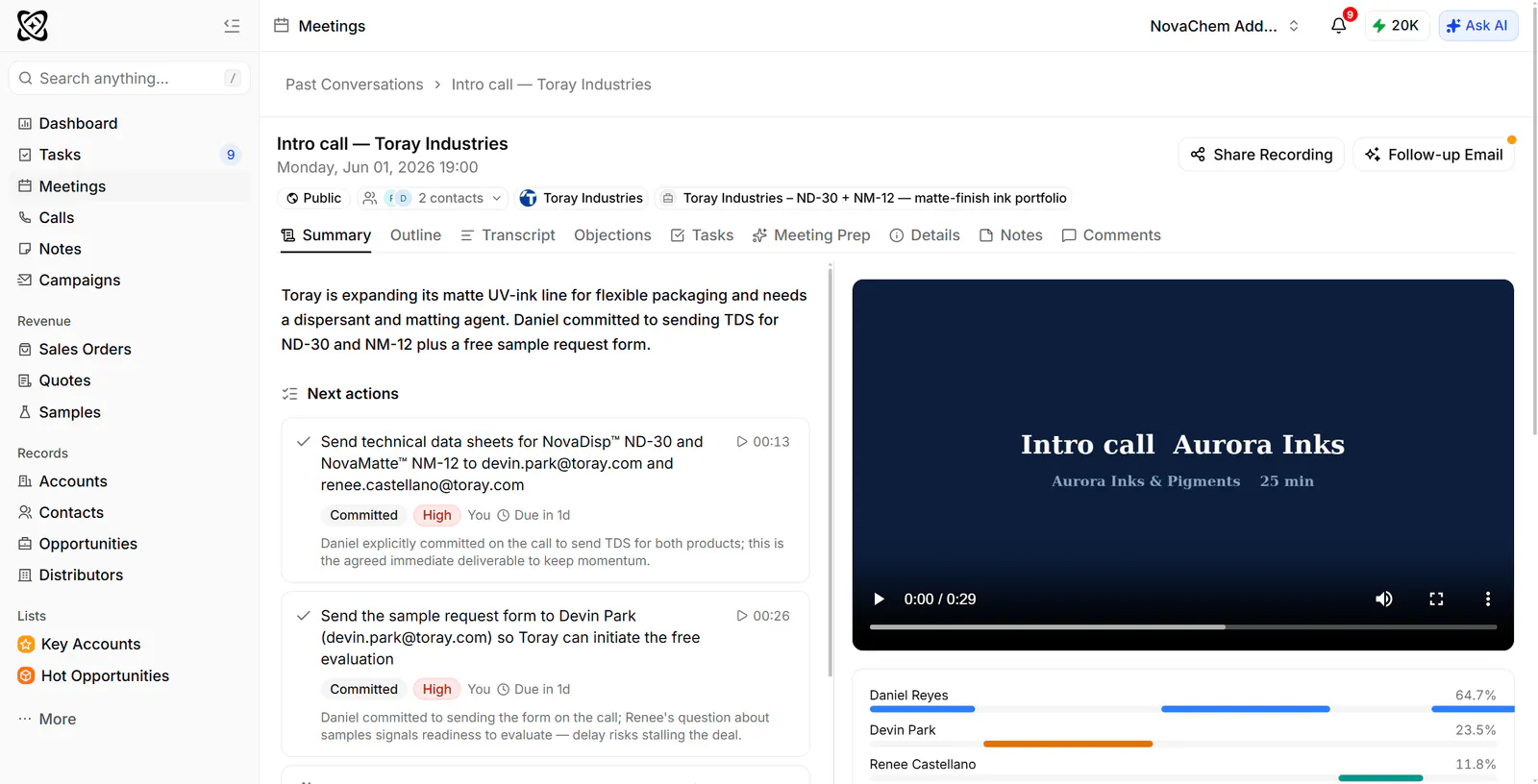
The biggest block of typing is meeting notes. Record the meeting, get a transcript, and have the CRM produce a summary with action items. The rep checks the summary, fixes a figure and moves on.
Recording works best when it covers the tools reps already use. Look for Google Meet, Zoom and Microsoft Teams, and for transcripts in the languages your buyers speak. A rep who sells to buyers across several countries needs more than English.
Step 3: fill fields from the calls
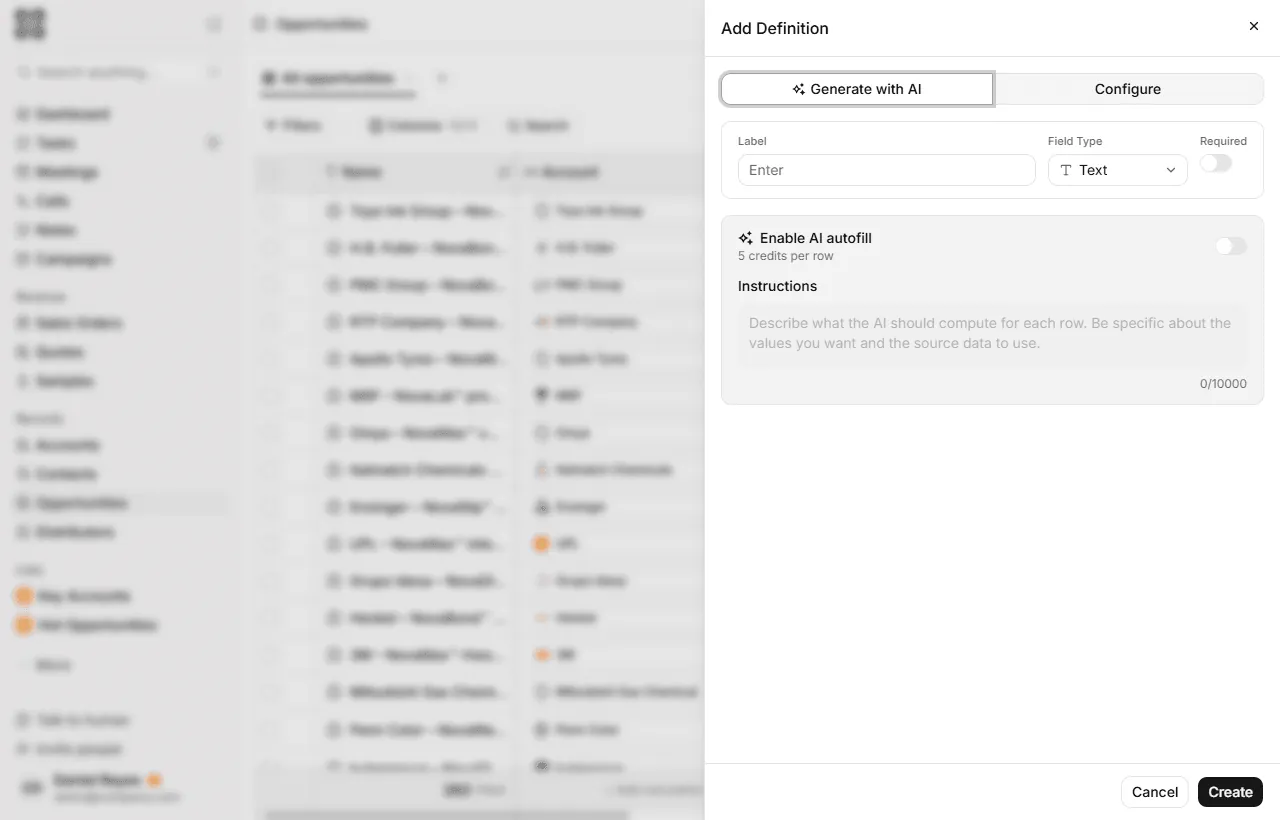
After the summary comes the fields: quantity, grade, delivery date, competitor, decision maker. Autofill reads the call and fills those fields for the rep.
Set it up for the fields that matter to your pipeline, and write specific instructions for each. "Classify the buyer's main market from the call" is better than "what market is this".
Step 4: capture email without forwarding
Reps shouldn't forward or copy emails into the CRM. Connect the mailbox so threads attach to the right contact and account on their own. That covers Gmail, Outlook or your own mail server over IMAP.
A good test is to ask whether a colleague can open the account and read the whole history without asking the rep. If they can, email capture is working.
Step 5: let AI summarise the long stuff
Long email threads and ten-meeting histories are slow to read. An AI summary gives a rep the state of an account in a paragraph. It also helps managers, who can ask a question in plain words instead of opening every record.
Check the first summaries against the source. Once reps trust them, they stop re-reading old threads and start writing better replies. Our guide to writing follow-up emails shows what to do with the time you save.
Step 6: turn what's left into one-click actions
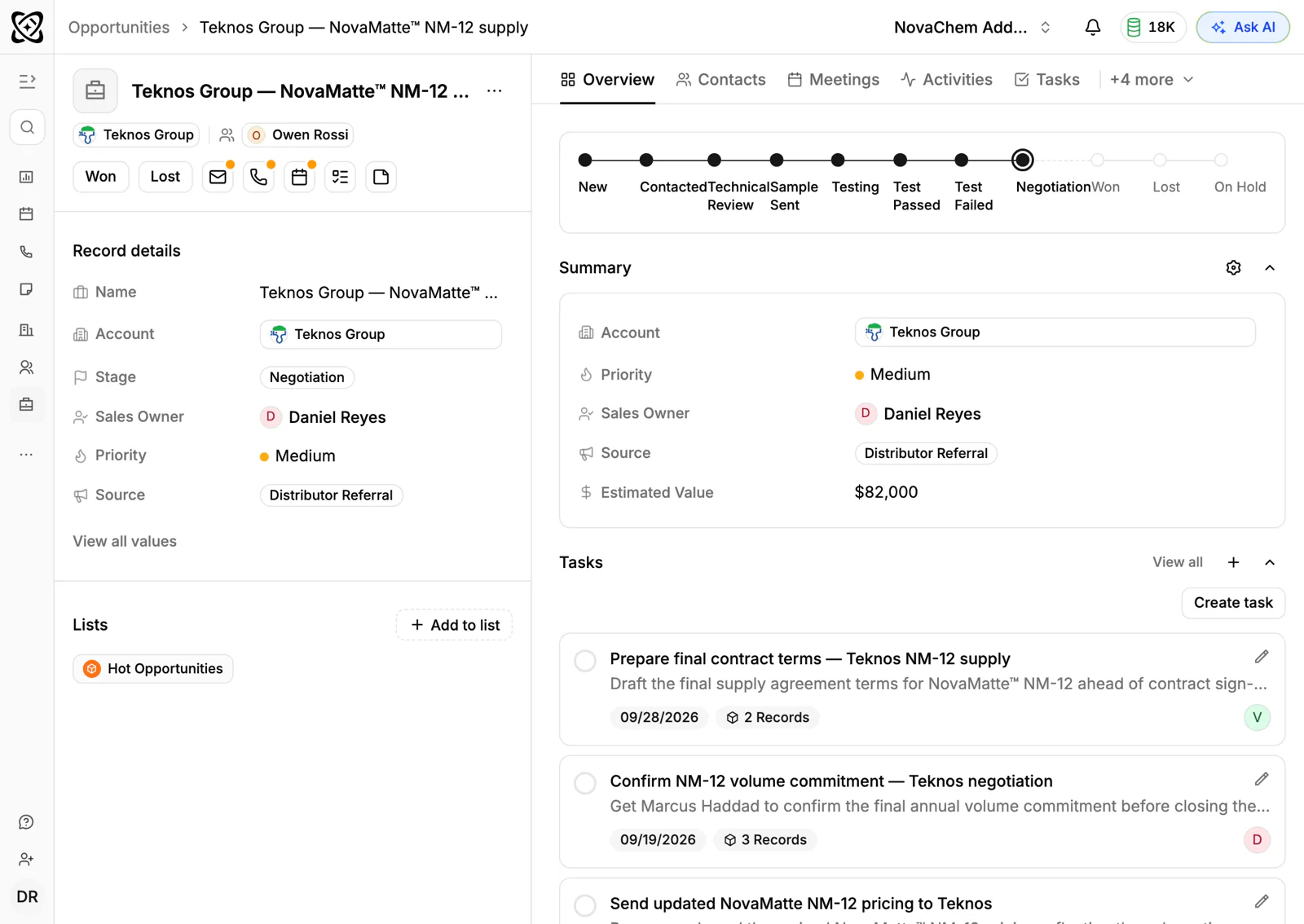
Some entry will remain. Keep it small. A task created from a meeting, a quote that picks up the customer's price list, and a stage change that triggers an automatic task are all better than manual copying.
Measure what you removed
Check the result after a month. Ask reps how long they spend on CRM updates each day, and compare it with the baseline from step 1. Look at the records too: are fields filled in more often, and are notes more complete than before?
If entry has dropped but quality hasn't risen, the instructions behind your autofill fields probably need work. If reps still type a particular field by hand, ask why. Often it comes from a customer detail that never appears in a call or email, and that one is worth a dedicated field or a short prompt in the meeting template.
Share the wins openly. When a manager can read an account without asking, and a rep leaves a call with the note already written, the CRM stops feeling like paperwork. That is the point where adoption stops being a fight.
Keep a short list of the fields you decided not to automate, and review it every quarter. A field that needed typing last year may fill itself this year.
How PromptLab helps
PromptLab does each of these steps on every plan. It records meetings on Google Meet, Zoom and Microsoft Teams, with transcripts in 100+ languages, and writes AI summaries, follow-up email drafts and pre-meeting briefs. CRM autofill fills fields from calls, with standard fields on Basic and unlimited fields on Professional.
Email capture works with Gmail, Outlook or your own mail server over IMAP, and the shared Inbox brings in WhatsApp and Telegram too. Workflow automation creates tasks when a quote changes status or a deal changes stage.
See pricing for the plans.
Frequently asked questions
What causes so much CRM data entry?
Reps repeat in the CRM what they already said on a call or wrote in an email. Removing that duplicate typing, through recording, autofill and email capture, removes most of the burden.
Does automatic capture replace reps updating the CRM?
It replaces most of the typing, not the judgement. Reps still review summaries, correct fields and add their own view of the account. That takes minutes.
Can AI fill CRM fields from a call?
Yes. In PromptLab, CRM autofill fills fields from calls. Standard fields are on Basic and unlimited fields are on Professional.
Which email systems can a CRM capture from?
PromptLab captures from Gmail, Outlook or your own mail server over IMAP, so threads attach to the right account without forwarding.
How do I know if the summaries are accurate?
Check a handful against the recording or transcript in the first weeks. Correct errors, and make the instructions for each field more specific if the same mistake repeats.