













How to connect ChatGPT to your CRM
Connect ChatGPT to your CRM over MCP: add a custom connector, sign in with OAuth, then search records, log calls and draft quotes from a chat.
 By the PromptLab team6 October 20265 min read
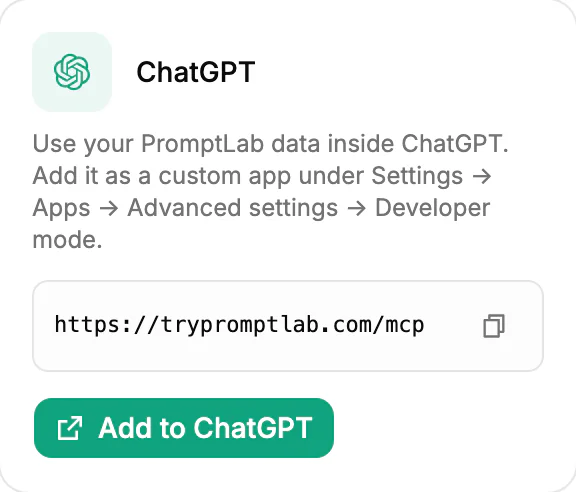
To connect ChatGPT to your CRM, add the CRM as a custom connector in ChatGPT's settings, paste its MCP server URL and sign in. ChatGPT then searches and opens your records, reads meeting summaries and creates tasks, notes and quotes when you ask. PromptLab's URL is https://trypromptlab.com/mcp, and sign-in is OAuth with no API keys.
Where the option sits depends on your ChatGPT plan and workspace settings, and OpenAI changes its menus from time to time. This guide gives the steps in general terms and tells you what to look for, so it still works after the next redesign.
What you get when ChatGPT is connected
Without a connection, ChatGPT knows nothing about your customers. You paste in an email, ask for a reply and hope for the best. With a connection, you say "reply to Harlow about the delay" and ChatGPT first finds the account, the open quote and the last conversation.
That changes the questions you can ask. Instead of writing generic copy, ChatGPT answers about your own pipeline. If you want the background on the protocol first, read what MCP is.
How to connect ChatGPT to PromptLab
- 1
Get the connector URL from PromptLab
Open Settings, then Apps, then AI Assistants. The ChatGPT card shows the server URL. It is
https://trypromptlab.com/mcp. Copy it. - 2
Find ChatGPT's connector settings
In ChatGPT, open Settings and look for Apps (or Connectors). Adding your own connector usually sits behind an advanced or developer mode option. If you don't see it, your workspace admin may need to switch it on.
- 3
Add a custom connector
Choose to create a custom app or connector, name it "PromptLab" and paste the URL. Pick OAuth as the sign-in method if you are asked.
- 4
Sign in and approve access
ChatGPT opens a PromptLab sign-in page. Use your normal PromptLab login, then approve access.
- 5
Enable it in a chat and test it
Open a new chat, make sure PromptLab is enabled for it, and ask: "Find the account for Harlow Packaging and show its open quotes." Check the names against your CRM.
Example prompts for a sales rep
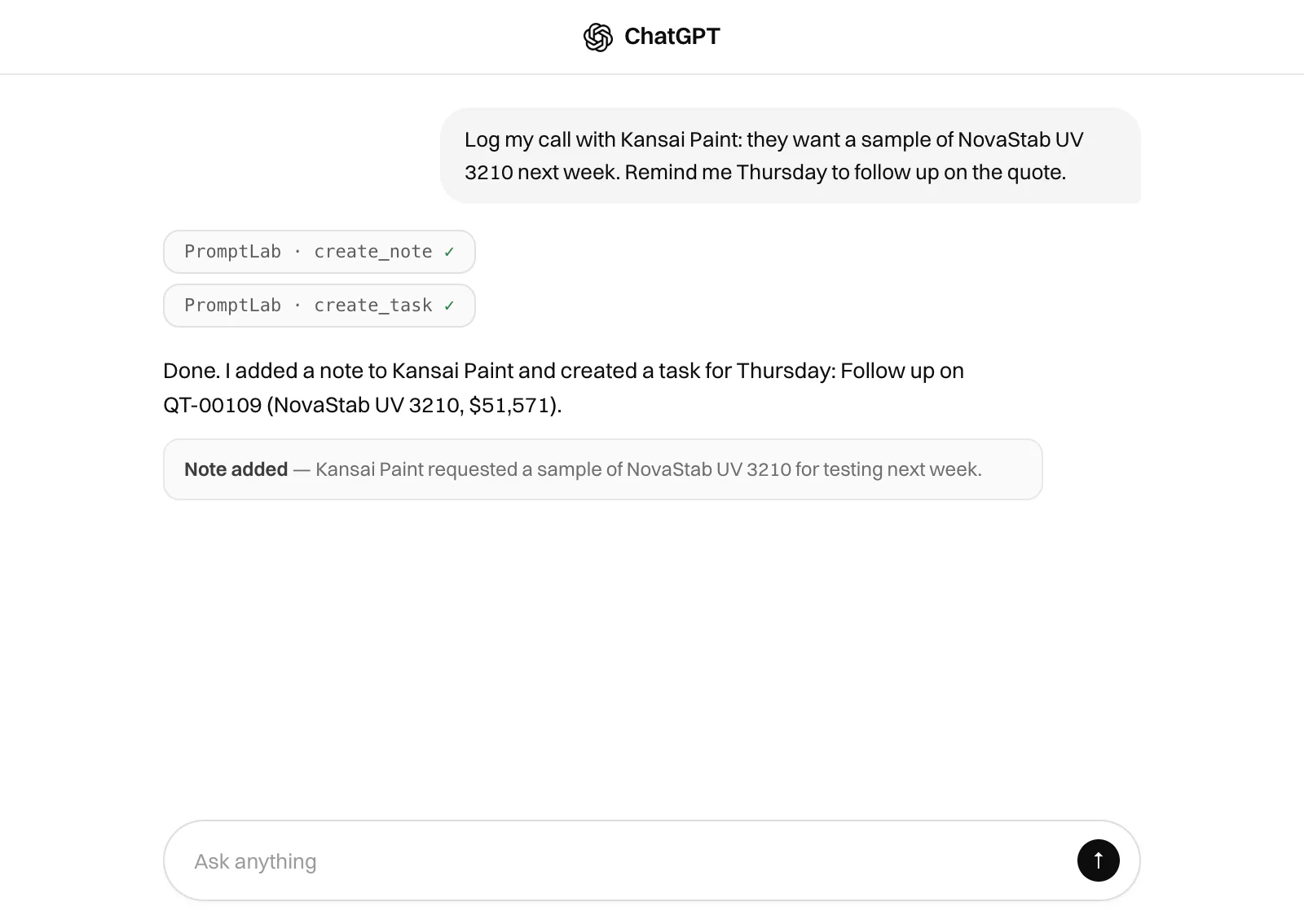
Treat ChatGPT as an assistant that has read your CRM. Name the customer, say what you want back and say how long it should be.
- Log a call: "Log a call with Harlow Packaging. They will order 5 t of resin in November if we hold the price. Add a task for me to confirm the price by Thursday."
- Find a record: "Search for open quotes over $10,000 that are still in draft."
- Read a meeting: "Summarise the last meeting with Vardon Coatings in five bullets and list the open questions."
- Draft a reply: "Draft a short email to Vardon Coatings that answers the questions from that meeting."
- Create a quote: "Create a quote for 2 t of PL-220 for Harlow Packaging."
- Plan the day: "What are my tasks due this week, and which accounts do they belong to?"
- Chase a sample: "Which samples sent to Harlow Packaging are still under evaluation?"
What ChatGPT can't do with your CRM
- Replace your judgement. It can misread a long thread or pick the wrong record. Review anything it drafts before it reaches a customer.
- Remember earlier chats reliably. Name the account again in a new chat.
Claude or ChatGPT: which should you connect?
Both connect to PromptLab the same way and work with the same records, so the choice comes down to which one your team already uses. Each assistant counts as one connection toward your plan's limit: up to two on Basic and three on Professional. The setup for the other assistant is in our guide to connecting Claude to your CRM.
If your team is choosing a CRM largely for its AI connection, our list of the best CRM to use with Claude and ChatGPT compares the options.
Rolling it out to a sales team
Start with two or three reps, not everyone. Let them use ChatGPT for a week on real accounts, then collect the prompts that worked and share them in a pinned note. Reps copy a good prompt far more readily than they follow a policy.
Agree a few rules early. Reps review every quote draft before it is sent. Notes logged through ChatGPT use the account's real name. Anything a customer will see is read by a person first. A short list like that keeps the speed without the surprises.
Habits that keep the answers accurate
Name the record every time. Ask ChatGPT where a figure came from, then open the quote or the meeting to check it. And keep one job per message: look up, then draft, then log. A long mixed request is where assistants slip.
How PromptLab helps
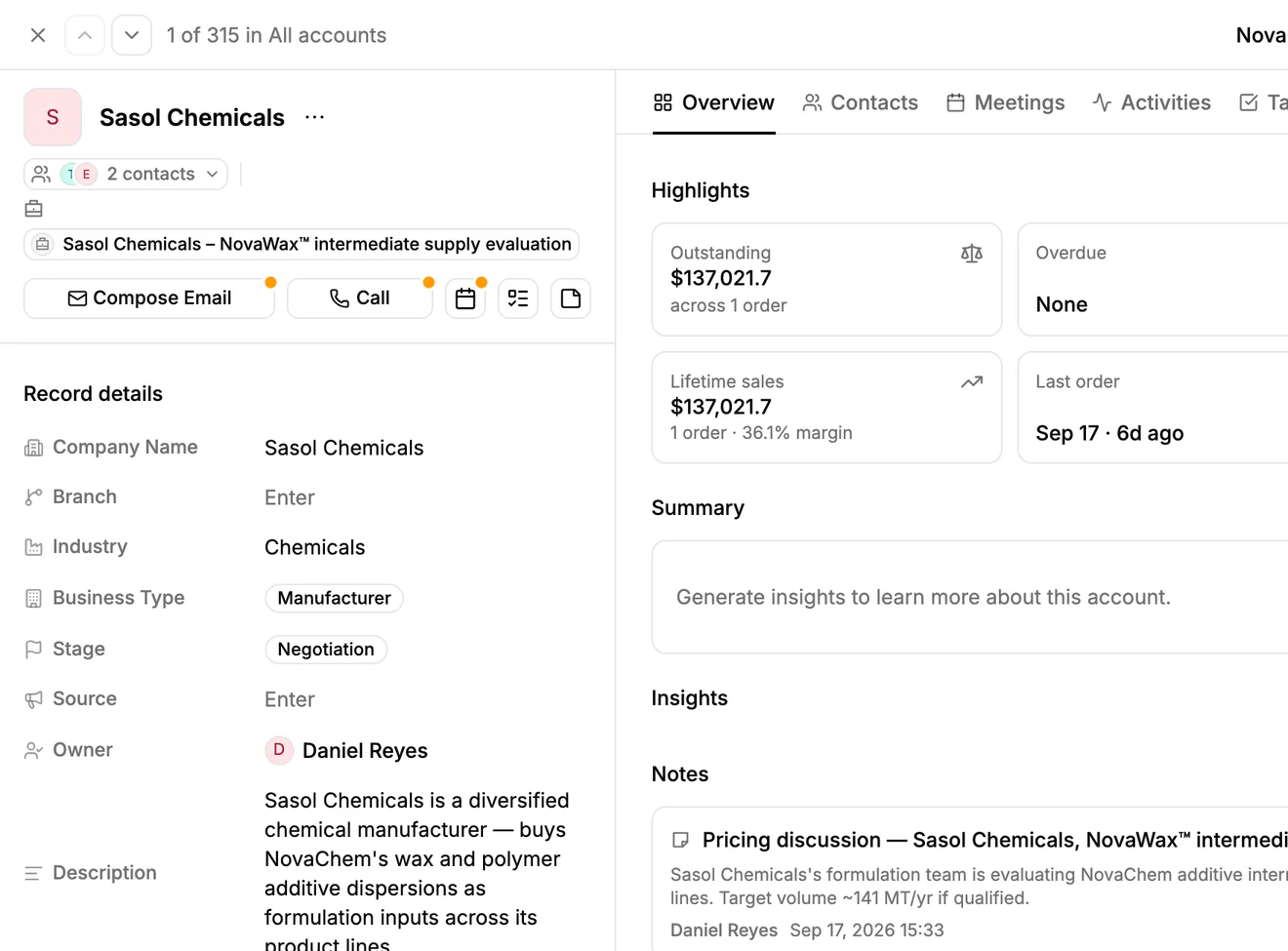
A connector is only as good as the records behind it. PromptLab holds quotes, sales orders, customer price lists and meeting transcripts for teams that sell physical products, so ChatGPT can answer with real figures. The connector works on every plan from $11.99 per user per month.
Read more on the ChatGPT and PromptLab page, or see pricing. Basic and Professional include a 14-day free trial, and a card is required.
Frequently asked questions
Can ChatGPT connect to any CRM?
It can connect to a CRM that offers a remote MCP server. Check that the CRM's tools cover the records you use, such as quotes and sales orders, not only contacts.
Do I need developer skills to connect ChatGPT to PromptLab?
No. You copy one URL, paste it into a custom connector and sign in. There is no code and there are no API keys.
Why can't I see the connector option in ChatGPT?
Custom connectors may not be available on every ChatGPT plan, and workspace admins can switch them off. Ask your admin, and look under Apps in settings for an advanced or developer mode option.
Can ChatGPT read my sample requests?
Yes. It can list sample requests, open one to see its items, status and tracking, and update it when the sample is delivered or the trial result comes back. It works with accounts, contacts, quotes, sales orders, tasks, notes, meetings and email the same way.
Is it safe to let ChatGPT write to the CRM?
Writing is the point: ChatGPT logs calls and creates tasks so you don't have to. Review anything it drafts before it goes to a customer, spot-check what it logs, and follow your company's policy on AI tools.