













How to get your sales reps to actually use the CRM
Reps skip the CRM when it costs them time and gives nothing back. Cut the typing, make it useful to the rep, and build manager habits that reward clean data.
 By the PromptLab team6 October 20266 min read
Reps use a CRM when it saves them time and when the manager uses it too. Cut the typing so that most of the record fills itself, make the CRM the place a rep goes to prepare for a meeting or build a quote, and run every pipeline conversation from it. Rules and nagging on their own do not work.
Low adoption is rarely a discipline problem. It is a cost problem: the CRM asks for ten minutes of data entry per deal and returns nothing the rep needs. This guide shows how to flip that, with changes you can make this week.
Why reps do not use the CRM
Ask your reps why, and you will usually hear one of four answers.
- "It takes too long." Retyping a call, copying an email or updating six fields after every conversation is dead time, and it comes out of selling.
- "Nobody looks at it." If the manager asks for a spreadsheet instead, the CRM is a chore. Reps notice quickly where the real conversation happens.
- "It does not help me." A CRM that only reports upwards feels like surveillance.
- "It does not fit how I sell." If buyers answer on WhatsApp and the CRM only shows email, the real deal lives somewhere else.
Fix those four and adoption mostly follows. For a related guide on the first of them, see how to cut CRM data entry.
Step 1: cut the data entry
- 1
Count the fields
Open a deal and count what a rep must fill in. Keep the ones that drive a decision, such as stage, value, close date, next step and product. Remove or hide the rest. Every field you keep should be one a manager actually uses.
- 2
Capture automatically wherever you can
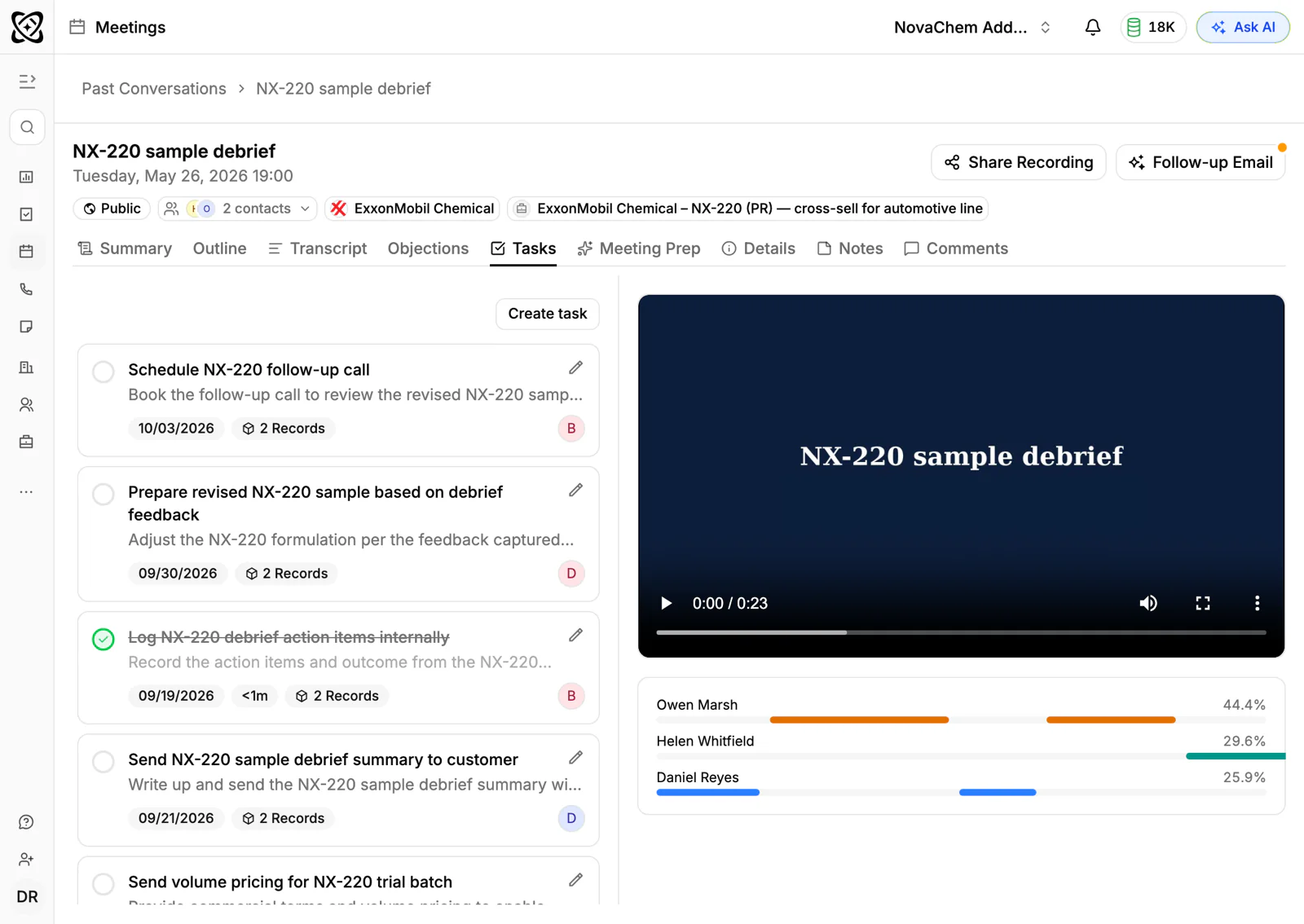
Connect email so messages land on the account without forwarding. Record meetings so the notes and summary exist without anyone typing. Let fields be filled from calls where the CRM supports it.
- 3
Bring messaging into the CRM
If your buyers use WhatsApp or Telegram, those conversations should sit on the account. Otherwise the rep has to copy and paste, and will not.
- 4
Set up the defaults
Customer price lists, sensible default stages and standard tasks save a rep from starting from a blank page.
- 5
Import, do not retype
If the team keeps a spreadsheet, import it once and retire the spreadsheet. Two sources of truth guarantee that one of them is wrong.
Step 2: make the CRM useful to the rep
Reps adopt tools that make their day easier. Build the first benefit into week one.
- Meeting prep. A pre-meeting brief with the account's history, open quotes and last emails is something a rep wants, not something they are told to do.
- Quotes. If sending a quote from the CRM is faster than from Excel, reps will use it, and the quote attaches to the deal for free.
- Follow-ups. A draft follow-up email from the meeting summary saves the dull part of the job.
- Their own numbers. Show each rep their pipeline, their tasks and their commission-relevant figures. Let them see what the manager sees.
- A shared Inbox. When a colleague picks up a customer's chat, they can see the whole thread without asking.
The first week should end with every rep able to say, "I did this faster because of the CRM." For prep specifically, read how to prepare for a B2B sales meeting.
Step 3: manager rituals that reinforce it
Behaviour follows what the manager inspects. Four habits do most of the work.
Manager habits that drive adoption
The weekly pipeline review is the most powerful of these. Once reps know the review runs from the CRM and that deals not in it do not exist, they update it before the meeting, not after.
A worked example
Say a team of six reps sells packaging materials. The manager starts the Monday review by opening the pipeline report. A rep says a deal worth $20,000 is "about to close", but there is no quote on the deal. The manager says, "Send it from the CRM today, and we will talk about it on Wednesday." No lecture, no policy email. By the third week, the reps send quotes from the CRM before the meeting because they know what will be asked.
Step 4: remove the excuses
- Train on real deals, not on a demo. Thirty minutes with a rep's own pipeline beats a two-hour presentation.
- Name a CRM owner. One person who fixes fields, answers questions and kills bad ideas.
- Check the data quality weekly. Filter for deals with no next step or no activity, and make fixing them part of the sweep. The pipeline review checklist lists the checks.
- Onboard new reps in the CRM from day one. The sales rep onboarding checklist has a CRM section.
- Do not tie bonuses to field counts. Reps will fill the fields with rubbish. Tie behaviour to outcomes: a deal is in the CRM or it is not counted.
If the tool itself is the problem, it may be time to compare alternatives. See how to choose a CRM and the CRM implementation checklist.
What to measure
Measure whether the CRM is being used, with simple counts a manager can read in a minute.
- How many open deals have a next step and a date?
- How many have had activity in the last two weeks?
- How many quotes were sent from the CRM?
- How many reps open it daily?
Track the trend, not a target for each rep. If the numbers fall, ask what changed, such as a new field, a slow screen or a manager who stopped asking.
How PromptLab helps
PromptLab is built to take the typing away. Meetings in Google Meet, Zoom and Microsoft Teams are recorded and summarised, and CRM autofill fills in fields from calls, so a rep finishes a meeting with much of the record already updated. Gmail, Outlook and IMAP email is captured on the account, and WhatsApp and Telegram conversations land in the shared Inbox, so nothing is pasted in by hand.
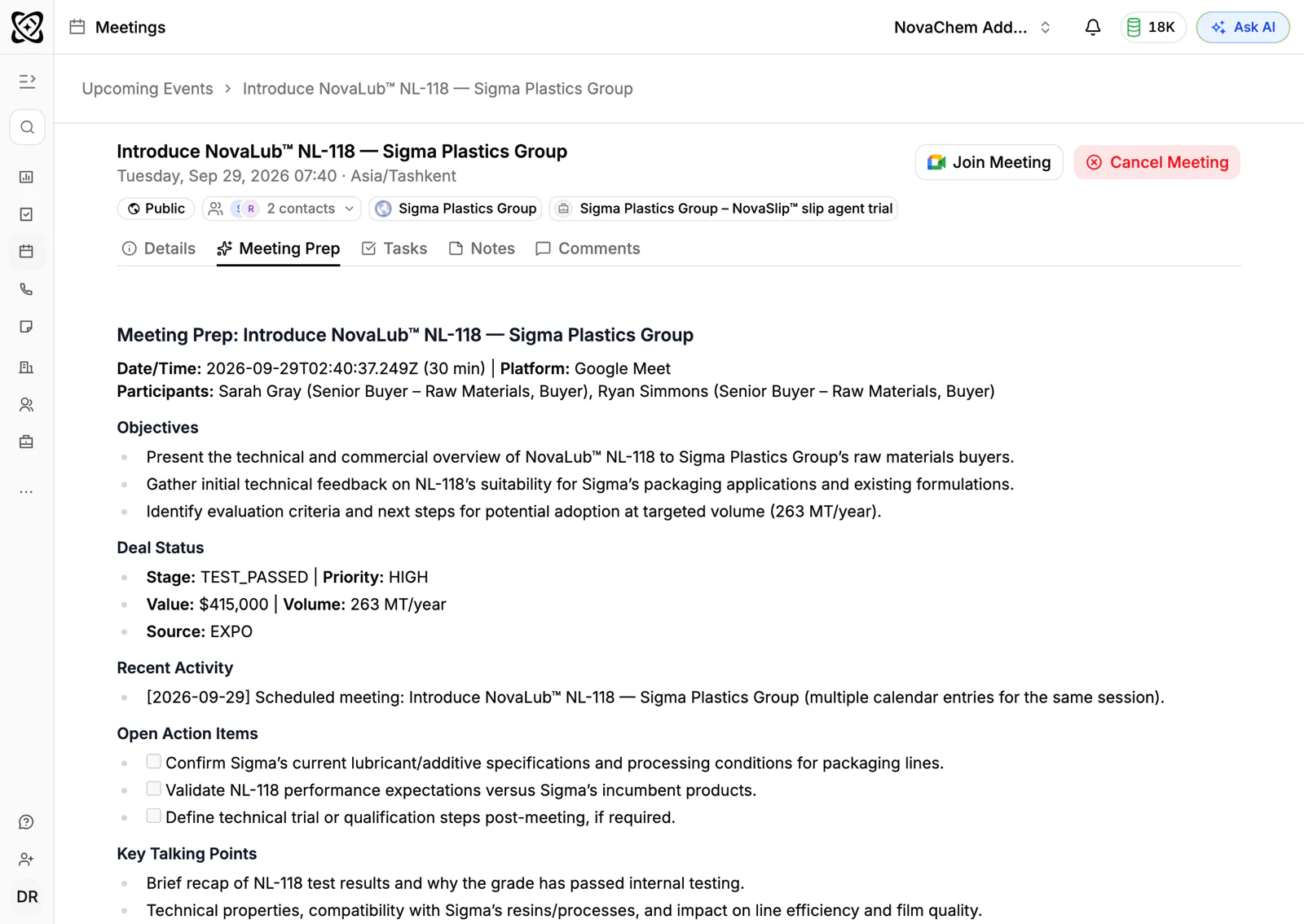
It also gives reps something back. AI pre-meeting briefs, AI follow-up drafts and quotes that attach to the deal are on every plan, and Ask AI answers questions in plain words about accounts, deals and quotes. Managers get reports and dashboards on pipeline and revenue, so the review runs from the same data the reps just kept current. Workflow automation can create the next task when a quote changes status or a deal changes stage, so follow-ups are not a matter of memory.
Frequently asked questions
Why do salespeople hate CRMs?
Mostly because the CRM costs them time and returns nothing they need. Manual data entry after every call, a system that only serves management reporting and tools that miss the channels buyers use all make it feel like a chore.
How do you increase CRM adoption?
Reduce the data a rep must type, give them a benefit in the first week such as meeting prep or faster quotes, and run pipeline reviews from the CRM. The manager's behaviour matters more than any rule.
Should CRM use be mandatory?
Make it the only place a deal counts, and make that clear and fair. A mandate without a fast tool leads to rubbish data, so fix the tool at the same time.
How long does CRM adoption take?
A team can change habits within a few weeks when the manager runs the review from the CRM every week. Expect some drift after that, so keep checking data quality.
Can AI help reps update the CRM?
Yes. Meeting recordings, summaries and autofill can fill fields from what was said on a call, and email capture logs messages. Reps should still check the result, but they type far less.