



















How to use AI in B2B sales
Seven practical ways B2B product sales teams use AI today: meeting notes, briefs, follow-up drafts, CRM updates, questions and tasks, plus what to keep human.
 By the PromptLab team24 October 20265 min read
The most useful AI in B2B sales does small jobs well: it writes up meetings, drafts follow-up emails, briefs you before a call, fills in CRM fields and answers questions about your own accounts. It saves reps typing time. It does not replace the rep who understands the customer's process, so keep a person in charge of every message that goes out and every price that is agreed.
This guide covers seven uses that work for teams selling physical products, a way to start without a big project, and the jobs you should keep for people. Everything here produces work a rep checks. None of it is a robot that sells for you.
Where AI helps and where it doesn't
Sales has two kinds of work. The first is writing things down: notes, summaries, emails, field updates. It is slow, it is repetitive and reps skip it when they are busy. AI is good at this kind of work, because the source material (a call, an email thread) already exists.
The second is judgement: deciding which customer to call, how far to go on price, whether a sample result is good enough to quote. That stays with your people. Use AI to give them better information and more time, not to make the decision.
Seven practical uses
1. Record and summarise meetings
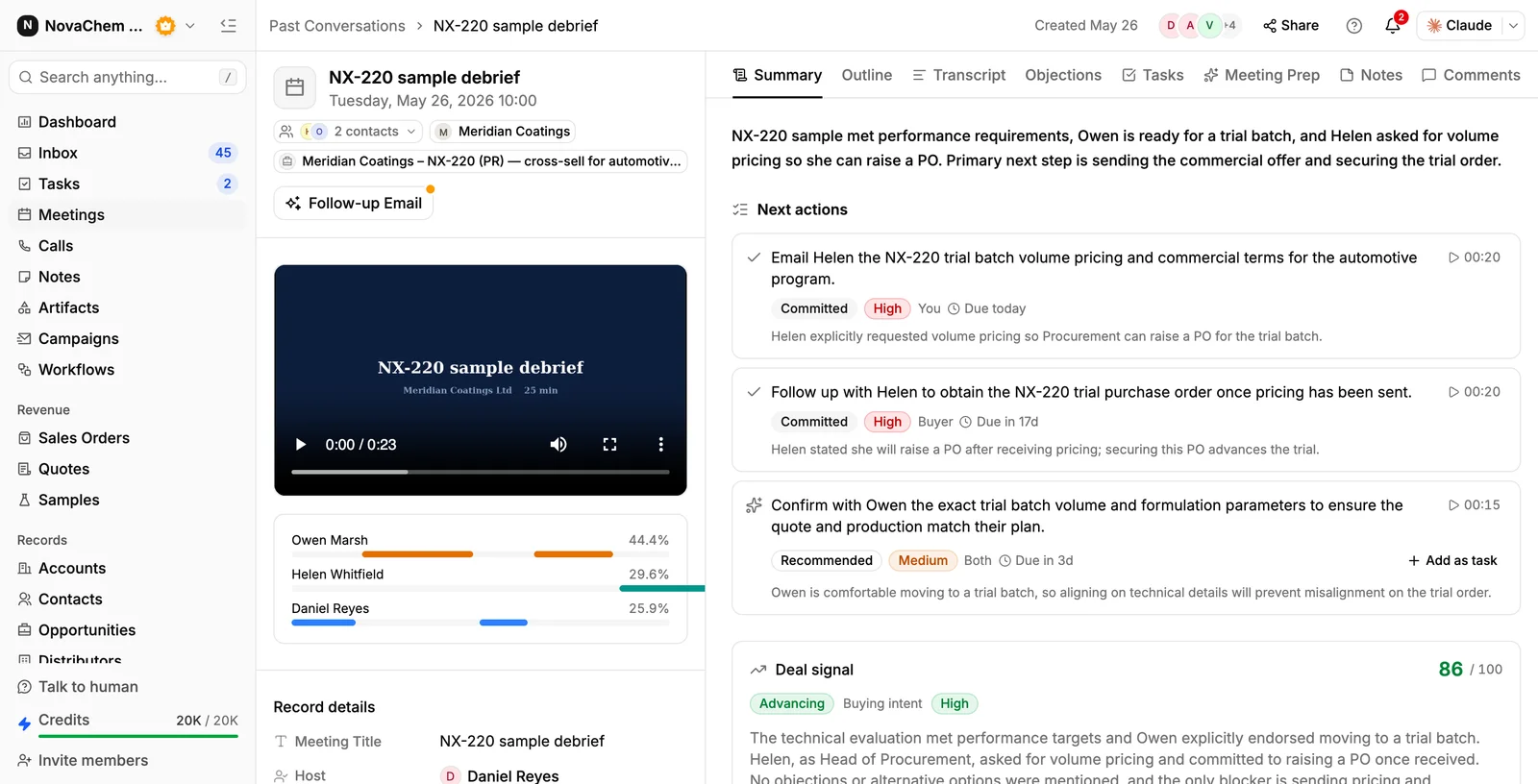
The biggest gain for most teams. A recorded call becomes a transcript, a short summary and a list of action items. Nobody has to write notes during the meeting, so the rep can listen. See how to record and summarise sales meetings for the full process.
2. Brief yourself before a call
Before a meeting, a brief pulls together what you already know: recent emails and calls, earlier meetings, open tasks, samples, recent orders and the people involved. Five minutes with a brief is better than ten minutes searching through the inbox. See how to prepare for a sales meeting.
3. Draft the follow-up email
After a meeting, the draft already knows what was discussed. You read it, change what is wrong, add the figures and send it. The point is a faster first draft that you own, not an email nobody checked.
4. Fill in CRM fields from calls
Reps leave fields blank because typing them is dull. CRM autofill reads a call and fills fields such as the application, volume or timeline. A rep runs it, checks the result and corrects it. Treat it as a first pass, not as the truth.
5. Ask questions about your own data
Instead of building a report to find out which quotes are still pending for a customer, ask in plain words. An assistant that reads your accounts, deals, quotes, sales orders, meetings and email can answer, with the records behind it. The answer is only as good as the data, so the earlier steps matter.
6. Turn a meeting into tasks
Action items from a call, such as "send the technical data sheet by Friday", are easy to forget. When they land in the task list automatically with an owner, they stop depending on memory. Read how to automate sales follow-ups for how to set the rest up.
7. Use Claude or ChatGPT on your CRM data
Many people already use a general AI assistant for writing. Connecting it to your CRM lets it work from real records instead of from what you paste in. It can read an account's history and help you draft a reply that is correct about the quote and the sample.
A simple way to start
- 1
Pick the job that costs the most time
Ask the team what they dislike writing. It is usually call notes, follow-up emails or updating the CRM. Start there.
- 2
Run it on ten real meetings
Don't judge it on a demo. Take ten real calls, read each output against what you remember and note what it gets wrong. Product names, grades and units are common weak spots.
- 3
Set a rule for review
Anything sent to a customer is read by a person first. Anything stored in the CRM is checked by the rep who owns the account.
- 4
Add the next use
When the team uses the first one without being asked, add the second. Don't turn on everything at once.
What to keep human
- Pricing and discounts. AI can show the last quote. A person decides the next one.
- Anything sensitive. Complaints, credit, a late delivery. Write these yourself.
- Relationships. A buyer who has bought from you for ten years wants your voice.
- The final check on facts. Grades, volumes, dates and certifications must be right. A wrong spec in a summary can end up in a quote.
How PromptLab helps
PromptLab is an AI-native CRM for B2B teams that sell products. It records meetings on Google Meet, Zoom and Microsoft Teams and gives you a transcript in 30+ languages, an AI summary, an AI follow-up email draft and a pre-meeting brief. Action items from a meeting become CRM tasks automatically. CRM autofill fills fields from calls when a user runs it, or when an account is created.
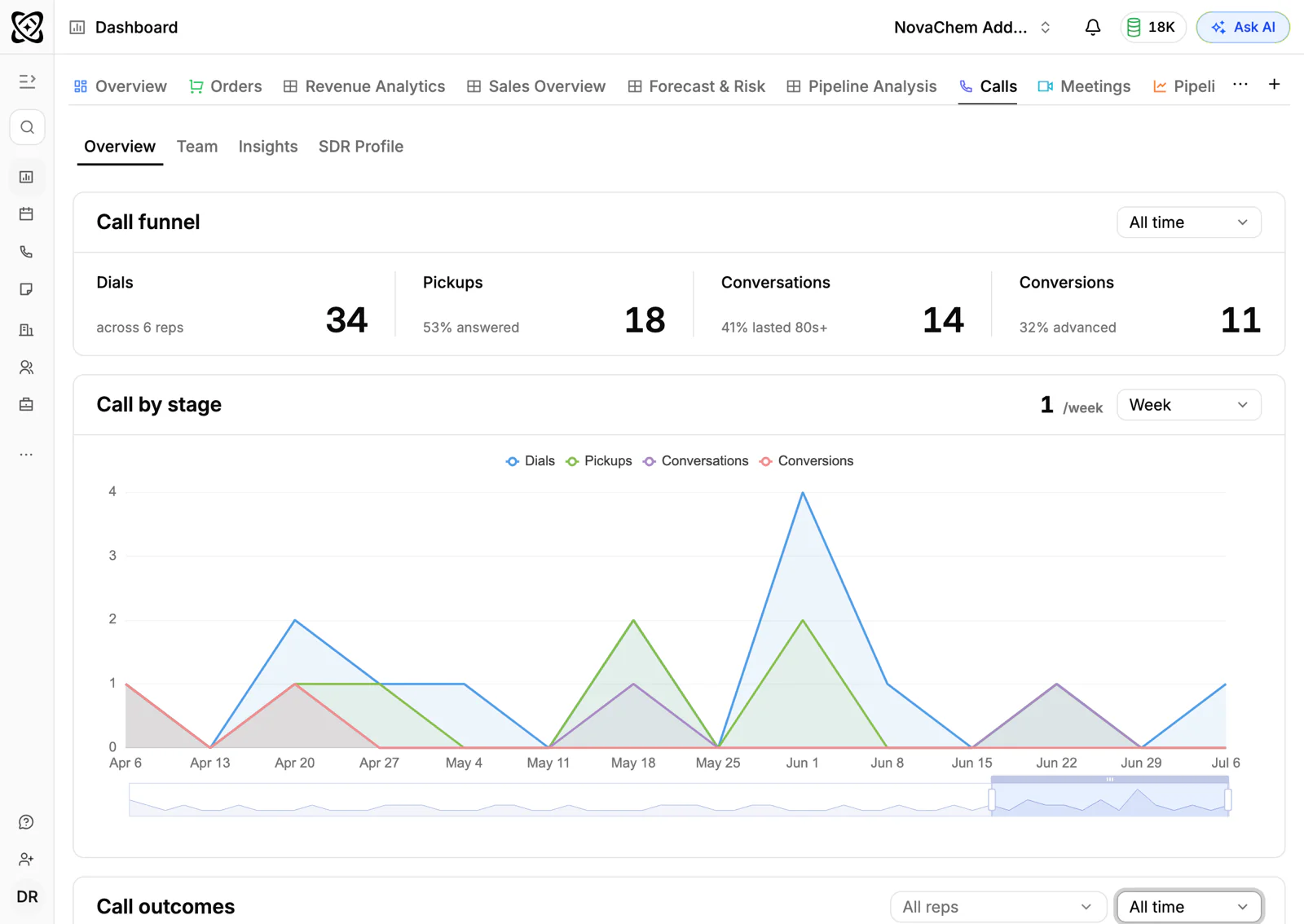
Ask AI answers questions about accounts, deals, quotes, sales orders, meetings and email. You can also connect Claude or ChatGPT to PromptLab over MCP, with an OAuth sign-in and no API keys, so the assistant works from your records. The Connect AI page shows how.
Frequently asked questions
How is AI used in B2B sales?
Mostly for writing and reading: summarising meetings, drafting follow-up emails, briefing reps before calls, filling in CRM fields and answering questions about accounts. These save time on admin. The decisions about price, product and priorities stay with the sales team.
Will AI replace B2B sales reps?
B2B product sales depend on trust, technical knowledge and long relationships, and those come from people. AI takes some of the admin away so reps can spend more time with customers. Plan for reps to use it, not to be replaced by it.
What is the best first AI use for a sales team?
Meeting notes and summaries. The output is easy to check against what you remember, and it asks nothing new of the team. Once the team trusts it, add follow-up drafts and CRM autofill.
Is it safe to put customer data into an AI tool?
It depends on the tool and your own rules. Check where the data goes, who can see it and what your customer contracts say. Use a CRM's built-in features or a connection you control over pasting records into a public chat.
Can AI write my sales emails?
It can write a first draft, especially after a meeting when the content is known. A person should read and edit it before it is sent. Customers can tell when nobody checked.