



















How to migrate from GoHighLevel to PromptLab
Export contacts and opportunities from GoHighLevel as CSV, import them into PromptLab and map the columns. A step-by-step guide for product sales teams.
 By the PromptLab team16 October 20264 min read
GoHighLevel to PromptLab is a file-based move. You export contacts and opportunities from HighLevel as CSV, import them into PromptLab, and map the columns.
This guide is for companies that use HighLevel mainly as a sales CRM for a product business. It covers why teams move, what to prepare, the four steps, and the first week.
Why do product sales teams move from GoHighLevel?
HighLevel is an all-in-one marketing platform for agencies: funnels, websites, campaigns, a CRM, a phone system and AI agents, sold per agency account with client sub-accounts. If you run marketing for many clients, it is built for you.
A manufacturer or distributor uses a small part of it. There is no sample tracking, no customer price lists and no B2B sales orders, so those stay in spreadsheets next to the CRM. Plans run from $97 to $497 a month per account, with calls, messages and AI billed by usage on top. WhatsApp is a $10 a month add-on, and there is no Telegram or LinkedIn capture.
Meetings are covered by a Fathom integration rather than a notetaker of its own, and phone calls are recorded per minute. We checked these facts on 2 October 2026. See our GoHighLevel alternatives, the GoHighLevel pricing post and the GoHighLevel vs PromptLab comparison.
What to prepare before you export from GoHighLevel
HighLevel's export only includes the columns shown in the table, so the preparation is mostly about views.
Before you move from GoHighLevel
Our CRM migration checklist goes through the same ground for any CRM.
Moving to PromptLab
From GoHighLevel in four steps

- 1Export from HighLevelIn Contacts, open a Smart List, select the contacts and choose More, then Export. For deals, open Opportunities, use the ⋮ menu and select Export Opportunities. The files wait in Bulk Actions.
- 2Select Import in PromptLabOpen the Accounts, Contacts or Deals list, select Import and upload the CSV, or pick it from Google Drive.
- 3Map the columnsMatch its fields to ours. Their export only includes the columns shown in the table, so add the fields you need to the view before you export.
- 4Help for larger movesMoving many sub-accounts or a big contact base? Our Business plan includes data migration support and a dedicated account manager. Smaller teams can test the move during the 14-day free trial.
Step 1: export from HighLevel
For contacts, open a Smart List in Contacts, select the contacts and choose More, then Export. For deals, open Opportunities, use the ⋮ menu and select Export Opportunities. The files wait in Bulk Actions.
Export everything in one sitting after the freeze, so the files match each other. Name them clearly, for example contacts and opportunities.
Step 2: import into PromptLab
Open the Accounts, Contacts or Deals list and select Import. Upload the CSV, or pick it from Google Drive.
Start with contacts, then deals. If your HighLevel contacts carry a company name, import the companies as accounts first, so each contact lands on the right one.
Step 3: map the columns
Match HighLevel's fields to ours. Because the export only includes the columns in the table, any field missing from the file was missing from the view, so add it and export again.
Step 4: get help with a larger move
Moving many sub-accounts or a big contact base? Business includes data migration support and a dedicated account manager. Smaller teams can test the move during the 14-day free trial, which Basic and Professional both come with. No card is needed to start it.
There is no live sync with HighLevel, so the move runs on exports and imports. A small test batch first is a good habit.
What to add in your first week
You've moved the records. Now put the product-sale paperwork where it belongs.
- Price lists. Create a price list per key customer, so reps quote from agreed prices. See how to manage customer price lists.
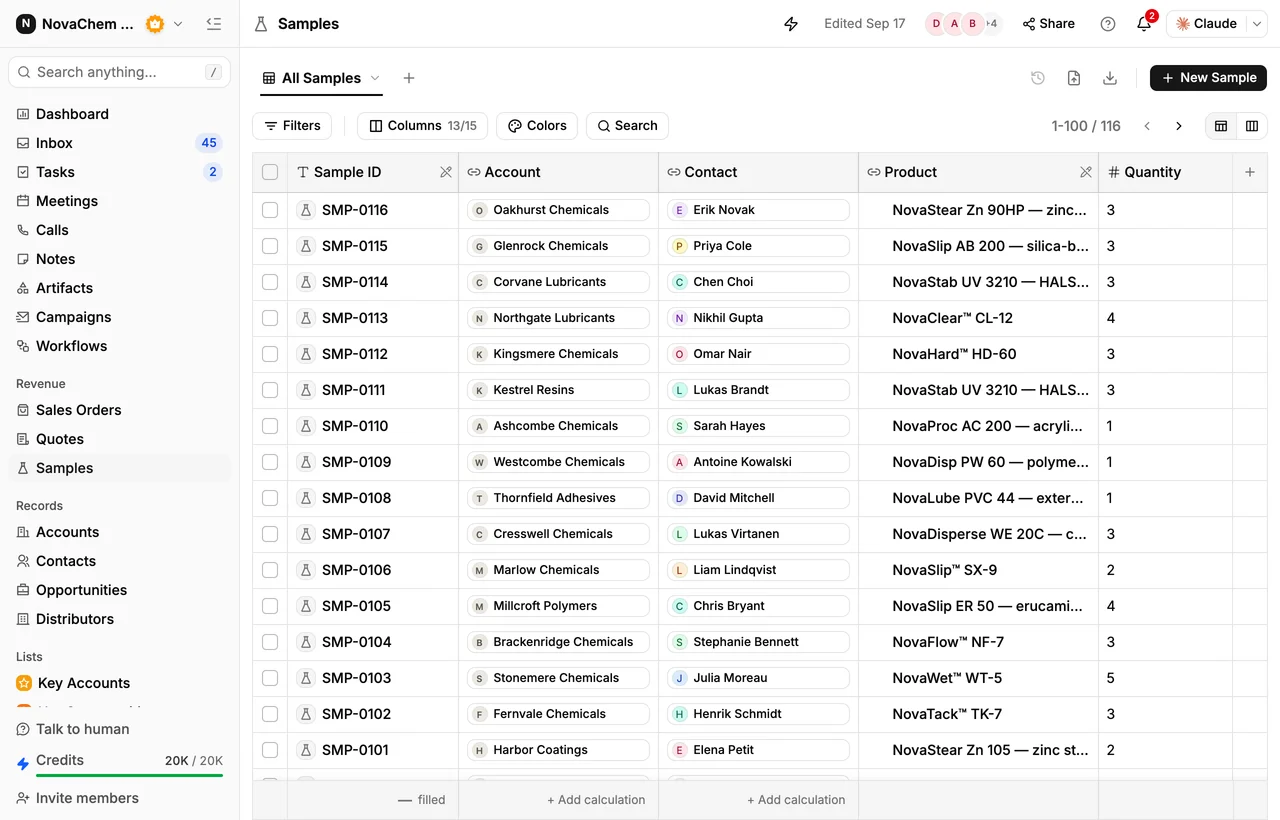
- Samples. Log each sample request on the account and the deal. How to track product samples has the routine.
- Quotes and orders. Send a quote from a price list, then raise the sales order when the customer says yes.
- Meetings. Each rep connects Google Meet, Zoom or Microsoft Teams. Meetings are recorded, transcribed and summarised, with no separate notetaker.
- Channels. Connect your WhatsApp Business number and your company's Telegram bot, so chats land in the shared Inbox beside email.
- Workflows. Build one automation: when a deal changes stage, create the next task.
Frequently asked questions
How do I export contacts from GoHighLevel?
In Contacts, open a Smart List, select the contacts and choose More, then Export. The file waits in Bulk Actions. Only the columns shown in the table are included.
How do I export opportunities from GoHighLevel?
Open Opportunities, use the ⋮ menu and select Export Opportunities. Add the fields you need to the view first, because the export follows what the view shows.
Can I import straight from Google Drive?
Yes. When you select Import on a PromptLab list, you can upload the CSV or pick it from Google Drive.
Is there a sync with GoHighLevel?
No. PromptLab's two-way sync covers Salesforce and HubSpot, so a HighLevel move runs on exports and imports.
Should an agency move from GoHighLevel?
Probably not. If you sell marketing services to many clients, HighLevel is built for that. The move makes sense when you use it as a sales CRM for a product business.
Sources
Prices and features of other CRMs come from each vendor's own pages, on the dates below.
- GoHighLevel, checked on 2 October 2026: Pricing, AI product pricing, Phone system pricing, Estimates, Exporting contacts, Fathom in workflows, MCP server, Single sign-on