













How to migrate from Salesforce to PromptLab
Move from Salesforce to PromptLab with a two-way sync, then import quotes, orders and notes from CSV. Keep both live until your sales team is ready.
 By the PromptLab team6 October 20264 min read
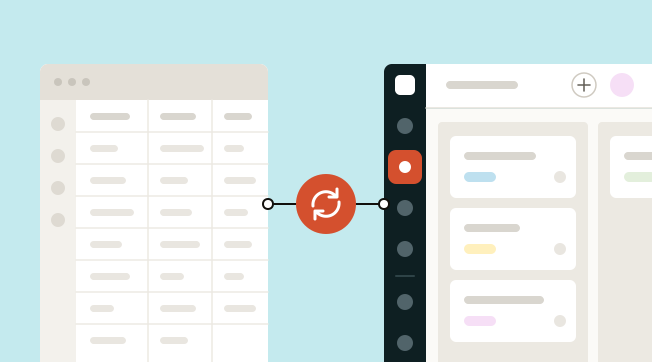
Moving off Salesforce doesn't need a big-bang cut-over. PromptLab syncs with Salesforce both ways, so you connect the two, select Sync now, import quotes, orders and notes from CSV or Excel, and let the team move over at its own pace.
Below: why product sales teams make the move, what to prepare, the four steps, and what to set up in week one.
Why do product sales teams leave Salesforce?
Sales Cloud is the most configurable CRM there is. It has five editions from $25 to $550 a user a month, billed annually, plus Agentforce AI and AppExchange for almost any integration. If you need a platform to build on, it is the strong choice.
The cost for a product team is the build. Quotes, price lists and orders start on Pro Suite at $100 a user a month. Call recording, summaries and follow-up drafts sit in Sales Engagement, a separate add-on at $50 a user. Filling CRM fields from calls starts at $195. Samples aren't modelled, so tracking them means a custom object that an admin or partner has to build, and the sales team waits until it's done.
All Salesforce prices here are list prices from 30 September 2026. Salesforce pricing breaks them down, and our Salesforce alternatives and the Salesforce vs PromptLab comparison go further.
What to decide before you leave Salesforce
A Salesforce org that has been customised for years collects fields and objects nobody uses any more. A move is the moment to decide what is worth keeping.
Before you move from Salesforce
For a generic version, use our CRM migration checklist.
Moving to PromptLab
From Salesforce in four steps
- 1Connect SalesforceOpen Settings → Apps, find its card and select Connect. Sign in via the pop-up to approve access.
- 2Select Sync nowAccounts, contacts, leads and opportunities come across from it. The sync runs both ways, so the team can work in either system while you switch.
- 3Import quotes and ordersExport quotes, sales orders, tasks and notes as CSV or Excel. Select Import on the matching list, upload each file and map the columns.
- 4Keep both until you're readyLeave the sync on for as long as you need. PromptLab's Enterprise plan adds a dedicated account manager and data migration support for the rest.
Step 1: connect Salesforce
Open Settings → Apps in PromptLab, find the Salesforce card and select Connect, then sign in through the pop-up to approve access. The Salesforce sync comes with every PromptLab plan, so you can connect it on day one of the 14-day free trial.
Step 2: select Sync now
Accounts, contacts, leads and opportunities come across from Salesforce, and the sync runs both ways. A rep who updates an opportunity in either system sees it in the other.
This is what makes a Salesforce move calm. Because Salesforce stays up to date, managers can keep their existing reports running while reps get used to PromptLab. Spot-check an account with many contacts and an opportunity that has changed owner before the team relies on the synced data.
Step 3: import quotes and orders
Export quotes, sales orders, tasks and notes as CSV or Excel. In PromptLab, select Import on the matching list, upload each file and map the columns.
Quotes and sales orders are built-in records in PromptLab, not custom objects, so there is nothing to design before you import them. Do quotes before orders, so you can check each order against the quote it came from.
Step 4: keep both until you're ready
Leave the sync on for as long as you need. When the last team has moved, stop it and end your Salesforce seats. For a large org, PromptLab's Enterprise plan adds a dedicated account manager and data migration support.
What to set up in week one
Nobody needs a partner project here. The first week looks like this:
- Connect inboxes and meetings. Each rep links Gmail, Outlook or their own mail server, and Google Meet, Zoom or Microsoft Teams. Meetings are recorded and summarised without a separate engagement add-on.
- Give samples and price lists a home. Salesforce had no sample record, so samples probably live in a spreadsheet. Log the ones still out, and set up a price list for each key customer. How to track product samples shows how.
- Set your stages. Edit the stage options on your pipeline to match how you sell, for example New, Sample sent, Testing, Negotiation, Won.
- Add workflows. The sales team sets up rules such as "when a quote changes status, create a task" itself, with no admin involved.
- Connect Claude or ChatGPT. MCP is on every plan, with each rep signing in as themselves.
Frequently asked questions
Can I keep Salesforce running while I try PromptLab?
Yes. The sync is two-way, so a change in either system appears in the other. Leave it on for as long as you need.
Which Salesforce records sync?
Accounts, contacts, leads and opportunities. Quotes, sales orders, tasks and notes come across from CSV or Excel exports.
Do I need an admin or a partner?
Not for PromptLab. The sales team connects the sync and runs the imports. Salesforce itself is where an admin helps most, to export the data and decide which custom fields to leave behind.
What about very large Salesforce orgs?
Enterprise includes data migration support and a dedicated account manager, for larger or more custom moves.
What will I miss from Salesforce?
Custom objects, a large partner network and AppExchange cover cases we don't try to. If you need a full platform on one vendor, Sales Cloud is built for that.
Sources
Prices and features of other CRMs come from each vendor's own pages, on the dates below.
- Salesforce, checked on 30 September 2026: Sales Cloud pricing, Sales Engagement pricing, Agentforce MCP support