



















Calls
Call contacts from PromptLab and keep every call's recording, transcript and AI summary on the record.
Available on the Professional, Business and Enterprise plans.
Phone numbers are managed by workspace owners and admins.
Calls puts a phone inside PromptLab. An admin buys a business number once; after that you call contacts from their record or the Calls page, right in your browser.
Every answered call is recorded and transcribed, graded by AI and logged on the contact, account and opportunity it belongs to. The action items it finds become tasks on their own.
Get a phone number
Before anyone can call, a workspace owner or admin buys a number:
- Open Settings and click Voice Calls under Workspace.
- Click Buy number.
- Pick the United States or Canada. To narrow the list, fill in Area code or Contains, then click Search.
- Click Buy next to the number you want.
The first number becomes the workspace default and is assigned to the admin who bought it. Use Assigned to to give a number to a teammate: their calls go out from it, and calls to it ring for them. The star sets the default number, and Release gives a number back.
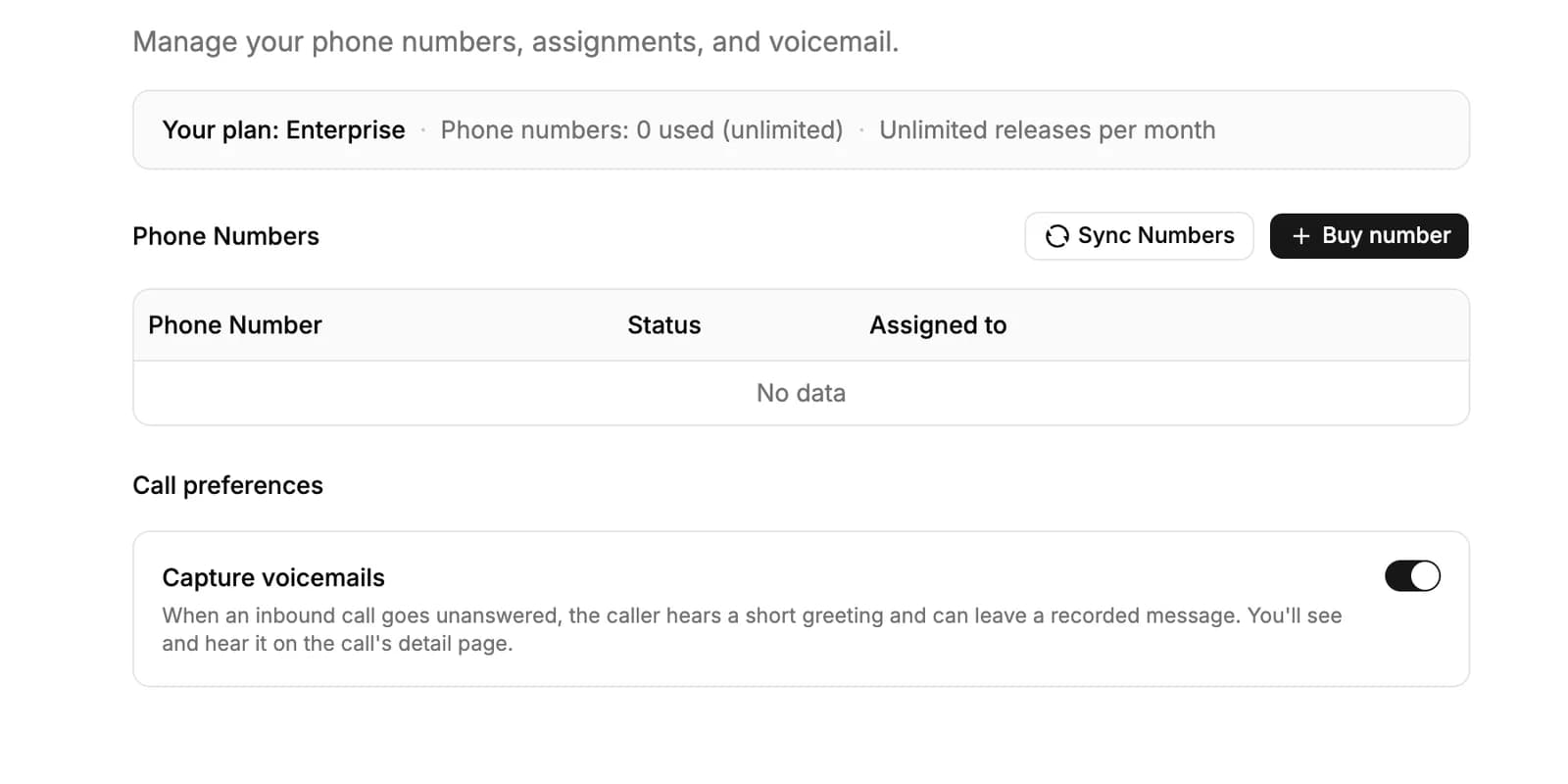
Numbers are local numbers in the United States and Canada. Professional includes one number; Business and Enterprise have no limit.
Make a call
You can start a call from three places:
- New Call at the top of the Calls page.
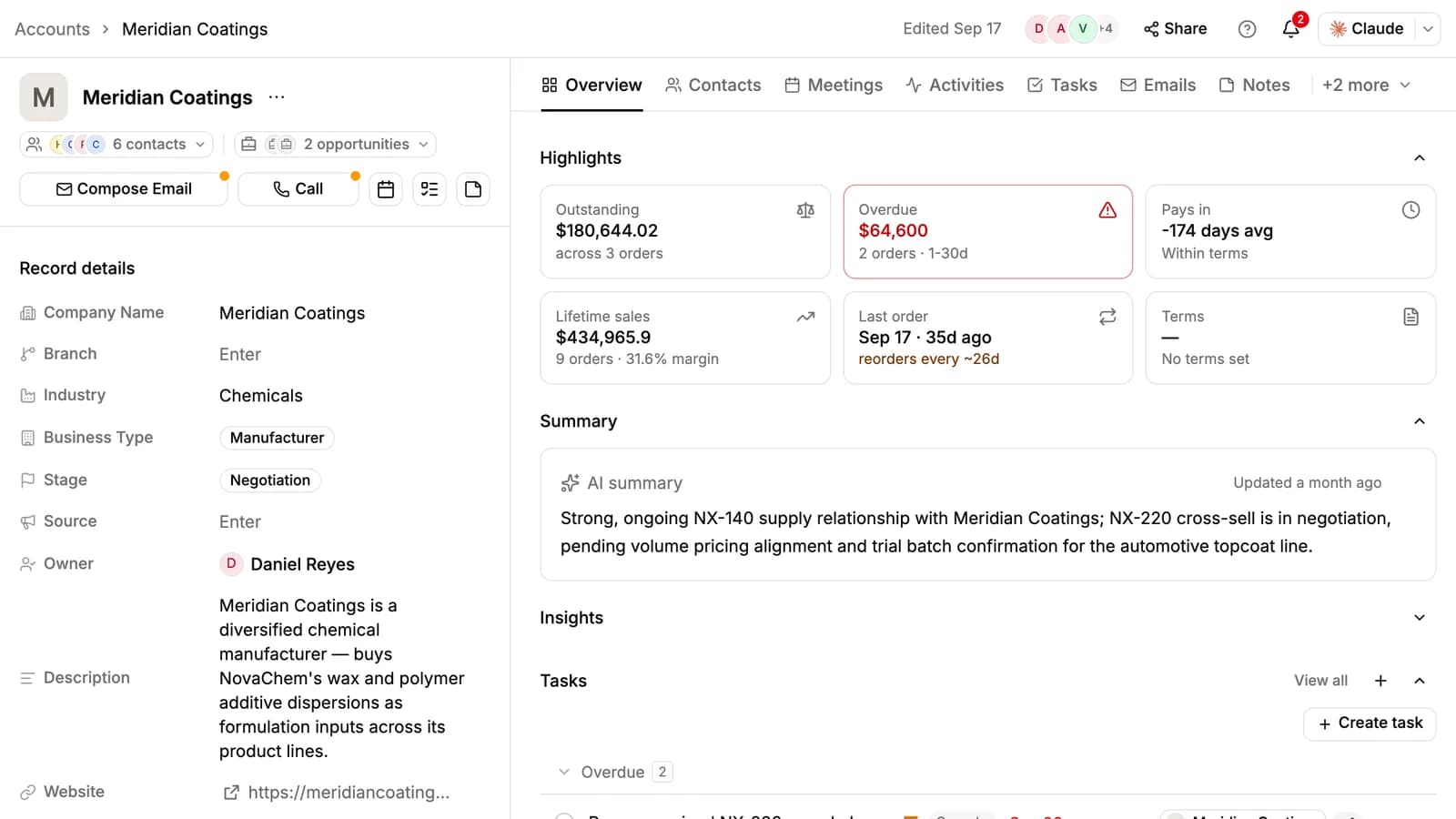
- Call at the top of a contact, account or opportunity. On an account or opportunity, pick which contact to call; if a contact has more than one number, pick the number.
- Call on a call's own page, to call back.
The dialer opens in the bottom-right corner. Check the number and click Call. The first time, your browser asks to use the microphone: allow it.
During the call you can Mute, open the Keypad to press keys in the other side's phone menu, and Hang Up. Calls go out from the number assigned to you, or from the workspace default.
Answer calls and voicemail
A call to your number rings for the person it is assigned to (the workspace owner when nobody is), in every PromptLab tab they have open. Click Accept to answer or Reject to decline.
If nobody answers within 30 seconds, the caller hears a short greeting with your company's name and can leave a message of up to two minutes. The voicemail's audio and transcript appear on the call's page.
PromptLab has to be open in a browser for a call to ring. Admins can turn voicemail off with Capture voicemails under Settings → Voice Calls.
After the call
Every call is logged on the Calls page and on the contact's timeline, linked to the contact, account and opportunity you called from. When you dial a number, PromptLab matches it to the contact who has it.
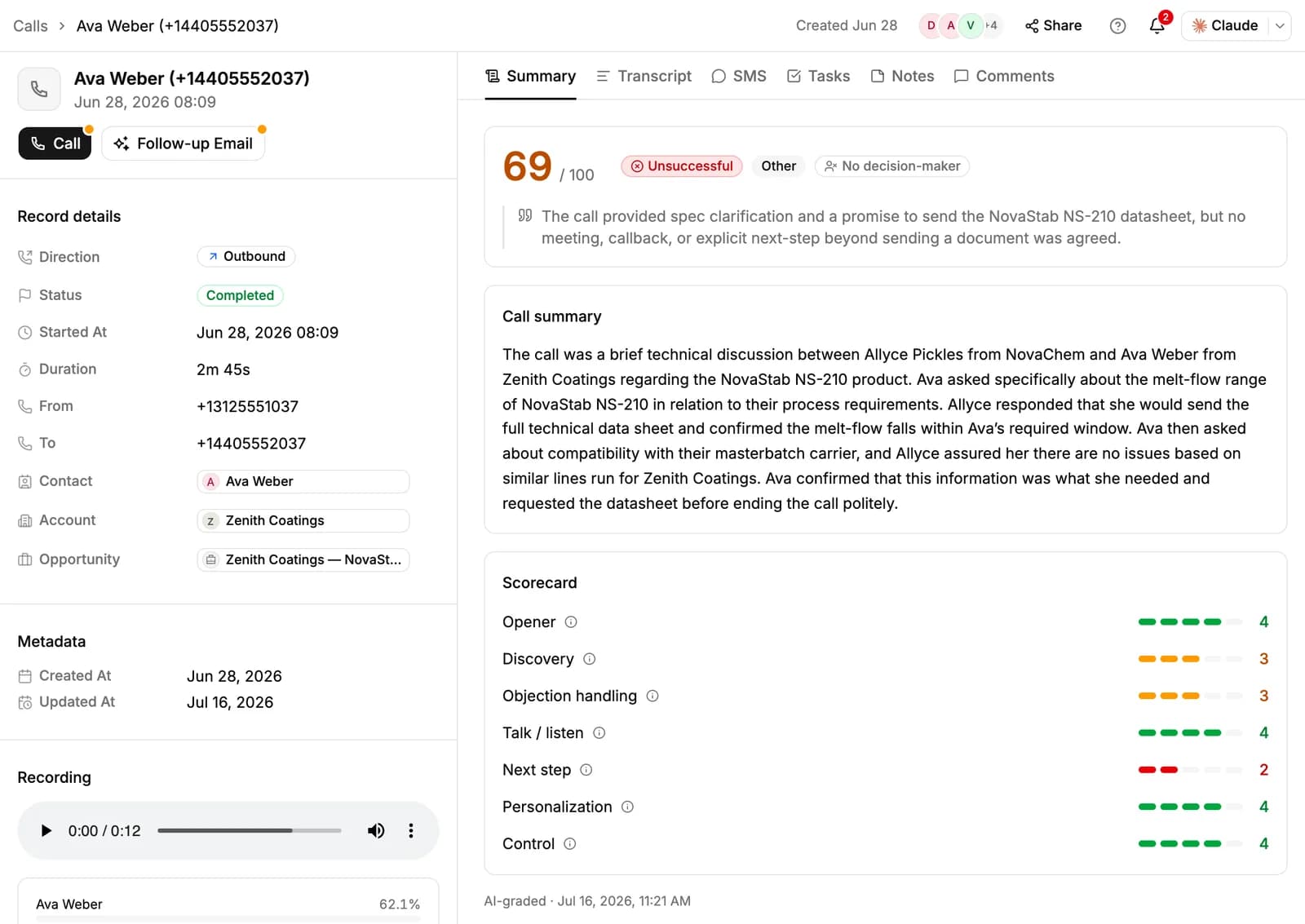
Answered calls are recorded and transcribed. Open a call to see:
- Summary: a score out of 100, whether the call was successful, its outcome (for example Meeting booked or Callback set), whether you reached a decision-maker, a written summary, and a scorecard for Opener, Discovery, Objection handling, Talk / listen, Next step, Personalization and Control.
- Transcript: who said what, with search and copy.
- Tasks: the action items from the call, created as tasks and linked to the contact, account and opportunity.
- SMS, Notes and Comments.
Click Follow-up Email on the call to have AI draft an email about it.
Call transcripts are in English. Calls shorter than a few seconds aren't transcribed.
The Calls page
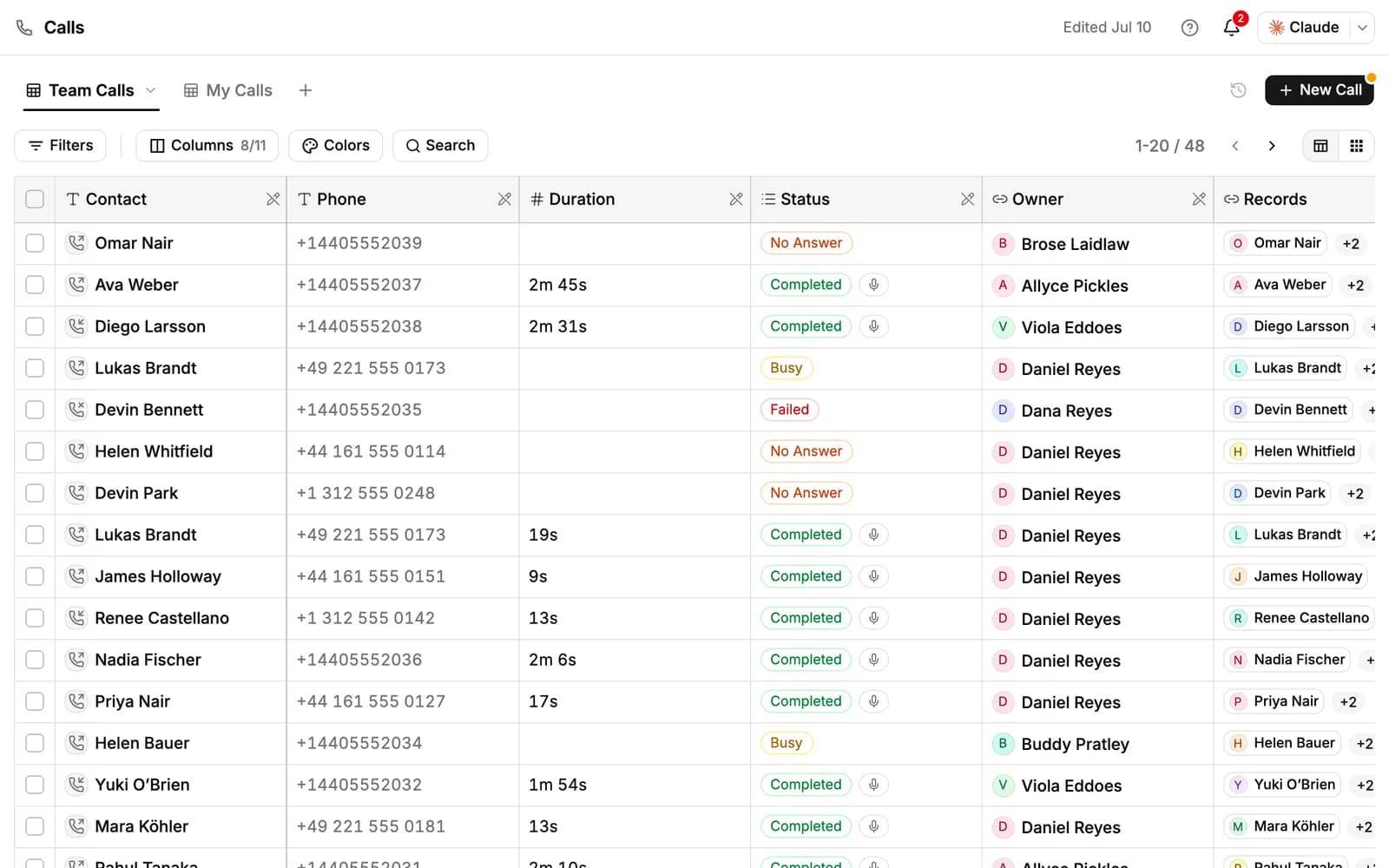
Team Calls shows every call your team can see; My Calls shows yours. Switch between a table and cards, narrow the list with Filters (direction, status, contact, account, duration, recording, voicemail and more) and search by phone number. Select calls to Export CSV.
Click a row for a quick preview, or open a call for its full page. The call's owner can make it private from Share, so only the people on its record can see it.
New workspaces don't pin Calls to the sidebar. Click More at the bottom of the sidebar, find Calls under Workspace and pin it.
Text messages
Your PromptLab number sends texts too. Open a contact's SMS tab to text them; the conversation also shows in the Inbox under SMS. A message can be up to 1,600 characters.
If a contact replies STOP, PromptLab opts them out and won't text them until they reply START.
Calls in your reports
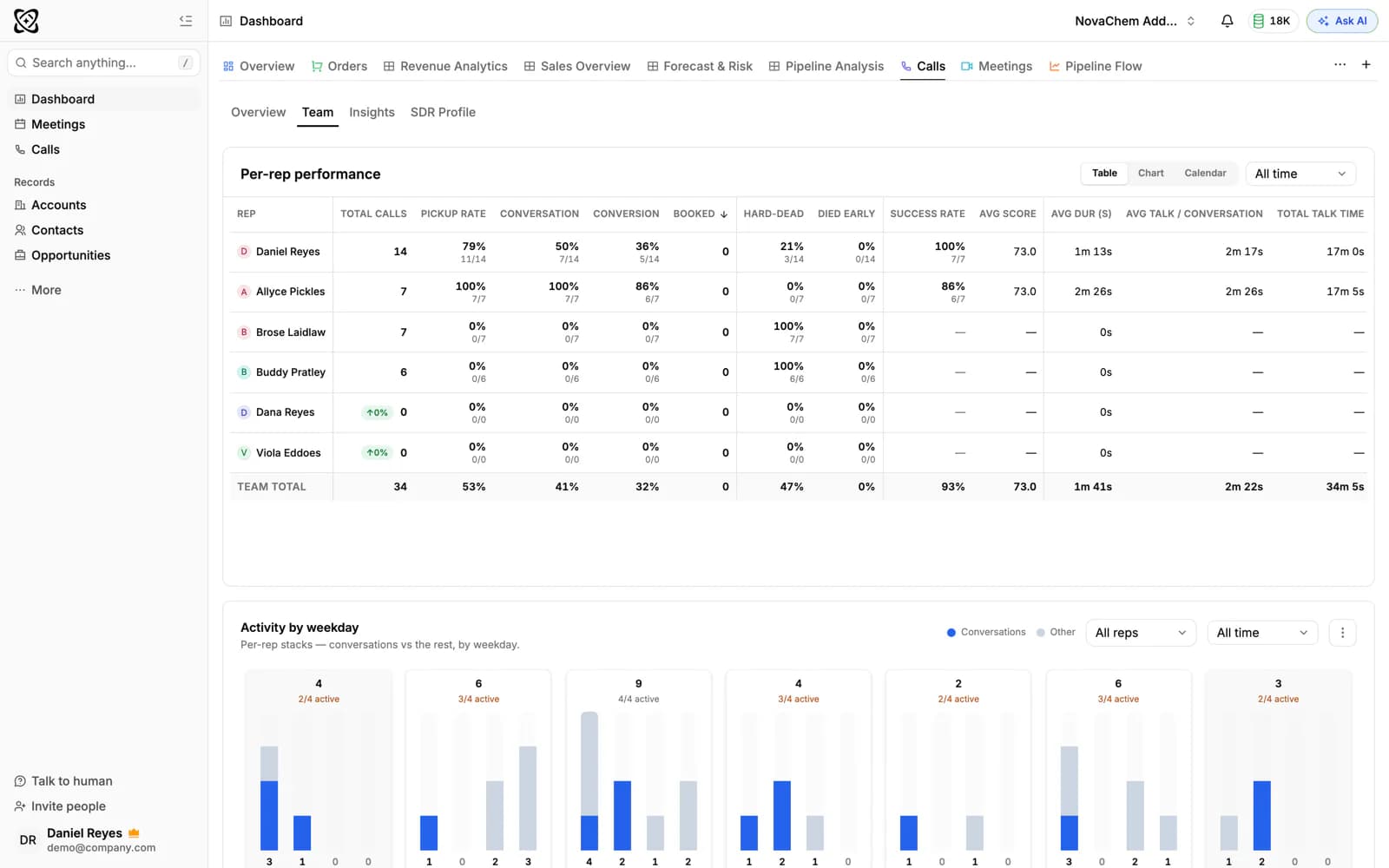
The dashboard has a Calls tab with your team's numbers: calls per rep, pickup and conversion rates, average score and talk time.
Recording and consent
PromptLab records every answered call and doesn't play a recording notice. Recording laws differ between countries and states, and some require everyone on the call to agree. It is your responsibility to follow them. For example:
- Tell the people you call that the call is recorded, at the start of the call.
- Mention call recording in your privacy notice.
- If someone doesn't agree, end the call. You can delete a call from the Calls page at any time.
Related resources
To see what PromptLab does with recorded conversations, read Call Intelligence.
Meetings on Google Meet, Zoom and Teams are recorded by the notetaker instead: see Meetings.
To compare plans, see Plans & pricing.
Frequently asked questions
Which plans include Calls?
Professional, Business and Enterprise. The Basic plan and the free trial don't include Calls.
Which countries can I get a number in?
The United States and Canada. The numbers are local numbers.
Can I choose which number a call comes from?
Calls go out from the number assigned to you, or from the workspace default when none is.
Can I turn off call recording?
No. Every answered call is recorded, so let people know at the start of the call.
Can I put a call on hold or transfer it?
No. The dialer has mute, a keypad and hang up. There's no hold, transfer, conference calling or power dialer.
Do I need PromptLab open to receive calls?
Yes. Calls ring in the PromptLab tabs you have open. When nobody answers, the caller can leave a voicemail.
What language are call transcripts in?
English.