













CRM for electronic components distributors
How component distribution sells, from design-ins and samples to BOM quotes, allocation and reorders, and a CRM setup that tracks each step.
 By the PromptLab team6 October 20265 min read
An electronic components distributor needs a CRM that follows a part from design-in to production reorder. The sale starts months before the first purchase order, when an engineer chooses a part for a board, and it pays off when that board goes into volume.
In PromptLab, a design-in runs as a deal with the part number and forecast in fields, evaluation parts go in as samples, and BOM quotes come from each customer's price list. The account side matches the distributors page.
How does a component distributor actually sell?
Two kinds of selling run side by side. Design-in selling is technical: a field engineer works with a customer's designers so that your supplier's parts are chosen for a new product. Transactional selling is fast: a buyer needs a part now, and compares offers from several sources.
Design-in has a long fuse. The designer picks a part, tests a prototype, and the product reaches production a year or more later. The distributor that was in the room at the start gets the volume. The transactional buyer, by contrast, wants a price and a lead time in hours.
Most distributors need both motions in the same CRM, with different rules for each.
What is a design-in and how do you track it?
A design-in is a record that a specific part is intended for a specific product. It has a customer, a project name, a part number, a forecast volume, an expected production date and a stage: evaluation, prototype, pre-production, production.
Track it as a deal. The part number and annual volume go in fields, the engineer is a contact, and the samples sent are logged against it. When a project slips, the date changes and everyone sees it. A design-in that does not move for months is a signal to call.
How do quotes against a BOM work?
A buyer often sends a bill of materials with dozens of lines and asks for prices on all of them. The quote has to cover many part numbers, quantities, lead times and sometimes alternates for parts you cannot supply.
Speed decides these. If the quote needs a week of manual lookups, a faster competitor wins. The CRM's role is to hold the customer's agreed prices and send a clean quote quickly, so the rep spends time on the lines that need judgement.
Why do allocation and reorders matter?
When supply is tight, a distributor decides which customers get scarce stock. Strategic accounts and committed forecasts usually come first. The rep needs to see, on the account, what the customer has forecast, what has been ordered and what is open.
Reorders are the bread and butter. Production customers reorder against their build plans, and the rep who sees order history by part can spot a gap before it becomes a lost customer.
Take an example with made-up numbers. A design-in forecasts 40,000 units a year starting in nine months. The field engineer logs the part, the volume and the date on the deal, and sends five evaluation samples. If the date slips by a quarter, the rep changes the field once, and the sales manager sees the shift in the next pipeline review.
What pipeline stages fit a component distributor?
Design-in pipeline
| Stage | Entry condition |
|---|---|
| Opportunity | A project and a candidate part are identified |
| Evaluation | Samples sent to the engineer |
| Prototype | The customer is building boards with the part |
| Pre-production | A forecast and a production date exist |
| Production | The first production order is in |
| Reorder | Orders recur against the forecast |
Quote pipeline: request received, quote sent, chased, won or lost.
What must the CRM track?
- Design-ins, with part number, volume, production date and stage.
- Samples, with part, quantity and the engineer's feedback.
- Quotes with many lines, with a price list per customer.
- Sales orders and reorder history.
- Contacts by role: design engineer, buyer, supply chain.
- Messages: engineers and buyers often use WhatsApp or Telegram for quick checks.
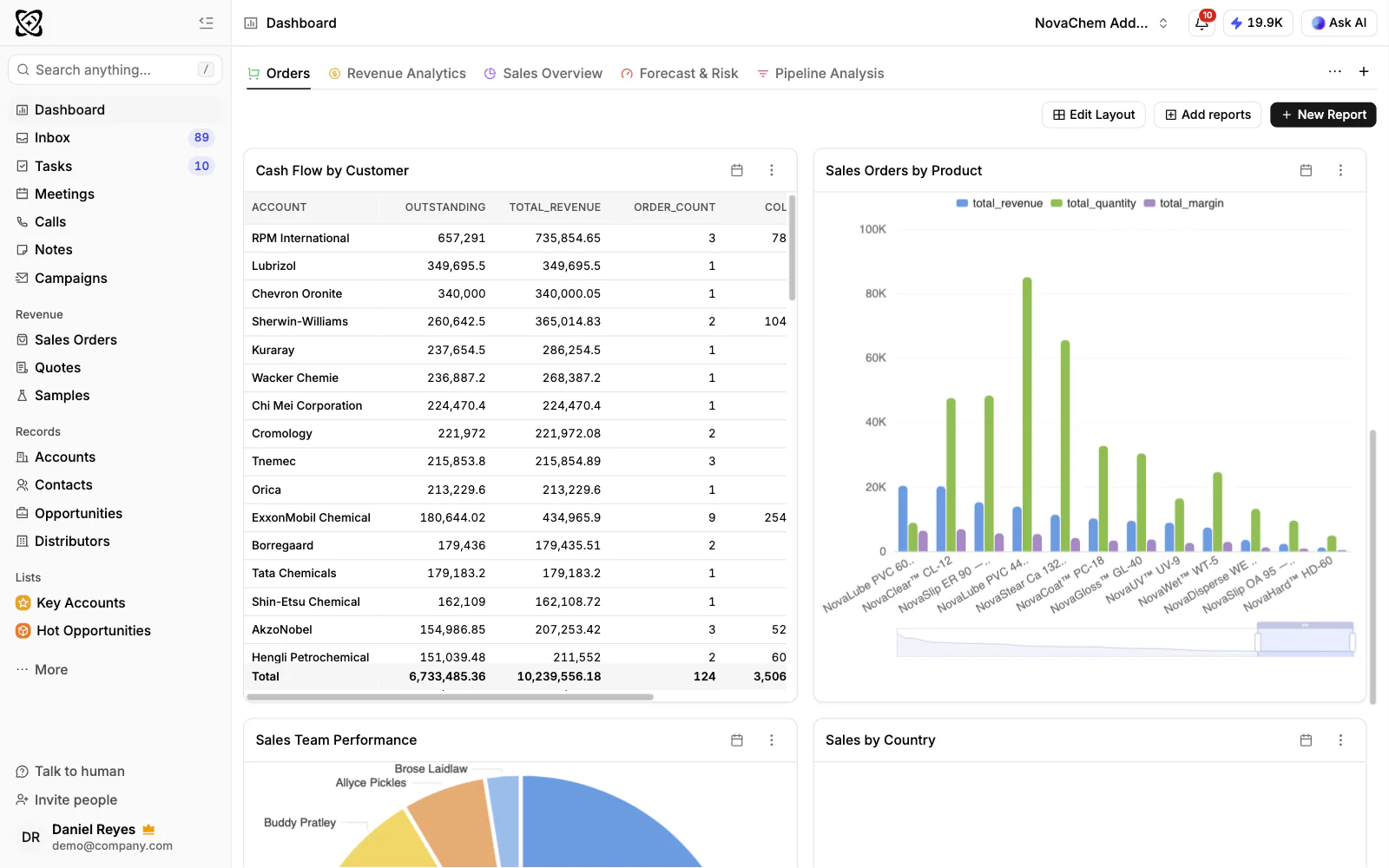
How do you set this up in PromptLab?
- 1
Create the design-in pipeline
Create a deal per project, with fields for part number, annual volume, production date and supplier of record. Use the stages above.
- 2
Log evaluation samples
Use sample tracking for each part sent, with quantity and date. Ask for feedback after a week, and note the outcome on the sample.
- 3
Set up the customer price lists
Create a price list for each customer, by part number. A rep quoting a BOM picks from it, so agreed prices stay consistent from one quote to the next.
- 4
Quote and convert
Send the quote, track its status, and convert it to a sales order when approved. A workflow that creates a follow-up task when a quote's status changes keeps the quick enquiries from going cold. See what is quote-to-order.
- 5
Watch the reorders
Use Ask AI to ask which production accounts ordered a part last quarter but not this one, and set a follow-up task for each key account. See how to forecast sales.
- 6
Connect your messaging channels
Connect WhatsApp and Telegram to the shared Inbox. Engineers can ask a question about a part and the thread lands on the right account.
How does PromptLab compare for component distributors?
Swipe the table sideways to see every CRM →
| Checked on 30 September 2026 | PromptLab |  Salesforce Salesforce |  Dynamics 365 Dynamics 365 |  Zoho CRM Zoho CRM |
|---|---|---|---|---|
| Pricing | ||||
| Paid plans, a month | $11.99 – $99per seat | $25 – $550per seat | $65 – $150per seat | $14 – $52per seat |
| Number of plans | 3 | 5 | 3 | 4 |
| Free trial | ||||
| Billing | Billed monthly | Billed annually | Billed annually | Billed annually |
| Import from CSV and Excel | ||||
| Sales management | ||||
| Deal pipelines | ||||
| Quotes | From$100/month | From$23/month | ||
| Sales orders | From$100/month | From$23/month | ||
| Sample tracking | ||||
| Price lists | From$100/month | From$23/month | ||
| Meetings and calls | ||||
| Meeting recording and transcripts | Add-on | From$105/month | Via marketplace | |
| AI meeting summaries | Add-on | From$105/month | ||
| AI follow-up email drafts | Add-on | From$105/month | From$23/month | |
| Meeting scheduler and call dialer | From$23.99/month | Add-on | From$105/month | Via marketplace |
| AI and automation | ||||
| CRM fields filled in from calls | From$195/month | From$150/month | From$40/month | |
| Connect Claude or ChatGPT (MCP) | From$195/month | From$150/month | ||
| Workflow automation | ||||
| API and webhooks | From$23.99/month | From$195/month | ||
| Conversations | ||||
| Gmail and Outlook email sync | ||||
| WhatsApp conversations | Add-on | Add-on | ||
| Telegram conversations | ||||
| Save LinkedIn profiles | Via marketplace | Add-on | From$23/month | |
| Privacy and security | ||||
| Single sign-on (SSO) | From$99/month | From$40/month |
Salesforce can model design-in registrations as objects of their own, with the part, the forecast and the production date, and AppExchange connects it to almost anything. That build needs an admin or a partner. Quotes and price lists start on Pro Suite at $100 a user a month, billed annually, and recording the engineering calls is a $50 add-on.
Dynamics 365 Sales has quotes, price lists and orders on every plan from $65 a user a month, billed annually, which covers a BOM quote, but recording starts on Enterprise at $105 and evaluation samples aren't tracked. Zoho CRM is free for three users and has quotes, sales orders and price books from $23 a user a month, billed annually. It doesn't model samples, so evaluation parts would go on a spreadsheet. The Salesforce comparison goes through it line by line.
Frequently asked questions
What CRM should an electronic components distributor use?
One that tracks design-ins as deals, logs evaluation samples and quotes from customer price lists. PromptLab has quotes, price lists, sales orders and sample tracking on every plan, from $11.99 per user per month.
Can a CRM track design wins?
Yes. Treat each design-in as a deal with part number, volume and production date fields, and report on the pipeline by stage.
Can I quote a full BOM?
You can add many lines to a quote from the customer's price list. For very large BOMs, quote a real one during the trial before you move the team over.
Does PromptLab show live stock?
No. It is a sales CRM, so keep availability in your stock system. PromptLab holds the accounts, prices, quotes, orders and conversations.
How do I stop reorders slipping?
Review order history per account, use Ask AI to find accounts that stopped ordering a part, and keep a dated follow-up task on every key production account. The pipeline review checklist helps.
Sources
Prices and features of other CRMs come from each vendor's own pages, on the dates below.
- Salesforce, checked on 30 September 2026: Sales Cloud pricing, Sales Engagement pricing, Agentforce MCP support
- Dynamics 365, checked on 30 September 2026: Sales pricing, Conversation intelligence FAQ, Sales MCP server
- Zoho CRM, checked on 30 September 2026: Pricing, Features, WhatsApp integration, MCP