













What is quote-to-order?
Quote-to-order is the process of turning an accepted sales quote into a confirmed order. Here is how it works and where it usually goes wrong.
 By the PromptLab team6 October 20263 min read
Definition
Quote-to-order
Quote-to-order is the process that takes a sales quote from first draft to a confirmed order: you price it, send it, get it accepted, and turn it into an order for the team that delivers it.
It covers the gap between "yes, we'd like that" and "the goods are on their way". For a product seller, that gap is where mistakes and delays creep in.
Why quote-to-order matters
The sale is not done when the buyer agrees. If the order has to be retyped from the quote, errors follow: a wrong grade, an old price, a missing delivery date. The buyer notices, and trust drops.
A smooth process also saves time. The less a rep has to copy between systems, the more of the day goes to selling. If your orders drag, see how to speed up quote-to-order.
How quote-to-order works
The steps are few:
- Build the quote. Pick the products, quantities and prices.
- Send it. The buyer gets it by email or another channel.
- Track the answer. Note whether it is still open, accepted or declined.
- Convert it. An accepted quote becomes a sales order.
- Hand over. Whoever fulfils the order gets the final details.
The key idea is that the quote's data carries forward. Nobody types it twice.
Where it breaks
Quotes live in a document, orders live in another tool, and the deal lives in the CRM. Three places means three versions of the truth.
An example from product sales
A distributor of industrial adhesives quotes 20 drums at a customer's agreed price. The buyer replies "approved" on WhatsApp. If the quote and order are linked, the rep marks the quote accepted and creates the order from it, with the same lines and prices. If not, the rep opens a spreadsheet and types it all again, and the price might come from an old list.
Related terms
- Sales order: the document the quote becomes.
- CPQ: configure, price, quote software for complex products.
- Customer price list: where quote prices come from.
- Sales pipeline: the stages around the quote.
How PromptLab handles it
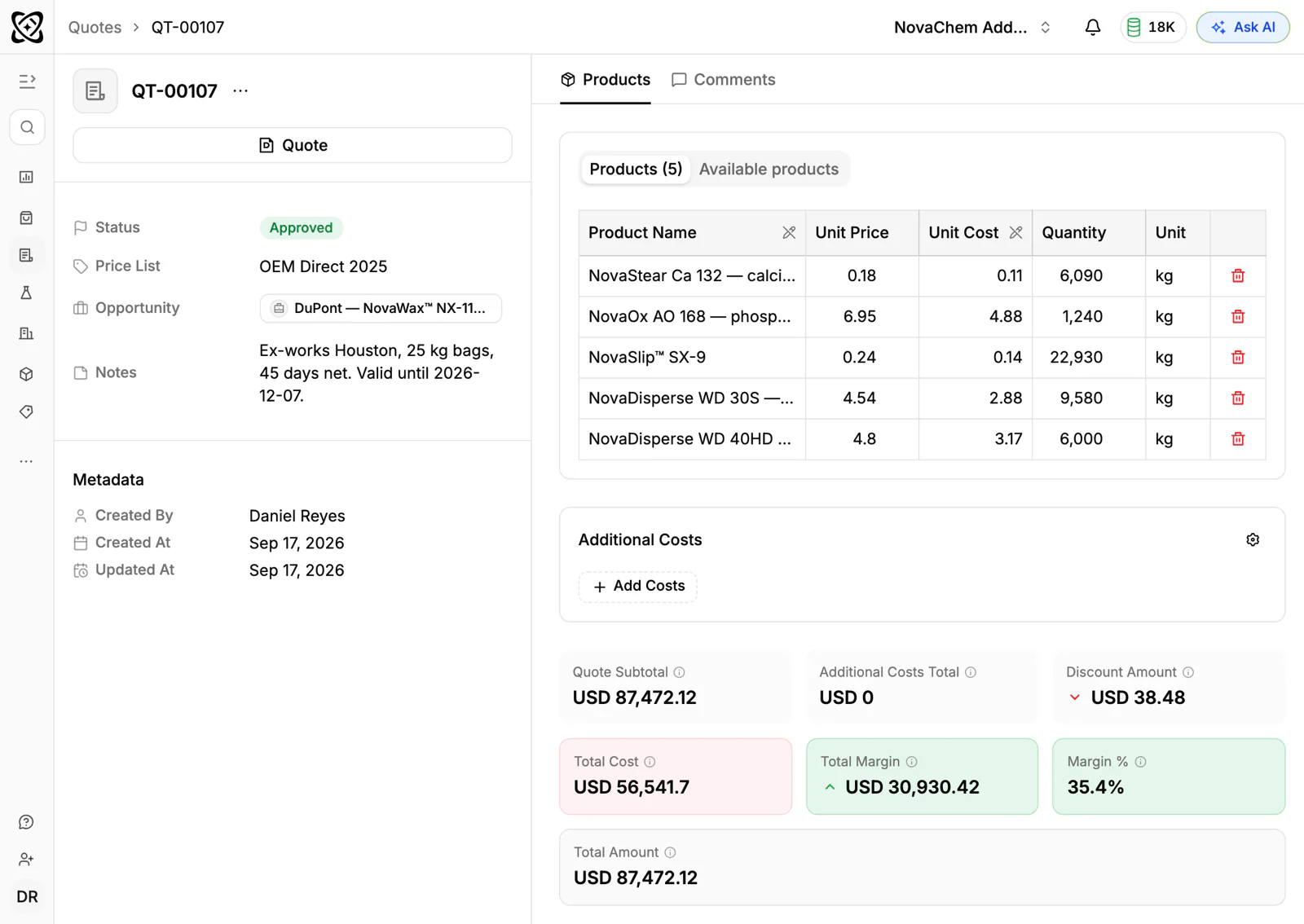
In PromptLab, you create and send quotes, move them from Draft to Pending to Approved, and see each one attached to its deal automatically. When the customer says yes, you raise the sales order with its trade terms and payment schedule, and create the invoice from the same record. Customer price lists and sample tracking are in the same CRM, and a workflow can create a task or post to Slack when a quote changes status.
Frequently asked questions
Is quote-to-order the same as order-to-cash?
No. Quote-to-order stops once the order is confirmed. Order-to-cash goes on through delivery, invoicing and payment.
Who is responsible for quote-to-order?
Sales owns the quote and its acceptance. Operations or customer service usually owns the order after that. A shared record keeps the handover clean.
Do I need special software for it?
Not always. A CRM that handles quotes and orders in one place is enough for most product sellers. Larger catalogues with complex rules may want CPQ.
How long should quote-to-order take?
As short as you can make it. Aim for same-day on a standard order, while the buyer is still paying attention.