



















How to find decision makers in a company
How to find the people who decide in a B2B company: ask the right questions, map the buying group, use LinkedIn and your own contacts, and check you have them.
 By the PromptLab team7 November 20265 min read
To find the decision makers in a company, ask your first contact how purchases like yours are approved, name each role in the buying group (the user, the specifier, the buyer, the budget holder), and then reach each one through your contact, their LinkedIn profile or the plant itself. Don't hunt for one "decision maker". In B2B product sales there are usually several, and each can say no.
This guide is for reps at manufacturers and distributors who sell into companies they don't know well yet. For the concept behind it, see what is account-based selling, and for the sales-side procedure that follows, how to sell to procurement teams.
Who actually decides in a B2B purchase
A purchase of resin, packaging or spare parts usually touches four kinds of people:
- The user. Production, laboratory or maintenance. They live with the product and can block it by saying it doesn't work.
- The specifier. Technical manager or R&D. They approve the grade or specification.
- The buyer. Purchasing. They compare prices, terms and suppliers, and sign the order.
- The budget holder. A plant manager, owner or finance director who approves larger spend.
In a small company one person plays three roles. In a large one, each role is a different department. Your job is to find out which case you are in.
Step by step: find the decision makers
- 1
Ask your first contact directly
The fastest route is the person you already have. Ask: "Who else will be involved when you decide on a supplier for this?" and "Who signs off on a new supplier?" Most people will tell you, if you ask plainly and early.
- 2
Ask what happened last time
"Think of the last time you changed a supplier. Who was in the room?" A real example gets a more honest answer than an org chart.
- 3
Write down the roles, not just names
List user, specifier, buyer and budget holder, and fill in what you know. Empty boxes are your next tasks.
- 4
Find the missing people
Search the company's LinkedIn page for titles such as technical manager, quality manager, purchasing manager and plant manager. Check the company website for a team page and any trade directory or show exhibitor list. Look at who posts about the process you serve. Note that titles differ: a "head of procurement" in one company is a "supply chain manager" in another.
- 5
Get introduced, don't cold-approach, where you can
Ask your contact to introduce you: "Would it help if I sent the technical manager our data sheet directly?" If you have no contact, approach with something relevant to the role, such as a data sheet for the specifier or a price comparison for the buyer. See how to use LinkedIn for B2B prospecting.
- 6
Give each person a different message
The specifier cares about performance and compliance. The buyer cares about price, lead time and terms. The budget holder cares about risk and total cost. One generic email does none of them any good.
- 7
Confirm before the quote goes out
Before you send a quote, check you have met or named every role. Ask: "Is there anyone else who needs to see this before you can decide?" A deal with one contact is a deal with one point of failure.
Signs you have not found the real decision maker
- Your contact keeps saying "I need to check with someone" and won't name them.
- The deal stalls at the quote, with no price complaint.
- You have never spoken to anyone from production or the lab.
- The person you talk to says they only "gather quotes".
- A new name appears at the last minute.
Each of these is a reason to ask your contact more questions, not to push harder on price.
Mistakes to avoid
- Stopping at the buyer. Purchasing can place an order but often cannot approve a new grade.
- Skipping the user. A line supervisor who dislikes the product can quietly kill a deal.
- Sending everyone the same email. Each role needs its own reason to reply.
- Forgetting that people move. Re-check the buying group before each big quote, because roles change.
Aim for at least two contacts at every account where a deal is open, and write the names down.
A worked example
Say you supply stretch film to a food packer. Your contact, the purchasing assistant, asks for a quote. You ask who else needs to approve a new film. She says the packing line supervisor must test it, and the plant manager signs anything over a set amount. Now you have a user (the supervisor), a buyer (her) and a budget holder (the plant manager). You send a sample to the supervisor, a price and lead-time table to the buyer, and offer the plant manager a short call. The quote is no longer one email going to one inbox.
How PromptLab helps
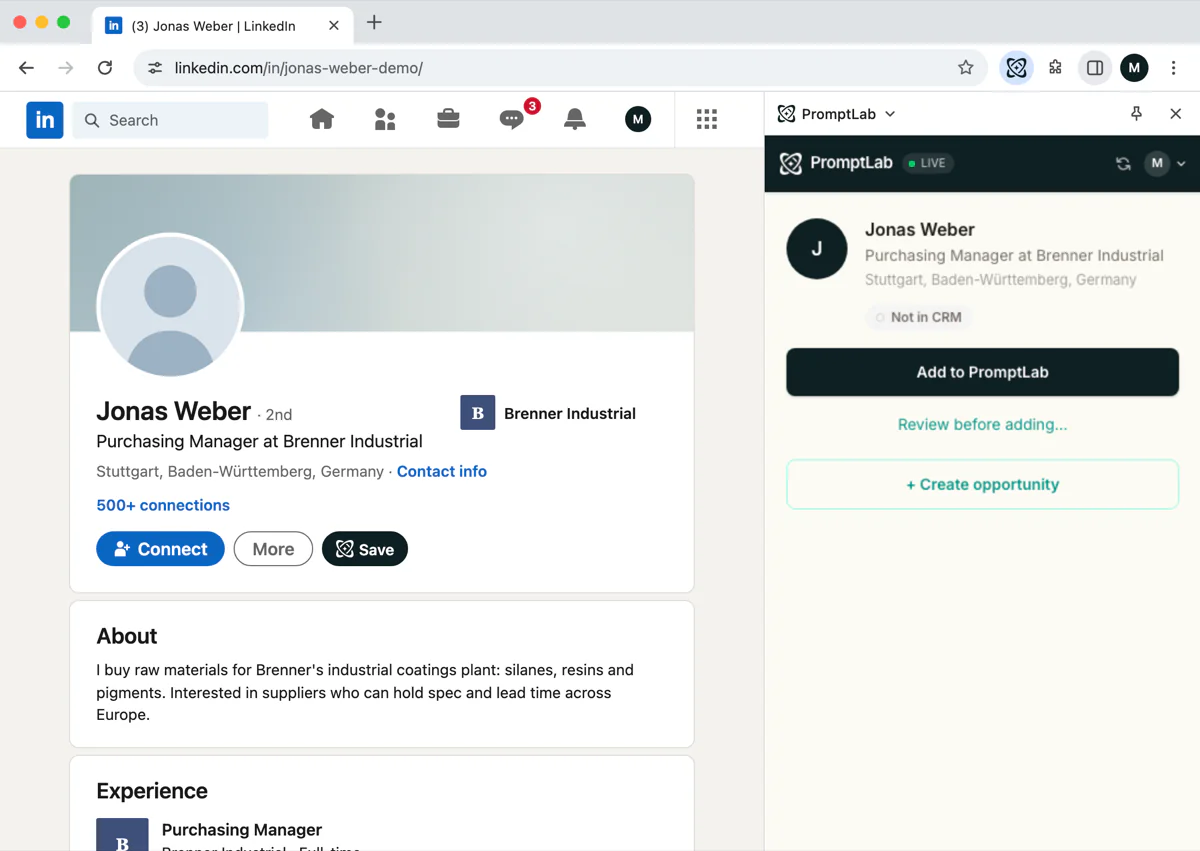
PromptLab keeps the buying group on the account: contacts sit under the account with their notes, emails and meetings in a timeline. Each contact has a built-in Decision Role field, with options such as Decision Maker, Technical Evaluator, Buyer, End User and Influencer, so you can see at a glance which roles are missing. A task like "Meet the technical manager" keeps the gap on your list. The Chrome extension saves a LinkedIn profile to the CRM, drafts an opening message and creates a task, so a role you find is recorded rather than lost in a browser tab. The extension does not send messages by itself.
After a recorded meeting, the AI summary lists the stakeholders who spoke, each with a likely role in the buying process (decision maker, economic buyer, influencer, user) and a "New" tag for anyone not yet in the CRM. The pre-meeting brief on the meeting's Prep tab lists who is attending. PromptLab doesn't provide a lead database or contact search, so you find people yourself and record them.
Frequently asked questions
Who is the decision maker in B2B sales?
There are usually several: the user, the specifier, the buyer and the budget holder. Each can stop a deal, so you need to reach all of them, not one.
How do I find out who the decision maker is without asking?
Check the company website, LinkedIn titles, show exhibitor lists and your own contacts. But asking is faster and more accurate: "Who else is involved when you choose a supplier?" is a normal question.
What if my contact won't introduce me to the decision maker?
Offer them something useful to forward, such as a data sheet or a price summary. If they still refuse, they may be unsure of their own standing, so keep helping them and look for a second route in.
Should I go over my contact's head?
Not without telling them. Ask for the introduction first, and if you have to approach the senior person directly, do it with the contact's knowledge.
How many contacts do I need at an account?
At least two or three at a key account, covering technical and commercial roles. One contact is a risk if they leave or lose interest.