



















How to migrate from Breakcold to PromptLab
Export your Breakcold list as CSV or Excel, import and map it in PromptLab, then reconnect WhatsApp and Telegram so chats land in the shared Inbox.
 By the PromptLab team16 October 20264 min read
Breakcold to PromptLab is a file-based move with one extra job. You export your list as CSV or Excel, import it into PromptLab and map the fields, then reconnect your chat channels.
This guide is for teams that sell physical products. It covers why they move, what to prepare, each step, and the first week.
Why do product sales teams move from Breakcold?
Breakcold is built for social selling. LinkedIn, WhatsApp, Telegram and email share one inbox, there is a meeting recorder, and Claude, ChatGPT and MCP come on one $99 plan with a seat included. For a LinkedIn-heavy team, that is a real strength, and it has a LinkedIn inbox we don't.
For a product sale, the gaps sit around the deal. You can build custom objects, but nothing for samples, quotes, price lists or sales orders comes ready-made. AI use is metered in tokens beyond the 3,000 AI actions included. Its own example puts 300 active contacts at about $90 a month extra.
Those are the figures we found on 30 September 2026. Read our Breakcold alternatives, the Breakcold pricing post, or the Breakcold vs PromptLab comparison.
What to prepare before you export from Breakcold
Your chat channels are the part people forget. The records move by file, but the connections have to be made again.
Before you move from Breakcold
Our CRM migration checklist covers the same ground for any CRM.
Moving to PromptLab
From Breakcold in four steps
- 1Export your listIn Breakcold, open the list view you want to move and use its Export option to download the contacts as CSV or Excel.
- 2Import the fileClick Import on our Accounts, Contacts or Deals list and upload the file, or pick it from Google Drive.
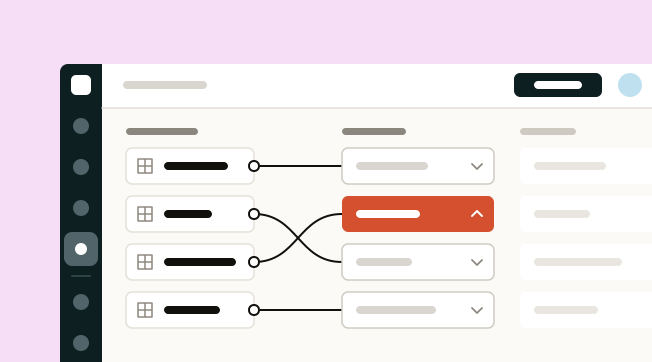
- 3Map fields, custom ones tooMap its fields, including custom fields, onto ours, then run the import. Tasks and notes come in the same way.
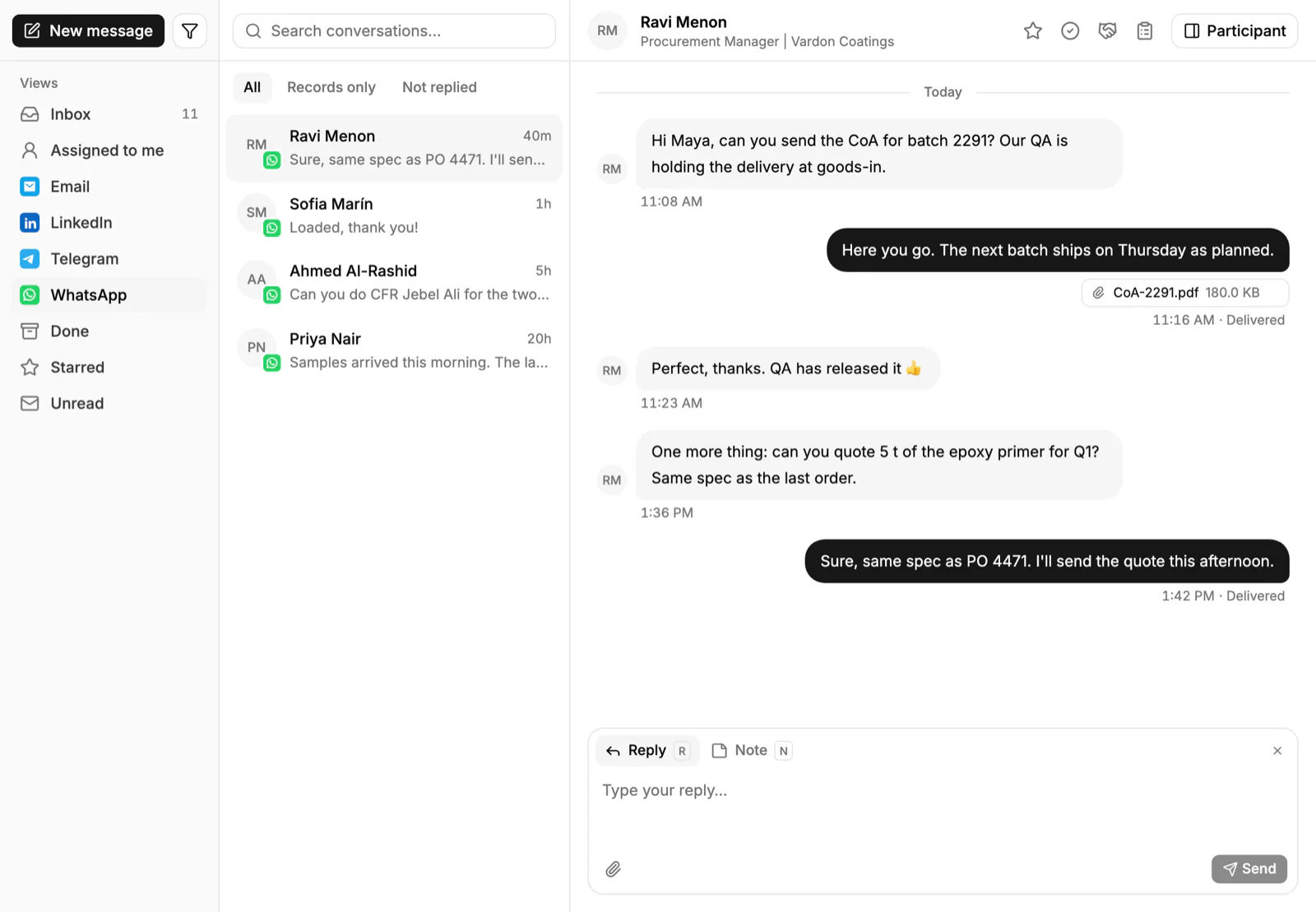
- 4Reconnect your chat channelsIn Settings → Apps → Messaging, connect your company's Telegram bot and your WhatsApp Business number, so new chats land in our shared Inbox from day one.
Step 1: export your list
In Breakcold, open the list view you want to move and use its Export option to download the contacts as CSV or Excel. Repeat for each list, after the freeze, so the files match each other.
Name the files clearly, for example contacts and companies, and check that your custom fields are in the export.
Step 2: import the file
Click Import on the Accounts, Contacts or Deals list in PromptLab and upload the file, or pick it from Google Drive. Bring in companies as accounts first, then contacts, then deals.
Step 3: map fields, custom ones too
Map Breakcold's fields, including custom fields, onto ours, then run the import. Tasks and notes come in the same way, so each account's history comes with you.
Step 4: reconnect your chat channels
In Settings → Apps → Messaging, connect your company's Telegram bot and your WhatsApp Business number. New chats then land in the shared Inbox from day one, beside Gmail, Outlook or IMAP email.
Telegram runs on your company's own bot, and the buyer messages first. WhatsApp runs on your WhatsApp Business number. The Chrome extension saves LinkedIn profiles to the CRM, drafts opening messages and creates tasks.
There is no live sync with Breakcold, so the move runs on exports and imports. For a larger move, Business includes data migration support and a dedicated account manager.
What to add in your first week
You've kept the inbox your reps know. Now add what Breakcold left for you to build.
- Price lists. Create one per key customer. See how to manage customer price lists.
- Samples. Log each request on the account and the deal. How to track product samples has the routine.
- Quotes and orders. Send a quote from a price list and raise the sales order when the customer says yes.
- Meetings. Each rep connects their meeting tool. You get a brief beforehand, then the recording, summary and a follow-up draft.
- Claude or ChatGPT. Connect your assistant over MCP. Sign-in is OAuth, with no API keys.
Frequently asked questions
How do I export data from Breakcold?
Open the list view you want to move and use its Export option to download the contacts as CSV or Excel.
Do custom fields come across?
Yes. You map Breakcold's fields, custom ones included, onto PromptLab's fields during the import.
Will my WhatsApp and Telegram chats move?
The records move by file, but the channels are reconnected. Connect your WhatsApp Business number and your company's Telegram bot in Settings → Apps → Messaging.
Is there a sync with Breakcold?
No. PromptLab's two-way sync covers Salesforce and HubSpot, so a Breakcold move runs on exports and imports.
Will I lose anything by leaving Breakcold?
If your selling happens mainly on LinkedIn, you lose its LinkedIn inbox, which we don't have. For a team selling products, you gain samples, quotes, price lists and sales orders.
Sources
Prices and features of other CRMs come from each vendor's own pages, on the dates below.
- Breakcold, checked on 30 September 2026: Pricing, Features, Integrations, Importing custom fields via CSV