



















How to run a product demo
Run a B2B product demo that moves the deal: prepare around the buyer's problem, show the product doing the job, answer with data and agree a dated next step.
 By the PromptLab team7 November 20265 min read
To run a good product demo, prepare around the buyer's stated problem, show the product doing that job and nothing else, let the buyer handle it or test it, answer questions with data, and end by agreeing a dated next step. A demo is not a tour of features. It is proof, in the buyer's own terms, that your product solves their problem.
This guide is for sales reps and founders who sell physical products to businesses: a coating applied to a customer's substrate, a packaging line trial, a food ingredient in a customer's recipe. Whether the demo is in a plant, a showroom or on a video call, the structure is the same. Before it, use a discovery call to learn what to prove.
What a demo is for
A demo exists to reduce the buyer's risk. They have a problem, a budget and a boss to convince. The question in their head is "will this work for us?" Everything you show should answer it.
That is why a demo fails when it is generic. Twenty minutes on your company history and every product option shows the buyer you did not listen. A short demo on their sample, their line or their recipe shows you did.
Step by step: run the demo
- 1
Confirm the problem and the audience
Before the demo, check what you learned in discovery. What is the buyer trying to fix? Who will be in the room: the technical user, the purchasing lead, a manager who signs? Write one sentence for each person on what they need to see. If you do not know, ask by email two days before.
- 2
Prepare around their use case
Pick the one or two products that fit and ignore the rest of the catalogue. Gather their specification, their current supplier's product if you know it, and the data that backs your claims: test results, datasheets, certificates. If you can run the demo on their material or a close match, do. A coating tested on their own panel is worth more than a brochure.
- 3
Check everything the day before
Test the sample, the equipment and the connection. Bring spares: a second sample, a printed datasheet, a charger. Send the buyer the agenda and the time, so they bring the right people. For a video demo, join ten minutes early and check the sound.
- 4
Open with the problem, not the product
Start by repeating the problem in their words: "You told us your current resin yellows after six months in sunlight, and you need a cure under 10 minutes. Let me show you what we've seen." Agree the agenda in one sentence. Ask if anything changed since the call.
- 5
Show the job being done
Walk through the use case from start to finish. Show the result first, then how you got there. Let the buyer touch it, pour it, apply it or run it. People trust what they have handled. Keep to the problem: if a feature does not help, skip it.
- 6
Handle questions with data
Answer plainly, and say "I'll confirm that" when you do not know. Never guess on a specification or a lead time. Write each open question down and read the list back before you close. For price questions, see how to handle price objections.
- 7
Agree the next step before you leave
Do not end with "let me know what you think". Ask: "Shall I send a quote and a sample for your trial by Friday?" Set a date for the next conversation, name who attends and what the buyer will decide by then. Send a summary the same day.
What to bring to a physical product demo
- Samples sized for a real test. Enough to run their trial, not a token.
- Datasheets and safety documents. Printed or ready to send.
- A comparison with what they use now. Fair and factual, no attacks on the incumbent.
- A price indication. Not necessarily a quote, but enough that the first price is not a surprise.
- Reference test data. Results from comparable use, not logos or testimonials you cannot back up.
Running a demo by video
A video demo has less room for error. Share only the one window you need. Keep the camera on the product, not on slides. Send the sample ahead so the buyer has it in hand, and ask them to apply it or open it while you watch. Keep it to 30 minutes. Record it if the buyer agrees, so the people who could not attend can watch.
After the demo
The sale is made or lost in the days after. Send a summary the same day: the problem, what you showed, the open questions, and the agreed next step with a date. Answer every open question within two working days. Then follow up on the date you set. If you sent a quote, how to follow up on a quote gives the cadence. If you sent a sample, how to turn samples into orders does the same.
Mistakes to avoid
- Demoing before discovery. You show the wrong thing to the wrong person.
- Showing everything. The more you show, the less the buyer remembers.
- Talking more than the buyer. If you spoke for 40 of 45 minutes, you demonstrated nothing.
- No decision-maker in the room. Ask who else will decide, and offer a second session for them.
- No next step. An unscheduled follow-up usually does not happen.
How PromptLab helps
Before the demo, PromptLab can prepare you. A pre-meeting brief on the meeting's Prep tab pulls together who is attending, the deal's stage, the last few interactions and open tasks, so you walk in knowing what was said last. Meeting recording and transcripts work with Google Meet, Zoom and Microsoft Teams in 30+ languages, and the AI summary and follow-up email draft are ready afterwards. Action items from the transcript become CRM tasks, with a due date when the transcript gives one.
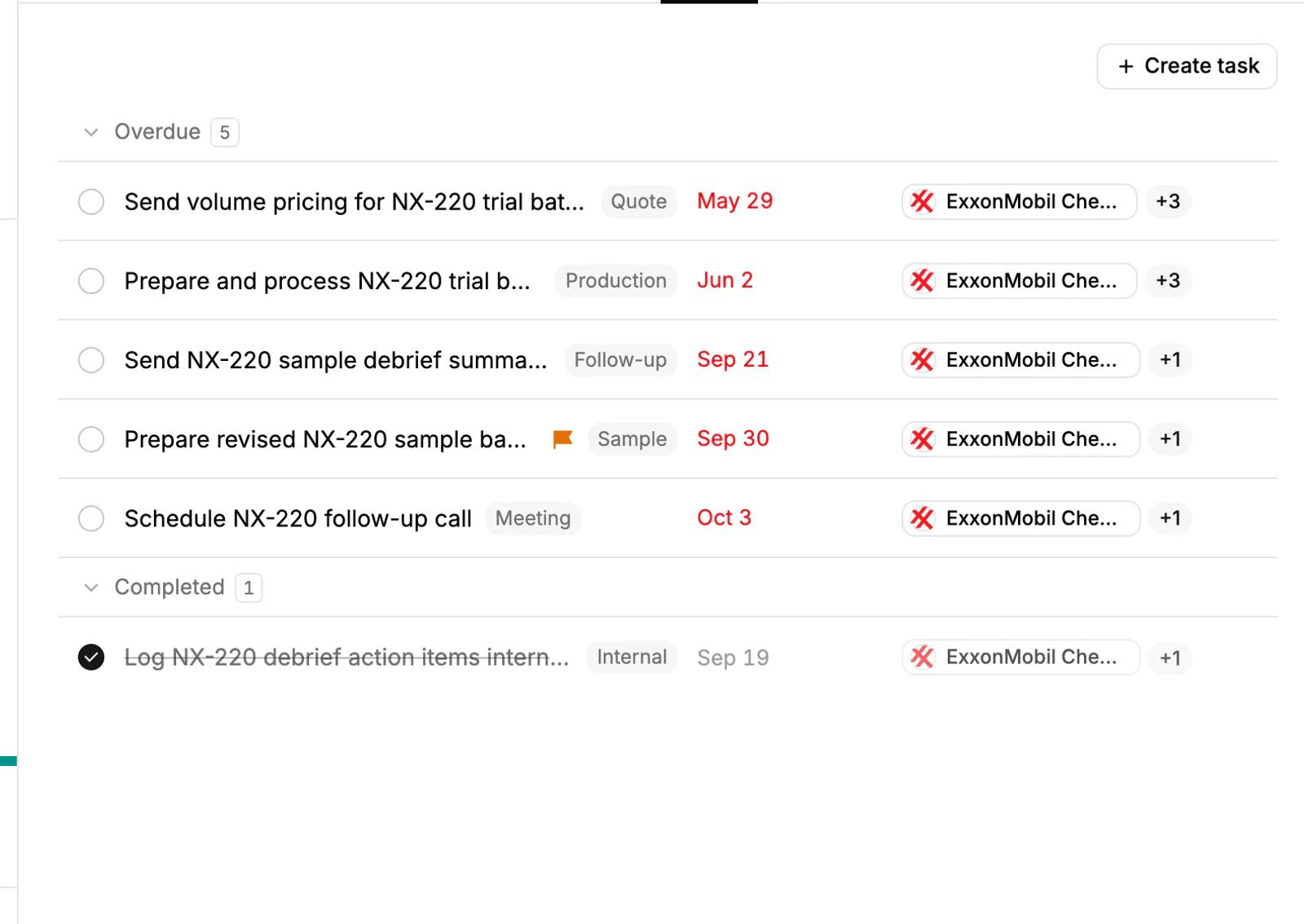
If the demo ends with "send me a quote and a sample", build the quote from the products and the customer's price list, and log the sample on the deal, so nothing waits on someone's memory. The quotes and samples page shows how.
Frequently asked questions
How long should a product demo be?
Thirty to forty-five minutes for most B2B products, with time for questions inside that. A plant visit or trial run takes longer, but the structure is the same. Shorter and focused beats longer and complete.
What should I do before a product demo?
Confirm the buyer's problem, who will attend and what each person needs to see. Prepare the one or two products that fit, bring the documents that back your claims, and test everything the day before.
How do I run a demo when the product is physical?
Bring a sample the buyer can handle, ideally tested on their own material or a close match. Let them touch it, apply it or run it. For a video demo, ship the sample ahead so they have it in hand.
What do I do if I can't answer a question in the demo?
Say you will confirm, write it down, and answer within two working days. A prompt, accurate answer builds more trust than a confident guess.
How do I close a demo?
Ask for the next step and agree a date: a quote, a trial, a meeting with the decision-maker. Send a written summary the same day with the date included.