



















How to track customer orders from quote to delivery
Track customer orders in one place: record each order against the account, capture terms and delivery dates, follow open orders, invoice and spot repeat buyers.
 By the PromptLab team7 November 20265 min read
To track customer orders, record every order as its own entry against the customer, with the products, quantities, prices, payment and delivery terms and a planned delivery date, then review the open ones on a fixed rhythm until they are delivered and invoiced. The record should answer three questions at a glance: what did they order, when will it arrive, and has it been paid for?
This guide is for sales teams who take orders by email, phone and messaging apps and need one reliable view. It sits next to what a sales order is and how to speed up quote to order.
What an order record should hold
An email saying "OK, send it" is not an order record. Capture the same few things every time.
- The customer: the account, and the contact who placed the order.
- The products: item, quantity and unit, with the agreed price per line.
- The reference: your order number, and the customer's purchase order number if they sent one (see what a purchase order is).
- Trade terms: for exports, the Incoterm and the named place, such as FCA Rotterdam.
- Payment terms: for example 30 days net, or payment in advance.
- Planned delivery date: the date you promised, not the date you hope for.
- A note: anything unusual, such as split shipments or special packing.
Step by step: track an order from start to finish
- 1
Confirm what was agreed
When a buyer accepts a quote or sends a purchase order, check the products, quantities, prices and terms against what you offered. Differences are far cheaper to fix now than after the goods leave.
- 2
Create the order record
Enter the order against the customer's account the same day. Check every line against the accepted quote, and add the customer's PO number.
- 3
Send an order confirmation
Tell the buyer what you have recorded, with the delivery date. The order confirmation templates cover the wording. A buyer who sees a wrong detail will tell you now.
- 4
Set the dates and tasks
Put the planned delivery date on the order, and create tasks for the steps in between: check stock, book transport, send shipping documents. An order with no dates drifts.
- 5
Update when something changes
If the date slips, change it and tell the buyer before they ask. The order delay email templates help. Short, early bad news keeps a customer.
- 6
Invoice and chase payment
Raise the invoice when the goods ship or as your terms say, and watch the due date. See how to chase overdue payments.
- 7
Close the loop after delivery
A day or two later, check that the goods arrived and are right. This is also the moment to ask about the next order.
How to keep an eye on open orders
A list of open orders is useless unless someone looks at it. Build a routine.
- Daily: orders due to ship in the next few days, and anything overdue.
- Weekly: all open orders by planned delivery date, with the owner of each. Look for ones with no update.
- Monthly: orders by customer and by product, to see who is growing, who has gone quiet and what is selling.
Late orders usually announce themselves earlier: a missing document, a stock question, no confirmed pick-up. Ask about those on the weekly review, not when the buyer calls to complain.
Backorders and partial shipments
If you cannot ship everything, say so and record what is outstanding. Writing "to follow" in an email loses the balance. Read how to manage backorders and what an order backlog is for handling the balance.
Use order history to sell more
Tracking is not only admin. A clean order history shows when a buyer is due to reorder, which products they buy together and which customers have stopped. The last order date on each account is the simplest alert: a regular monthly buyer with no order for two months deserves a call. See how to increase repeat orders.
Say your average order is $8,000 and a regular buyer usually orders every four weeks. Eight weeks of silence is a potential $8,000 gone, and a call costs five minutes.
How PromptLab helps
PromptLab records sales orders on the account, as their own records, on every plan. A sales order carries its products, quantities and prices, trade terms (any of the 11 Incoterms 2020 rules, and an account can store its preferred terms, which fill in on a new order), payment terms, a planned delivery date, a payment status and a note. Invoices can be created from a sales order, or on their own, and overdue invoices appear in the daily digest in Slack, Telegram or WhatsApp.
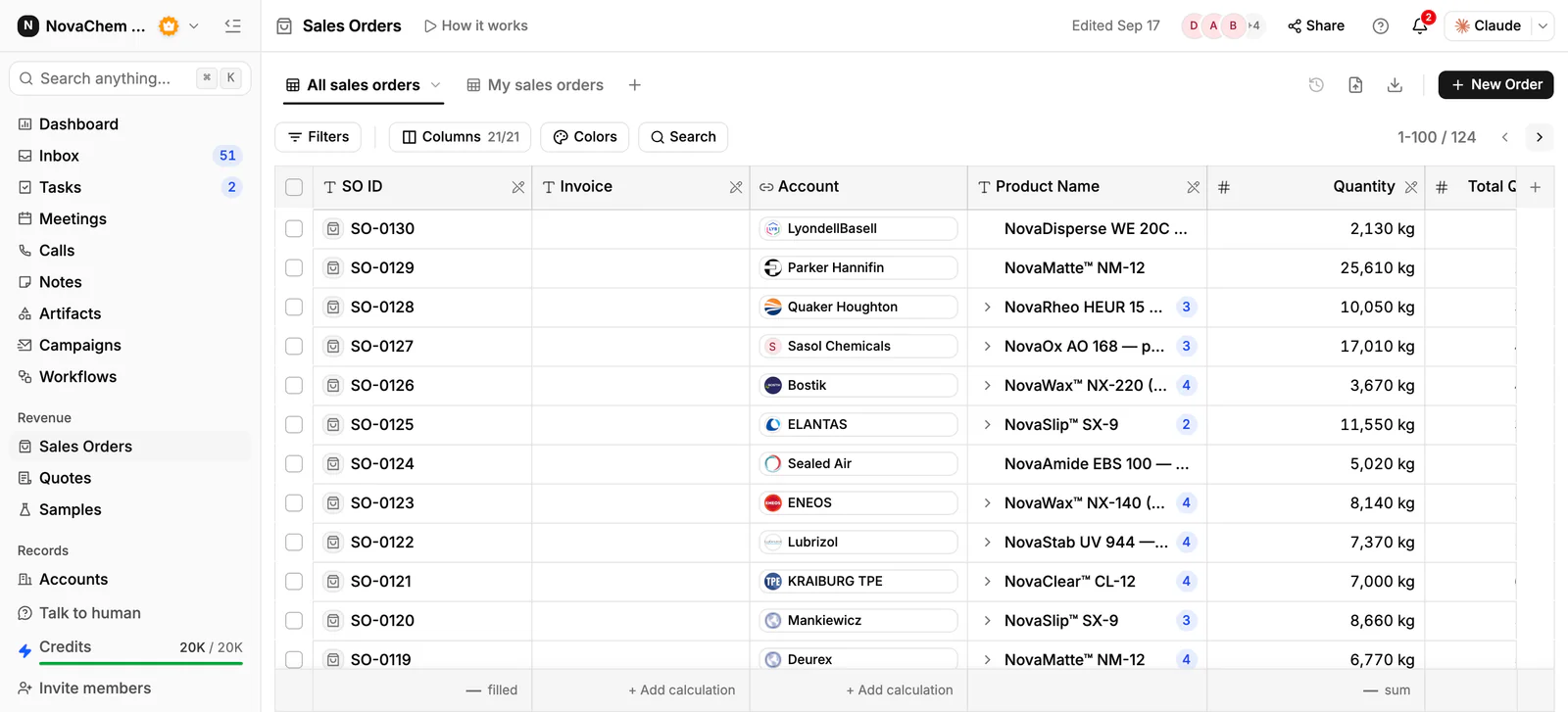
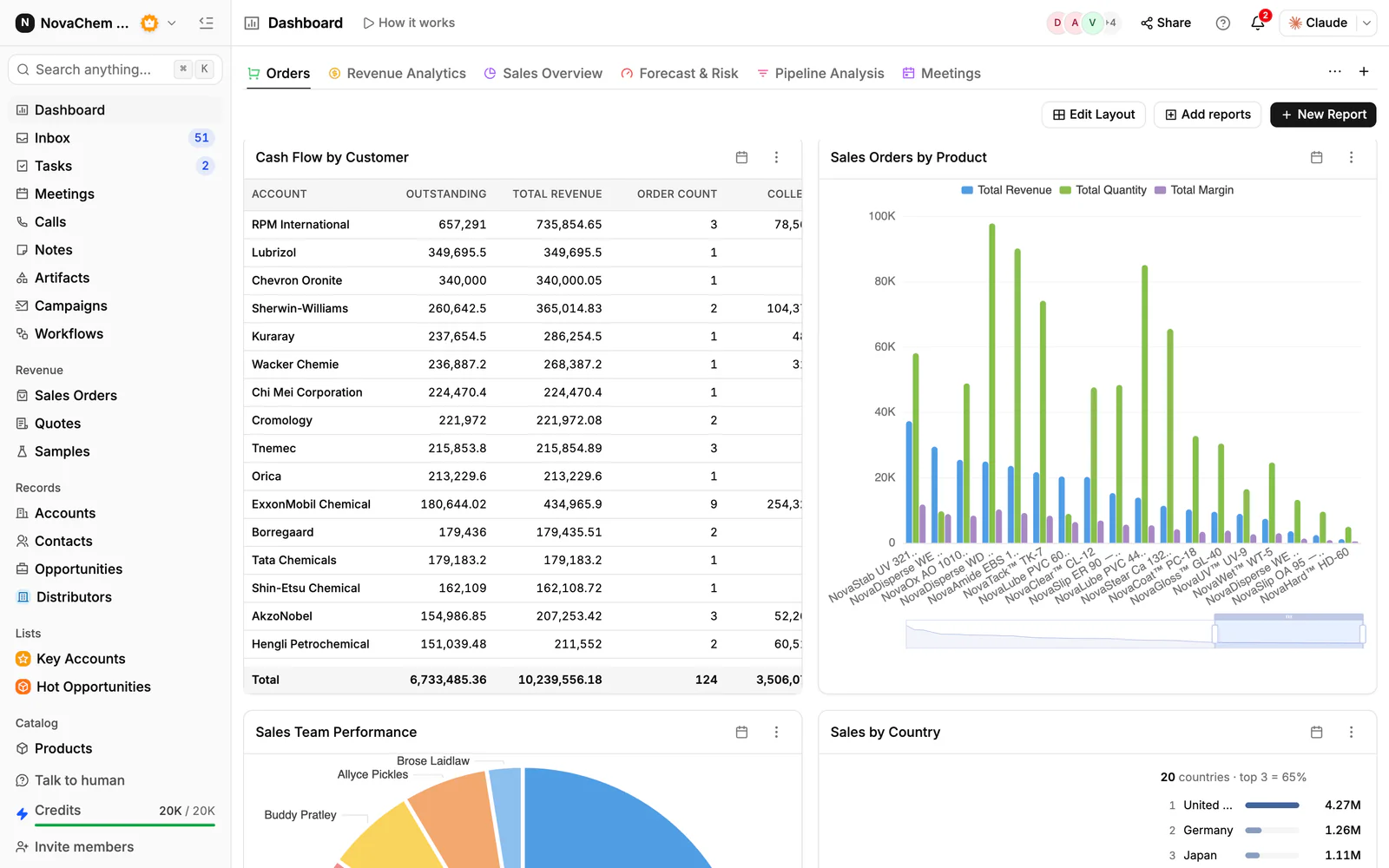
Approving a quote does not create a sales order, and no button or workflow converts one, so the order is entered as its own record by the person who handles it. The account's Overview shows its last order, how often it usually reorders, lifetime sales and what is outstanding or overdue. Ask AI can answer questions about accounts, quotes and sales orders in plain words, such as which customers ordered a given product. Reports and dashboards cover pipeline and revenue.
Workflows can react to quotes, samples, deals, emails and messages, but there are no sales-order triggers, so use tasks with dates, and the weekly review above, to chase deliveries.
Frequently asked questions
What is the best way to track customer orders?
Record each order as its own entry against the customer, with products, prices, terms and a planned delivery date, and review open orders on a fixed rhythm. A CRM that keeps the order on the account, next to its quotes and invoices, gives the clearest picture.
Can I track orders in Excel?
For a handful of orders, yes. It fails when several people update it, when you need the order next to the customer's history, or when you want to see invoices and payments. Then move orders into your CRM or ERP.
What is the difference between a quote and an order?
A quote is an offer with a price. An order is a confirmed purchase. A quote becomes an order when the buyer accepts it, and the order is what you ship and invoice against.
Does a CRM replace an ERP for orders?
Not always. A CRM tracks the customer side: what was offered, ordered and promised. An ERP usually runs stock, production and accounting. Many product companies use both, with the CRM as the sales team's view.
Does PromptLab create a sales order when a quote is approved?
No. Approving a quote does not create a sales order, and no button or workflow converts a quote. A sales order is created as its own record on the account, and an invoice can be created from it.