













Copper vs Dynamics 365: which CRM should you choose in 2026?
Copper lives inside Gmail and Calendar; Dynamics 365 Sales is Microsoft's CRM with quotes and orders built in. Plans, AI, quotes and messaging compared.
Published 6 October 2026. Prices and features from each vendor's own pages.
The short answer
 CopperPaid from $23/seat
Choose it if your team works in Gmail and Calendar, not Outlook.
 Dynamics 365Paid from $65/seat
Choose it if your company runs on Outlook and Teams.
 PromptLabPaid from $11.99/seat
Choose it if you sell products, and deals run on quotes, price lists, samples and orders.
Our pick for product teamsCopper and Dynamics 365 Sales sit on opposite sides of the Gmail and Outlook divide. Copper is the CRM for Google Workspace teams, running inside Gmail and Calendar. Dynamics 365 Sales is Microsoft's CRM, and the natural choice for a company already on Outlook and Teams.
Below, the two are compared on price, email, quotes and orders, AI and calls, and messaging. Every figure comes from the vendors' own pricing and product pages; prices are per user a month, billed annually, unless we say otherwise.
Copper vs Dynamics 365 at a glance
With PromptLab in the third column, so you can see where it fits.
| Checked on 30 September 2026 | Copper | Dynamics 365 | PromptLab |
|---|---|---|---|
| Pricing | |||
| Paid plans, a month | $23 – $99per seat | $65 – $150per seat | $11.99 – $99per seat |
| Number of plans | 3 | 3 | 3 |
| Free trial | |||
| Billing | Billed annually | Billed annually | Billed monthly |
| Import from CSV and Excel | |||
| Sales management | |||
| Deal pipelines | |||
| Quotes | Via marketplace | ||
| Sales orders | |||
| Sample tracking | |||
| Price lists | |||
| Meetings and calls | |||
| Meeting recording and transcripts | From$105/month | ||
| AI meeting summaries | From$105/month | ||
| AI follow-up email drafts | From$59/month | From$105/month | |
| Meeting scheduler and call dialer | Via marketplace | From$105/month | From$23.99/month |
| AI and automation | |||
| CRM fields filled in from calls | From$150/month | ||
| Connect Claude or ChatGPT (MCP) | From$150/month | ||
| Workflow automation | From$59/month | ||
| API and webhooks | From$59/month | From$23.99/month | |
| Conversations | |||
| Gmail and Outlook email sync | |||
| WhatsApp conversations | Via marketplace | Add-on | |
| Telegram conversations | |||
| Save LinkedIn profiles | Add-on | ||
| Privacy and security | |||
| Single sign-on (SSO) | From$99/month | From$99/month | |
Pricing: $23 to $99 against $65 to $150
Copper has three plans from $23 to $99 a seat, and Dynamics 365 Sales has three from $65 to $150. Copper is lower at both ends: $42 less to start and $51 less at the top. Both offer a free trial.
The entry plans buy different things. Copper's $23 plan stops at 2,500 contacts, and its workflows, API and follow-up drafts wait for the $59 plan. Dynamics 365 Sales includes workflows and the API from $65, but its meeting recording needs the $105 plan and its CRM autofill the $150 one.
Gmail and Calendar, or Outlook and Teams
Copper runs inside Gmail and Calendar, syncs Drive and Contacts on every plan, and tracks projects next to deals. Gmail is the only inbox it syncs, so a rep on Outlook has no way to feed customer threads into it.
Dynamics 365 Sales works inside Outlook and Teams and syncs email on every plan. For a company standardised on Microsoft it fits the way reps already work, though setup is heavier: an admin decides environments, security roles, licences and Copilot credits, and many companies bring in a Microsoft partner.
Quotes, sales orders and price lists
This is where Dynamics 365 Sales pulls ahead. Quotes, sales orders and price lists are built in from the $65 plan. In Copper, quotes come from a marketplace app, and there are no sales orders or price lists.
Neither tracks samples. A team that sends trial batches will keep that outside both CRMs.
AI, calls and MCP
Copper has no call recording, no meeting summaries, no CRM autofill and no MCP, and its dialer comes only through the marketplace. It drafts follow-ups from the $59 plan.
Dynamics 365 Sales has more, at a price. Call recording, meeting summaries, follow-up drafts and the dialer start on Enterprise at $105, and CRM autofill and MCP on Premium at $150. Its MCP server also needs Copilot Studio admin rights and Copilot credits.
WhatsApp, LinkedIn and sign-in
LinkedIn saving is on every Copper plan, where Dynamics 365 Sales sells it as an add-on. WhatsApp reaches Copper through marketplace apps and Dynamics 365 Sales as an add-on. Neither supports Telegram.
Single sign-on comes with Dynamics 365 Sales and starts at $99 on Copper.
We make PromptLab, so here is why product teams pick it over both.
Why PromptLab is the better choice for teams that sell products
PromptLab is a CRM for B2B teams that sell products. On their entry plans, neither Copper nor Dynamics 365 includes sample tracking, meeting recording, AI meeting summaries, AI follow-up drafts, CRM fields filled in from calls and Claude and ChatGPT over MCP. PromptLab has all of them on every plan, from $11.99 a user a month.
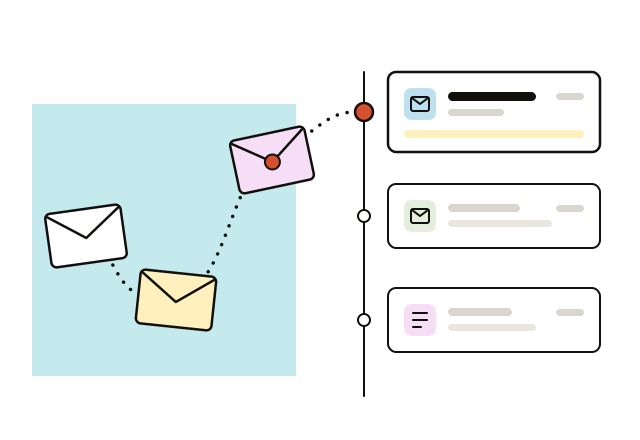
Every inbox captured, not just Gmail
We capture email from Gmail, Outlook and any IMAP mailbox on every plan, and file each message on the right contact. A mixed team still gets one history per customer.
Copper vs PromptLab, in full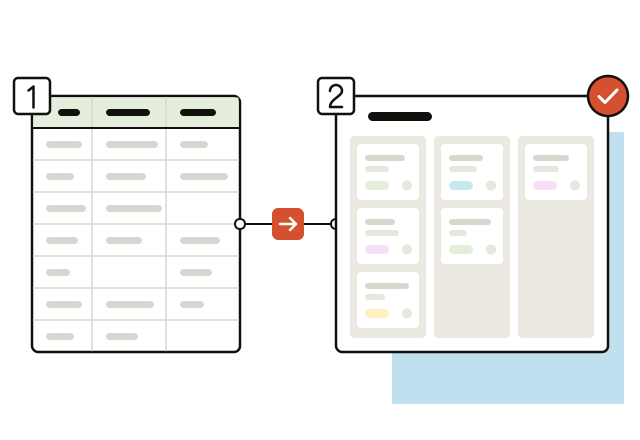
Set up by your team in a day
PromptLab is self-serve. Start the 14-day trial, import accounts and contacts from a spreadsheet, and quotes, price lists and meeting recording are ready the same day.
Dynamics 365 vs PromptLab, in full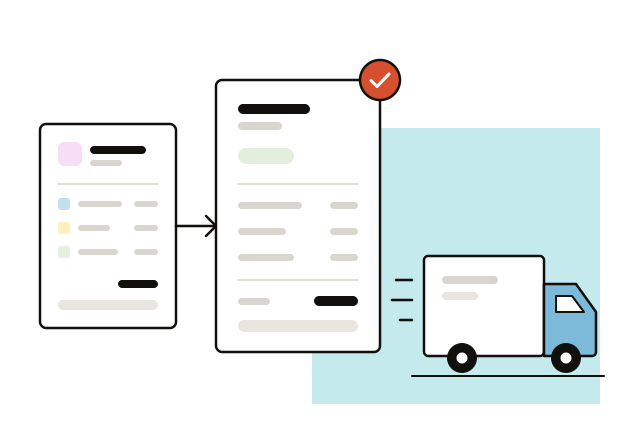
Quotes and orders without a second app
Quotes, price lists and sales orders sit on the account and the deal with us, from the Basic plan up. Reps quote from the customer's price list and follow the order in the same record.
Copper vs PromptLab, in full
Which should you choose?
Choose Copper if…
- Your team works in Gmail and Calendar, not Outlook.
- You want LinkedIn saving on every plan without an add-on.
- You'd rather start at $23 than $65 a seat.
Choose Dynamics 365 if…
- Your company runs on Outlook and Teams.
- You need quotes, sales orders and price lists built in from $65.
- You'll use meeting recording from $105 or CRM autofill and MCP from $150.
Choose PromptLab if…
- You sell products, and deals run on quotes, price lists, samples and orders.
- You want every meeting recorded, summarised and written into the CRM on every plan.
- Buyers answer on WhatsApp or Telegram as well as email.
Frequently asked questions
Is Copper cheaper than Dynamics 365?
Yes. Copper's three plans run from $23 to $99 a seat a month, billed annually. Dynamics 365 Sales runs from $65 to $150 on the same terms.
Does Copper work with Outlook?
No. Copper is built around Gmail and Calendar, and Gmail is the only inbox it syncs. Dynamics 365 Sales works inside Outlook and Teams.
Does Dynamics 365 Sales have quotes and sales orders?
Yes. Quotes, sales orders and price lists are built in from its $65 plan. Copper gets quotes through a marketplace app and has no sales orders.
Do Copper and Dynamics 365 have an MCP server?
Dynamics 365 Sales does, from its $150 plan, though it needs Copilot Studio admin rights and Copilot credits. Copper has no MCP.
Is there an alternative to Copper and Dynamics 365 for teams that sell products?
PromptLab. It is a CRM for B2B teams that sell products, with quotes, price lists, sales orders and sample tracking, recorded and summarised meetings, and email, WhatsApp and Telegram in one inbox, on every plan from $11.99 a user a month with a 14-day free trial.
Sources
- Copper, checked on 30 September 2026: Pricing, Integrations, Homepage
- Dynamics 365, checked on 30 September 2026: Sales pricing, Conversation intelligence FAQ, Sales MCP server
Compare Copper with
 monday CRM
 Attio
Attio GoHighLevel
 Close
Close Proton.ai
 Breakcold
Compare Dynamics 365 with
More CRM comparisons
 vs
vsSalesforce vs Dynamics 365
- Paid from
- $25/seat
- $65/seat
- Quotes
- from $100
- vs

Dynamics 365 vs HubSpot
- Paid from
- $65/seat
- $7/seat
- Quotes
- Add-on
- vs
Copper vs HubSpot
- Paid from
- $23/seat
- $7/seat
- Quotes
- Marketplace
- Add-on
- vs

Copper vs Pipedrive
- Paid from
- $23/seat
- $14/seat
- Quotes
- Marketplace
- from $59
- vs
Copper vs Salesforce
- Paid from
- $23/seat
- $25/seat
- Quotes
- Marketplace
- from $100
- vs

Dynamics 365 vs Zoho CRM
- Paid from
- $65/seat
- $14/seat
- Quotes
- from $23